

If you've spent any time researching AI tools, you've hit a wall of terminology that feels like it was designed to keep non-technical people out. AI assistants. Automation platforms. AI agents. No-code builders. Workflow tools. LLMs. The words get used interchangeably, then contradictorily, then in combinations that don't quite make sense.
Here's the thing: the categories are actually simple once someone explains them in plain language. And knowing which category solves which problem is the difference between picking the right tool on your first attempt and spending three weeks signing up for things that don't help.
This article breaks down the four categories of AI tools that matter for a solo founder — what each one is, what it does, what it doesn't do, and critically: which one you need first.
Why the categories matter more than the specific tools
There are hundreds of AI tools. New ones launch every week. Trying to evaluate them one by one is a losing game.
But the categories don't change nearly as fast. Once you understand what category of tool solves your problem, you can evaluate two or three options in that category and make a decision in an hour. Without that framework, you're reading marketing pages trying to figure out if "intelligent workflow automation with AI-powered decision nodes" is the thing you need or just a fancy description of something you already have.
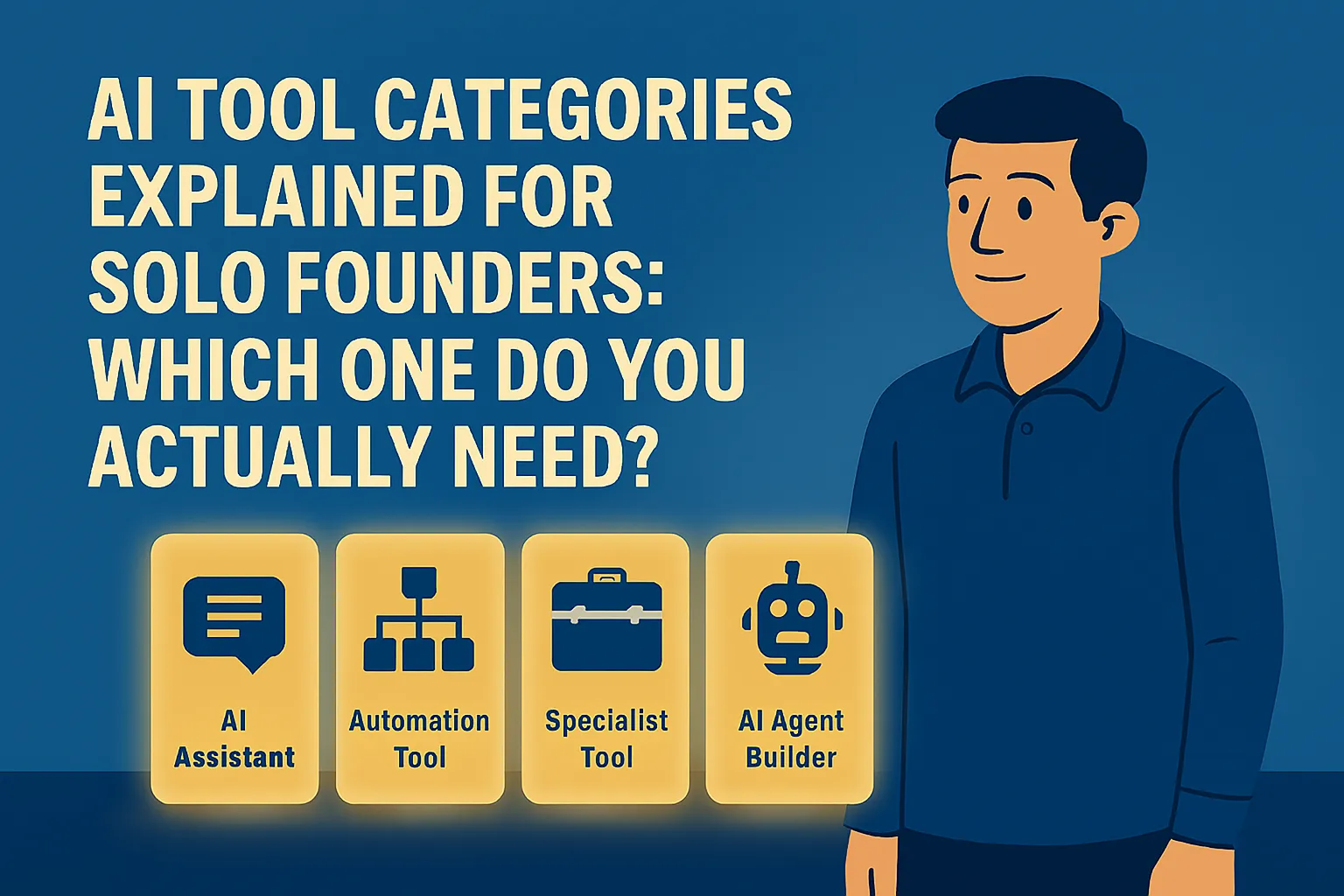
The four categories are: AI assistants, automation tools, AI-enhanced specialist tools, and AI agent builders. They're different in what they do, who operates them, and when you need them. Here's each one.
Category 1: AI Assistants
What they are in plain English: A conversational AI you talk to. You type something, it responds. You ask it to write something, it writes it. You ask it to explain something, it explains it. You ask it to think through a problem with you, it does that too.
The main tools: Claude (Anthropic), ChatGPT (OpenAI), Gemini (Google). These are the tools most people mean when they say "AI" in a general sense.
What they're actually good at for solo founders:
Writing and drafting — emails, proposals, blog posts, social content, client briefs, onboarding docs. You give it context, it gives you a 70% draft, you edit it into something that sounds like you.
Research and summarization — paste in a long document or describe a topic, ask for the key points. What used to take two hours takes fifteen minutes.
Thinking out loud — stress-test a pricing decision, get pushback on a strategy, draft a difficult message and ask if it sounds right. It won't replace experienced advisors but it's available at 11pm.
Q&A on anything — explain a concept, compare two options, translate jargon into plain English. It's a knowledgeable generalist available on demand.
What they're not good at:
They don't take actions in the world. An AI assistant can write an email for you but it can't send it. It can tell you what to put in your CRM but it can't update it. It responds to you — it doesn't go off and do things on its own.
They also don't have memory between conversations (unless you specifically set up a context system). Every new conversation starts fresh unless you give it the background again.
Who needs this: Every solo founder. This is always the first category to start with. If you don't have a working AI assistant habit, nothing else in this list is going to land properly.
Cost: Free tier available on all main tools. Paid plans (Claude Pro, ChatGPT Plus) at $20/month each when you need higher usage limits.
Category 2: Automation Tools
What they are in plain English: Tools that connect your apps and make them do things automatically when a trigger happens — without you touching anything.
You tell the tool: "When this happens in App A, do this in App B." It runs every time that condition is met, 24/7, without you being involved.
The main tools: Zapier, Make.com (formerly Integromat). These aren't new — they predate the current AI wave — but they've added AI capabilities that make them significantly more powerful.
What they're actually good at for solo founders:
Removing the manual work between tools. A new lead fills in your contact form → their details get added to your Google Sheet → a personalized welcome email goes out → a follow-up task gets created in your project tool. That chain, which currently takes you five minutes of copy-pasting and tab-switching every time it happens, runs automatically forever once you set it up.
Triggering AI-assisted actions. The newer versions of these tools let you insert an AI step into your automation. A new support email comes in → Zapier sends it to Claude → Claude drafts a response based on your FAQ → the draft lands in your drafts folder for you to review and send. You didn't write anything. You just approved it.
Running things while you sleep. Automations don't take weekends off. If a lead comes in at 2am on a Saturday, your automation fires and the response goes out immediately.
What they're not good at:
They're rule-based at their core. They follow the instructions you gave them. When something unexpected happens — an edge case, an unusual input, a situation you didn't anticipate — they either fail silently, do the wrong thing, or stop and wait for you to fix them. They're not making decisions. They're following a script.
Also: setup takes time. Zapier's interface is non-technical and drag-and-drop, but thinking through what you want to automate, connecting the right apps, testing the workflow — that's a few hours of work upfront. The payoff is worth it. But it's not instant.
Who needs this: Solo founders who have a working AI assistant habit and at least one repeating manual process they're doing every week. Not your first tool, but your second category once you've built the writing/research habit with an AI assistant.
Cost: Zapier free tier handles 100 tasks/month with two-step automations — good for testing. Paid plan is $19.99/month billed annually for 750 tasks and multi-step workflows. Make.com starts free at 1,000 operations/month and paid plans from $9/month.
Category 3: AI-Enhanced Specialist Tools
What they are in plain English: Purpose-built tools for a specific job that have AI built into them. Not a general AI assistant, not an automation platform — a tool for one function that uses AI to do that function better.
Examples relevant to solo founders:
Otter.ai and Fireflies.ai — transcription and meeting notes. Records your calls, transcribes them, produces a summary with action items. The "AI" part is the transcription accuracy, the summarization, and the action item extraction.
Tidio, Intercom Fin — customer-facing chatbots. Sits on your website, answers common questions using your content as its knowledge base. The AI part is the natural language understanding that makes it feel like a real conversation rather than a keyword-matched FAQ widget.
Notion AI — writing and organization within Notion. If you already use Notion as your workspace, it adds AI drafting, summarization, and Q&A directly inside the tool without you needing to switch tabs.
Grammarly — writing enhancement with AI suggestions. Most people know Grammarly as a spell-checker but its current version does tone suggestions, clarity rewrites, and full sentence restructuring.
What they're actually good at for solo founders:
Doing one job extremely well without requiring you to build anything. You don't configure a workflow. You don't write prompts. You install the tool, connect it to the relevant place, and it works for its designed purpose.
What they're not good at:
They're narrow by design. Otter transcribes meetings. It doesn't write your proposals. Tidio handles your website FAQs. It doesn't help you think through a strategy. Each tool lives in its lane.
Who needs this: Solo founders who've identified a specific function where they want AI help, and the general AI assistant isn't the right interface for it — particularly meetings (transcription tools) and customer questions (chatbots).
Cost: Highly variable by tool. Most have free tiers with real limitations — see the cost breakdown article for specifics. Generally $0–$25/month for the tools relevant at this stage.
Category 4: AI Agent Builders
What they are in plain English: Platforms that let you build something that works like a small, autonomous AI employee — one that can take a goal, figure out the steps to achieve it, take actions across your tools, and report back when done.
Where an AI assistant waits for you to ask it something, an agent can be given a goal and go figure out how to achieve it. Where an automation tool follows a fixed script, an agent can handle variations and make decisions mid-process.
The main tools: This is where the landscape is moving fastest in 2026. Options include Lindy.ai, Gumloop, n8n, and Make.com's newer AI workflow features. At the more accessible end: Claude Projects and ChatGPT's built-in memory features function as lightweight agents. At the more powerful end: tools like n8n require more technical setup.
What they're actually good at for solo founders:
Handling multi-step tasks that require judgment calls along the way. A lead comes in → agent researches them → assesses fit based on your criteria → drafts a personalized outreach email → flags it for your approval. That whole sequence, with a judgment call in the middle, handled automatically.
Ongoing tasks that would otherwise need constant monitoring. An agent that watches your inbox, categorizes emails, drafts replies to common types, and flags the ones that need you.
What they're not good at right now:
They're the newest category and the most variable in quality. Some tools marketed as "AI agents" are really just automations with better branding. True agentic behavior — where the AI adapts based on what it encounters rather than following a preset path — still requires more technical setup than the other three categories, and the tools change rapidly.
They also require you to have a clear, well-understood workflow to hand off. You can't hand chaos to an agent. It needs to know what success looks like.
Who needs this: Solo founders who have already built habits with an AI assistant, have at least one automation running, and are looking to go deeper. This is Level 3 territory from the maturity quiz. Not a starting point.
Cost: Free tiers exist on most platforms. Lindy.ai has a free plan. Make.com's AI-enhanced workflows are available on paid plans from $9/month. More powerful agent builders like Gumloop start at $37/month.
The order that actually works
Here's the practical sequence for a solo founder building an AI-supported business:
Start with Category 1 — AI Assistant. Pick Claude or ChatGPT. Use it for writing tasks every day for two to four weeks. Build the habit of reaching for it before doing any significant piece of writing from scratch. Get familiar with prompting. This is your foundation.
Add Category 3 — one Specialist Tool — when a specific function pain is clear. If you're wasting time on meeting notes, add Otter or Fireflies. If you're drowning in the same website questions, add Tidio. Don't install these speculatively. Install them when a specific problem is costing you real time every week.
Move to Category 2 — Automation — when you have a repetitive manual process that connects two apps. Start with Zapier. Think of one trigger-action pair that currently requires manual work. Set it up. When that's running reliably, add another.
Explore Category 4 — AI Agents — when you have a workflow that needs judgment in the middle. By this point you'll have enough familiarity with how these tools work to evaluate agent platforms sensibly. Not before.
The founders who skip this sequence — jumping to agent builders before building the assistant habit, or trying to automate before they understand their workflows — consistently hit friction that makes them conclude AI isn't ready. It's not that AI isn't ready. It's that the starting point was wrong.
The one thing to remember when evaluating any AI tool
Every AI tool you look at will have marketing language designed to make it sound like it does everything. "End-to-end AI automation." "Intelligent workflow orchestration." "AI-powered everything."
The question to cut through all of it is this: what specific manual task am I doing right now that this tool takes off my plate, and how long does setup take?
If you can answer that clearly — "it automates the follow-up emails I manually write after every discovery call, and setup takes two hours" — it's worth trying. If you can't answer it clearly because the marketing is too vague, that's a signal to keep looking.
Do this today: Look at the four categories above and identify where you currently are. If you haven't properly used Category 1 (AI assistant) yet, that's the only decision you need to make today. Go to claude.ai, open a free account, and use it on the next piece of writing you need to do. Everything else comes after that foundation is in place.
Next in Know Where You Stand: The 5 AI Use Cases That Work on Day 1 for a Solo Business →
Or go back to the main article: ← Know Where You Stand



Comments (0)
Leave a Comment