

The AI pricing question trips up more solo founders than almost any other. You'll read that AI is "affordable" or "accessible" — but affordable compared to what? You can also find enterprise AI contracts worth millions of dollars, which doesn't help your decision-making at all.
This article gives you the real numbers. Specific tools, exact prices, what you actually get on the free tier, when the free tier runs out, and what you'll pay if you need more. No vague ranges. No "pricing varies."
By the end you'll know exactly what a lean AI setup costs for a one-person business — and you'll have a clear decision framework for when to pay and when to stay free.
The short answer first
A functional AI setup for a solo founder costs between $0 and $30 per month depending on what you need. Most founders can start at $0 and stay there for weeks before hitting any meaningful limit.
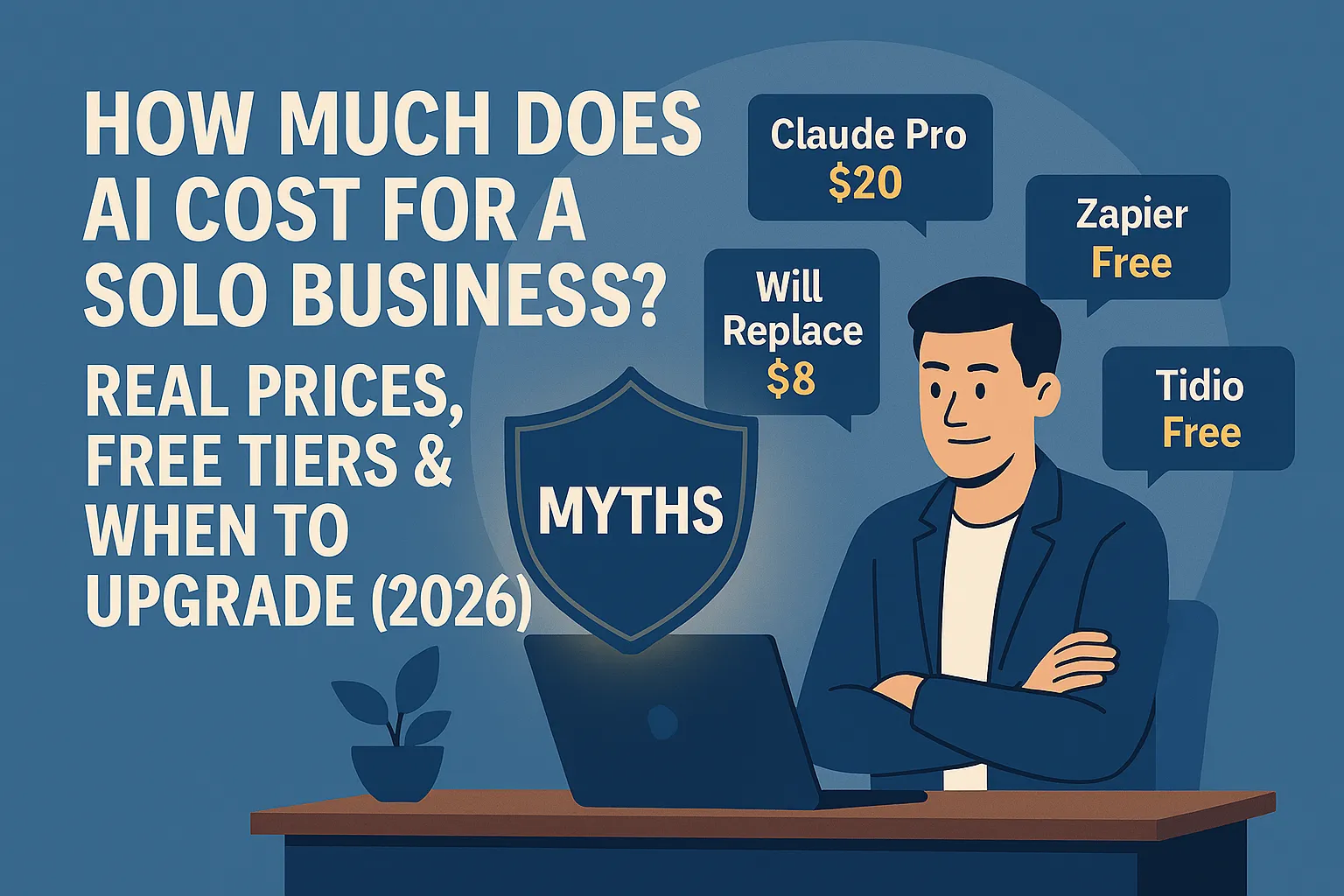
If you need one good AI assistant for writing, research, and thinking — that's $20/month for Claude Pro or ChatGPT Plus, or $8/month for ChatGPT Go if you're not ready to commit to the full tier yet. Everything else has a free tier that's genuinely useful for solo-scale work.
Here's the breakdown.
Category 1: General AI assistant (writing, research, thinking)
This is the most important tool in the stack. You use it for drafting emails and content, summarizing documents, researching topics, answering questions, and stress-testing ideas. It's the one you'll open most days.
Your two main options:
Claude (by Anthropic)
Free tier: Available. Gives you access to Claude with daily usage limits — enough for light daily use and testing
Claude Pro: $20/month. Higher usage limits, priority access, ability to upload documents and work on longer projects
Best for: writing, analysis, long-document work, nuanced reasoning
ChatGPT (by OpenAI)
Free tier: Available. Access to GPT-5.2 Instant with a cap of roughly 10 messages every 5 hours before dropping to a lighter model
ChatGPT Go: $8/month. New in late 2025. Ad-supported but gives 10x the messages and uploads of the free tier. Good middle ground if $20/month feels like too much of a commitment while testing
ChatGPT Plus: $20/month. Ad-free, access to GPT-5.2 Thinking mode with higher limits, image generation, and full tool access
Best for: general use, image generation, breadth of tools and integrations
The honest take on free tiers: Both are genuinely useful on the free plan for casual and early use. You'll hit limits if you're using them heavily — multiple long sessions per day, uploading large documents frequently, running complex multi-step tasks. A solo founder doing moderate use (a few meaningful sessions per day) will likely bump into limits within a few weeks of serious use.
Which one? Most founders pick one and stick with it. Claude tends to feel better for long writing tasks and analytical work. ChatGPT has a larger ecosystem of integrations and add-ons. Both are good. You don't need both. If budget is the first concern, ChatGPT Go at $8/month is a legitimate testing ground before committing to $20/month. Once you're using it for real work, one full paid plan is the right move.
When to upgrade from free: When you notice you're hitting daily limits and waiting for resets, or when you're using it for client-facing work where interruptions aren't acceptable. At $20/month, the ROI calculation is almost always obvious.
Category 2: Automation (connecting your apps and running workflows)
This is how you make things happen automatically — a new lead fills out a form and gets added to your CRM and sends a follow-up email, without you touching anything. The main tool here is Zapier.
Zapier
Free tier: 100 tasks/month, two-step Zaps only (one trigger, one action), 15-minute polling delay
Professional plan: $29.99/month (billed monthly) or $19.99/month (billed annually), 750 tasks/month, multi-step Zaps, premium app access
The critical thing to understand about Zapier's free tier: 100 tasks per month sounds like a lot until you think about what a task actually is. A task is one action your automation completes. If a workflow has three actions — add to CRM, send email, create task in your project tool — that's three tasks per trigger. A solo founder with moderate lead volume can burn through 100 tasks quickly.
The free tier is excellent for testing a workflow and confirming it does what you want. It's not reliable infrastructure for a workflow you depend on.
The two-step limit matters more than the task count. Most useful automations need more than one action. If you want anything beyond the simplest trigger → action chain, you need the paid plan.
Alternative worth knowing: Make.com (formerly Integromat) is often cheaper for complex multi-step workflows. Their free tier gives you 1,000 operations per month, and their paid plans start at around $9/month. The interface is more visual but has a slightly steeper learning curve than Zapier. If you want to automate more without spending $20/month, Make is worth looking at.
When to upgrade Zapier: When you've confirmed a workflow works and you want it to run reliably — especially if it involves client-facing or revenue-generating actions. The $20/month paid plan is worth it the moment your automations are doing real work.
Category 3: Meeting transcription and notes
This tool records your calls, transcribes them, and produces a summary with action items. The most common option is Otter.ai.
Free tier (Basic): 300 transcription minutes/month, hard 30-minute cap per conversation, and only 3 lifetime file imports (not monthly — total, ever)
Pro plan: $8.33/month (billed annually) or $16.99/month (billed monthly). Bumps you to 1,200 minutes/month, 90 minutes per conversation, and 10 file imports per month
The 30-minute cap is the thing that matters most here. If your client calls run longer than 30 minutes — and most do — the free tier stops transcribing mid-call. That's not a graceful degradation. It just stops.
The 3 lifetime file imports is the other trap no one mentions. If you want to upload recordings — past calls, audio files, podcast episodes — you get three. Across your entire account. Ever. Once those are used, you're done unless you upgrade.
If you do mostly short live calls (discovery calls, quick check-ins under 30 minutes), the free tier covers you. If your calls run longer or you ever need to upload recordings, you need the $8.33/month Pro plan — which at that price is one of the clearest value propositions in this whole stack.
Alternative: Fireflies.ai is now the stronger free-tier alternative in 2026 — it gives you 800 transcription minutes per month on the free plan (versus Otter's 300), no hard per-conversation minute cap, and unlimited storage. Pro is $10/seat/month. If you're doing heavy transcription and don't want to pay yet, test Fireflies before committing to Otter Pro.
When to upgrade: The moment you have a meaningful call — a client call, a sales conversation, a strategy session — that runs over 30 minutes. At under $10/month, Pro is an easy call (no pun intended).
Category 4: AI-powered customer support / chatbot
This covers putting an AI chatbot on your website to answer common questions, capture leads, and handle basic support — so you're not personally fielding every inquiry.
Tidio
Free tier: 50 billable human conversations/month (resets monthly), live chat functionality, and 50 one-time Lyro AI conversations (lifetime, not monthly — once used, gone unless you upgrade)
Starter plan: $29/month (billed monthly) or $24.17/month (billed annually). Gets you 100 human conversations/month
The honest take: Tidio's free tier is genuinely usable for a solo founder with a small site and light traffic. The 50 monthly human conversations is the main working limit — if your site converts well or you're running any paid traffic, you'll hit it quickly. The 50 Lyro AI conversations is a one-time pool, not a monthly reset, so treat those as your testing budget to see if the AI chatbot actually deflects questions well.
One important nuance: only conversations where you (the human agent) actually reply count as billable. If a visitor sends a message and you don't respond, it doesn't count. That makes the 50/month limit more generous in practice than it sounds on paper for founders who are just starting to experiment.
When to upgrade: When you're consistently hitting the conversation cap, when you want the Lyro AI quota to refresh monthly rather than disappear, or when the chatbot is actively saving you 30+ minutes a week in manual replies.
Category 5: AI writing enhancement (optional)
Some founders add a dedicated AI writing tool on top of their general AI assistant — specifically for SEO content, longer-form writing, or brand-voice consistency. The main ones are Jasper, Copy.ai, and Writesonic.
The honest take on this category: most solo founders don't need it.
Claude Pro or ChatGPT Plus handles the vast majority of writing use cases. Dedicated writing tools add cost (typically $30–50/month) in exchange for features like SEO keyword integration and content templates — which matter more if you're producing high volumes of content and need tight SEO workflow integration. If you're producing one to three pieces of content per week, your general AI assistant is enough.
Skip this category until your general AI assistant is clearly inadequate for your writing needs.
What a lean solo founder AI stack actually costs
Here's the realistic cost picture at three different levels of use:
Level 1 — Testing and getting started (Month 1)
Tool | Plan | Cost |
|---|---|---|
Claude or ChatGPT | Free tier | $0 |
ChatGPT Go (optional upgrade) | $8/month tier | $8 |
Zapier | Free tier (100 tasks) | $0 |
Free tier (300 min, 30-min cap) | $0 | |
Tidio | Free tier (50 conversations/month) | $0 |
Total | $0–$8/month |
Use this stage to learn which tools actually fit into your workflow. Don't pay for anything until you've tested it on real tasks. The ChatGPT Go option is there if you want more headroom than the free tier but aren't ready to commit to $20/month yet.
Level 2 — Core productive stack (Month 2–3 onwards)
Tool | Plan | Cost |
|---|---|---|
Claude Pro or ChatGPT Plus | Paid | $20/month |
Zapier | Free or Professional | $0–$20/month |
Free or Pro | $0–$8.33/month | |
Tidio | Free tier | $0 |
Total | $20–$48/month |
Most solo founders land here. The core tool (AI assistant) is the only non-negotiable paid item. Everything else depends on your specific use volume.
Level 3 — Full stack with automation running
Tool | Plan | Cost |
|---|---|---|
Claude Pro or ChatGPT Plus | Paid | $20/month |
Zapier Professional | Paid (annual billing) | $19.99/month |
Otter.ai Pro | Paid (annual billing) | $8.33/month |
Tidio Starter | Paid (annual billing) | $24.17/month |
Total | ~$72/month |
This is the ceiling for a serious solo founder AI stack — and it still costs less than one hour of outsourced work per month. If you're recovering 5–10 hours per week with these tools, the math makes itself.
The hidden costs worth knowing about
Zapier overages work differently than you'd expect. On the Professional paid plan, if you exceed your monthly task limit, your automations keep running — but you get charged for each additional completed task. This is actually better than having everything stop, but it means an unusually busy month can produce an unexpectedly large bill. Monitor your task usage in your first month on a paid plan, especially if you're running automations on high-volume triggers.
Tool sprawl. The real cost of AI tools isn't always the subscription — it's the time lost signing up for things you don't use. Every tool you pay for but don't use consistently is a subscription you'll eventually need to audit and cancel. Discipline about what you actually implement matters more than the per-tool cost.
The upgrade trap. Several tools in this category have free tiers specifically designed to introduce limits at exactly the point where you're starting to get value — Zapier's two-step limit being the most obvious example. That's not a scam; it's a standard freemium model. Just go in with eyes open: the free tier shows you whether the tool works, the paid tier is where it becomes reliable infrastructure.
Annual vs monthly billing. Most tools are meaningfully cheaper on annual billing — Zapier's Professional plan is $19.99/month annually versus $29.99 monthly. Don't commit to annual billing until you've used the tool for at least a month on monthly billing and confirmed you're actually using it.
The decision framework: when to pay for something
A lot of founders either overpay (subscribing before they've validated the tool works for them) or underpay (staying on free tiers long after the limits are causing real friction). Here's the simple framework:
Pay for a tool when:
You've used the free tier enough to confirm it saves you real time
The free tier limits are causing you to work around the tool rather than with it
The tool is involved in a client-facing or revenue-generating workflow where reliability matters
The monthly cost is less than one hour of your effective hourly rate (which it almost always is)
Stay on the free tier when:
You're still testing whether the tool fits your workflow
You're using it occasionally rather than regularly
The free tier limits haven't actually stopped you from doing anything you wanted to do
Cancel when:
You haven't opened the tool in two weeks
You're using it twice a month at most
A different tool in your stack already does the same job
The bottom line
There's no version of "AI is too expensive" that holds up for a solo founder looking at this stack. The base cost — one good AI assistant — is $20/month. Everything else has a functional free tier for the testing phase.
The real cost question isn't the subscription fee. It's whether you'll actually implement the tool and use it consistently. A $20/month subscription you use daily has a return on investment that's hard to argue with. A $20/month subscription you open twice a month is expensive.
Start free. Test on real tasks. Pay only when the free tier is actively getting in your way. That approach keeps your costs minimal and your implementation rate high.
Do this today: Go to claude.ai and spend 15 minutes using the free tier on a real task from your week. If after a week of actual use you're hitting daily limits regularly, that's your signal to upgrade. Don't pay before you have evidence it's worth paying for.
Next in AI Basics: The Solo Founder AI Stack for Beginners: Start With These 3 Tools →





Comments (0)
Leave a Comment