
YouMind lets you save anything you find online, then use AI to turn that pile of sources into a finished piece of writing without switching tools.
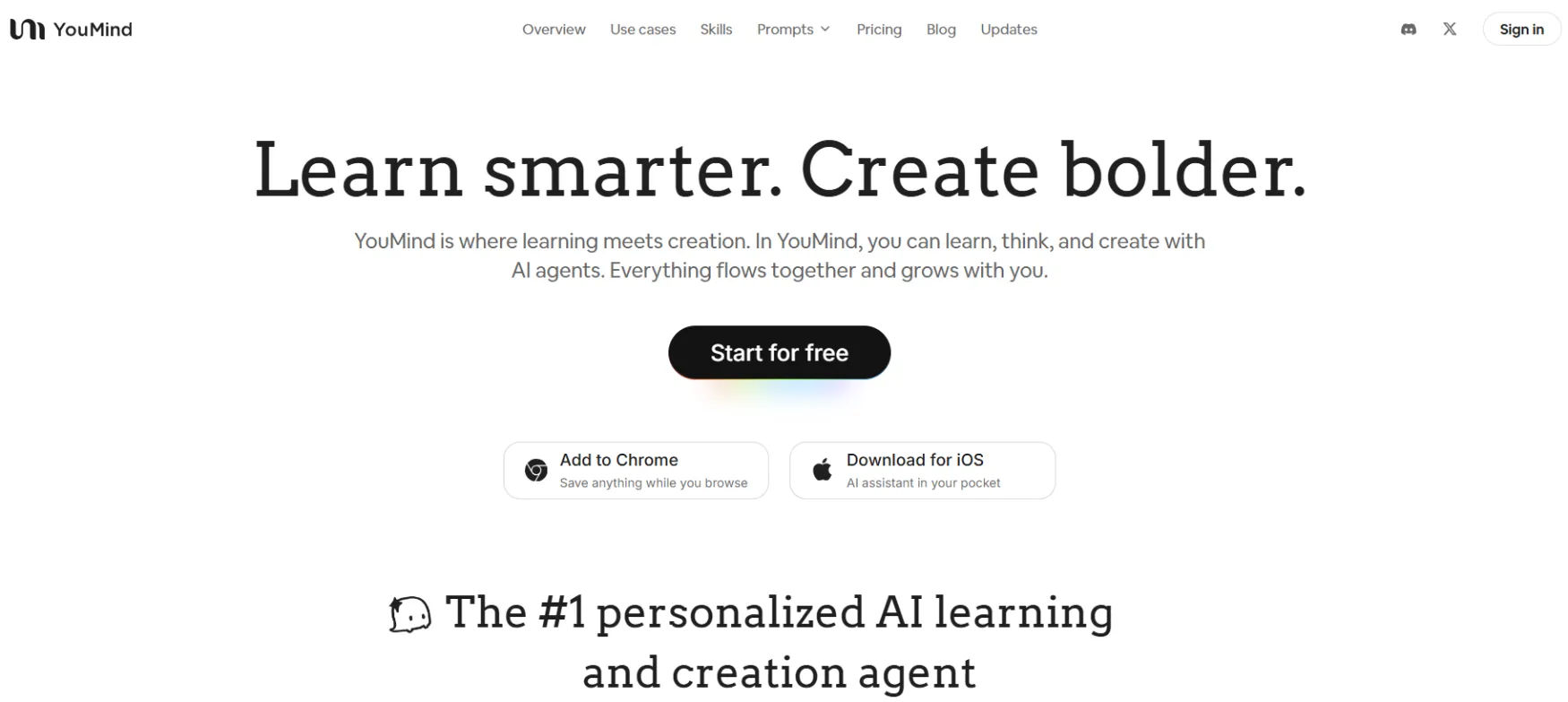
YouMind is an AI creation studio built around a specific workflow: collect sources first, create content second. It was built by MIND MOTOR PTE. LTD. and positions itself as the place where learning and writing happen in the same workspace rather than across a chain of separate tools.
The core idea is that most content creators and researchers spend too long managing scattered inputs before they ever start writing. YouMind puts the collection, organization, AI research, drafting, and publishing into a single environment called a Board. You never have to leave the project to work on it.
The product has been actively developed through 2025 and early 2026. The most recent major release, YouMind 0.8, added a Skills library, Slides creation, and Smart Video (which turns finished slides into a narrated video in one click). The company maintains a strict privacy policy: your uploads and queries are not used to train AI models.
Writing articles and blog posts from research. The most common use case. Save YouTube videos, podcasts, PDFs, and web articles to a board, let YouMind summarize and extract key points, then use the AI writer to build a draft from your collected sources. The output is grounded in your materials rather than generated from scratch.
Turning a YouTube video or podcast into written content. A solo creator or marketer saves a video to YouMind, gets an AI-generated transcript and summary, then repurposes it into a blog post, social post, or newsletter. Users report doing this in 15-20 minutes per piece once the workflow is familiar.
Research-heavy content without the tab chaos. Consultants and freelancers working on a defined topic create a Board per project, save every relevant source into it, and use the AI to synthesize across sources. The Board holds everything: materials, notes, summaries, and the draft itself.
Creating presentations and slide decks from research. YouMind's Slides feature (added in version 0.8) turns a Board's contents into a structured slide deck. Smart Video then converts those slides into a narrated video with AI-generated audio and subtitles.
Daily briefings and content monitoring. The Skills library includes pre-built agents that aggregate sources across a topic and produce structured summaries. One documented use case: generating daily industry briefings from 50+ sources for entrepreneurs and investors.
The central organizing unit. Each Board is a project workspace containing all your saved sources, AI summaries, notes, highlights, and drafts. When you create a new Board, YouMind uses AI to search for and surface relevant content based on your topic. Boards support one-click sharing for collaboration or publishing.
The Chrome Web Clipper saves web pages, YouTube videos, podcasts, highlighted text, and PDFs directly to a Board with one click. The iOS app enables capture on the go. The extension also generates instant AI summaries and mind maps for saved pages before you have even opened YouMind.
A library of specialized AI agents designed for specific tasks. Skills include a Twitter Master for social content, a Full-stack YouTuber for script-to-distribution workflows, language learning assistants, business planning frameworks, and content planning agents. You select a Skill and apply it to your Board's materials to generate targeted output.
YouMind gives access to models from OpenAI, Anthropic, Google, DeepSeek, and Meta within the same workspace. You choose the model per task. Every AI report opens as a fully editable document. The output is a starting point you refine, not a locked final product.
Create a slide deck from your Board's research materials. Smart Video converts completed slides into a narrated video with AI-generated audio and subtitles in one click. Built for simple shareable video output without production overhead.
If you currently save articles, videos, and podcasts across three different apps before writing, YouMind collapses that into one place. The Board structure means your research and your draft are in the same project. Users who produce at least one piece of content per week recover the most time here.
Save a video or podcast episode to YouMind, get a transcript and summary, and build a blog post or newsletter from it in 15-20 minutes. This is one of the most documented solo use cases in the existing user community.
One Board per project. Every relevant source goes in. AI synthesizes across all of them. The draft lives in the same workspace as the research. For anyone managing client deliverables that require evidence-backed writing, this is the clearest productivity gain.
The Skills library includes pre-built agents for daily briefings and industry monitoring. Save sources regularly, run a Skill, get a structured summary. Useful for anyone who needs to stay current across a volume of sources without reading everything manually.
Save any web page, YouTube video, podcast, or highlighted text directly to a Board with one click. Generates instant AI summary and mind map on save.
Mobile capture for articles, voice memos, and links. Full access to Boards on iOS.
Supports PDFs, Word documents, Excel files, PowerPoint, images, and audio file uploads into any Board.
Project-based workspaces containing materials, notes, highlights, AI summaries, and draft documents. AI-assisted source discovery on Board creation.
Ask AI questions across multiple saved sources simultaneously. AI-generated summaries and key points. Personalized insights based on your own highlights and annotations, not just generic AI output.
Access to models from OpenAI, Anthropic, Google, DeepSeek, and Meta. Choose the model per task. Full model access on Pro plan.
Generates fully editable document output based on your Board's materials and your prompt. Every output is a document you can revise, not a static response.
Pre-built specialized AI agents for specific creation tasks. Includes social content creation, YouTube workflow, language learning, business planning, and content planning agents.
Create a structured slide deck from a Board's materials and AI research. Added in YouMind 0.8.
Convert a completed slide deck into a narrated video with AI-generated audio and subtitles in one click. Added in YouMind 0.8.
One-click sharing of any Board for collaboration or public publishing.
Personal data, source uploads, and queries are not used for AI model training.
YouMind has at least three tiers. Note: the pricing page is sparse on published details and third-party sources show some variation. The figures below are from multiple third-party sources as of early 2026. Verify current pricing at youmind.com/pricing before purchasing.
Free: $0/month. Daily credit cap (reported at approximately 1,000-2,000 credits), up to 100 saved materials, limited AI model access. No credit card required. Enough to test the workflow across a small project.
Pro: $20/month. 20,000 credits per month, unlimited AI model access, unlimited saved materials, unlimited file uploads and parsing, full AI writing, image creation, and audio generation, higher memory and context window.
Max: higher tier. Reported at 200,000 credits per month with advanced customization, automation features, and early access to new features. Price not consistently confirmed across sources.
Annual billing: Discount details not confirmed at time of writing. Check the pricing page directly.
What happens if you cancel: No published data on export options or data portability at time of writing. Verify with the team before building a system you'd need to migrate out of.
Price history: YouMind is an early-stage product. The company ran a 30% holiday discount in late 2025. No major price history to evaluate yet. As an early-stage tool, pricing should be treated as subject to change.
Pricing sourced from third-party directories and official site, verified March 2026. Confirm current pricing at youmind.com/pricing.
Readwise is the most direct overlap. YouMind handles source saving, highlighting, annotation, and AI summarization inside one workspace. Several early adopters specifically describe switching from a Readwise plus Notion combination.
Perplexity for AI research. Users who used Perplexity as their primary AI search tool report moving that workflow into YouMind because results are tied directly to the project they are working on rather than sitting in a separate conversation. A separate writing tool alongside a research tool. Most creators currently run a note-taking or research app next to a writing app. YouMind handles both without a handoff step between them.
Your publishing platform. YouMind drafts and organizes. WordPress, Substack, or Medium is still where you publish. YouMind does not replace the publishing step.
Social media scheduling tools. YouMind can draft social posts through Skills, but it does not schedule or publish them. Buffer, Later, or Hypefury still handle distribution.
A dedicated video editor. Smart Video is a simple narrated presentation output. It is not a replacement for professional video production. Creators who need full editing control still use CapCut, Premiere, or DaVinci.
Project management and task tracking. YouMind is a creation workspace, not a productivity suite. Notion, Trello, or Linear still handle task management and team workflow.
whether YouMind replaces Notion depends entirely on how you use Notion. If you use Notion primarily as a project tracker or wiki, YouMind does not touch that. If you use Notion as a writing and research workspace with a lot of linked notes, YouMind covers the same ground with a tighter focus on content creation. Several users have described replacing Notion for their writing workflow specifically while keeping Notion for everything else.
No reviews yet. Be the first to review this tool!
Explore alternatives and similar solutions in the same category.

An integrated AI suite that acts as a researcher, writer, and agent directly within your workspace.
HeyGen generates professional videos using AI avatars, voice cloning, and multilingual dubbing. You write a script, pick an avatar, and get a finished video — no filming required.
Fact-checked AI writing platform specialized in real-time data and long-form content.

Professional-grade AI video generation with cinematic consistency and physics-based motion.
Save tools to your account.
