The AI-powered workspace that replaces scattered notes, tasks, and CRMs.
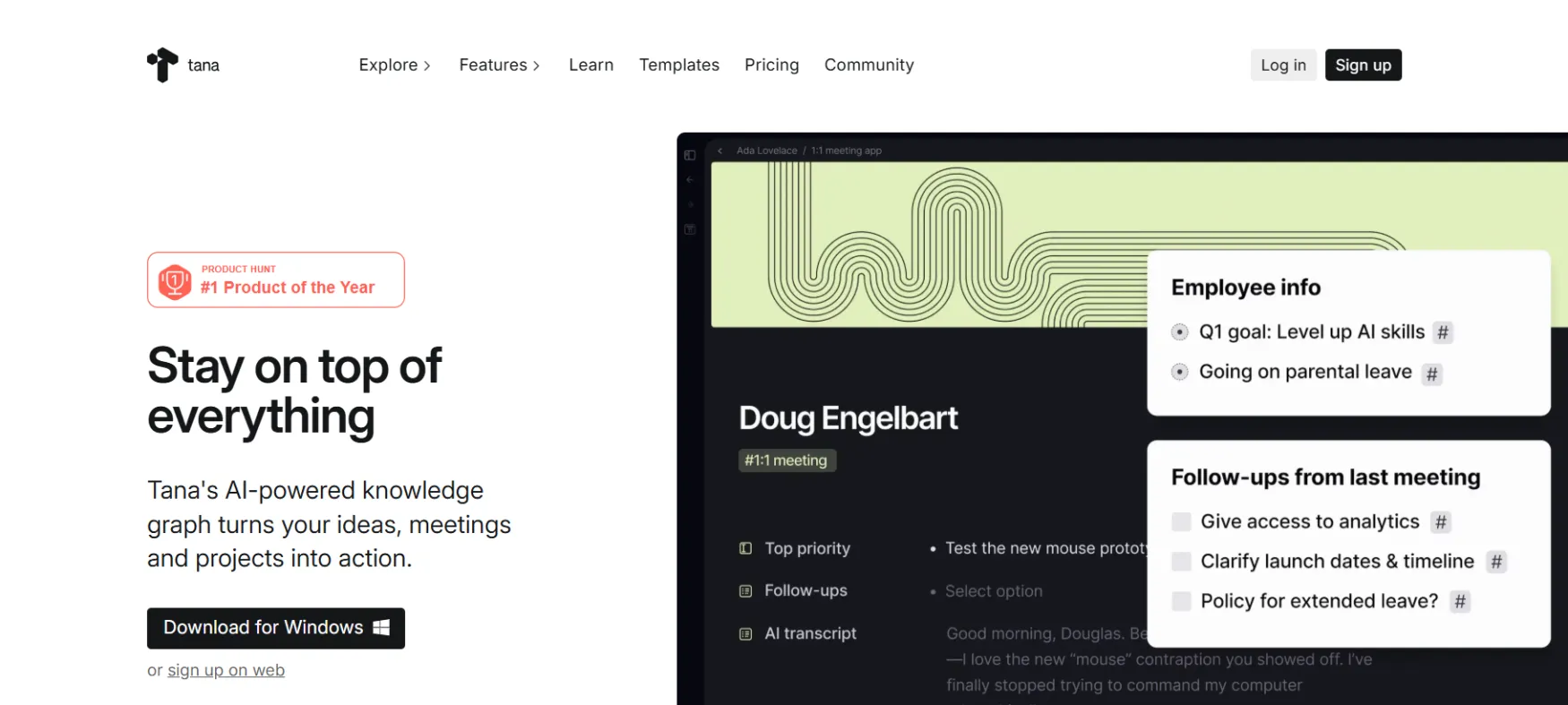
Tana is an AI-powered knowledge workspace. Instead of folders and pages, everything lives in a connected graph.
Notes link to meetings. Meetings link to clients. Clients link to projects. Nothing gets lost.
The core feature is Supertags: tag any note as #client or #meeting and it instantly becomes a structured record with custom fields.
Think of it as a notepad that doubles as a database.
Built in Norway by ex-Google engineers. Publicly launched in 2024.
Solo founders use Tana for four main things.
First, meeting notes that actually do something: Tana records your call without a bot, transcribes it, pulls out action items, and links everything to the right client or project.
Second, a second brain for connected knowledge: all your ideas, research, and client notes in one place, linked and searchable.
Third, a lightweight CRM: use Supertags to build a simple contact and client system without paying for a separate CRM.
Fourth, mobile voice capture: record a quick voice note from your lock screen and find it structured and searchable when you get back to your desk.
Tag any bullet point and it becomes a structured data object with custom fields. This is the core feature that makes Tana different from every other note app. Takes 2 to 3 hours to fully get but once it clicks, most users say they can't go back. The free plan limits you to 5 Supertags, which is not enough to properly test it.
Records your meeting from system audio. No bot joins the call. After the meeting, AI writes the summary, extracts action items, and links everything to your existing notes. The clearest time-saver in the tool. Heavy users (more than 8 meetings per month) will need the Pro plan at $18/month to avoid hitting credit limits.
Live queries that sit inside your workspace and update automatically. Set one up to show all open tasks from client meetings this week and it will always be current. You stop searching and start finding. Requires a solid Supertag setup to get value from it.
Record from your phone lock screen. Tana transcribes it, applies a Supertag, and syncs to your workspace. Works in 60+ languages. Good for capturing ideas on the go. The mobile app is primarily for capture, not for editing complex setups.
Chat with AI that knows your actual notes. Build Command Nodes: reusable AI actions that run on any note with one click. A consultant might build a command that drafts a client brief from a meeting transcript. Requires a paid plan. Supports GPT-5, Claude, and Gemini.
If you do 5 or more client calls per week and spend too much time on follow-up notes, the meeting agent alone justifies the subscription. Most users report saving 30 to 45 minutes per meeting.
Managing multiple clients with lots of linked notes, sessions, and deliverables. Supertags let you build a lightweight CRM and project tracker without a separate subscription for each.
If you read a lot and need your notes to actually connect and resurface, the graph structure does this better than any page-based tool. Information comes to you instead of sitting in forgotten folders.
If you have pushed Notion databases as far as they go and still find the structure rigid, Tana's Supertag system is more flexible. Switching takes time but most who do it don't go back.
Turn any note into a structured data record with custom fields and views
Every note links to related notes automatically, no folder structure needed
Flexible bullet-based editor for writing and capturing information
Auto-generated daily note as your main capture and review hub
Live database queries that embed in your workspace and update in real time
Switch between views without rebuilding anything
See every note that references the current one, automatic and bidirectional
Reusable structures that auto-populate when a Supertag is applied
Botless meeting transcription with AI summaries and action item extraction
Chat with AI that has context from your actual workspace notes
Reusable one-click AI automations that run on any note (paid plans only)
Record from mobile lock screen, transcribed and structured automatically in 60+ languages
Generate images inside Tana nodes using AI credits
Choose between GPT-5, Claude Opus 4.5, and Gemini 3 Pro per task (paid plans)
Mobile apps with lock screen and home screen widgets for fast capture
Pull calendar events into Tana as meeting nodes linked to your contacts and projects (paid)
Import reading highlights directly into your knowledge graph (paid)
Publish any note or workspace as a public or password-protected web page
Full desktop apps and browser access, data syncs across all platforms
Personal workspaces work offline. Shared workspaces require internet.
Export your data if you need to migrate. It works but is not a simple one-click process.
Connect Tana to local tools via MCP on the desktop app (for technical users)
Tana has three plans.
Free is $0 but too limited to properly test the core features.
Plus is $10/month (or $8/month paid annually) and is where most solo founders start.
Pro is $18/month (or $14/month annually) and is what you need if you record more than 8 meetings per month.
Free plan: 500 AI credits per month, 5 Supertags max, 2 workspaces, no Google Calendar sync, no Command Nodes, no integrations. The 5 Supertag cap makes it hard to test whether the tool actually fits your workflow.
Plus plan ($10/month or $96/year): 2,000 AI credits per month. That covers roughly 8 x 30-minute meetings. Unlocks unlimited Supertags, Google Calendar sync, Command Nodes, Readwise, and the ability to buy top-up credits.
Pro plan ($18/month or $168/year): 5,000 AI credits per month. Covers roughly 22 x 30-minute meetings or 25 hours of live transcription. Adds advanced model selection and password-protected published pages.
Annual vs monthly: Annual saves 22%. Start monthly if you are still testing. The discount is not worth a year commitment before you know it fits.
If you cancel: You can export to JSON and Markdown but users describe migrating out as a real project, not a quick export. Your Supertag schemas, Command Nodes, and custom views do not transfer to other tools. Student and NGO discount: 50% off. Plus drops to $5/month, Pro to $9/month. Email help@tana.inc with proof. Prices verified March 2026.
Notion: for users who use Notion as a database tool, not just a wiki. Tana's Supertags are more flexible and easier to maintain at scale.
Otter.ai or Fireflies: Tana's meeting agent does everything these tools do and links the output directly to your notes and contacts. No need for a separate transcription subscription.
A basic CRM: Supertags let you build a lightweight client and contact system with custom fields, linked meetings, and project notes. Covers 80% of what a solo founder needs from a CRM.
Email: Tana does not replace your inbox. It can pull in calendar events from Google Calendar but email stays in your email client.
Project management tools: Tana handles tasks but it is not a visual project tracker. If you use Trello or Linear for board-style project tracking, those stay.
Long-form writing tools: The outliner editor is not built for writing long documents or articles. Most users still write in Google Docs or Notion for long-form and paste key points into Tana.
Whether Tana replaces Notion depends on how you use Notion. If you use it as a page-based wiki, Tana is not a natural replacement.
If you use Notion databases and find them clunky, Tana's Supertag system will feel like an upgrade. Test with your actual workflows before committing.
Expect 1 to 3 hours of setup before the tool starts paying off.
You need to understand Supertags first. Most new users watch a few tutorials in the first week.
The learning curve is real. The upside is that users who put in the setup time tend to stick with it long-term.
Not really. The free plan caps you at 5 Supertags, which is the main feature.
You also get 500 AI credits per month, roughly 100 minutes of meeting transcription. Once those run out you cannot top up on the free plan.
To test Tana properly you need the Plus trial.
Note: starting the trial requires a credit card even though it is free to start.
It depends on how you use Notion. If you use it as a simple page-based wiki, Tana will feel like a more complicated version of something that already works.
If you use Notion databases and find them rigid, Tana's Supertag system is noticeably more flexible.
Many users have switched and never gone back. Many have also tried Tana and returned to Notion.
Test it with your real workflows before deciding.
Your notes stay accessible on the free plan. Paid features like Google Calendar sync, integrations, and Command Nodes stop working. If you want to leave entirely, you can export to JSON or Markdown. It works but it is not a clean migration.
Your Supertag structures and custom AI commands do not transfer to other tools.
The more you build inside Tana, the harder it is to leave.
It can replace Notion, Otter.ai or Fireflies, and a basic CRM for solo founders.
Short term it adds complexity while you learn the system. Medium term most users simplify their stack.
Whether that happens depends on how knowledge-heavy your day-to-day work actually is.
No reviews yet. Be the first to review this tool!
Explore alternatives and similar solutions in the same category.
An integrated AI suite that acts as a researcher, writer, and agent directly within your workspace.
Advanced AI chatbot for conversation, coding, and creativity

YouMind lets you save anything you find online, then use AI to turn that pile of sources into a finished piece of writing without switching tools.
HeyGen generates professional videos using AI avatars, voice cloning, and multilingual dubbing. You write a script, pick an avatar, and get a finished video — no filming required.
Save tools to your account.
