An AI-powered meeting assistant that creates real-time transcripts and automated summaries for professional teams.
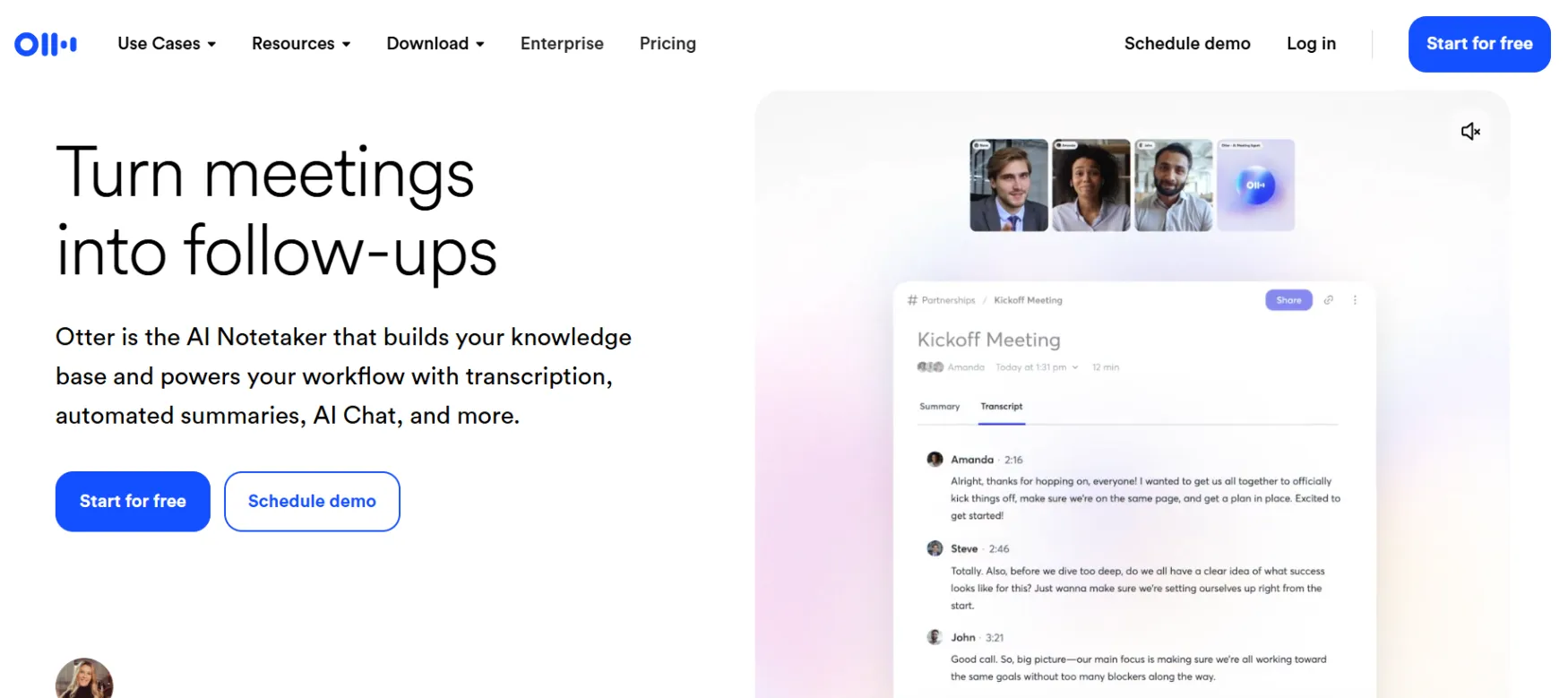
Otter is an AI tool that transcribes meetings and calls into written text, with an automatic summary of the key points. It was founded in 2016 by Sam Liang and Yun Fu under the name AISense, before the Otter app officially launched in 2018. It was built to solve one specific problem: you can't fully focus on a conversation and take detailed notes at the same time.
Otter combines speech recognition with generative AI. Its OtterPilot bot automatically joins your meetings on Zoom, Google Meet, or Microsoft Teams, records the audio, converts it to a live transcript, and pulls out a summary and action items with no manual work on your part.
The most common use among solo founders is recording a client call or a coaching session and getting a ready summary the moment it ends, instead of typing while you're talking.
A consultant or coach running a weekly client session lets OtterPilot join automatically, then comes back to a finished summary and action list. A freelance journalist or researcher gets a full transcript in minutes. A founder running several sales calls daily uses Otter AI Chat to ask specific questions about a meeting instead of searching manually. Anyone juggling multiple clients alone can share the meeting summary automatically with whoever needs it.
Create your account directly on their site. Setup is entirely self-serve, and you can test your first workflow in under 5 minutes.
Joins your calendar-scheduled meetings automatically, recording audio and writing a live transcript. No need to start it manually each time, as long as your calendar is connected in advance.
Pulls the key points and action items from a meeting within minutes of it ending. Useful for anyone who doesn't want to re-listen to a full hour for the five minutes that actually mattered.
Lets you ask a specific question about a particular meeting's content instead of manually searching the full transcript. The free plan gives you 20 questions total for the life of the account, not per month.
Shows a live transcript during the meeting itself, with accuracy up to about 95% in good conditions, dropping with background noise or overlapping speakers.
Consultants and coaches who record weekly client sessions and need a ready summary instead of re-listening to the whole call. Freelance journalists and researchers turning interviews into text within minutes. Startup founders running multiple sales calls daily who need to search meeting content quickly.
Sales teams wanting to sync call summaries directly to a CRM, but that Otter for Sales feature is locked to the custom-priced Enterprise plan, built for companies, not individuals.
Real-Time Transcription, OtterPilot, Automated Summary, Otter AI Chat, Action Item Tracking, Speaker Identification, Custom Vocabulary
Zoom, Google Meet, Microsoft Teams, Google Calendar, Microsoft Outlook, Slack
Otter for Sales (Salesforce and HubSpot sync), SSO, SCIM provisioning, Otter API and webhooks, Domain Capture, Video Replay for Zoom and Google Meet
Basic is free forever: with 300 transcription minutes per month, a roughly 30-minute cap per single conversation, only 3 lifetime file imports, and 20 lifetime Otter AI Chat questions, not monthly.
Pro, $16.99/month ($8.33/month billed annually, or $99.96/year): 1,200 transcription minutes per month and 10 file imports, the plan most people actually need once they're recording more than one or two meetings a week.
Business, $30/month ($19.99/month billed annually, or $239.88/year): Unlimited in-app transcription, a 6,000-minute cap per user on imported files, and priority support.
Enterprise: Custom pricing, with third-party data putting average annual contracts around $17,400. Adds SSO, an API, and Otter for Sales. Not relevant for a solo reader in most cases.
Annual vs. Monthly: Annual billing on the Pro plan saves about 51% versus monthly, an unusually large discount worth taking if you're sticking with the tool.
If You Cancel: You can export your conversations as a text or audio file before deleting your account. Deletion is permanent and irreversible, so export what you need first, then cancel, then delete.
⚠️ Worth knowing: Otter quietly cut Pro's included minutes from 6,000 down to 1,200 without lowering the price, and unused minutes don't roll over to the next month.
Prices last verified July 2026. Check Otter's pricing page directly before subscribing, since the numbers may change.
Create your account directly on their site. Setup is entirely self-serve, and you can test your first workflow in under 5 minutes.
If you're manually taking meeting notes, or paying a virtual assistant to transcribe them afterward, Otter replaces that directly.
It doesn't replace Zoom or Google Meet themselves, though. It joins as an extra guest on the call, not a substitute for the meeting software itself.
If you're relying on Zoom's or Teams' built-in transcription, the difference is that Otter adds a summary, action items, and search inside the content, which the built-in tools typically don't offer at the same level.
No reviews yet. Be the first to review this tool!
Explore alternatives and similar solutions in the same category.
An AI meeting assistant that records, transcribes, and analyzes meetings to automate your workflow.
An AI meeting assistant that records, transcribes, and highlights key moments in real-time.

A comprehensive toolkit for social media scheduling, engagement, and analytics.
A modern scheduling platform that helps you automate the process of connecting with others.
Save tools to your account.
