
Turn screen recordings into studio-quality product videos and step-by-step documentation instantly.
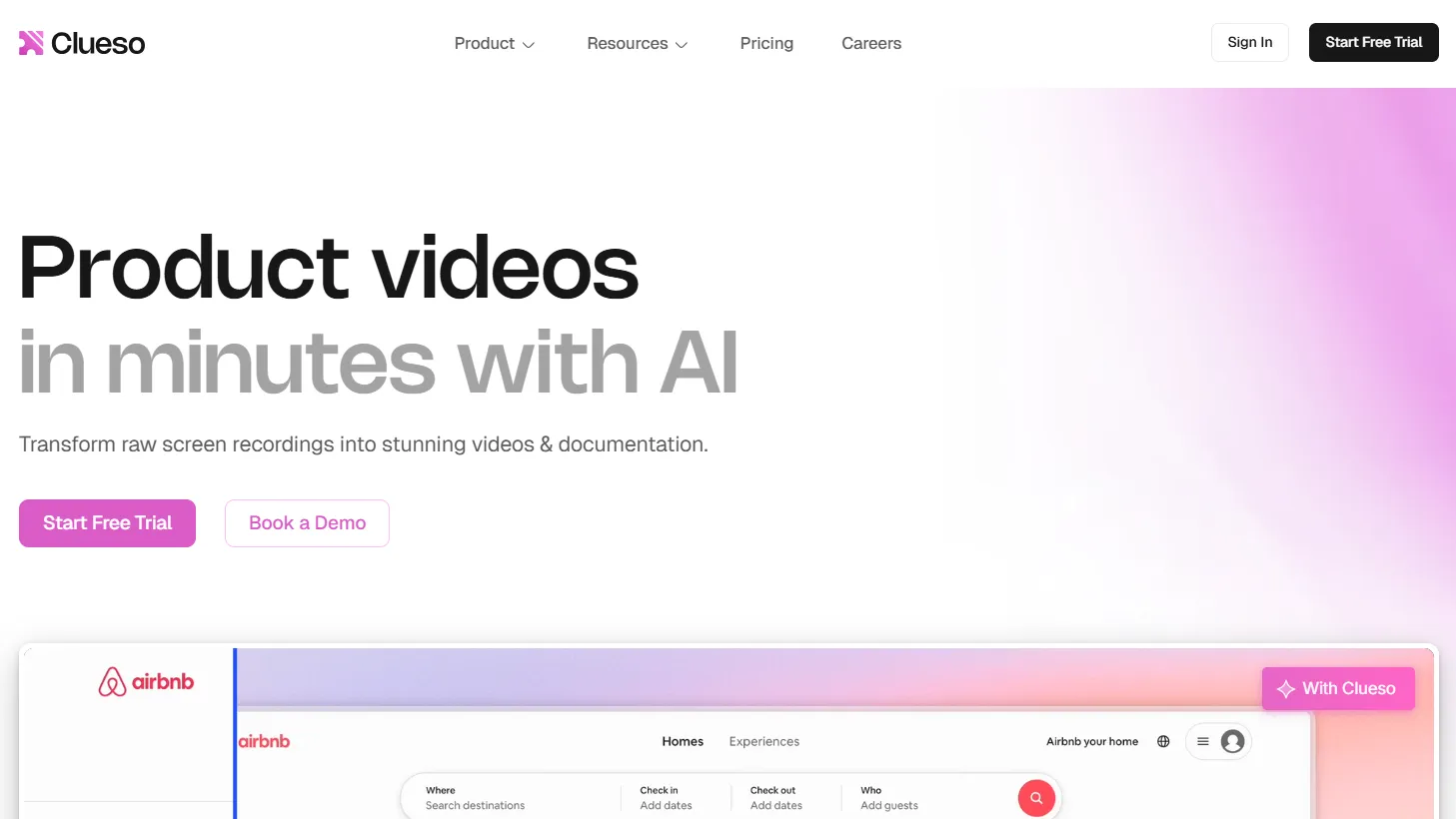
Clueso is an AI video and documentation platform built specifically for software teams that need to explain their product on screen. You record or upload a screen recording, and Clueso's AI rewrites the script, removes filler words, adds a professional-sounding voiceover, and generates step-by-step written documentation from the same recording. No video editor required.
It was built by Desklamp, Inc. and is rated 4.9 out of 5 on G2. The tool is SOC 2 Type II and ISO 27001 certified. It does not use your recordings to train its AI models.
The specific problem it solves: producing high-quality product videos and help documentation takes hours when done manually. Clueso compresses that to minutes by automating the parts that don't require your judgment.
The most common use case for a solo SaaS founder or indie developer: creating onboarding and help videos for customers, without recording professional narration or editing the footage yourself.
You record your screen once. Clueso generates a clean video and a written how-to article from the same session. Customers get both formats. You spent 15 minutes instead of two hours.
Other real-world uses include:
Product walkthroughs for sales calls. Record a demo once, let Clueso clean it up, share the link with prospects. No scheduling a live demo for every lead.
Customer training libraries. Create a set of "how to use feature X" videos when you ship new functionality. Clueso's translation feature converts them into 37+ languages with one click, voiceover, captions, and documentation included.
Internal SOPs and team onboarding. Record how you do something, let Clueso produce the written SOP and the walkthrough video. Useful when you start hiring your first person.
Slide deck to video conversion. Upload a PDF or slide deck and Clueso converts it into a narrated video. Useful for turning sales decks or training materials into watchable content.
This tool is built around screen-based software content. It is not built for talking-head videos, marketing ads, or social content unrelated to product walkthroughs.
When you record yourself walking through a product, the audio is usually rough — "um," "so," pauses, clunky phrasing. Clueso's AI rewrites the script cleanly and removes filler words before generating the voiceover. You review and edit the script before anything is generated. The output sounds like a prepared narrator, not a casual screen recording.
Every recording you process in Clueso produces two things: a polished video and a step-by-step written article with annotated screenshots. You don't create the documentation separately — it comes from the same session. For a solo founder maintaining a help center and a video library, this halves the production time.
The translation feature converts voiceover audio, captions, and written documentation into 37+ languages simultaneously. This is not basic subtitle translation — it re-renders the voiceover in the target language. For a product sold in multiple countries, this removes the need to re-record or hire translators for help content.
You set your brand fonts, colors, and logo once. Every video Clueso produces applies them automatically. Intro and outro sequences, background templates, and text styling all stay consistent without per-video setup. For a one-person operation producing video regularly, this matters more than it sounds.
The documentation editor includes a screenshot editor that lets you zoom, crop, blur, and annotate directly. You can convert any screenshot to an animated GIF in one click. An Article Co-pilot feature lets you give instructions via chat and Clueso edits the article instantly. You don't need a separate documentation tool.
If you're shipping features regularly and updating documentation manually each time, Clueso reduces that to recording a walkthrough once. The video and the article come out together.
Business buyers expect product documentation and training videos before they commit. Clueso lets one person produce that content library without hiring a video editor or technical writer.
If your work involves showing clients how to use a tool — their CRM, their analytics dashboard, their internal systems — Clueso turns those walkthroughs into reusable client resources.
The Starter plan covers 2 users, which fits a founding team. The product is built around the exact content a SaaS team produces most.
The 37-language translation feature with audio re-rendering is significant for teams reaching non-English markets without a localization budget.
Capture your screen directly from the browser without installing separate software.
Bring in recordings from any screen recorder and process them through Clueso's AI.
Upload a PowerPoint or PDF and Clueso turns it into a narrated video automatically.
Build a narrated video from a sequence of images or screenshots.
Clueso generates a clean, concise script from your raw recording.
Automatically strips "um," "uh," pauses, and awkward phrasing from the source audio before voiceover generation.
Choose from dozens of natural-sounding voices with diverse accents, tones, and personalities.
AI automatically zooms into key interface actions so viewers see exactly what matters.
Auto-generated, styled captions applied to every video.
Mask passwords, personal data, or confidential interface elements directly in the editor.
Reformat videos for demos, YouTube Shorts, laptop screens, or mobile without re-recording.
Set your fonts, colors, and logo once. Every video stays on-brand automatically.
Apply branded opening and closing sequences and themed backgrounds to every video.
Add a soundtrack from Clueso's library or upload your own.
Draw attention to specific interface elements with built-in visual tools.
Every video processing session produces a written how-to article with annotated screenshots.
Give editing instructions via chat and Clueso rewrites the article instantly.
Zoom, crop, blur, and annotate screenshots directly inside Clueso's documentation editor.
Convert any screenshot into an animated GIF with one click.
Set documentation guidelines once; Clueso applies them to every article it generates.
Translates voiceover audio, captions, and written documentation simultaneously — not just subtitles.
Export your finished video in either format.
Use the documentation in any help center, CMS, or knowledge base.
Download caption files for use on external platforms.
Upload finished videos to YouTube from inside Clueso.
Drop your video into any website or help center with an embed code.
Send a shareable link and track how many people viewed the video.
Post videos directly into Slack from the Clueso interface.
Enterprise-grade security compliance. Data stored on AWS. No model training on your content.
7-Day Free Trial — $0: No credit card required. 1 user. Up to 10 minutes of total video exports. 15 article exports. Exports up to 1080p. Access to all features. Functional for testing your core workflow but not for production volume.
Starter — $120/month (billed annually): 2 users. 6 hours of video exports per year. 360 article exports per year. Watermark-free exports. Export up to 2K resolution. In-app chat support. The plan to start on if you're committed to regular video production.
Growth — $200/month (billed annually): 4 users. 12 hours of video exports per year. 720 article exports per year. Watermark-free exports. Export up to 4K resolution. In-app chat support.
Enterprise — Custom pricing: Custom user count, custom export limits, voice cloning, SSO, multiple workspaces, priority support via Slack or Teams, dedicated customer success manager, live onboarding.
⚠️ Worth knowing: Unused export minutes do not roll over on monthly plans. On annual plans, you receive the full quota upfront and can use it flexibly across the year. If you exceed your limit, exports pause until the next renewal. Re-exporting the same video does not count against your limit.
Prices last verified March 2026. Check Clueso's pricing page for current rates before subscribing.
Loom for async video sharing and screen recording. Clueso produces a significantly more polished output, but Loom is free for basic use and far cheaper at the paid tier. If you just need to share quick screen recordings without production quality, Loom is the right call.
Scribe or Tango for auto-generated step-by-step documentation from screen recordings. Clueso does this as part of its video workflow rather than as a standalone tool. If you only need written docs and no video, Scribe is more purpose-built and cheaper.
Camtasia for screen recording with manual video editing. Clueso automates what Camtasia requires you to do by hand. Camtasia gives more editing control; Clueso gives dramatically faster output.
Your existing help center Clueso produces documentation you publish to Intercom, Zendesk, Notion, or wherever your help content lives. It doesn't replace your help center platform.
Loom or Slack for quick internal async communication. Clueso is for polished external-facing or training content, not real-time team updates.
Descript for longer-form podcast or video editing. Clueso is purpose-built for screen-based software content. Descript is better for interview-style or long-form editing where more timeline control matters.
Whether Clueso replaces your current video workflow depends on what that workflow looks like. If you're currently recording in Loom and manually editing in CapCut or a similar tool, Clueso is a direct and significant upgrade. If you're already using a dedicated video editor and have editing skills, the AI-automated approach trades control for speed — which may or may not be the right trade for your output standards.
No. The workflow is: record your screen, let Clueso process it, review and edit the AI-generated script, then export. The editing interface is script-based. you edit text, not a timeline. Most people get their first usable video in under 30 minutes. The learning curve is minimal because the AI handles the production decisions.
No reviews yet. Be the first to review this tool!
Explore alternatives and similar solutions in the same category.

High-accuracy B2B sales intelligence and contact enrichment platform.
HeyGen generates professional videos using AI avatars, voice cloning, and multilingual dubbing. You write a script, pick an avatar, and get a finished video — no filming required.
A B2B prospecting tool with a 95% data accuracy guarantee and real-time email verification.

An integrated AI suite that acts as a researcher, writer, and agent directly within your workspace.
Save tools to your account.
