

The moment the handoff breaks, everything breaks.
Your AI handles 80% of tickets cleanly. Then a customer hits an edge case, loops through three unhelpful bot responses, finally gets transferred to you — and receives: "Hi, how can I help?" No context. No history. No acknowledgment of what they've already been through.
Designing bots to avoid escalating until the very last resort — often after failing four or five times — virtually guarantees that by the time the customer reaches a human, they're already deeply frustrated. The agent then spends the first part of the conversation de-escalating instead of solving the original problem.
A common reason AI underperforms in support isn't the technology itself — it's poor escalation design. The handoff is where automation fails customers most visibly, and where most solo founders have no system at all — just a vague policy of "escalate when it gets complicated."
This article builds the escalation framework: precision sentiment thresholds that trigger alerts before frustration peaks, a context package that transfers everything the AI knows to you instantly, and the CSAT preservation mechanics that keep satisfaction above 90% even as support volume scales 10x.
The handoff isn't a failure of automation. Deflection isn't resolution. Smooth human handoffs aren't an admission of defeat — they're an essential part of a healthy, scalable support system.
The Escalation Philosophy: Proactive, Not Reactive
Most escalation systems are reactive. The customer types "I WANT A HUMAN" five times. Eventually, something routes them. By that point, 63% of customers will leave after one bad bot experience. The damage is done.
Proactive escalation transfers before frustration peaks — triggered by signals that indicate where the conversation is heading, not where it's already arrived.
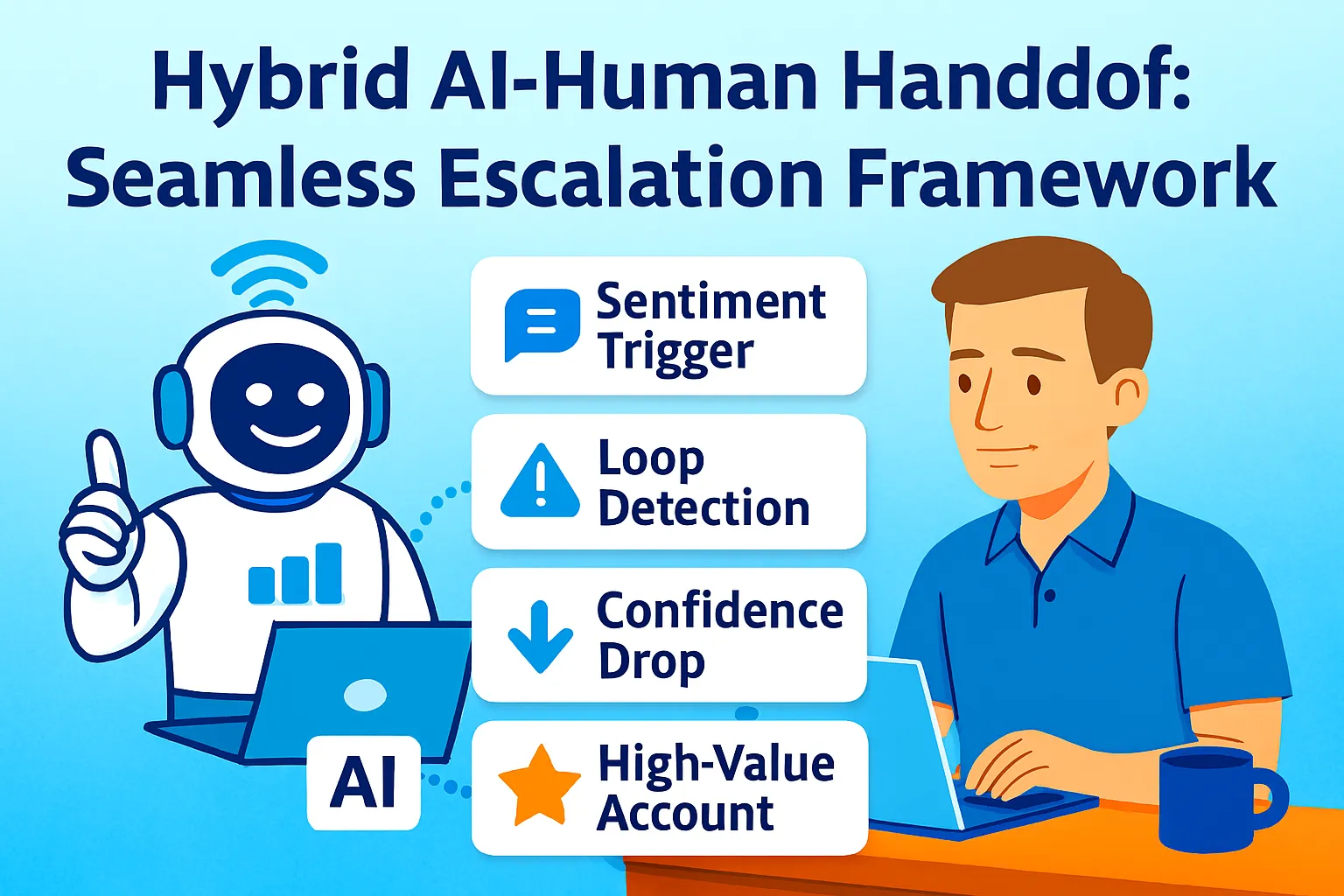
Leading organizations have developed handoff criteria that go beyond simple threshold-based decisions: confidence thresholds when AI certainty falls below benchmarks, sentiment analysis detecting customer frustration before it escalates, complexity indicators for multi-step problems, value-based routing for high-value customers, and regulatory requirements for scenarios needing documented human oversight.
For solo founders, five of these translate directly into a workable framework:
Threshold 1 — Explicit request: Customer uses "human," "person," "agent," "talk to someone," or "transfer me." Immediate escalation, no exceptions. Hiding this option or making customers jump through hoops causes frustration and damages trust.
Threshold 2 — Sentiment peak: AI-detected frustration reaches the defined threshold (see calibration below). Transfer before the customer has to ask.
Threshold 3 — Loop detection: Same question rephrased three or more times without resolution. The AI has hit its ceiling; continuing is making things worse.
Threshold 4 — Confidence floor: AI response confidence below 70% on the specific question asked. Guessing is worse than transferring.
Threshold 5 — Value trigger: Customer is above your MRR threshold (typically 2x average). High-value accounts escalate by default on any non-routine issue.
Sentiment Threshold Calibration
Sentiment-based escalation only works when thresholds are precisely calibrated. Set them too high and customers boil over before escalation fires. Set them too low and every slightly negative message escalates — which floods your queue and defeats the efficiency of automation.
The three-level sentiment model:
LEVEL 1 — Neutral/Positive (no escalation):
Customer is engaged, asking questions,
responding to information.
Signal: Polite language, questions,
  confirmations, thank yous.
Action: AI continues conversation.

LEVEL 2 — Mild Frustration (monitor):
Customer expresses dissatisfaction
but remains engaged.
Signals: "This isn't working",
  "I've tried that already",
  "still having the same problem",
  "not what I expected"
Action: AI adds empathy phrasing,
  offers escalation as an option
  ("Would you like me to connect you
   with our founder directly?"),
  flags ticket internally.

LEVEL 3 — Active Frustration (escalate now):
Customer language indicates
they are at or near breaking point.
Signals: "This is ridiculous",
  "completely unacceptable",
  "I've been waiting for [X] days",
  "worst experience",
  "I'm cancelling",
  "refund immediately",
  all-caps messages,
  multiple exclamation points + negative content
Action: Immediate escalation.
  AI does not attempt another response.
  Transfer message fires.
  Founder alert sent.
The sentiment calibration prompt (run monthly):
Review these escalated conversations
and calibrate my sentiment thresholds.

CONVERSATIONS ESCALATED THIS MONTH:
[Paste 10-15 escalated conversation excerpts
 — include the message that triggered escalation]

For each conversation:
1. Was escalation triggered at the right moment?
   TOO EARLY — customer wasn't actually frustrated
   RIGHT TIME — escalation prevented further damage
   TOO LATE — customer was already at peak frustration

2. What specific language triggered escalation?

3. Should this language be in my
   Level 2 (monitor) or Level 3 (escalate) list?

CONVERSATIONS THAT SHOULD HAVE ESCALATED
BUT DIDN'T:
[Paste any examples you caught manually]

Output:
- Updated Level 2 keyword list
- Updated Level 3 keyword list
- One threshold adjustment recommendation
Run this monthly for the first quarter. After three calibration rounds, the threshold list stabilizes — it reflects your specific customers' language patterns rather than generic frustration vocabulary.
The Context Package: What Transfers at Handoff
A successful handoff must be instant and invisible to the customer. The core requirement is context preservation: the complete interaction history must be transferred instantly to the human agent, preventing the customer from having to repeat their issue.
For a solo founder, "the human agent" is you — opening Slack, your phone, or your helpdesk to a conversation that the AI has already been handling. The context package is what you see the moment the alert fires.
The context package prompt (generated at escalation moment):
Configure this as an automated AI step that runs the instant a Level 3 threshold is triggered:
Generate an escalation context package
for this support conversation.

FULL CONVERSATION HISTORY: [Paste or pipe
  from chatbot/helpdesk API]
CUSTOMER RECORD: [Name, plan, MRR,
  customer since, support history]
AI ACTIONS TAKEN: [What the bot tried —
  articles sent, steps suggested,
  solutions attempted]

Produce a 200-word escalation brief:

WHO: [Name], [plan] customer
  since [date], paying $[X]/month

ISSUE: [One sentence — what they're
  actually trying to accomplish]

WHAT WENT WRONG: [What broke or
  didn't work — their words, not yours]

WHAT WE ALREADY TRIED: [Bullet list —
  every solution the AI attempted
  and why it didn't work]

EMOTIONAL STATE: [Neutral / Frustrated /
  Angry — with the specific language
  that triggered escalation]

WHAT THEY NEED NOW: [Your read on
  what resolution looks like —
  technical fix / refund /
  human acknowledgment / other]

SUGGESTED FIRST RESPONSE: [One sentence
  to open with that acknowledges their
  experience without being generic —
  reference something specific
  from the conversation]

URGENCY: [High / Medium with reason]
What makes this brief different from a transcript:
A raw transcript makes you read the whole conversation before you can respond. The brief tells you in 30 seconds: who they are, what they want, what failed, what they're feeling, and how to open. The live agent should acknowledge that context in their greeting — "Hi Sam, I see you were discussing a refund for order #1234." This way, the customer isn't asked to repeat themselves. The brief makes that acknowledgment possible in your opening line.
The Handoff Message: What the Customer Sees
The moment of transfer is the highest-risk point in the customer experience. Done poorly, it signals: the bot gave up on you, start over. Done well, it signals: you've been heard, someone who can actually help is joining now.
The AI transfer message (sends automatically when escalation fires):
Configure in chatbot / helpdesk:

Transfer message template:

"I can see this needs more attention
than I can give it — I'm connecting
you directly with [Founder name] now.

[Founder name] can see our full
conversation, so you won't need
to repeat anything.

Expected response: within [X hours /
  within the hour for urgent issues]."

Tone rules:
- First sentence: acknowledge the situation
  (not "transferring you to an agent")
- Second sentence: eliminate the
  "start over" fear explicitly
- Third sentence: set realistic expectation
  (don't promise "immediately" unless
   you can deliver it)
- Never: "Unfortunately I'm unable to help"
- Never: "Please wait while I transfer you"
- Never: Generic "A team member will be in touch"
The founder's opening response (after receiving context brief):
Generate my opening response
for this escalated conversation.

CONTEXT BRIEF: [Paste the generated brief]
MY TONE: [How I typically write
  to customers — paste voice guide]

Write my opening message that:
- Uses their name
- References something specific
  from the conversation
  (shows I read the context,
  not just the ticket number)
- Acknowledges the frustration
  without being defensive
- States clearly what I'm doing
  to resolve it
- Is under 80 words

Do NOT open with:
"I'm sorry for the inconvenience"
"I apologize for any confusion"
"I understand your frustration"
(These are placeholders, not acknowledgment)

DO open with something specific:
"I saw you tried [X] twice and it
still didn't work — that's on us."
"[Name], three attempts at the same
thing and still stuck — let me take
a look at your account directly."
The specific opener is what separates a handoff that rebuilds trust from one that merely transfers the conversation. Customers who have been frustrated by automation respond to specificity — evidence that a real person read what happened, not just that a ticket was routed.
The Alert Architecture: How You Find Out
The context package is useless if it reaches you 40 minutes after the escalation. The alert architecture ensures you know the moment a Level 3 escalation fires — and have the brief ready when you open the notification.
The Zapier alert flow:
TRIGGER: Helpdesk webhook —
  sentiment tag = "Level 3" applied
  OR escalation tag = "Needs Founder"

STEP 1: Pull full conversation
  → Help Scout / Crisp API:
    get conversation by ID
  → Customer record:
    get from HubSpot / Notion CRM

STEP 2: Generate context brief
  → AI step: run context package prompt
  → Output: 200-word escalation brief

STEP 3: Slack DM to yourself
  Format:
  🔴 ESCALATION: [Customer Name] — $[MRR]/month
  Issue: [one-line summary from brief]
  State: [emotional state]
  [Link to conversation in helpdesk]

  Brief:
  [Full 200-word context package]

STEP 4: If MRR > $[threshold]:
  Also send: SMS to your phone
  (Twilio + Zapier: "High-value escalation:
   [Name] — check Slack")

STEP 5: Update ticket
  → Add internal note:
    "Escalation brief generated —
    founder alerted [timestamp]"
  → Set priority: Critical
  → Set assignee: You
Response time commitments by escalation tier:
Level 3 (Active Frustration):
  Target first response: 30 minutes
  During support hours

Level 3 + High MRR (>2x average):
  Target first response: 15 minutes
  Including evenings if notified

Level 2 (Mild Frustration, opt-in escalation):
  Target first response: 2 hours
  Reviewed in daily support block

Explicit human request ("I want a human"):
  Target first response: 15 minutes
  Regardless of other factors
These are commitments to yourself, not promises displayed to customers. The auto-acknowledgment buys the buffer; the alert architecture ensures you hit the target.
CSAT Preservation: The 90%+ Target
A major telecom provider achieved a 25% increase in CSAT scores by optimizing their handoff timing — ensuring customers received human assistance precisely when needed without unnecessary delays.
The 90%+ CSAT target across AI-handled and escalated tickets combined is achievable when three conditions are met:
Condition 1: CSAT on AI-handled tickets stays high
AI-handled tickets (the 80%) should average 85%+ CSAT before you measure escalated CSAT. If AI-handled CSAT is below 85%, the escalation framework isn't the bottleneck — the AI responses themselves are. Fix the knowledge base and response quality first.
Condition 2: CSAT on escalated tickets outperforms AI
Escalated tickets should have higher CSAT than AI-handled tickets — because the human response is personalized, specific, and resolves issues that AI couldn't. If escalated CSAT is lower than AI-handled CSAT, the handoff itself is the problem (broken context transfer, slow response time, generic opener).
Condition 3: CSAT is measured on escalated tickets specifically
Configure CSAT survey in Help Scout / Crisp / Intercom:
  Trigger: Ticket resolved (status = Closed)
  Timing: 24 hours after resolution
  Question: "How satisfied were you with
    the resolution of your recent question?"
  Scale: 1-5 stars

Filter CSAT reports:
  View 1: All tickets (baseline)
  View 2: AI-resolved only
    (tag: macro-resolved OR bot-resolved)
  View 3: Escalated + human-resolved
    (tag: escalated)

Track monthly:
  Overall CSAT: [X]%
  AI-handled CSAT: [X]%
  Escalated CSAT: [X]%

Target: Escalated CSAT ≥ AI CSAT
Minimum: Escalated CSAT ≥ 85%
The post-escalation debrief prompt (weekly):
Review my escalated tickets
from this week for CSAT patterns.

ESCALATED TICKETS WITH CSAT SCORES:
[Paste: ticket ID, escalation trigger,
 first response time, CSAT score,
 customer comment if provided]

Identify:
1. CSAT below 4/5 — what went wrong?
   Was it: slow response /
   generic opener /
   issue not resolved /
   had to repeat themselves?

2. CSAT of 5/5 — what went right?
   Specific opening?
   Fast resolution?
   Something unexpected?

3. RESPONSE TIME PATTERN:
   Does CSAT correlate with
   first response time?
   What's the threshold where
   CSAT drops — 30 min? 1 hour? 2 hours?

4. ONE IMPROVEMENT:
   What single change to the escalation
   process would most improve CSAT
   next week?

Output: Weekly escalation quality brief.
Scaling to 10x Volume: What Changes and What Doesn't
The 90%+ CSAT at 10x volume claim requires understanding what actually scales and what needs redesigning as volume grows.
What scales automatically:
Sentiment detection (AI processes every message, volume doesn't increase your workload)
Context package generation (automated, fires on every escalation)
Slack alerts (one notification per escalation regardless of total volume)
CSAT survey sending (automated trigger, no marginal work)
What needs redesigning at 5x+ volume:
Alert fatigue: At 10x volume with 20% escalation rate, you're receiving 2x your current escalation alerts. If current volume = 50 tickets/week with 10 escalations, 10x volume = 500 tickets/week with 100 escalations. That's 100 Slack alerts per week — which is unworkable for one person.
The volume-based escalation redesign:
At 5x+ current volume, add a tier between AI and founder:
TIER 1: AI handles (70-80% of all tickets)
TIER 2: Macro library / trained contractor
  handles (15-20% of tickets)
  — Trained on your exact response style
  — Reviews AI drafts, personalizes, sends
  — Handles Level 2 escalations
TIER 3: Founder handles (5-10% of tickets)
  — Level 3 escalations only
  — High-MRR accounts
  — Situations requiring judgment
    beyond documented process
At this tier structure, 10x volume only delivers 5-10% of tickets to you rather than 20% — keeping your personal escalation queue manageable even as total support volume grows significantly.
What doesn't change at any volume:
The context package. The specific opener. The sentiment thresholds. The post-escalation CSAT tracking. These are the mechanics that preserve quality — and they work identically whether you're handling 5 escalations per week or 50.
Common Mistakes
1. Escalating too late because escalation feels like failure
Too many businesses view a human handoff as a sign of chatbot failure, designing bots to avoid escalating until the very last resort. This virtually guarantees that by the time the customer reaches a human, they are already deeply frustrated or outright angry — and the agent spends the first part of the conversation de-escalating instead of solving the problem. Set Level 2 monitoring to catch frustration early. The proactive escalation offer — "Would you like me to connect you with our founder?" — at Level 2 converts customers who would have reached Level 3 without the option.
2. Sending the context package to yourself as a transcript
A raw transcript that you have to read before responding adds 3-5 minutes to your first response time. The 200-word brief delivers the same information in 30 seconds. Build the brief generation into the alert automation — not the raw dump.
3. Opening with an apology instead of an acknowledgment
"I'm sorry for the inconvenience" is a placeholder that signals you haven't read the conversation. Specific acknowledgment — "I saw you tried [X] twice" — signals you have the context. That signal is what rebuilds trust after a frustrating AI interaction.
4. Not measuring CSAT on escalated tickets separately
Combined CSAT hides the escalation quality signal. If overall CSAT is 87% and AI-handled CSAT is 90% and escalated CSAT is 75% — the handoff is failing. You can't see that unless you measure them separately.
5. Building a 10x architecture before you need it
The Tier 1/2/3 structure only makes sense at volume. Building it at 50 tickets/week adds overhead without benefit. Build the framework for your current volume — solo founder handling escalations personally. Redesign when escalation volume consistently exceeds what one daily support block handles.
The Real Talk on Escalation
80% of customers will only use chatbots if they can easily reach a human when needed.
The escalation framework isn't a concession to automation's limits. It's the feature that makes automation trustworthy. Customers who know they can get a real person when they need one tolerate — and even appreciate — the AI handling their routine questions. Customers who feel trapped by a bot that never escalates eventually leave, often publicly.
The 90%+ CSAT target at scale is achievable not because escalations are rare, but because escalations are well-designed: triggered proactively at Level 2, executed instantly at Level 3, briefed comprehensively at handoff, and opened specifically by a founder who clearly read the context.
The handoff isn't the failure point. The failure point is the handoff done badly — the customer forced to repeat themselves, the generic opener, the slow response after a long bot loop. Done well, the escalation to a founder is the moment that turns a frustrated customer into a loyal one.
Build the thresholds. Generate the brief. Open specifically.
That's it.



Comments (0)
Leave a Comment