

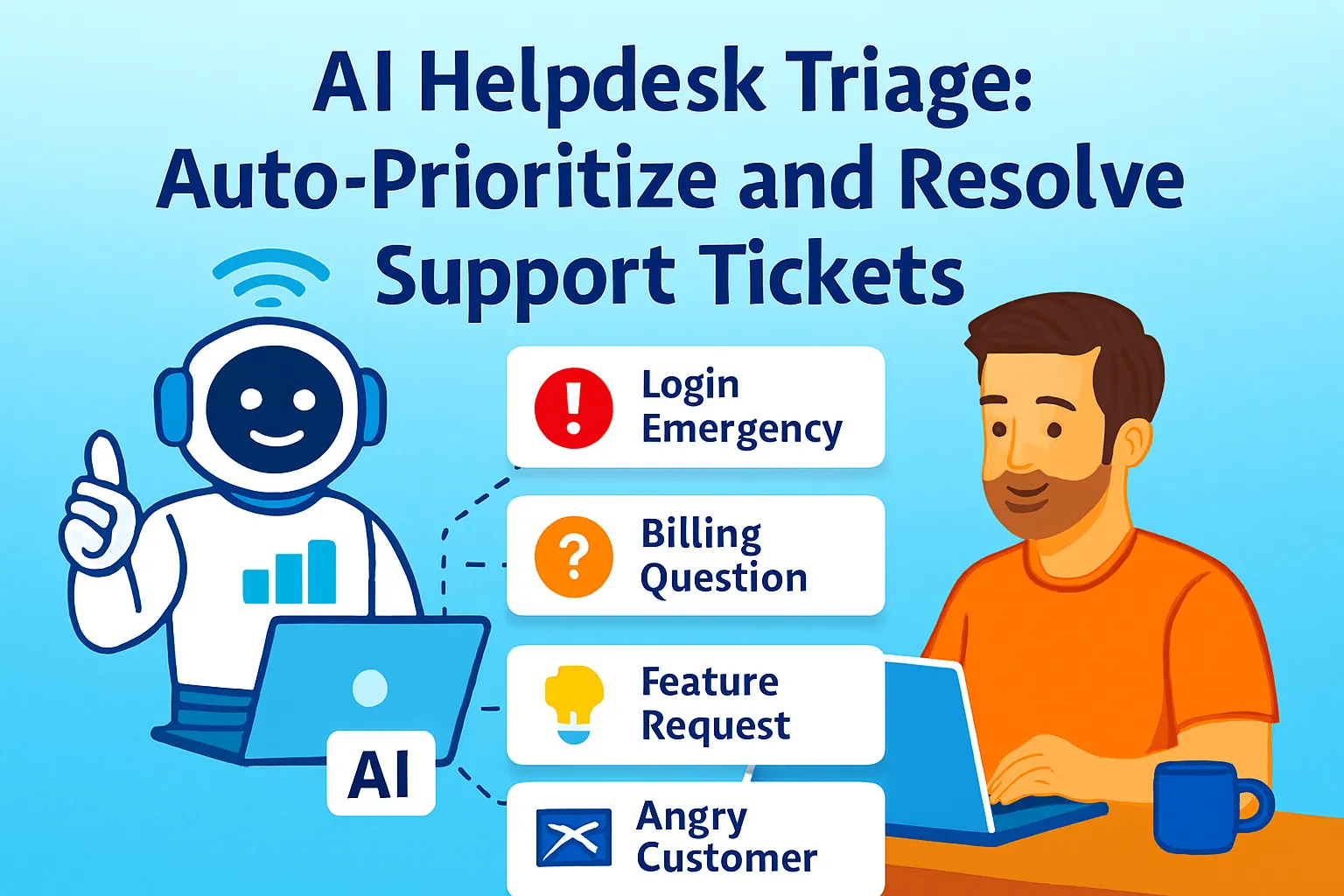
The customer who can't log in needs a response in the next hour. The customer with a billing question needs one today. The customer asking for a feature they saw in a competitor can wait until tomorrow. And the customer who's been waiting three days and is now furious needs to jump the entire queue.
A support inbox treated as first-in-first-out handles none of this correctly. The billing question gets answered before the login emergency. The furious customer waits in sequence. The feature request gets the same response time as the access issue — which means neither gets the response they deserve.
Helpdesk triage — automatic sorting by urgency, sentiment, and business priority — is what turns a queue into a system. It ensures that the most critical tickets surface first, the most common tickets resolve automatically, and the only tickets that reach you as the solo founder are the ones that genuinely require your judgment.
This article builds that system: Freshdesk's Freddy AI for automatic triage, a macro library that auto-closes 60% of tickets, and a unified inbox view across every channel where support arrives.
The Three-Axis Prioritization Framework
Before any tool configuration, the logic the system needs to apply. Every ticket should be evaluated on three axes simultaneously:
Axis 1 — Urgency (customer-driven): How time-sensitive is this for the customer? A customer locked out of their account during a live demo has maximum urgency. A customer asking about your roadmap has none. Urgency is customer-defined, not process-defined.
Axis 2 — Sentiment (emotional tone): How frustrated is the customer? A calm question about billing is different from an email with "I've sent this three times and nobody has responded" — even if the underlying issue is the same. Freddy AI analyzes incoming messages for customer sentiment and can automatically set priority to Urgent when the conversation has a negative tone. Sentiment escalates urgency; it doesn't replace it.
Axis 3 — Business importance: Is this a paying customer? A high-MRR account? A customer who just signed up this week and whose first support experience will define their retention? Tickets from high-value customers warrant faster response even when urgency and sentiment are moderate.
The intersection of these three axes produces the actual priority:
Urgency | Sentiment | Business Importance | Priority |
|---|---|---|---|
High | Any | Any | 🔴 Critical |
Medium | Negative | High-value | 🔴 Critical |
High | Negative | Any | 🔴 Critical |
Medium | Neutral | Any | 🟡 High |
Low | Negative | Any | 🟡 High |
Low | Neutral | Any | 🟢 Normal |
Any | Positive | Any | 🟢 Normal |
This matrix is what Freshdesk's automation rules encode. You define the conditions once. The system applies them to every ticket.
Setting Up Freshdesk for Solo Founders
The right Freshdesk plan:
Freshdesk's Free plan handles basic ticketing (email channel, basic automations, canned responses). It does not include Freddy AI's Auto Triage — that requires the Pro plan ($49/agent/month) or above.
For solo founders, the practical decision:
Under 30 tickets/week: Freshdesk Free + manual triage + macros. The volume is low enough that you can read every ticket before responding. Use the automation rules for categorization but skip Freddy AI Auto Triage.
30–100 tickets/week: Freshdesk Growth ($15/agent/month) + manual sentiment reading + robust macros. Auto Triage not available but automation rules and macros handle 60% auto-resolution.
100+ tickets/week: Freshdesk Pro ($49/agent/month) + Freddy AI Auto Triage + full macro library. At this volume, manual triage is the bottleneck — Freddy AI's automatic prioritization pays for the plan upgrade within the first week.
The remainder of this article covers setup for Growth and Pro plans, noting which features are plan-specific.
Initial Freshdesk configuration (one-time, 90 minutes):
ACCOUNT SETUP:
1. Connect email channel:
   support@yourdomain.com → Freshdesk inbox
   (Settings → Email → Add email channel)

2. Connect chat channel:
   Install Freshdesk's chat widget on website
   (Admin → Freshdesk Messaging → Install widget)
   OR connect existing chat tool via integration

3. Set business hours:
   Admin → Business Hours →
   Define your available hours + timezone
   (Affects SLA calculations and
    auto-reply timing)

4. Configure SLA policy:
   First response time targets by priority:
   Critical: 1 hour
   High: 4 hours
   Normal: 24 hours
   (Admin → SLA Policies → New Policy)
Building the Automation Rules (Triage Engine)
Freshdesk's automation rules run the moment a ticket is created. They evaluate conditions and apply actions — categorizing, tagging, routing, and prioritizing without human input.
Rule Set 1: Urgency detection by content keywords
AUTOMATION RULE: "Urgent — Access/Login Issues"

CONDITIONS (ALL must match):
  Ticket source: Any
  Subject OR Description contains:
  "can't log in" OR "locked out" OR
  "can't access" OR "account suspended" OR
  "not working" OR "broken" OR "urgent" OR
  "ASAP" OR "immediately"

ACTIONS:
  Set priority: Urgent
  Set type: Technical Issue
  Add tag: access-issue
  Send email to requester:
    "[Auto] We've flagged your ticket as urgent —
    investigating now and will respond
    within 1 hour."
AUTOMATION RULE: "Billing — Payment/Invoice"

CONDITIONS:
  Subject OR Description contains:
  "invoice" OR "billing" OR "charge" OR
  "payment" OR "refund" OR "subscription" OR
  "cancel" OR "cancellation"

ACTIONS:
  Set type: Billing
  Set priority: High
  Add tag: billing
  Assign to group: Billing
  (For solo founder: assign to yourself)
AUTOMATION RULE: "Feature Request — Deprioritize"

CONDITIONS:
  Subject OR Description contains:
  "feature request" OR "would love if" OR
  "suggestion" OR "would be great" OR
  "in the future could you"

ACTIONS:
  Set type: Feature Request
  Set priority: Low
  Add tag: feature-request
  Send email to requester:
    "Thanks for the suggestion —
    we log every feature request
    and review them quarterly.
    We'll update you if this makes
    the roadmap."
  (This response is the auto-close for
   feature requests —
   no further action required)
Rule Set 2: Sentiment-based escalation (Freddy AI — Pro plan)
Freddy AI analyzes incoming messages for customer sentiment, flagging tickets where someone seems really upset — and you can use this to automatically update ticket fields like setting priority to "Urgent" if the conversation has a negative tone.
AUTOMATION RULE: "Escalate — Negative Sentiment"

CONDITIONS:
  Freddy AI Sentiment: Negative
  AND Priority: NOT already Urgent

ACTIONS:
  Set priority: Urgent
  Add tag: sentiment-escalated
  Send Slack notification to yourself:
    "⚠️ Negative sentiment ticket:
    [Ticket ID] — [Subject] —
    needs personal response"
On the Growth plan (no Freddy AI sentiment), approximate this manually with a keyword list:
AUTOMATION RULE: "Escalate — Frustration Keywords"

CONDITIONS:
  Description contains:
  "unacceptable" OR "terrible" OR
  "disgusting" OR "demanded" OR
  "three times" OR "never responded" OR
  "cancel my" OR "refund immediately" OR
  "furious" OR "ridiculous"

ACTIONS:
  Set priority: Urgent
  Add tag: frustrated-customer
  Send yourself email alert
Rule Set 3: VIP customer routing
AUTOMATION RULE: "VIP Customer — Priority Queue"

CONDITIONS:
  Requester email contains:
  [your top 10-15 client email domains]
  OR Requester tag: VIP-customer
  (Set this tag on high-value customers
   in their contact record)

ACTIONS:
  Set priority: High (if not already Urgent)
  Add tag: vip
  Assign directly to you
  (Skip general queue for VIP tickets)
The Macro Library: 60% Auto-Close Target
Macros in Freshdesk are one-click actions that apply a pre-written response, update ticket fields, and close the ticket simultaneously. A well-built macro library converts your most frequent ticket types from 3-minute manual responses into 10-second macro applications.
The 60% auto-close target means: six out of ten tickets your inbox receives get resolved by applying a macro — no custom writing, no research, no back-and-forth. This is achievable for most products where the top five question types account for 50–70% of total ticket volume.
The macro audit prompt (run before building):
Help me identify which tickets to
build macros for first.

MY PRODUCT: [Description]
MY TOP TICKET CATEGORIES
(from the last 30-60 days of support):
[List every ticket type you can identify,
 with approximate percentage of volume]

For each category:
1. Is the answer the same every time,
   or does it require custom context?
   SAME = strong macro candidate
   VARIES = weak macro candidate

2. How many tickets per week
   does this category generate?
   HIGH VOLUME = build macro first

3. Does resolving this ticket require
   any action beyond sending a reply?
   (Processing a refund, resetting an account,
    etc.) — if yes, the macro handles
   the communication; the action is separate

Rank: Top 8-10 macro candidates by
  (volume × answer consistency)
Output: My macro build list,
  highest priority first
The six macros every SaaS founder needs:
Macro 1: Password Reset / Account Access
RESPONSE:
"Hi [Name],

Here's how to reset your password:
[direct link to reset flow]

If you don't receive the email within
5 minutes, check your spam folder
or try [backup method].

Still not working? Reply here and
I'll reset it manually.

[Your name]"

ACTIONS:
  Add tag: resolved-access
  Set status: Resolved
  Set type: Technical Issue
Macro 2: Refund Request (Approved)
RESPONSE:
"Hi [Name],

I've processed your refund of $[amount].
It will appear on your original
payment method within 5-10 business days.

If you have any questions about
the refund or want to try [product]
again in the future, just let me know.

[Your name]"

ACTIONS:
  Add tag: refund-processed
  Set status: Resolved
  (NOTE: Process the actual Stripe refund
   separately before applying this macro)
Macro 3: How-To Question (with KB link)
RESPONSE:
"Hi [Name],

Great question — here's exactly how to do that:
[Link to specific knowledge base article]

The article includes step-by-step
instructions and screenshots.

If that doesn't fully answer your question,
reply here with where you got stuck
and I'll walk you through it directly.

[Your name]"

ACTIONS:
  Add tag: kb-link-sent
  Set status: Resolved
  (Resolves immediately —
   re-opens if they reply)
Macro 4: Feature Request Acknowledged
RESPONSE:
"Hi [Name],

Thanks for suggesting [feature] —
logged it. We review feature requests
each quarter and prioritize based on
how many customers are asking for
the same thing.

I'll let you know directly if this
makes the roadmap.

[Your name]"

ACTIONS:
  Add tag: feature-request
  Add note: "[Feature name] — requested by [Name]"
  Set status: Resolved
  Set priority: Low
Macro 5: Billing Question — Invoice/Receipt
RESPONSE:
"Hi [Name],

Your invoice/receipt is available here:
[Stripe customer portal link or
 direct download link]

You can access all past invoices
from your account dashboard under
Settings → Billing → Invoice History.

Let me know if you need anything else.

[Your name]"

ACTIONS:
  Add tag: billing-resolved
  Set status: Resolved
Macro 6: Cancellation Acknowledgment
RESPONSE:
"Hi [Name],

I've cancelled your subscription —
you won't be charged again.
Your access continues until [date].

I'm sorry it didn't work out.
If you're open to it, would you
be willing to share what made you decide
to cancel? It helps me improve
[product] for everyone.

The door is always open if you
want to come back.

[Your name]"

ACTIONS:
  Add tag: churned
  Set status: Resolved
  Add tag: churn-exit-interview-requested
  (Feeds into churn recovery pipeline
   if they reply)
Building custom macros from your ticket history:
Help me write a macro response for
a recurring ticket type.

TICKET TYPE: [Category name]
EXAMPLE TICKETS (paste 3-5 real examples):
[Paste actual ticket content]

MY STANDARD ANSWER:
[How you currently respond — rough is fine]

WHAT USUALLY HAPPENS AFTER THIS REPLY:
[Do they reply again? What do they ask?
 Does this usually resolve it?]

Write a macro response that:
- Opens addressing their specific situation
  (not generic "Hi there")
- Gives the complete answer in under 150 words
- Anticipates the most likely follow-up
  and addresses it proactively
- Closes with a clear "this is resolved
  unless you hear otherwise" signal
- Sounds like a person, not a template

Also recommend: should this macro
auto-resolve the ticket, or leave it open
for reply? (Depends on whether a follow-up
is common for this type)
The Unified Inbox: One View Across All Channels
The single most operationally damaging support pattern for solo founders: tickets arriving across multiple channels with no unified view. Email comes into Gmail. Chat messages come into the website widget. Instagram DMs arrive in the app. Each requires a separate login. Context doesn't transfer between them.
Freshdesk's unified inbox consolidates every channel into one queue — email, chat, phone, social — with the same triage rules, priority labels, and macros applied regardless of where the ticket arrived.
Channels to connect (setup priority order):
Priority 1 — Email (30 minutes): Connect support@yourdomain.com as a Freshdesk email channel. Forward your existing support email to Freshdesk's unique inbound address. All tickets created from email arrive in the unified queue with full triage rules applied.
Priority 2 — Chat widget (60 minutes): Install Freshdesk Messaging's chat widget on your website. Conversations started via chat create tickets in the same queue. Configure: offline message (when outside business hours, capture email and create ticket). This ensures chat conversations don't disappear when you're unavailable.
Priority 3 — Social (optional, 30 minutes each): Connect Twitter/X DMs and Facebook Messenger if customers contact you via those channels. Freshdesk creates tickets from social messages in the same unified queue. Only worth connecting if you actually receive support volume via those channels — connecting channels you don't use adds noise.
The channel routing rules:
Different channels often carry different types of tickets. Configure routing rules per channel to apply appropriate defaults:
EMAIL TICKETS:
  Default priority: Normal
  (Email implies lower urgency than chat)
  Triage rules apply normally

CHAT TICKETS:
  Default priority: High
  (Real-time chat implies immediate need)
  SLA: First response within 5 minutes
  (when online) or "We're offline —
  email sent" (when offline)

SOCIAL TICKETS:
  Default priority: Normal
  Add tag: social-channel
  Note: Social support is public —
  verify resolution before closing
The Daily Triage Routine (20 Minutes)
The system handles automatic triage. The routine handles everything the system can't — nuanced judgment, personal responses, and the tickets that slipped through automation incorrectly.
The 20-minute daily support block:
STEP 1 (3 min): Check Critical queue
  Open Freshdesk → filter: Priority = Critical
  These are pre-sorted as most urgent.
  For each: apply macro if available,
  or draft personal response.
  If a ticket is mis-prioritized,
  correct it and note which keyword
  triggered the wrong rule.

STEP 2 (7 min): Work the High queue
  Filter: Priority = High, Status = Open
  These need responses today.
  Macros handle most; personal response
  for anything requiring judgment.

STEP 3 (5 min): Review auto-closed tickets
  Filter: Status = Resolved (today)
  Scan for: any ticket auto-closed
  incorrectly? Customer likely to reply
  angry about the resolution?
  Reopen anything that feels wrong.

STEP 4 (3 min): Check sentiment alerts
  Review any Slack notifications from
  negative sentiment rules.
  These should have jumped the queue
  already — confirm they were handled.

STEP 5 (2 min): Update macros
  Did any ticket today reveal a gap
  in the macro library?
  New ticket type appearing repeatedly?
  Log it: "Need macro: [description]"
  Build during next week's maintenance block.
The weekly maintenance block (30 minutes, Monday):
REVIEW METRICS:
  Freshdesk reports → last 7 days:
  - Total ticket volume
  - Tickets by type (which categories dominate?)
  - First response time by priority
    (are Critical tickets hitting 1-hour SLA?)
  - Resolution time average
  - CSAT score (if enabled)

MACRO PERFORMANCE:
  How many tickets resolved via macro vs. manual?
  Current auto-close rate: X%
  Target: 60%
  If below target: which ticket types
  are still being handled manually
  that a macro could cover?

RULE ACCURACY:
  Any tickets in Critical queue
  that weren't actually urgent?
  Any tickets in Normal queue that
  should have been escalated?
  Adjust keyword rules accordingly.

BUILD ONE NEW MACRO:
  From the "Need macro" log maintained daily.
  Build, test on one real example,
  add to library.
Measuring the 60% Auto-Close Rate
The 60% target is achievable within 60 days of building a solid macro library. Here's how to track it:
AUTO-CLOSE RATE =
  Tickets resolved via macro
  ÷ Total tickets received
  × 100

Track weekly in Freshdesk Reports →
  Custom report with:
  - Resolution type: Agent
    (manual) vs. Auto-resolved
  - Filter by date: last 7 days

Week 1-2 target: 30-40%
  (basic macros covering top 3 categories)
Week 3-4 target: 45-55%
  (macro library expanded to 8-10 entries)
Month 2 target: 60%+
  (full library + automation rules tuned)
The gap analysis prompt (run weekly until 60% is hit):
Analyze my support ticket patterns
to find the next macro to build.

TICKET CATEGORIES THIS WEEK:
[Paste your Freshdesk ticket breakdown —
 type, count, resolution method
 (macro vs manual)]

CURRENT AUTO-CLOSE RATE: [X]%
TARGET: 60%

Identify:
1. Which manual-resolution ticket type
   appears most frequently?
2. Are these tickets answered with
   the same answer each time
   (macro candidate) or varies
   (requires personal handling)?
3. What would the macro response contain?

Output: Next macro to build,
with draft response and recommended
Freshdesk actions.
Tools and Cost
FRESHDESK PLANS:
Free (up to 10 agents):           $0
  ✅ Email ticketing
  ✅ Basic automations
  ✅ Canned responses (macros)
  ✅ Knowledge base
  ❌ Freddy AI Auto Triage
  ❌ Sentiment analysis
  GOOD FOR: Under 20 tickets/week

Growth ($15/agent/month):         $15
  ✅ Everything in Free
  ✅ Advanced automation rules
  ✅ Custom ticket views
  ✅ Time-based automations
  ❌ Freddy AI Auto Triage
  ❌ Freddy AI sentiment
  GOOD FOR: 20-100 tickets/week

Pro ($49/agent/month):            $49
  ✅ Everything in Growth
  ✅ Freddy AI Auto Triage
  ✅ Freddy AI sentiment analysis
  ✅ AI-suggested responses
  ✅ Round-robin ticket assignment
  GOOD FOR: 100+ tickets/week

AI DRAFTING (for custom responses):
Claude Pro or ChatGPT Plus:       $20/month

TOTAL (Growth plan + AI):         $35/month
TOTAL (Pro plan + AI):            $69/month

ALTERNATIVE TOOLS:
Help Scout ($20/month):
  Simpler, less AI-native than Freshdesk.
  Better for relationship-focused support.
  No built-in AI triage — use Zapier +
  Claude for classification instead.
  Best for service businesses with
  fewer, higher-touch tickets.

Intercom ($39+/month):
  Strong AI triage + chatbot +
  email in one.
  Better integration with in-app
  support than Freshdesk.
  Significantly higher cost at scale.
  Best for SaaS with active in-app
  support workflows.
Common Mistakes
1. Building macros before auditing ticket patterns
Writing macros based on what you think customers ask, rather than what they actually ask, produces a library that misses 40% of real volume. Run the audit prompt first. The ticket categories that appear most frequently in your actual history are where the macros go — not the categories that seem most logical.
2. Auto-closing tickets that need a human read
Macros that set status to Resolved immediately work well for password resets and billing receipts. They work badly for complaint tickets or frustrated customers. The Cancellation macro deliberately leaves the resolution open (customer replied → reopens automatically) because a customer who responds to the cancellation acknowledgment should get a human read. Not every ticket type should auto-close.
3. Adding every channel before building the queue
Connect email and one chat channel. Get the triage rules and macro library working on those two channels. Then add social. Adding four channels before the triage logic is working produces four channels of unsorted, poorly-prioritized tickets — which is worse than one well-organized email queue.
4. Ignoring the weekly maintenance block
The macro library degrades without maintenance. New ticket types appear. Automation rules produce false positives. The weekly 30-minute block — reviewing accuracy, building one new macro, checking SLA performance — is what keeps the 60% auto-close rate from drifting back to 30%. Skip it for two months and the system needs a rebuild.
5. Setting Urgent priority too broadly
Automation rules that flag too many tickets as Critical defeat the purpose of triage. If 30% of tickets arrive as Critical, the Critical queue is just another queue — it provides no prioritization signal. Calibrate keyword rules weekly in the first month: anything mis-prioritized gets its rule adjusted. The Critical queue should contain genuinely critical tickets, not everything that contains an exclamation point.
The Real Talk on Helpdesk Triage
First-in-first-out is not a support strategy. It's an absence of one.
The customer who emailed Monday afternoon with a login emergency and the customer who emailed Monday morning asking for a feature walkthrough have nothing in common except timestamp. A queue that treats them identically fails the first customer and over-serves the second.
Freshdesk's AI can analyze incoming tickets and determine the appropriate category, which team should handle the ticket based on skills and workload, and priority levels — ensuring VIP or urgent tickets are escalated and minimizing manual triage so tickets reach the right resolution path instantly.
The triage system built in this article doesn't make support faster by making you work faster. It makes support better by making the right tickets faster — Critical issues get responses within the hour, normal requests get responses within the day, and feature requests get acknowledged without consuming any of your actual working time.
At 60% auto-close, six out of ten tickets resolve themselves. The remaining four get your attention. That's not a support shortcut — it's a support architecture that matches your capacity as a solo founder to the tickets that actually require you.
Build the rules. Build the macros. Connect the channels.
That's it.




Comments (0)
Leave a Comment