

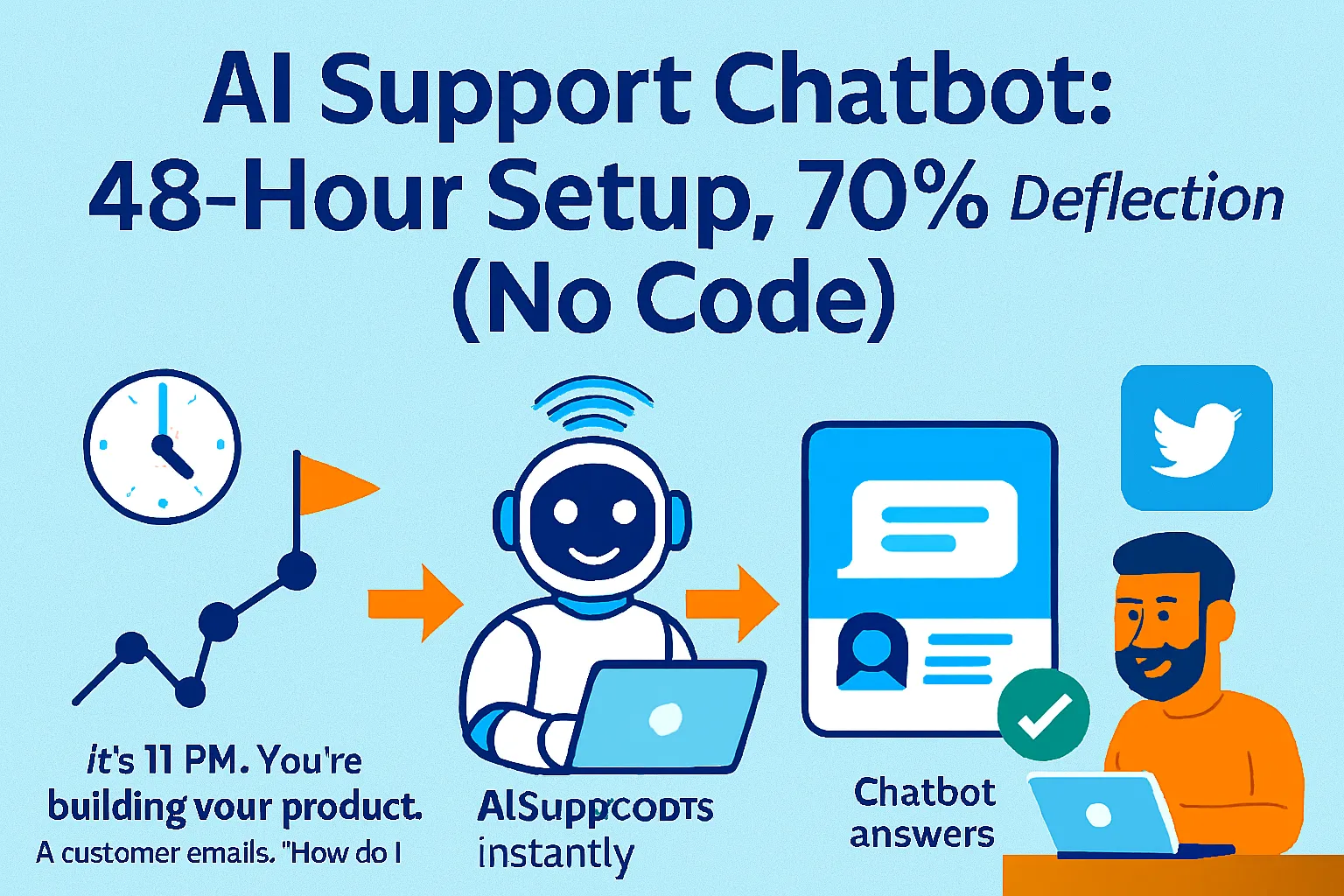
It's 11 PM. You're building your product. A customer emails: "How do I reset my password?"
You stop coding. Switch to email. Write a response. Send it.
Five minutes later, another email: "What's your refund policy?"
Then another: "Does this work on mobile?"
By midnight, you've answered 7 support emails. Zero product work done. And tomorrow, the same 7 questions will come from different customers.
Here's what's actually happening: you're spending 10-15 hours per week answering the same 20 questions over and over. Top solo founders don't do this. They build AI chatbots that deflect 70% of support tickets in Week 1, handle FAQs instantly, escalate complex issues to Slack with full conversation context, and cost under $30/month.
The problem? Most founders think chatbots require coding skills, months of setup, or expensive developers. They don't. You need 48 hours, Voiceflow or SiteGPT (both no-code), your existing FAQs, and this implementation guide.
This article shows you how to build a support chatbot this weekend, train it on your documentation, deploy on your website + WhatsApp, hit 70% deflection rate in Week 1, and escalate edge cases to Slack automatically. All for under $30/month.
Why Answering Support Manually Is Killing Your Momentum
Before we get into the system, let's talk about the real cost of manual support.
The brutal math:
Time cost:
Average support ticket: 10 minutes to read, research, respond
Solo founder handling 50 tickets/week: 8.3 hours (entire work day)
That's 432 hours per year answering the same questions
Opportunity cost:
Hours not spent building features
Hours not spent acquiring customers
Hours not spent on revenue-generating work
Mental cost:
Context switching every 20 minutes kills deep work
Can't focus on complex problems
Burnout from repetitive questions
What changes everything: A chatbot that handles 70% of questions instantly, escalates the other 30% with full context, and costs less than one hour of your time per month.
The industry data:
AI chatbots can deflect 70-80% of common support queries
Mature systems plateau around 70-90% deflection for ideal use cases like e-commerce and SaaS
Reduce service costs by 30%
Examples of bad vs good support systems:
Bad (manual, unsustainable):
Solo founder answers every email personally
Response time: 2-8 hours (depending on when you check email)
Same questions answered 50 times per month
Can't scale past 100 customers without burning out
Good (automated first layer, human backup):
Chatbot handles "How do I reset password?" instantly
Chatbot handles "What's your refund policy?" instantly
Edge case: "Your integration with Zapier is broken" → Escalates to Slack with full conversation history
Response time: Instant for 70%, <2 hours for 30%
The difference? You answer 15 tickets per week instead of 50.
The 48-Hour Chatbot Build System
Here's how to go from zero to 70% ticket deflection in one weekend.
Hour 1-3: Choose Your Stack (Saturday Morning)
You have two main options. Pick based on your needs.
Option A: SiteGPT ($49/month, Free Trial Available)
SiteGPT is a lightweight alternative tailored for businesses wanting to build chatbots trained directly on their websites, focusing on quick setup and deployment
Best for:
Simple FAQ deflection
Website-only deployment (for now)
No technical knowledge required
Setup in 30 minutes
Features:
Train by adding website link, sitemap, YouTube videos, Zendesk Help Center, Gitbook
Upload CSV/TXT/PDF/DOCX/PPTX/MD files
Automatic syncing on monthly, weekly, or daily basis
Native integrations with Crisp, Intercom, and Zendesk
Pricing:
Free trial available
Starter: $49/month (up to 1,000 message credits)
Pro: $199/month (5,000 message credits)
Why choose SiteGPT: You want the fastest setup. You're okay with website-only initially. You don't need complex conversation flows.
Option B: Voiceflow ($60/month, Free Sandbox Available)
Voiceflow is a no-code platform for building AI chat and voice agents
Best for:
Multi-channel deployment (website, WhatsApp, phone)
Complex conversation flows
Businesses needing voice support
Custom integrations
Features:
Train on website URLs, PDFs, text data, or API data
Choose AI model: GPT-4, Claude, Llama, Gemini, or Deepseek
LLM fallback automatically switches models during outages
AI Agents can auto-reply to questions, follow conversation paths, execute functions
Pricing:
Sandbox: Free (limited features, testing only)
Pro: $60/month per editor
Additional costs: Chat/voice usage credits billed separately
Why choose Voiceflow: You need multi-channel support. You want voice assistants. You need advanced customization.
My recommendation for solo founders:
If you're just starting: SiteGPT (faster setup, simpler) If you need voice/WhatsApp: Voiceflow (more channels)
For this guide, I'll show both implementations.
Hour 4-8: Train Your Chatbot (Saturday Afternoon)
Now you're teaching the AI what to say.
Step 1: Gather Your Training Data (30 minutes)
You need 3 types of content:
1. FAQs (Most important)
Go to your support email
Export last 3 months of tickets
Identify the 20 most common questions
Write clear answers (1-2 paragraphs each)
Common FAQ categories:
Account management (password reset, login issues)
Billing (refund policy, payment methods, invoices)
Product usage (how to do X, troubleshooting Y)
Technical (browser compatibility, mobile apps, integrations)
Company info (contact, hours, location)
2. Documentation
Help center articles
Product guides
Onboarding tutorials
Feature walkthroughs
3. Policies
Terms of service
Privacy policy
Refund policy
Shipping policy (if applicable)
Format your FAQs like this:
Q: How do I reset my password?
A: Click "Forgot Password" on the login page. Enter your email. Check your inbox for a reset link. Click the link and create a new password. If you don't see the email within 5 minutes, check your spam folder.

Q: What's your refund policy?
A: We offer a 30-day money-back guarantee. Email support@yourcompany.com with your order number. Refunds are processed within 5-7 business days to your original payment method.

Q: Does your product work on mobile?
A: Yes! We have native iOS and Android apps. You can also use our mobile-optimized website at m.yourcompany.com. All features work on mobile except [specific limitation if any].
Step 2: Upload to SiteGPT (15 minutes)
Sign up for SiteGPT
Create new chatbot
Add data sources:
Option A: Enter your website URL (SiteGPT crawls automatically)
Option B: Upload FAQ document (PDF, DOCX, MD)
Option C: Paste text directly
Click "Train Chatbot"
Wait 2-5 minutes (depends on content volume)
Step 2 Alternative: Upload to Voiceflow (30 minutes)
Voiceflow Knowledge Base lets you train on URLs, documents, tables, or API data
Sign up for Voiceflow
Create new agent
Go to "Knowledge Base"
Add data sources:
Upload FAQ PDF
Add help center URLs
Paste policy text
Configure settings:
Choose AI model (GPT-4 for best accuracy, Claude for speed)
Set temperature (0.3 for factual answers, 0.7 for conversational)
Set max tokens (500-1000 for most answers)
Create intents (optional but recommended):
Intent: "password_reset" → Utterances: "reset password," "forgot password," "can't login"
Intent: "refund" → Utterances: "get refund," "money back," "cancel order"
Intent: "pricing" → Utterances: "how much," "cost," "pricing"
Step 3: Test Your Training (30 minutes)
Ask your chatbot the 20 most common questions. Score each response:
Good response (keep as-is):
Accurate information
Complete answer
Natural language
Appropriate length (2-4 sentences)
Needs improvement:
Incomplete answer → Add more detail to training data
Wrong answer → Fix source document
Too vague → Add specific examples
Too long → Break into multiple responses or add "Learn more" link
Common training mistakes to fix:
Mistake: Chatbot says "I don't know" for questions it should know Fix: Add that specific question to your FAQ document and retrain
Mistake: Chatbot gives generic answer instead of your specific policy Fix: Make your policy document more prominent in training data (upload it separately)
Mistake: Chatbot hallucinates (makes up information) Fix: Lower temperature to 0.2-0.3, add disclaimer like "Based on our documentation..."
Hour 9-12: Deploy on Your Website (Saturday Evening)
Now you're making the chatbot live.
For SiteGPT:
Go to "Install" tab
Copy embed code:
<script src="https://sitegpt.ai/chatbot.js" data-id="YOUR_CHATBOT_ID"></script>
Paste before
</body>tag in your websiteOr use WordPress plugin (if using WordPress)
Customize appearance:
Brand colors
Chat bubble icon
Welcome message
Suggested questions
For Voiceflow:
Go to "Integrations" → "Web Chat"
Customize widget:
Colors
Position (bottom right, bottom left)
Avatar
Greeting message
Copy embed code
Add to website before
</body>tagOr use WordPress/Shopify/Webflow plugin
Customization recommendations:
Welcome message examples:
Bad: "Hello! How can I help?" Good: "Hi! I can help you with account setup, billing questions, or troubleshooting. What can I answer for you?"
Suggested questions (add 3-5):
"How do I reset my password?"
"What's your refund policy?"
"Does this work on mobile?"
"How do I contact a human?"
Branding:
Match your website colors
Use your logo as avatar
Keep bubble visible but not intrusive
Position: bottom right (standard)
Hour 13-18: Add WhatsApp Integration (Sunday Morning)
Now you're expanding to WhatsApp (optional but powerful).
Why WhatsApp matters:
2+ billion users worldwide
98% open rate (vs 20% email)
Customers prefer messaging over email
Support them where they already are
For Voiceflow (WhatsApp supported natively):
Sign up for Twilio ($0.0079 per message)
Get WhatsApp Business API access
In Voiceflow: Go to "Integrations" → "Twilio"
Enter Twilio credentials
Set up WhatsApp number
Test by messaging your number
For SiteGPT (requires Zapier bridge):
Use Zapier to connect SiteGPT API to WhatsApp Business API
Trigger: New WhatsApp message
Action: Send to SiteGPT, get response
Send response back to WhatsApp
Cost: Twilio WhatsApp: ~$0.005 per message (very cheap)
Pro tip: Add your WhatsApp number to:
Website footer ("Chat with us on WhatsApp")
Email signature
Order confirmation emails
Hour 19-24: Set Up Escalation to Slack (Sunday Afternoon)
The chatbot handles 70%. For the other 30%, you need human backup.
Why Slack escalation matters:
Bad escalation:
Customer asks complex question
Chatbot says "I don't know, email support@company.com"
Customer emails
You have no context from the chat
Customer has to repeat everything
Good escalation:
Customer asks complex question
Chatbot recognizes it can't answer
Says: "Let me connect you with my human colleague. One moment."
Sends full conversation to Slack channel
You reply in Slack
Response goes back to customer instantly
For SiteGPT:
Native integrations with Crisp, Intercom, and Zendesk
Connect to your existing help desk
OR use Zapier:
Trigger: SiteGPT escalation
Action: Post to Slack channel #support
Include: Full conversation history
For Voiceflow:
Create escalation flow:
When chatbot can't answer → Trigger "human_handoff"
Use API step to post to Slack
Format message with customer info + conversation
Set up Slack webhook:
Go to Slack → Apps → Incoming Webhooks
Create webhook for #support channel
Copy webhook URL
In Voiceflow:
Add API call with webhook URL
POST conversation data
Format:
{
  "text": "🚨 Human Help Needed",
  "blocks": [
    {
      "type": "section",
      "text": {
        "type": "mrkdwn",
        "text": "*Customer:* user@email.com\n*Issue:* Complex technical question\n*Conversation:*\nUser: How do I integrate with Salesforce?\nBot: I need help with that..."
      }
    }
  ]
}
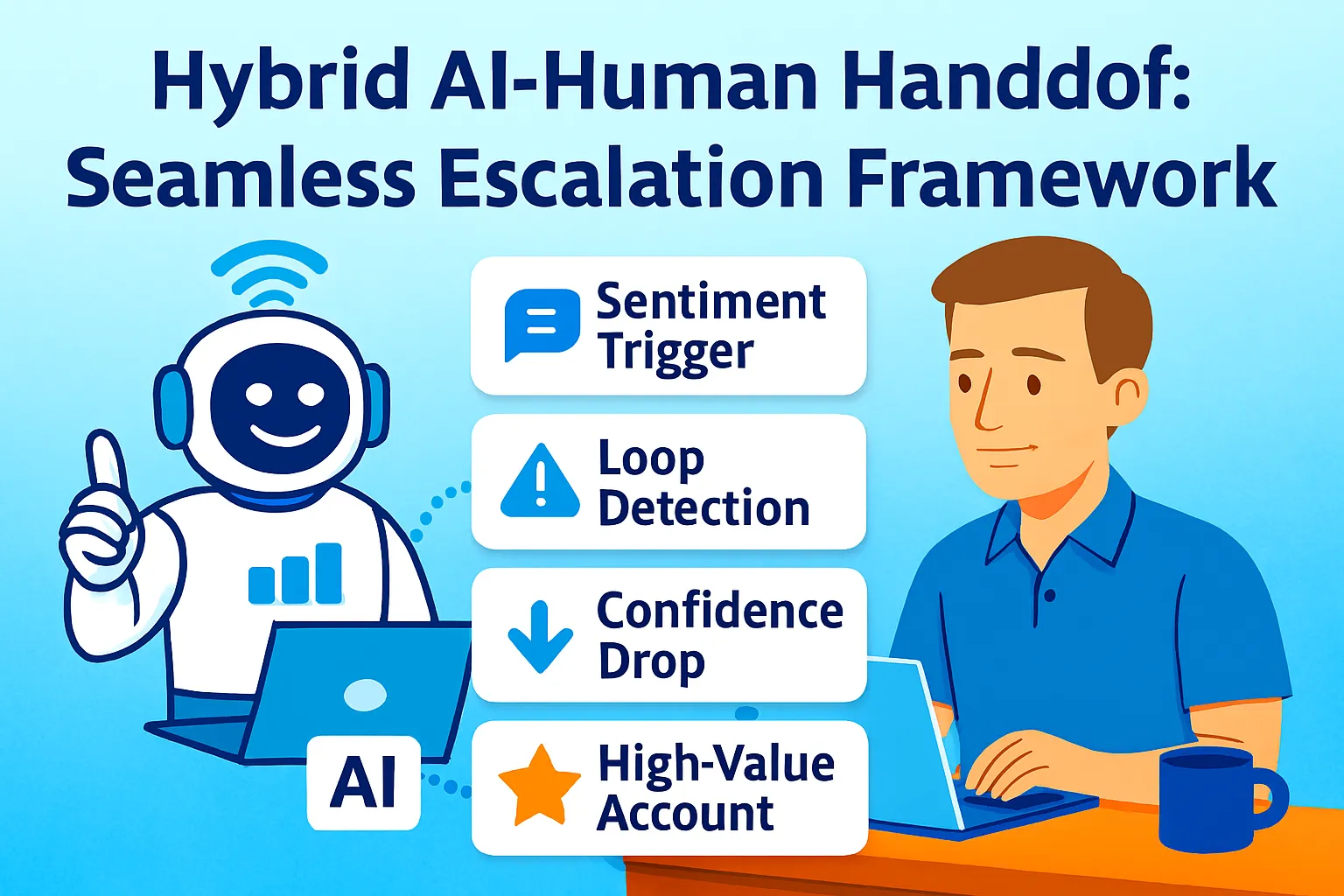
Escalation triggers:
When to escalate automatically:
Customer says "speak to human," "talk to person," "representative"
Chatbot confidence score <70%
Customer asks same question 3 times (chatbot isn't helping)
Billing/refund requests (sensitive topics)
Customer seems frustrated (sentiment analysis detects negative tone)
Escalation message templates:
Good escalation: "I want to make sure you get the best help. Let me connect you with [Your Name]. They'll have our full conversation and can dive deeper into this. One moment!"
Bad escalation: "I can't help with that. Email support."
Weekend Summary: What You've Built
By end of Sunday, you have:
✅ AI chatbot trained on your FAQs, docs, policies
✅ Deployed on website with your branding
✅ WhatsApp integration (optional)
✅ Slack escalation for complex questions
✅ Conversation history for all chats
✅ Cost: <$30/month
What happens Monday:
Customer: "How do I reset my password?" Chatbot: Instantly provides step-by-step instructions Result: Ticket deflected. You didn't even know it happened.
Customer: "Your Zapier integration is broken for Gmail" Chatbot: "That's a great technical question. Let me connect you with [Your Name] who can investigate this..." Slack: New message in #support with full conversation You: Read context, respond within 30 minutes Result: Escalated with full context. You solve it faster.
Week 1 results (typical):
50 support inquiries
35 handled by chatbot (70% deflection)
15 escalated to you
Time saved: 5.8 hours
Measuring Success: The First 30 Days
Don't just deploy and forget. Track what matters.
Metrics to track:
1. Deflection rate
Formula: (Tickets handled by bot) / (Total tickets) × 100
Target: 70% in Week 1, 80%+ by Week 4
Track weekly to see improvement
2. Resolution rate
Formula: (Chats where customer didn't ask to escalate) / (Total chats) × 100
Target: 85%+ (some people just prefer humans)
3. Average response time
Bot: Instant (obviously)
Escalated tickets: How fast you respond after bot hands off
Target: <2 hours for escalated tickets
4. Customer satisfaction (CSAT)
Add feedback at end of chat: "Was this helpful? 👍 👎"
Track thumbs up vs thumbs down
Target: 80%+ thumbs up
5. Top unanswered questions
What questions is the bot struggling with?
Add these to training data weekly
Solo Founder Tracking System:
Use Google Sheets (free):
Tab 1: Weekly Stats
Week | Total Tickets | Bot Handled | Human Handled | Deflection % | Hours Saved
Tab 2: Unanswered Questions
Date | Question | Bot Response | What Went Wrong | Fixed? (Y/N)
Tab 3: Escalation Patterns
Date | Escalation Reason | Resolution Time | Customer Satisfied? (Y/N)
Update Monday mornings: 15 minutes to review last week, add new FAQs, improve bot.
Hitting 70% Deflection in Week 1
The industry benchmark is 70-80% deflection for common support queries. Here's how to hit it fast.
Week 1 checklist:
Day 1-2: Deploy and monitor
Watch every conversation in real-time
Note where bot struggles
Note what customers actually ask (vs what you thought they'd ask)
Day 3-4: Add missing FAQs
Found 5 questions bot can't answer?
Write FAQ for each
Upload to training data
Retrain bot
Day 5-7: Optimize responses
Bot gives correct info but customers still escalate?
Response might be too technical or too vague
Rewrite for clarity
Add examples
Common reasons you won't hit 70% Week 1:
Reason 1: Not enough training data Fix: Need at least 20 FAQs covering 80% of common questions
Reason 2: Poor FAQ quality Fix: Answers are vague or don't actually solve the problem. Rewrite with step-by-step instructions.
Reason 3: Bot escalates too easily Fix: Increase confidence threshold (from 70% to 60%) so bot tries harder before giving up
Reason 4: Customers don't trust the bot Fix: Add branding, friendly tone, make it clear it's AI-powered but trained on your docs
Advanced Tactics (Month 2+)
Once you hit 70% deflection, these tactics push you to 85%+.
1. Add Conversation Memory
Make the bot remember previous chats with the same customer.
Voiceflow:
Use Variables to store customer email
Query past conversations
Reference previous issues: "Last time you asked about X. Is this related?"
SiteGPT:
Enable conversation history in settings
Bot automatically remembers past 10 conversations per user
Why this matters: Customer doesn't have to re-explain their situation every time.
2. Proactive Messaging
Don't wait for customers to ask. Offer help first.
On key pages:
Pricing page: "Have questions about our plans?"
Checkout page: "Need help completing your order?"
Dashboard (new users): "Want a quick tour?"
Timing:
30 seconds on page without action
Scrolls to bottom of pricing page
Abandons cart
3. Sentiment Analysis + Priority Escalation
Detect frustrated customers and escalate immediately.
Voiceflow:
Use GPT-4 to analyze sentiment
If customer says "this is ridiculous," "I'm canceling," "terrible"
Immediate escalation with "high priority" flag in Slack
Why this matters: Angry customers get human attention before they churn.
4. Multi-Language Support
Expand to non-English customers.
SiteGPT:
Supports 95+ languages
Auto-detect customer language
Respond in their language
Voiceflow:
Train separate knowledge base per language
OR use GPT-4 to translate on the fly
5. Voice Support (Voiceflow Only)
Some customers prefer calling.
Set up:
Connect Voiceflow to Twilio Voice
Get phone number ($1/month)
Configure voice prompts
Calls cost ~$0.01/minute
Use cases:
"Call us at (555) 123-4567 for instant support"
Bot answers, handles FAQs via voice
Escalates to your phone for complex issues
Common Mistakes Solo Founders Make
1. Not enough training data
Launching with 5 FAQs won't work. You need at least 20 covering your top questions.
2. Training on marketing copy instead of support content
Your "About Us" page doesn't help customers troubleshoot. Train on docs, FAQs, help articles.
3. No escalation path
Bot can't answer → Customer gets stuck → They email anyway → You've just added friction
Always provide clear escalation to human.
4. Not monitoring conversations Week 1
You need to watch what customers ask so you can improve the bot. Check daily in Week 1.
5. Treating bot as "set and forget"
Bots degrade over time if you don't update training data. Review monthly, add new FAQs.
6. Making escalation feel like failure
Don't say "Sorry, I can't help." Say "Great question! Let me connect you with an expert."
Tools You Actually Need (Budget Breakdown)
Free Tier (testing only):
Voiceflow Sandbox (free, limited features)
SiteGPT trial (free, time-limited)
Total: $0/month
Starter Tier (recommended for solo founders):
SiteGPT Starter ($49/month: 1,000 messages)
OR Voiceflow Pro ($60/month + $20/month usage)
Twilio WhatsApp (optional, ~$5-10/month depending on volume)
Total: $49-70/month
Upgrade Tier (scaling past 100 customers):
SiteGPT Pro ($199/month: 5,000 messages)
OR Voiceflow Pro + additional usage credits
Twilio Voice (optional, $15-30/month)
Total: $199-250/month
Don't buy until: You've tested with free tier and validated customers actually use the bot.
When You've Outgrown This System
You'll know it's time to upgrade when:
You're handling 500+ support tickets/month and deflection plateaus at 70%. At this point, hire a support person and use the bot to handle overflow.
You need advanced routing (different bots for sales vs support vs billing). Upgrade to enterprise tools like Intercom ($99/month) or Zendesk with AI.
You want voice as primary channel (not just backup). Invest in dedicated voice AI like Retell AI or PolyAI.
You're managing multiple products and need separate bots per product. Voiceflow Enterprise ($500+/month) handles multi-bot management.
But honestly? Most solo founders never need this. The <$50/month system works until you're doing $50K+ MRR.
Your 48-Hour Implementation Plan
Saturday Morning (3 hours):
☐ Choose stack (SiteGPT or Voiceflow)
☐ Sign up for free trial
☐ Export top 20 support questions from email
Saturday Afternoon (5 hours):
☐ Write FAQ answers (1-2 paragraphs each)
☐ Upload to chatbot
☐ Train chatbot
☐ Test with all 20 questions
Saturday Evening (4 hours):
☐ Customize branding
☐ Set welcome message
☐ Add suggested questions
☐ Deploy embed code on website
☐ Test on mobile and desktop
Sunday Morning (6 hours):
☐ Set up WhatsApp integration (optional)
☐ Test WhatsApp flow
☐ Configure escalation triggers
☐ Set up Slack webhook
Sunday Afternoon (6 hours):
☐ Create escalation message templates
☐ Test full escalation flow
☐ Create tracking spreadsheet
☐ Document common issues for Week 1
Monday:
☐ Monitor first conversations
☐ Note what bot struggles with
☐ Respond to escalated tickets with context
Week 2:
☐ Add 5-10 new FAQs based on Week 1 learnings
☐ Retrain bot
☐ Track deflection rate
The Real Talk on Support Automation
Look, building a chatbot isn't about replacing human connection. It's about giving customers instant answers to simple questions so you can focus on complex problems that actually need your expertise.
The best customer support teams resolve 70-80% of inquiries instantly, operate 24/7 globally, and spend 65% less than they did pre-AI agents
This system doesn't make you a robot. It handles "Where's my order?" so you can spend time on "How do I implement your API with my custom setup?"
This system doesn't eliminate you. It triages so customers who need you get your full attention, not rushed responses between 10 other tickets.
The hard part isn't setting up the bot. The hard part is accepting that you don't need to personally answer "How do I reset my password?" for the 47th time this month.
Start this weekend. Export your FAQs. Pick SiteGPT or Voiceflow. Train it. Deploy it.
You'll deflect 70% of tickets in Week 1 and reclaim 10 hours per week to build your actual product.
That's it.



Comments (0)
Leave a Comment