

You sent an NPS survey last month. 47 responses came back. 12 detractors, 21 passives, 14 promoters. NPS score: 4. Terrible.
You read through the open-text responses. Some mention "too slow." Some say "confusing UI." One person wrote three paragraphs about a billing edge case. Someone else said "Love it!" with no context.
You stared at it for 20 minutes. Closed the tab. Went back to writing code.
Three weeks later, the same complaints are in your support queue. Nothing changed.
Here's what's actually happening: you have a feedback problem, not a data problem. You have plenty of data — NPS responses, support emails, app store reviews, cancellation reasons. What you don't have is a system that turns that pile of unstructured text into a ranked list of three things to fix this sprint.
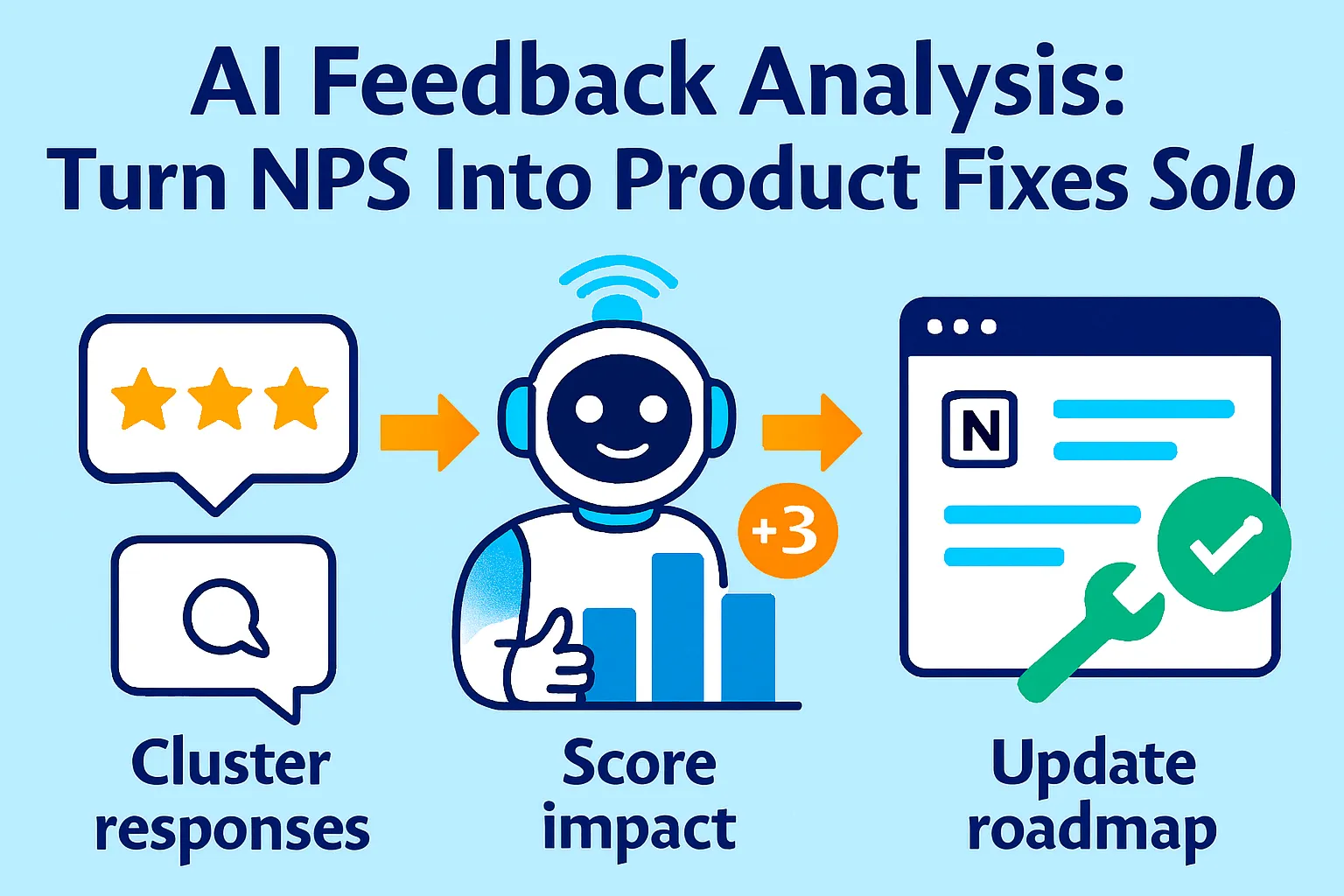
Enterprise teams spend $2,000/month on tools like Thematic, Medallia, and Chattermill to do this automatically. You don't need that. You need a weekly AI prompt, a structured clustering method, an impact scoring model, and a Notion dashboard that shows you — at a glance — what to build next.
This guide builds that entire system for under $30/month.
Why Reading Feedback Manually Doesn't Work
Before we get into the system, let's talk about why your current approach fails — and why it's not your fault.
The three problems with manual feedback review:
1. You read sequentially, not thematically
You read Response 1, then Response 2, then Response 3. By Response 30 you've forgotten what Response 4 said. You can't spot patterns when you're reading one comment at a time.
2. Loud voices distort your priorities
The customer who wrote three angry paragraphs gets disproportionate weight in your memory. The ten customers who each wrote one sentence about the same issue get forgotten because none of them were emphatic enough individually.
3. You have no impact score
Even if you identify a theme, you don't know whether fixing it moves your NPS by 0.5 points or 5 points. So you either fix the most emotionally salient thing (the loud voice problem) or fix the easiest thing (the low-effort problem) instead of the highest-impact thing.
What AI changes:
AI-powered analysis techniques — including sentiment detection, thematic coding, causation analysis, and impact scoring — process open-ended feedback at scale without losing nuance. What used to take a team of analysts two weeks takes 10 minutes with the right prompts.
And critically, with AI you can understand exactly why scores fluctuate and respond in days, sometimes minutes, instead of weeks.
The 5-Step AI Feedback Analysis System
Here's how to go from a pile of NPS responses to a ranked product backlog in under 2 hours per week.
Step 1: Collect Feedback From Every Channel Into One Place (30 minutes one-time setup)
AI can only analyze what you give it. Most solo founders have feedback scattered across 5+ places and never look at any of them together.
Your feedback sources:
NPS surveys:
Typeform ($29/month) or Delighted ($99/month, overkill) or Tally (free)
Send every 90 days to active users
Two questions only: score (0-10) + one open text ("What's the main reason for your score?")
Export as CSV
Support emails:
Your support inbox (Gmail, Help Scout, Tidio)
Export last 30-90 days as CSV
Include subject + body only (strip personal data)
App store / G2 / Capterra reviews:
Copy-paste into a Google Sheet
Include: rating, text, date
Takes 15 minutes monthly
Cancellation reasons:
When users cancel, ask one question: "What's the main reason you're leaving?"
Build into your offboarding flow (Typeform triggered on cancellation)
Export monthly
Consolidation method:
Create one Google Sheet with these columns:
Source (NPS / Support / Review / Cancellation)
Date
Score (if applicable)
Text (verbatim feedback)
User tier (free / paid / enterprise — if you know it)
Copy all feedback into this sheet monthly. This is your "raw material" for AI analysis.
Time investment: 20 minutes once per month to aggregate. AI does the rest.
Step 2: Cluster by Theme with AI (15 minutes weekly)
Now you're turning 50 raw comments into 5-8 meaningful themes.
The Master Clustering Prompt:
You are a product analyst. Analyze this batch of customer feedback
and group it into themes.

FEEDBACK DATA:
[Paste 30-100 feedback items, one per line, with source and score if available]

Instructions:
1. Group all feedback into 5-10 distinct themes
2. For each theme:
   - Give it a clear name (2-5 words)
   - Count how many responses mention it
   - Identify the % of responses it represents
   - Quote 2-3 representative verbatims (exact words)
   - Note whether the theme is positive, negative, or mixed
   - Identify which user segments mention it most (if data available)

3. List themes ranked by: frequency (most common first)

4. Flag any "surprise" themes — things you might not expect

Output format:
THEME 1: [Name]
Frequency: [X responses, X%]
Sentiment: [Positive / Negative / Mixed]
Representative quotes:
  - "[Quote 1]"
  - "[Quote 2]"
Key insight: [One sentence summary of what this theme really means]

[Repeat for all themes]

SURPRISE THEMES:
[Anything unexpected]
Example Output:
THEME 1: Slow load times on mobile
Frequency: 14 responses, 28%
Sentiment: Negative
Representative quotes:
  - "Takes forever to load on my phone, almost unusable"
  - "The mobile version is noticeably slower than desktop"
  - "Load time is killing my workflow on mobile"
Key insight: Mobile performance is the #1 UX complaint and correlates strongly with detractor scores (0-4)

THEME 2: Missing export functionality
Frequency: 11 responses, 22%
Sentiment: Negative (with urgency — users mention this is a blocker)
Representative quotes:
  - "I need to export to CSV but there's no option"
  - "Would switch from competitor if you had proper exports"
  - "Been waiting for export for 3 months"
Key insight: This is a feature gap that's causing churn to competitors

THEME 3: Great customer support
Frequency: 9 responses, 18%
Sentiment: Positive
Representative quotes:
  - "Team responds incredibly fast"
  - "Support is the best I've experienced in any SaaS"
Key insight: Support is a genuine moat — worth mentioning in marketing

THEME 4: Confusing initial setup
Frequency: 8 responses, 16%
Sentiment: Negative
Key insight: Onboarding friction — aligns with low Day-3 activation data

[Continued...]

SURPRISE THEMES:
- 3 users mentioned wanting a Notion integration specifically (not just "integrations")
- 2 enterprise users mentioned needing SSO — neither fits current ICP but suggests expansion opportunity
What you now have: 5-8 themes, frequency-ranked, with real quotes. In 5 minutes.
Step 3: Score Impact — Not Just Frequency (10 minutes)
Frequency tells you what's common. Impact tells you what to fix first.
The problem with frequency-only ranking:
Theme 1 (slow mobile, 28% of responses) might only affect 5% of your revenue if mobile users are all free-tier.
Theme 2 (missing export, 22% of responses) might affect 80% of your paid users if exporters are your core ICP.
The 4-factor impact score:
Impact Score = (Frequency × Revenue Weight × Urgency × Fix Difficulty)
Scoring guide:
Factor | 1 (Low) | 2 (Medium) | 3 (High) |
|---|---|---|---|
Frequency | <10% of responses | 10-25% | >25% |
Revenue Weight | Free users only | Mix of free/paid | Paid users / churned users |
Urgency | "Would be nice" language | "Frustrating" language | "Blocker," "switching," "canceled because" |
Fix Difficulty | Weeks of eng work | Days of eng work | Hours — copy, config, policy change |
AI Impact Scoring Prompt:
Score these feedback themes by business impact using this framework.

THEMES (from previous analysis):
[Paste your 5-8 themes with frequency data]

SCORING CRITERIA:
Rate each theme 1-3 on:
1. Frequency: % of total responses
2. Revenue Weight: Are these free users (1), mixed (2), or paid/churned users (3)?
3. Urgency: "nice to have" (1), "frustrating" (2), "blocker/churn driver" (3)?
4. Fix Difficulty (inverse — easy fixes score higher):
   - Months of work (1)
   - Days of work (2)
   - Hours of work: copy, config, settings (3)

Multiply all four scores.
Rank themes from highest total impact score to lowest.

Additional context about my product/users:
- Revenue split: [% free vs % paid users]
- Current sprint: [What you're already building]
- Team size: [Solo founder]

Output as priority ranking with score breakdown.
Example Output:
PRIORITY RANKING

#1: Missing export functionality — Score: 48/81
  Frequency: 3 (22%)
  Revenue Weight: 3 (paid users mention this most)
  Urgency: 3 ("blocker," "switching to competitor")
  Fix Difficulty: 2 (days of work, not weeks)
  → BUILD THIS SPRINT

#2: Confusing initial setup — Score: 36/81
  Frequency: 2 (16%)
  Revenue Weight: 2 (mix of trial and paid)
  Urgency: 3 (correlates with churn in first week)
  Fix Difficulty: 3 (onboarding copy + flow, no eng required)
  → FIX THIS WEEK (no engineering needed — just copy and UX)

#3: Slow mobile load times — Score: 27/81
  Frequency: 3 (28%)
  Revenue Weight: 1 (mostly free tier)
  Urgency: 2 (frustrating but not blocking)
  Fix Difficulty: 1 (performance work = weeks)
  → BACKLOG — high effort, lower paid impact

#4: Great support — Score: N/A (positive theme)
  → LEVERAGE IN MARKETING, maintain this
What changed: Mobile performance dropped from #1 (by frequency) to #3 (by impact). Export — which you might have deprioritized as "less common" — jumps to #1 because it's a churn driver for paying customers.
Step 4: Build the Notion Feedback Dashboard (30 minutes one-time setup)
Now you need a place to see this week-over-week, not buried in a spreadsheet you forget to open.
Notion database structure:
Database 1: Feedback Library
Property | Type | Notes |
|---|---|---|
Theme | Title | e.g., "Missing export functionality" |
Source | Select | NPS / Support / Review / Cancellation |
Date Collected | Date | Month of analysis |
Frequency | Number | % of that month's responses |
Impact Score | Number | Calculated from 4-factor model |
Sentiment | Select | Positive / Negative / Mixed |
Status | Select | Backlog / In Sprint / Shipped / Monitoring |
Verbatim Quotes | Text | 2-3 actual customer quotes |
AI Summary | Text | One-paragraph synthesis |
Database 2: Monthly Snapshot
Property | Type | Notes |
|---|---|---|
Month | Date | |
Total Responses | Number | How many pieces of feedback |
NPS Score | Number | If you sent NPS that month |
Top Theme | Relation | Link to top item in Feedback Library |
Changes Made | Text | What you fixed this month |
Impact | Text | Did fixing it move the needle? |
Views to create in Notion:
View 1: Priority Queue (filtered, sorted)
Filter: Status = "Backlog"
Sort by: Impact Score (highest first)
This is your "what to build next" view
View 2: In Progress
Filter: Status = "In Sprint"
Shows what you're currently fixing
View 3: Shipped + Monitoring
Filter: Status = "Shipped"
Track: Did shipping this change NPS or support volume?
View 4: Theme Trends (Gallery)
Shows themes as cards with frequency bar
Visual scan of what's growing vs shrinking
Notion AI Synthesis Prompt (use inside Notion AI):
Based on this month's feedback themes and last month's themes,
write a 3-paragraph executive summary:

1. What's improved since last month (themes that decreased in frequency)?
2. What's getting worse (new themes or growing themes)?
3. What's the #1 priority fix and why?

Keep it under 150 words. Write for a solo founder making product decisions.
Run this every month. Takes 30 seconds. Gives you a crisp brief to start each sprint.
Step 5: Close the Loop — Act and Measure (Ongoing)
Collecting and analyzing feedback is useless if you don't act on it and verify the fix worked.
The close-the-loop workflow:
When you ship a fix:
Update Notion status: Backlog → Shipped
Note what you shipped and when
Set a 30-day reminder to check impact
Measuring impact:
For each shipped fix, track:
Did the theme appear less in next month's feedback?
Did NPS move (even 1-2 points)?
Did related support ticket volume drop?
Example:
Month 1: "Confusing initial setup" — 16% of feedback, Impact Score 36 Fix shipped: Rewrote onboarding flow, added progress indicator
Month 2: "Confusing initial setup" — 5% of feedback (dropped from 16%) NPS change: +4 points (from 4 to 8) Support tickets about onboarding: -40%
That's how you know it worked.
Auto-notify detractors when you fix their issue:
When you ship a fix to a theme that detractors mentioned, email them:
AI Prompt: Write a 100-word email to a customer who left a low NPS score
mentioning [specific issue]. Tell them we shipped a fix. Be specific
about what changed. Invite them to re-try. Offer 1 month free as goodwill.

Tone: Direct, personal, no marketing fluff. Written by the founder.
When you identify and address the concerns of unhappy customers, you can effectively convert Detractors to Promoters. One founder at a SaaS tool did this and recovered 30% of churned detractors with a single email campaign after shipping fixes they'd complained about.
The Weekly Feedback Ritual (60 Minutes Total)
Here's the exact workflow to run every Monday morning:
Step 1 (10 min): Collect
Export new NPS responses (since last week)
Copy any notable support tickets (escalated or repeated issues)
Paste into Google Sheet
Step 2 (15 min): Cluster
Paste into AI clustering prompt
Review output
Adjust any themes that seem off (AI gets 85% right, you fix the 15%)
Step 3 (10 min): Score
Run impact scoring prompt
Compare to last week's priorities
Note if any themes are growing or shrinking
Step 4 (10 min): Update Notion
Add new themes to Feedback Library
Update frequency and impact scores for existing themes
Move shipped items to "Monitoring"
Reprioritize backlog
Step 5 (15 min): Decide
Look at Priority Queue
Pick one thing to address this week (not three, one)
Add to your sprint/to-do with specific action
Total: 60 minutes. Output: One clear priority, backed by actual customer data.
Tools Budget Breakdown
Free tier (works until ~50 responses/month):
Tally (free) for NPS surveys
ChatGPT free or Claude free for clustering + scoring
Google Sheets for feedback aggregation
Notion free (up to 5 collaborators, unlimited blocks)
Total: $0/month
Recommended tier ($29-50/month):
Typeform Starter ($29/month) for better NPS survey formatting + logic
ChatGPT Plus ($20/month) for faster processing + longer context
Notion Plus ($10/month) for AI features built-in
Total: $29-59/month
Pro tier ($100/month when scaling):
Delighted ($99/month) for automated NPS scheduling + basic analysis
Notion Plus ($10/month)
Total: $109/month
Don't buy until: You're running the manual AI workflow consistently for 60 days. Paid tools don't improve discipline.
Common Mistakes Solo Founders Make
1. Sending NPS quarterly instead of continuously
If you batch NPS every 3 months, you're analyzing 90-day-old data. By the time you act on it, the product has changed. Send NPS on a rolling 90-day cycle — every user gets surveyed 90 days after signup, then every 90 days after that.
2. Only asking the NPS score, not the "why"
A score of 4 tells you nothing. "Score of 4 because the export function doesn't support CSV" tells you everything. Always include one open-text question.
3. Treating all feedback equally
A detractor paying $500/month and a free user who churned in Week 1 both count as "1 response" in raw frequency. Weight by revenue tier.
4. Fixing the loudest complaint, not the highest-impact one
The customer who wrote three paragraphs gets fixed first. The ten customers who each mentioned the same thing in one sentence get ignored. Impact score fixes this.
5. Never closing the loop
You fix the issue, never tell the customers who complained. They assume you ignored them. Always email detractors when you ship a fix to their specific complaint.
6. Stopping at NPS and ignoring support volume
Your support queue is real-time feedback. If 15 tickets this week mentioned the same thing, that's a signal. NPS is lagging; support is leading.
When You've Outgrown This System
You'll know it's time to upgrade when:
You're processing 200+ responses per month and manual AI clustering takes more than 30 minutes. At this point, invest in Thematic ($800/month) or Viable ($200/month) which auto-cluster continuously.
You need statistical significance testing — knowing not just that "slow mobile" is a theme but that it reduces conversion by 8.3% with 95% confidence. That's Qualtrics XM territory ($1,500+/month).
You have a product team. Once you hire a PM, they need real-time dashboards, not a Monday ritual. Invest in dedicated tooling.
You're running user research alongside NPS — interviews, session recordings, heat maps. Your feedback system needs to handle qualitative and quantitative data across more sources.
But honestly? Most solo founders are at 20-100 NPS responses per month. The free AI workflow handles that volume with room to spare.
Your Implementation Plan
Day 1 (1 hour):
☐ Create Google Sheet with 5 columns (source, date, score, text, tier)
☐ Aggregate last 30 days of NPS, support emails, any reviews
☐ Set up Typeform or Tally NPS survey (two questions)
Day 2 (30 min):
☐ Run clustering prompt on current feedback pile
☐ Review and adjust themes
☐ Run impact scoring prompt
Day 3 (1 hour):
☐ Build Notion Feedback Library database
☐ Add current themes with scores and quotes
☐ Create Priority Queue and Trends views
Day 4 (15 min):
☐ Pick #1 priority from dashboard
☐ Decide on fix (engineering, copy, config, or policy)
☐ Add to sprint
Week 2:
☐ Run Monday ritual (60 min)
☐ Update Notion with new themes
☐ Ship #1 priority fix
Month 2:
☐ Re-run NPS survey to same users
☐ Check if themes changed
☐ Measure: did the shipped fix reduce that theme's frequency?
The Real Talk on Feedback Analysis
Most solo founders are sitting on a gold mine they never dig.
You have NPS responses telling you why customers are unhappy. Support emails telling you where your product is confusing. Cancellation reasons telling you exactly why people leave. App reviews telling you what competitors are beating you on.
And none of it gets acted on systematically. Because reading 50 unstructured comments and extracting priorities is genuinely hard — it takes a trained analyst, or it takes AI.
Companies using AI-driven sentiment tools have improved NPS by up to 25% through better emotional insight. Not by building more features. By understanding which existing problems hurt most and fixing those first.
The difference between a solo founder who systematically improves NPS and one who doesn't isn't intelligence or effort. It's whether they have a system. One hour every Monday, a free AI prompt, and a Notion dashboard.
That's it.
Stop guessing what to build next. Your customers are already telling you. You just need to listen at scale.
Start today. Pull 30 pieces of feedback. Run the clustering prompt. See what emerges.
You'll have your first prioritized product backlog within 2 hours.
That's it.





Comments (0)
Leave a Comment