

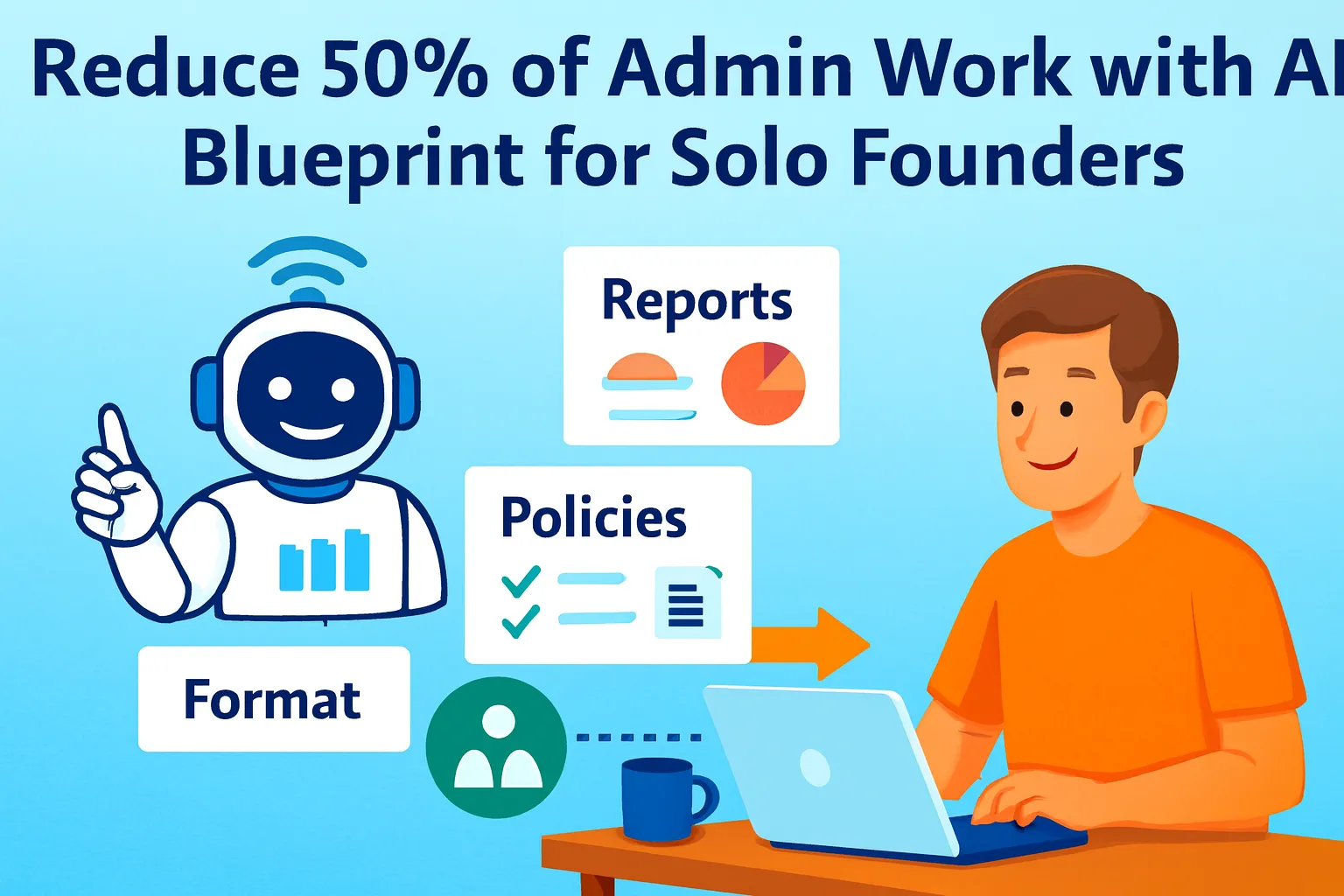
The compound effect of automation is real — and it starts smaller than you think.
One founder automated a single failed payment email. Thirty minutes saved. The next week he fixed onboarding. Then reporting. Then follow-ups. Each automation compounded on the last until admin had gone from consuming his afternoons to consuming almost nothing. He wasn't a better operator. He had a better system.
The problem with most automation advice is that it starts with tools. "Use Zapier. Use Make. Use this AI step." You add tools, build a few zaps, and six weeks later you have a stack you half-understand and admin that still takes hours — because the tools were added without a clear map of what they were replacing.
This article starts differently: with a time audit. What is admin actually costing you, in hours, per week? Then: which five tasks produce the most cost? Then: the specific automation blueprint for each. And finally — the part almost nobody does — how to measure before and after so the time savings feel real and compound rather than evaporate back into new busy work.
The goal is 50% reduction in admin time. Not 100% — that requires a team. But 50% is achievable for most solo founders in 30 days, with tools that cost under $80/month combined.
Step 1: The Time Audit (Before You Build Anything)
You can't measure a 50% reduction without a baseline. Most founders skip this step, automate a few things, feel vaguely better, then wonder six months later why they still feel overwhelmed.
Spend one week — just one — tracking where admin time actually goes. Not theoretically. Actually.
The tracking method (low-friction):
Keep a simple log — a note on your phone, a running Google Sheet, a sticky note — and every time you complete an admin task, add one line:
[Task name] | [Minutes] | [Category]
Categories: Email / Scheduling / Invoicing-Finance / Reporting-Analytics / File-Data / Client-Ops / Support / Other
At the end of the week, total by category. The top three categories by total minutes are your highest-leverage automation targets.
The time audit prompt (run at end of week one):
I tracked my admin tasks for one week.
Help me identify my highest-leverage
automation targets.

MY TIME LOG:
[Paste your week's log — task, minutes, category]

Analyze:

1. TOTAL TIME: Hours per week spent on admin overall
   Hours per category (ranked high to low)

2. TOP 5 TASKS BY TIME: The individual tasks
   consuming the most minutes per week
   For each: name, weekly minutes,
   could this be automated? (Yes / Partial / No)

3. COPY-PASTE TAX: Any tasks that are essentially
   moving information from one place to another?
   (New client signup → CRM,
    invoice paid → spreadsheet,
    meeting notes → task list)
   These are highest-ROI automation targets —
   pure transfer with no judgment required.

4. REPEAT FREQUENCY: Which tasks happen
   daily vs weekly vs per-event?
   Daily repeaters at 10 min/day =
   50 min/week = 43 hours/year.
   Even a mediocre automation here
   saves meaningful time.

5. RECOMMENDED BUILD ORDER:
   Top 5 automations to build,
   ranked by: (weekly minutes saved) ×
   (ease of automation) ÷ (build time)
   The highest score = build first.

Output: My automation priority list
with estimated annual hours saved per item.
The annual hours calculation is what makes the priority real. A task that takes 15 minutes per day feels minor. The same task calculated as 65 hours per year — eight full working days — reframes the urgency of automating it.
The Five Highest-ROI Admin Automations
Based on patterns across solo founder time audits, five categories consistently appear at the top of every list. Each has a specific automation blueprint.
Automation 1: The Inbox-to-Task Pipeline
What it costs manually: Professionals spend 2-4 hours daily managing their inbox. For solo founders, a meaningful portion of that is reading emails, identifying which ones require action, and manually creating tasks or follow-ups — the same triage judgment call repeated 50 times per day.
What the automation does:
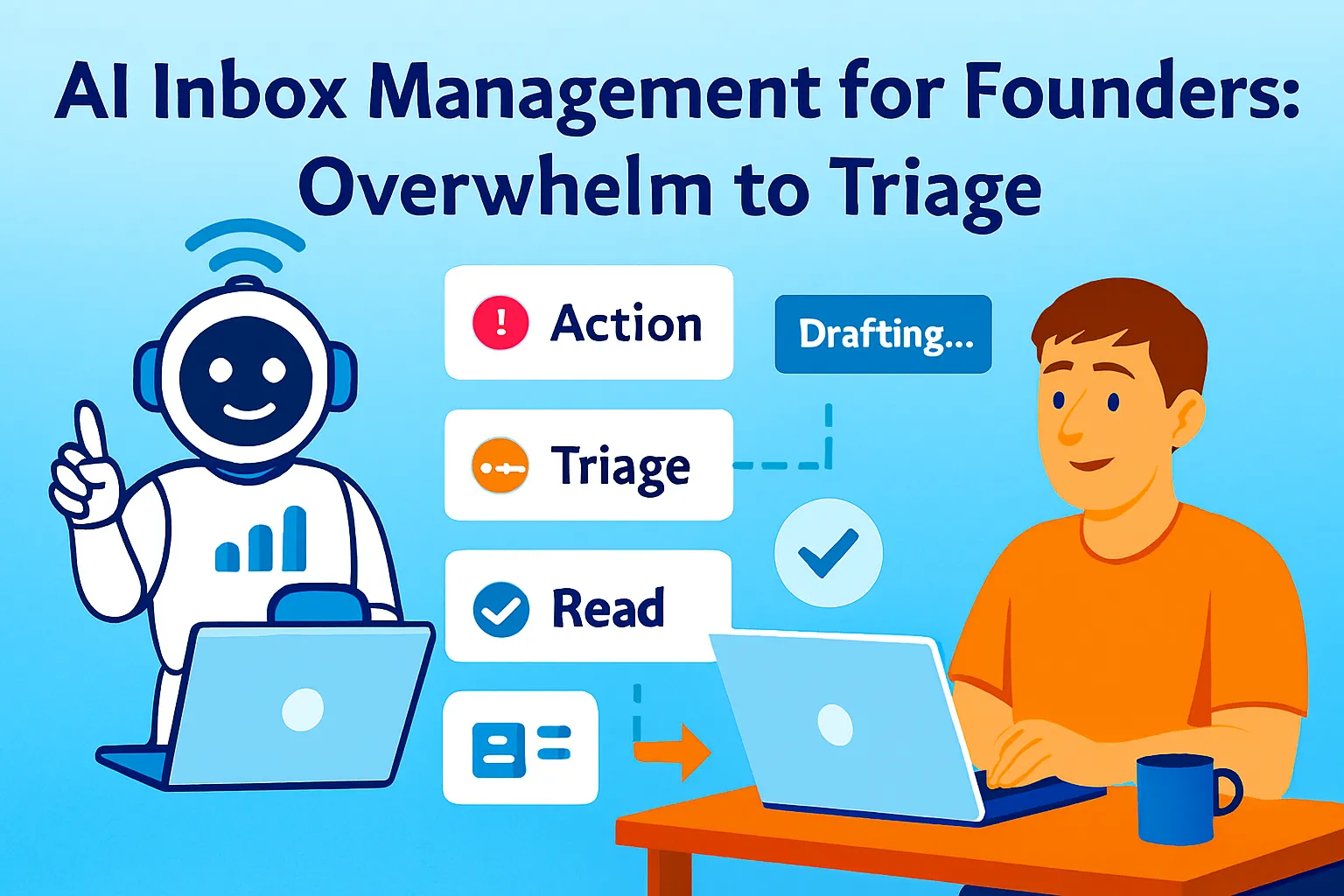
Incoming email → AI reads subject and sender → categorizes as: Action Required / Follow-Up Needed / Read Only / Noise
Action Required emails → automatically labeled red + Slack/notification alert
Follow-Up Needed → labeled yellow + 48-hour follow-up reminder created
Zapier + Gmail + AI step handles the categorization
The blueprint:
Zapier trigger: New email in Gmail
→ Filter: exclude newsletters, receipts,
   automated notifications
   (filter by: not from no-reply,
    not containing "unsubscribe")
→ AI step: Categorize this email.
   Subject: [subject]
   Sender: [sender]
   Preview: [first 200 chars of body]

   Return ONLY one of:
   ACTION — requires response or decision today
   FOLLOWUP — I sent something, awaiting their reply
   READING — informational, no action needed
   NOISE — newsletters, automated, marketing

→ If ACTION: Apply label "🔴 Action Today"
→ If FOLLOWUP: Apply label "🟡 Follow-Up"
   + create reminder in [task tool] for 48 hours
→ If READING: Apply label "📖 Reading Queue"
→ If NOISE: Apply label "Archive" + skip inbox
Build time: 90 minutes Weekly time saved: 45-75 minutes Annual hours recovered: 39-65 hours
Automation 2: The Scheduling Elimination Flow
What it costs manually: Back-and-forth scheduling emails — "Are you free Tuesday?" "Tuesday works, what time?" "Let's say 2 PM." "Actually can we do 3?" — average 6-8 emails per meeting booked. At five meetings per week, that's 30-40 scheduling emails consuming 45-60 minutes.
What the automation does: New meeting request → scheduling link sent automatically → meeting confirmed → confirmation email sent → prep reminder set → meeting brief created 30 minutes before
The blueprint:
LAYER 1 — Scheduling link (Cal.com free /
Calendly free):
- Different link types for different meeting lengths
  (15-min intro / 30-min client / 60-min strategy)
- Buffer time enforced: no back-to-back meetings
- Daily meeting limit: max [N] meetings per day
- Focus time protected: no meetings before 10 AM

LAYER 2 — Confirmation automation (Zapier):
Trigger: New Calendly/Cal.com booking
→ AI step: Write warm confirmation email
   Include: meeting agenda (from booking form),
   what to prepare, Zoom/Meet link
→ Gmail: Send confirmation from your address
→ Notion: Create meeting page from template
→ Calendar: Add 30-min prep block before meeting

LAYER 3 — Prep brief (30 min before meeting):
Trigger: Meeting starting in 30 minutes
→ Pull: Meeting notes page from Notion
→ AI step: Generate 5-bullet prep brief:
   Context, their goal, key questions to ask,
   what you committed to last time,
   one personal note (from booking form answers)
→ Send to yourself via email or Slack
Build time: 2-3 hours (all layers) Weekly time saved: 60-90 minutes Annual hours recovered: 52-78 hours
Automation 3: The Invoice and Payment Flow
What it costs manually: Creating invoices, sending them, tracking whether they've been paid, sending reminders for overdue invoices, updating your own records — at 3-5 clients, this is 45-90 minutes per week of pure data transfer and reminder management.
What the automation does: Project completed → invoice auto-generated from template → sent → payment tracked → overdue reminder triggered automatically → payment received → record updated → thank-you sent
The blueprint:
TRIGGER: Project status changed to "Complete"
in Notion (or manual trigger)

→ PandaDoc: Create invoice from template
   Variables pulled from Notion:
   client name, project name, amount, due date
→ PandaDoc: Send invoice to client email
→ Stripe/Wise: Payment link included in invoice

PAYMENT RECEIVED:
Trigger: Stripe payment succeeded
→ Gmail: Send payment confirmation +
   next steps (if ongoing relationship)
→ Notion: Update project status to "Paid"
→ Google Sheets/Notion: Log to revenue tracker

OVERDUE (no payment after N days):
Trigger: Invoice created date + [N] days,
   payment status still unpaid
→ AI step: Write professional payment reminder
   Tone: Warm, not confrontational
   Include: Invoice number, amount,
   original due date, payment link
→ Gmail: Send from your address
→ Flag in Notion: "Overdue — reminder sent"
Build time: 2-3 hours Weekly time saved: 30-60 minutes Annual hours recovered: 26-52 hours
Automation 4: The Weekly Report That Writes Itself
What it costs manually: Pulling MRR from Stripe, sessions from Plausible, email stats from ConvertKit, support volume from Help Scout — then writing a 200-word summary that synthesizes it — takes 45-60 minutes every Monday morning. Every Monday. Forever.
What the automation does: Every Monday at 7 AM: pull all metrics → AI writes 250-word interpreted summary → delivered to your inbox before you open your laptop
The blueprint:
Trigger: Every Monday, 7:00 AM

→ Zapier: Fetch Stripe MRR
   (Stripe → get MRR from subscription data)
→ Zapier: Fetch Plausible weekly sessions
   (Plausible API → last 7 days sessions)
→ Zapier: Fetch ConvertKit subscriber count
   and last email open rate
→ Zapier: Fetch support ticket count
   (Help Scout API → tickets last 7 days)

→ AI step: Write weekly business briefing.
   Data provided: [all fetched metrics]

   Format:
   HEADLINE: One sentence — best or most
   important thing that happened this week

   NUMBERS:
   • MRR: $[X] ([+/-]% vs last week)
   • Traffic: [X] sessions ([+/-]%)
   • Email: [X] subscribers, [X]% open rate
   • Support: [X] tickets

   GREEN: What's tracking ahead of target?
   AMBER: What needs attention?
   RED: What needs action today?

   THIS WEEK'S PRIORITY: One recommendation.

→ Gmail: Send to yourself with
   subject "📊 Weekly Briefing — [Date]"
→ Notion: Save to "Weekly Briefings" database
Build time: 3-4 hours (API connections are the complex part) Weekly time saved: 45-60 minutes Annual hours recovered: 39-52 hours
Automation 5: The Copy-Paste Eliminator
What it costs manually: The copy-paste tax is invisible because each instance is small — 2 minutes here, 3 minutes there. But it adds up. New form submission copied to CRM. New subscriber added to welcome sequence. Completed task logged in multiple places. New client details entered in four different tools. Five small copy-pastes per day × 2 minutes each = 10 minutes/day = 43 hours/year.
What the automation does: Any data that moves from one tool to another without transformation or judgment gets automated. Every time.
The audit prompt for copy-paste tasks:
Identify all copy-paste tasks in my workflow.

TOOLS I USE:
[List every tool: Notion, Gmail, Stripe,
 Calendly, Help Scout, ConvertKit, etc.]

Identify every time data moves between
two of these tools manually:
- New [thing] in [Tool A] →
  I manually add to [Tool B]
- When [event] happens in [Tool A] →
  I manually update [Tool B]
- I check [Tool A] then type the same
  information into [Tool B]

For each identified copy-paste:
- Is the data identical or does it require
  transformation? (Identical = automate now.
  Transformation needed = AI step required.)
- Zapier or Make workflow to eliminate it?
- Build time estimate?

Output: Complete copy-paste elimination list
with Zapier/Make workflow description for each.
Common copy-paste automations to build:
New Typeform/Tally submission
→ Notion CRM entry (all fields mapped)

New Calendly booking
→ Notion client page created

Stripe payment received
→ ConvertKit tag added "paying-customer"

Help Scout ticket resolved
→ Notion support log updated

New ConvertKit subscriber
→ Google Sheets row added (for tracking)

Notion task marked "Complete"
→ Linear/GitHub issue closed

New client signed (PandaDoc)
→ Notion project created +
  Gmail welcome sent +
  Calendly kickoff link sent
Each of these is a 30-60 minute Zapier build. Each eliminates a recurring 2-5 minute manual task. The compound effect across ten copy-paste automations: 1-2 hours per week returned, permanently.
Build time (per automation): 30-60 minutes Total weekly time saved: 30-90 minutes across all copy-paste eliminations Annual hours recovered: 26-78 hours
The Before/After Tracking System
Most founders build automations and never measure whether they worked. The time "saved" dissolves invisibly into more busy work, more context switching, more time on things that weren't the bottleneck.
The tracking system makes the savings real.
The baseline log (before you build):
The week before your build sprint, track the specific tasks you're about to automate with exact times:
TASK: Weekly metrics report
MANUAL TIME THIS WEEK: 52 minutes
DATE: [Date]

TASK: Scheduling emails (5 meetings)
MANUAL TIME THIS WEEK: 47 minutes

TASK: Invoice creation and follow-up
MANUAL TIME THIS WEEK: 38 minutes

TASK: Email triage and labeling
MANUAL TIME THIS WEEK: 61 minutes

TASK: Copy-paste between tools
MANUAL TIME THIS WEEK: 34 minutes

BASELINE TOTAL: 232 minutes / week =
3.9 hours admin per week in these categories
The after log (four weeks post-build):
Four weeks after building, re-measure the same tasks:
TASK: Weekly metrics report
TIME WITH AUTOMATION: 5 minutes
  (reviewing the report, not building it)

TASK: Scheduling (5 meetings)
TIME WITH AUTOMATION: 8 minutes
  (reviewing confirmations, edge cases)

TASK: Invoice creation and follow-up
TIME WITH AUTOMATION: 12 minutes
  (review, exception handling)

TASK: Email triage
TIME WITH AUTOMATION: 18 minutes
  (reviewing AI categorization,
   correcting misclassifications)

TASK: Copy-paste tasks
TIME WITH AUTOMATION: 4 minutes
  (checking automation logs weekly)

AFTER TOTAL: 47 minutes / week

REDUCTION: 232 → 47 minutes = 80% reduction
HOURS RECOVERED: 3.1 hours/week
ANNUAL VALUE: 161 hours × $[your hourly rate]
The monthly ROI prompt:
Calculate the ROI of my automation stack.

MY AUTOMATION COSTS:
Zapier Starter: $29/month
Make free: $0
Calendly: $10/month
Other: $[X]/month
Total monthly cost: $[X]

MY BEFORE/AFTER DATA:
Before: [X] minutes/week on automated tasks
After: [X] minutes/week on same tasks
Weekly savings: [X] minutes = [X] hours

MY TIME VALUE:
Hourly rate (what I bill or what my
  time is worth): $[X]/hour

CALCULATE:
Monthly time saved: [X] hours × 4.3 weeks
Monthly value of time saved: hours × $[rate]
Monthly automation cost: $[X]
Net monthly ROI: value saved − cost
ROI multiple: value ÷ cost

Output: Is this stack worth it?
What's the single highest-ROI automation
I should add next?
A Zapier Starter plan at $29/month that saves 3 hours of a $100/hour founder's time is worth $1,200/month in recovered value. The 41x ROI is why "I can't justify the subscription cost" is almost never the real reason founders don't automate — it's always setup friction, not economics.
The Build Sprint Schedule
Don't build everything at once. Build in order of ROI, one automation per week.
Week 1: Inbox triage Build time: 90 minutes. Immediate daily benefit. Run for one week before measuring.
Week 2: Scheduling flow Build time: 2-3 hours. Highest single time-saver for most founders. Add all three layers.
Week 3: Copy-paste eliminations Build time: 30-60 minutes each. Pick the three highest-frequency ones. Run the audit prompt first.
Week 4: Invoice and payment flow Build time: 2-3 hours. Requires PandaDoc or equivalent — set up if not already done.
Week 5: Weekly metrics report Build time: 3-4 hours. Requires API connections to each data source. Worth the investment.
End of Week 5: Run the before/after measurement. Compare to your baseline log. Calculate ROI. Decide what to build in month two.
Common Failure Modes
Silent failures that eat your savings
The single most dangerous automation failure is one that breaks without notification. A Zap that was working for three months stops firing — maybe the API changed, maybe your Gmail token expired, maybe a field name shifted — and you don't know for two weeks because the fallback is "nothing happens."
One founder pushed a small billing change without a filter and emailed an overdue reminder to 200 happy customers. Silent failures don't just waste time — they can actively harm the business.
Build failure detection into every automation:
Every automation should have:
1. A test run immediately after building
   (with real or test data)
2. An error notification: if this Zap fails,
   email me immediately
3. A weekly review step: check the Zap history
   log every Monday (takes 2 minutes)
4. A "last ran" field: if an automation
   hasn't fired in [expected period], flag it
Over-automating before the process is stable
Automating a process you're still figuring out produces automated wrong answers. The rule: run any process manually at least five times before automating it. By the fifth time, the edge cases are visible and the automation is unlikely to miss them.
Measuring activity instead of time
"My Zap ran 47 times this week" is not a time savings measurement. "I spent 12 minutes on scheduling instead of 52 minutes" is. Track time, not trigger counts. The before/after log is the only measurement that tells you whether the automation is working.
Not reviewing AI categorization
The inbox triage automation uses AI to categorize emails. AI gets it wrong sometimes — an important client email miscategorized as "noise" could cost you a deal. Review the AI categorization weekly for the first month. Correct errors and add examples to improve accuracy. After 30 days, the error rate drops significantly as the AI learns your patterns.
The Real Talk on Admin Reduction
Automation saves time. It does not save you from the discipline of deciding what to do with that time.
The founder who automates scheduling and then spends the recovered hour scrolling LinkedIn hasn't improved their business. The founder who automates the weekly metrics report and then uses those 45 minutes on a sales call every Monday has.
The before/after tracking system matters for this reason beyond ROI measurement: it makes the saved time visible, which makes it claimable. If you can see "I recovered 3.1 hours this week from automation," you can consciously decide where those hours go. If the savings are invisible — absorbed back into a vague sense of busyness — they compound nothing.
The automations in this article recover an estimated 161 hours per year at full implementation. That's four full work weeks. The question isn't whether the setup is worth it. It's what you build in those four weeks that you couldn't build before.
Start with the audit. Pick one automation. Build it this week.
That's it.




Comments (0)
Leave a Comment