

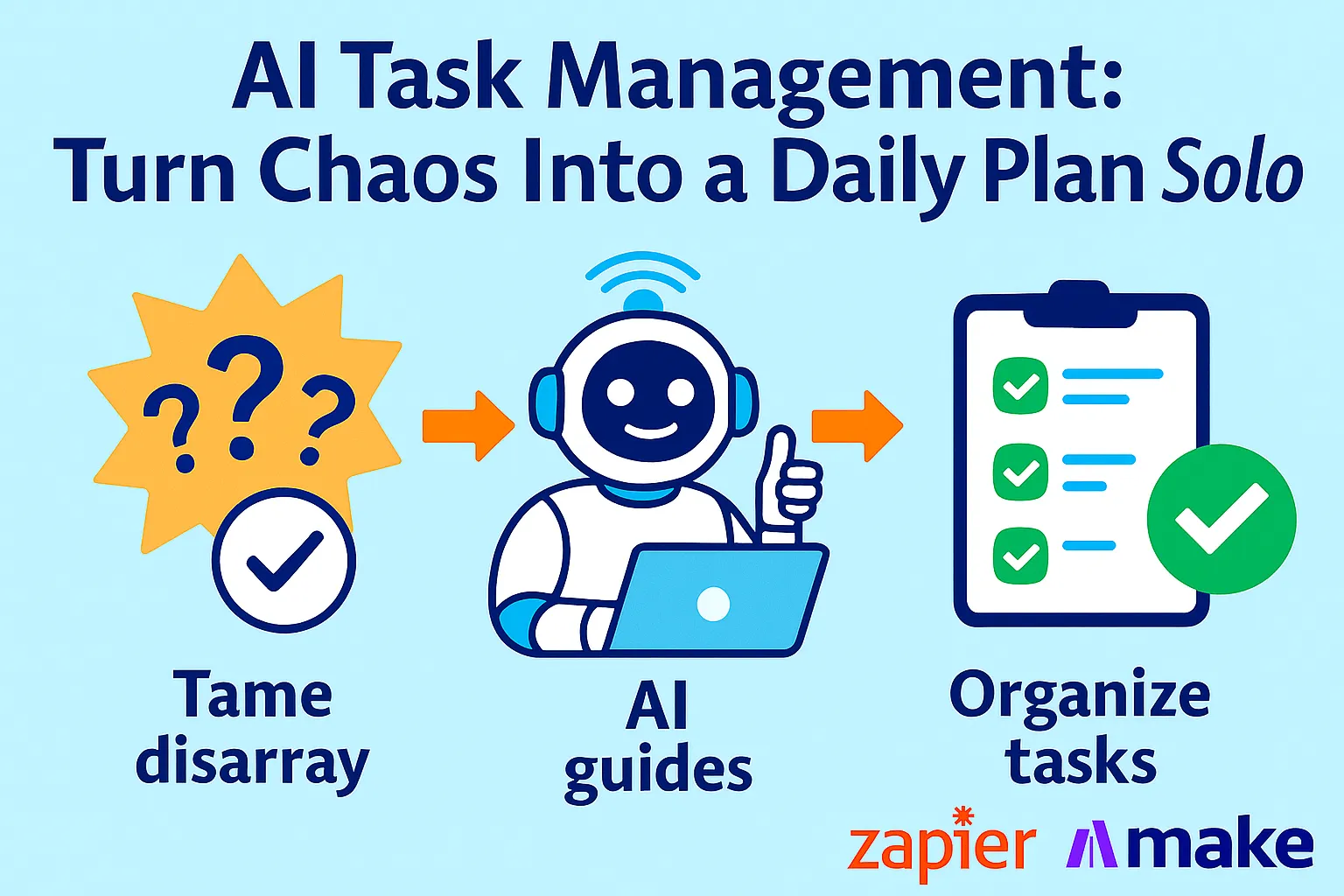
You have 47 unread emails with action items buried in them. You have a voice memo from Tuesday with three product ideas you haven't processed. You have a Slack message from a contractor that requires a decision. You have a sticky note on your monitor. You have a "Quick Notes" folder in Notion with 23 untitled pages.
None of this is in your task list.
Your task list, meanwhile, has 94 items spanning three months of accumulated thinking. Some are still relevant. Some shipped months ago and never got checked off. Some are so vague ("follow up re: partnership") you'd need 15 minutes just to reconstruct what they mean.
Every morning you open your task manager, stare at it, feel overwhelmed, and spend 20 minutes deciding what to work on instead of working.
This is the solo founder task management failure mode: too many inputs, no consistent capture, no reliable prioritization, and no daily clarity on what actually matters today.
The fix isn't a better task app. It's a system — specifically, three layers working together: an AI capture pipeline that converts messy inputs into clean tasks automatically, an AI effort engine that estimates time and dependencies so you're not guessing, and a daily command center that surfaces your three most important tasks without requiring you to think about it.
Once it's running, you start every morning knowing exactly what to do first. Not what you feel like doing, not what's easiest, not what's loudest — what matters most, based on your actual priorities and available time.
Why Solo Founder Task Systems Break
Before building the solution, it's worth understanding exactly why every system you've tried before eventually collapsed.
Problem 1: Capture happens in too many places
Good ideas arrive during meetings (your notes app), in the shower (voice memo), while reading email (mental note you forget), and during a conversation (someone's Notion page). Without a single capture pipeline, important tasks never make it to your system at all.
Problem 2: Task list becomes a dumping ground
A task list without prioritization logic is just an anxiety list. Everything feels equally important. You default to completing easy tasks (satisfying) or urgent tasks (reactive) instead of important tasks (strategic). Your actual priorities get buried under 90 items.
Problem 3: No effort estimation
"Build onboarding flow" could mean 2 hours or 2 weeks. Without effort estimates, you plan your day in good faith and blow it by 10 AM. One task that should have taken 45 minutes eats half the day because you didn't factor in dependencies or complexity.
Problem 4: Daily planning takes too long
If it takes 20 minutes every morning to decide what to work on, you'll skip the process on hard days — which are exactly the days you most need clarity. The planning ritual must be frictionless or it won't happen.
Problem 5: Weekly review never happens
The classic GTD solution — the weekly review — is supposed to clean up your list, re-prioritize, and set up next week. In practice, founders skip it because it's a 90-minute ritual that competes with everything else. The system needs to maintain itself, not require a dedicated maintenance session.
The AI task management system fixes all five failures. Here's how it's built.
Layer 1: The Capture Pipeline — From Anywhere to One Place
The first law of task management: if capture is inconvenient, it won't happen.
You need frictionless capture from every surface where tasks currently appear, feeding into one system. Not three. Not "Notion for work stuff and Notes for random ideas." One.
The five capture surfaces to route:
Surface 1: Email → Tasks
Most solo founders have a full task list inside their inbox and don't call it that. Every email that requires action is a task that hasn't been captured.
Zapier Workflow: Email to Task

Trigger: New email in Gmail with label "Action Required"
(Apply this label manually when you read an email
that needs follow-up — takes 2 seconds)

Step 1: AI by Zapier
Prompt: "Extract the actionable task from this email.
Output in this exact format:
Task: [One clear action, starting with a verb]
Context: [Who sent it, what it's about, in one sentence]
Suggested deadline: [Immediate / This week / This month / No urgency]
Estimated effort: [Quick (under 30 min) / Half-day / Multi-day]

Email subject: [subject]
Email body: [body]"

Step 2: Notion
Create new task in Master Task Database with:
- Task name = AI output "Task" field
- Context = AI output "Context" field
- Deadline suggestion = AI output field
- Effort estimate = AI output field
- Source = "Email"
- Status = "Inbox"
Surface 2: Voice Notes → Tasks
Voice memos are the richest source of unprocessed tasks for most solo founders. Ideas during walks, decisions made in the car, the middle-of-night clarity that disappears by morning.
Setup: Use Otter.ai or iPhone's Voice Memos → Transcribe with Whisper API

Zapier Workflow: Voice Note to Task

Trigger: New transcription in Otter.ai
(or: New file in Google Drive "Voice Notes" folder)

Step 1: AI by Zapier
Prompt: "This is a voice note transcription from a solo founder.
Extract all distinct tasks, decisions, or ideas that need action.
For each one, output:
Task: [Clear action verb + what to do]
Type: [Task / Decision / Idea to explore]
Priority: [High / Medium / Low]
Notes: [Any relevant context from the recording]

Transcription: [full text]"

Step 2: Notion
Create one task entry per item extracted
Source = "Voice Note"
Status = "Inbox"
Surface 3: Slack/Messages → Tasks
Decisions requested by contractors, approvals needed, questions that require a response — these all live in Slack and never get captured.
Zapier Workflow: Slack to Task

Trigger: New starred message in Slack
(Star any message that requires action from you — 2 seconds)

Step 1: AI by Zapier
Prompt: "This is a Slack message that needs action from a solo founder.
Extract the task.
Task: [One clear action]
From: [Person who sent it]
Urgency: [Today / This week / Whenever]
Estimated effort: [Quick / Half-day / Multi-day]

Message: [message content]"

Step 2: Notion
Create task in Master Task Database
Source = "Slack"
Status = "Inbox"
Surface 4: Meeting Notes → Tasks
After every call, your notes have 4-8 action items scattered inside them. They stay in the notes. They never become tasks.
Manual trigger (after each meeting):
Paste your raw meeting notes into this prompt:

"Extract all action items from these meeting notes.
For each action item:
- Owner: [Me / Them / Both]
- Task: [Clear verb + action]
- Deadline mentioned: [Yes: date / No]
- Dependency: [Does this require something else first?]

Only extract items where I (the founder) am the owner or
co-owner. Ignore tasks assigned to others.

Meeting notes: [paste notes]"

Then paste AI output into Notion manually (30 seconds).
Surface 5: The Brain Dump (Daily Quick Capture)
Any random task that appears in your head during the day with no digital source.
Keep the Notion app on your phone with a "Quick Capture" shortcut — one tap, type the task, done. No structure required. The daily triage process (covered in Layer 3) turns these into proper tasks.
The result of Layer 1:
Every task — regardless of where it came from — ends up in one Notion database with consistent structure. You're not losing tasks in your email. You're not relying on memory. You're not maintaining five different lists.
Layer 2: The AI Effort Engine — Estimates, Deadlines, Dependencies
A task list without estimates is just a list. The effort engine adds three properties that make your list plannable: effort estimate, deadline, and dependency flag.
The Notion Master Task Database structure:
Properties:
- Task name (title)
- Status: Inbox → Active → In Progress → Done → Archived
- Priority: P1 (today) / P2 (this week) / P3 (this month) / P4 (someday)
- Effort: Quick (≤30 min) / Half-day (2-4 hrs) / Full-day (6+ hrs) / Multi-day
- Deadline: date field
- Project: relation to Projects database
- Source: Email / Voice / Slack / Meeting / Manual
- Energy: Deep Work (needs focus) / Shallow Work (can do distracted)
- Blocked by: relation to another task (dependency field)
- Notes: text
The AI Triage Prompt (run daily on Inbox items):
Once a day — ideally at the end of your workday, setting up tomorrow — run all "Inbox" status tasks through this prompt:
You are helping a solo founder triage their daily task inbox.

For each task below, assign:

1. PRIORITY
   P1 = Needs to happen today (blocking something / client-facing / time-sensitive)
   P2 = Needs to happen this week
   P3 = Needs to happen this month
   P4 = Someday / Maybe / No clear urgency

2. EFFORT ESTIMATE
   Quick = Under 30 minutes
   Half-day = 2-4 hours
   Full-day = 6+ hours
   Multi-day = More than one day

3. ENERGY TYPE
   Deep Work = Requires focused, uninterrupted attention
   Shallow Work = Can be done with partial attention or in fragmented time

4. DEPENDENCY FLAG
   Blocked = This task can't start until something else is done
   Independent = Can start immediately

5. RECOMMENDED DEADLINE
   Based on priority and typical task patterns.

Tasks to triage:
[Paste all tasks with "Inbox" status from your Notion database]

Output as a table: Task | Priority | Effort | Energy | Dependency | Deadline
Then update your Notion database with the AI's output. Takes 5-10 minutes. Transforms a raw inbox into a plannable list.
Why AI effort estimation beats your own estimates:
You are systematically optimistic about your own time. You plan for things going well. AI applies base rates from how similar tasks typically behave, not how you hope they'll go. The difference between "I'll write that proposal in an hour" (your estimate) and "writing a client proposal is typically 2-3 hours including revision" (AI's estimate) is the difference between a realistic day and a failed plan.
The dependency check:
Before running your daily triage, ask:
Given this task list, identify any dependencies I might have missed.
Which tasks can't be started until another task is completed?
Which tasks are actually subtasks of a larger task and should be grouped?

Task list: [paste list]
This catches the classic solo founder mistake: having "send contract to client" and "finalize contract terms" as separate, unrelated tasks — when the first is blocked by the second.
Layer 3: The Daily Command Center
This is where the system pays off every morning. Not a 94-item list. Not a weekly plan you abandoned by Tuesday. A single view showing exactly what to work on today.
The Notion Command Center setup:
Create a Notion page called "Today" (or "Command Center" — whatever you'll actually open every morning). It contains four linked database views, all pulling from your Master Task Database.
View 1: Today's Three (P1 + filtered by day)
Database: Master Task Database
Filter: Status = "Active" AND Priority = "P1" AND Deadline = Today
Sort: Effort descending (hardest task first)
Display: List view, showing Task + Effort + Energy + Notes
Limit: Show top 3
This is the only view you need to look at in the morning. Three tasks. Do them.
If you have more than 3 P1 tasks, something is wrong with your prioritization — revisit the triage. A solo founder with 8 P1 tasks for one day has over-committed, not under-triaged.
View 2: Quick Wins Available Now
Filter: Status = "Active" AND Effort = "Quick" AND Energy = "Shallow Work"
Sort: Priority ascending
This is your between-tasks buffer. Got 20 minutes between calls? Open this view. Pick one. Done.
Quick wins prevent the mental overhead of context-switching to your full task list to find something small. Everything here can be started and finished in one sitting.
View 3: This Week's Pipeline (P2)
Filter: Status = "Active" AND Priority = "P2"
Sort: Deadline ascending
Not for today. Just to know what's coming. Prevents the Friday panic of discovering a P2 task with a deadline that was actually tomorrow.
View 4: Blocked Tasks
Filter: Status = "Active" AND Dependency = "Blocked"
Sort: Priority ascending
Visible but separate. You see what's blocked without it contaminating your today view. When you complete a task, scan this view — you might be unblocking something important.
The daily planning prompt (5 minutes, every morning):
Open your command center. Paste your P1 tasks into this prompt:
I'm a solo founder planning my workday. Here are today's P1 tasks:

[paste P1 task list with effort estimates]

My available deep work time today: [X hours]
(Morning focus block: 9 AM - 12 PM)
Energy type I have today: [High / Medium / Low]

Help me:
1. Sequence these tasks in the right order
   (hardest/most important first when energy is high)
2. Identify if I have too much for one day
   (be honest — don't tell me I can do 12 hours of work in 8 hours)
3. Flag any task I should delegate, defer, or delete
4. Suggest one "quick win" to start with if I'm feeling low energy

Output: A simple ordered list with start times,
noting where I should take breaks.
The output is your daily plan. Not aspirational. Realistic, sequenced, and time-blocked.
What this replaces: The 20-minute morning planning session where you stare at 94 tasks, feel overwhelmed, and start with email because it feels manageable.
The Weekly Review — 20 Minutes, Not 90
Traditional GTD weekly reviews take 60-90 minutes because they're manual: read every task, reconsider every priority, identify stale items, plan next week. Solo founders skip it.
The AI-assisted weekly review takes 20 minutes because AI does the scanning.
Every Friday, 4:30 PM:
Step 1: Export the week (2 minutes)
Filter your Notion database: Status = "Done" AND Completed Date = "This Week." Export as text.
Step 2: Run the weekly review prompt (3 minutes to read)
Here is my completed task list for this week and my remaining active tasks.

COMPLETED THIS WEEK:
[paste done tasks]

STILL ACTIVE (not done):
[paste active tasks with deadlines and priorities]

Give me:
1. WINS: What did I actually accomplish?
   (2-3 sentences, be specific)

2. CARRY-OVER ANALYSIS: Which active tasks are overdue or stale?
   (Tasks with passed deadlines or P1 status unchanged for 7+ days)
   For each one: should I reschedule, delegate, or delete?

3. PRIORITY DRIFT: Are any P2 tasks becoming P1 urgency
   based on deadlines?

4. NEXT WEEK'S TOP 3: Based on remaining active tasks and priorities,
   what are the three most important things to accomplish next week?

5. DELETE OR ARCHIVE CANDIDATES: Any tasks that seem abandoned or
   irrelevant based on their age and unchanged status?

Output as a clean briefing. No bullet soup.
Step 3: Apply the AI's recommendations (15 minutes)
Go through your Notion database and:
Archive stale tasks (status = Archived)
Update priorities for tasks drifting to P1
Set or update deadlines
Delete anything the AI flagged and you agree with
Done. List is clean, priorities are fresh, next week's top 3 are identified.
What happens without this review:
Your list accumulates. After 4 weeks, you have 200 tasks including "buy coffee beans" from March and "prepare for board meeting" from a meeting that happened 6 weeks ago. The signal-to-noise ratio collapses and you stop trusting the system. Then you stop using it.
20 minutes on Friday keeps the system trustworthy.
The Full Command Center: What It Looks Like Daily
6:00 AM (or whenever you start): Open "Today" page in Notion. See 3 P1 tasks. Run the 5-minute daily planning prompt. Know your sequence for the day.
9:00 AM: Start Task 1 (hardest, most important, scheduled for peak-energy morning block).
10:30 AM (between tasks): Glance at Quick Wins view. Clear one 20-minute task while brain recovers.
12:00 PM: Task 2 (second priority, scheduled for post-morning).
2:00 PM: Task 3 or Quick Wins depending on afternoon energy.
4:00 PM (end of day): Open Inbox view. Any new tasks that came in today? Run triage prompt. Update database. Tomorrow's P1s are set.
Friday 4:30 PM: Weekly review. 20 minutes. List is clean.
What you never do: open your full task list and scroll through 94 items trying to figure out what matters. The system already decided. You execute.
Tools and Cost
Minimum viable stack ($0/month):
Notion free (task database, command center views)
Zapier free (100 tasks/month — limited capture automation)
ChatGPT free (triage and planning prompts, manual)
Apple Voice Memos (manual transcription step)
Total: $0/month — works, requires more manual steps
Recommended stack ($30-50/month):
Notion Plus ($10/month): Better database features, unlimited history
Zapier Starter ($29/month): Capture automation from email, Slack, voice
ChatGPT Plus ($20/month): Faster triage, better effort estimation
Otter.ai free (voice transcription, 300 min/month)
Total: $59/month
Note on Notion AI: As of mid-2025, Notion AI requires the Business plan ($20/user/month). For solo founders, this means paying $20/month for native Notion AI — which is convenient but not essential. The prompts in this system work with any external AI (ChatGPT, Claude) and then manually updating Notion. If you're already paying for ChatGPT Plus, skip the Notion AI upgrade.
Full stack ($80-100/month):
Notion Business ($20/month): Includes Notion AI Agents for in-workspace automation
Zapier Professional ($73/month): Full automation for all 5 capture surfaces
Otter.ai Pro ($16.99/month): Unlimited transcription, meeting summaries
Total: $110/month — justified at $15K+ MRR
The ROI:
Research shows AI-powered productivity features increase output by up to 35% on average. For a solo founder billing $100/hour for client work, recovering 3-4 hours per week from better task clarity and less decision overhead is worth $1,200-1,600/month. Stack cost: $59/month.
Common Mistakes Solo Founders Make
1. Building the system instead of using it
The most common trap: spending 3 hours customizing your Notion database, adding 12 properties, building beautiful views — and never actually running the triage prompt. Start with the simplest version (3 properties: name, priority, effort) and add complexity only when you need it.
2. Having too many P1 tasks
If everything is P1, nothing is P1. A realistic daily P1 list has 1-3 items. More than that means you're using P1 as "things I care about" rather than "things that must happen today." The AI triage prompt will push back on this — let it.
3. Capturing without triaging
The capture pipeline works too well. After a week, your Inbox view has 40 untriaged tasks. Now you have a second pile of chaos alongside the original one. Run the triage prompt every day, even if it's just 5 minutes. Non-negotiable.
4. Energy type mismatch
Scheduling a Deep Work task during your natural low-energy window (often 2-4 PM for many founders) and then wondering why you couldn't focus. Use the Energy property and honor it. Deep Work in the morning. Shallow Work in the afternoon.
5. Never archiving
Tasks that are done or abandoned never get removed. After 3 months, your database has 600 entries. The system slows. Searches return noise. Weekly review must include archiving — use the AI's delete/archive recommendations seriously.
6. Treating the AI plan as a contract
Your daily plan from the AI is a starting point, not a commitment. Client emergencies happen. Scope changes. Something takes 3x longer than estimated. The system is there to reduce decision fatigue and give you a starting sequence — not to make you feel like a failure when reality diverges.
When You've Outgrown This System
You'll know it's time to upgrade when:
You're managing other people's work. Notion task management works well for solo work. The moment you're tracking tasks across a team, you need proper project management software — Linear for engineering, Asana or ClickUp for mixed teams. These have assignment, approval workflows, and progress visibility that Notion's database doesn't replicate well.
You need time tracking tied to tasks. If you're billing by the hour or need to report on where time went, integrate Toggl ($9/month) into your stack. Zapier can connect Notion task started → Toggl timer started automatically.
You want full AI agent autonomy. Notion 3.0 AI Agents (Business plan, $20/month) can autonomously execute tasks across your workspace for up to 20 minutes — building project plans from briefs, updating status across multiple databases, summarizing weekly progress. Worth upgrading once you've mastered the manual system and want to remove more friction.
You're in sprint-based product development. If you're shipping software weekly, Linear ($8/user/month) or Jira ($7.75/user/month) track sprints, velocity, and technical dependencies far better than Notion. Keep Notion for strategy and non-engineering tasks; use Linear for engineering.
Your Implementation Plan
Day 1 (1 hour): Database setup
☐ Create Master Task Database in Notion with 8 properties (name, status, priority, effort, deadline, energy, source, notes)
☐ Create "Today" command center page
☐ Build View 1: P1 Tasks (filtered by today + P1)
☐ Build View 2: Quick Wins (filtered by Quick + Shallow Work)
☐ Build View 3: This Week (P2, sorted by deadline)
☐ Build View 4: Blocked (filtered by Blocked dependency)
Day 2 (1 hour): Capture pipeline
☐ Set up Gmail label "Action Required"
☐ Build Zapier: Email label → Notion task with AI extraction
☐ Install Otter.ai on phone for voice capture
☐ Add Notion quick capture shortcut to phone home screen
Day 3 (30 min): Import and triage
☐ Move every task from wherever it currently lives into the database
☐ Run the daily triage prompt on all imported tasks
☐ Update priority, effort, energy for each item
☐ Archive anything clearly stale
Day 4 (30 min): Daily planning ritual
☐ Run the daily planning prompt with your P1 tasks
☐ Note how realistic the output feels vs. your normal morning plans
☐ Time-block your day based on the AI's sequence
Day 5: Use it
☐ Work from the command center only — don't open the full task list
☐ Add new tasks to Inbox as they appear throughout the day
☐ Run end-of-day triage (5 minutes)
Friday Week 1:
☐ Run weekly review prompt
☐ Archive stale tasks
☐ Set next week's P1 tasks
Month 2:
☐ Add Slack capture workflow
☐ Add meeting notes → tasks workflow
☐ Evaluate: Is the triage prompt giving you good estimates? Refine if needed.
The Real Talk on Task Management
The system fails when you use it to manage anxiety instead of work.
Most founders build a task list so they can stop worrying about forgetting things. That's a reasonable first use. But a 94-item list makes anxiety worse, not better. You can see everything you're not doing, all at once, every time you open it.
The AI command center is designed for a different purpose: to make decisions for you in advance so you don't have to make them in the moment. The triage prompt decides priority. The daily planning prompt decides sequence. The command center decides what's visible.
When you sit down at 9 AM and see three tasks, you don't choose what to work on. You just start the first one.
That's the difference between a system that reduces cognitive load and a system that increases it. The former is what you're building here.
AI-powered task features increase productivity by up to 35% on average — not because AI does the work, but because AI removes the meta-work around the work. The deciding, the sequencing, the prioritizing. The 20 minutes every morning you spend figuring out what to do instead of doing it.
Your goal: open the command center, see three tasks, start the first one.
That's it.




Comments (0)
Leave a Comment