

Every tab you switch costs you focus you don't get back.
App-hopping — jumping between your note-taking tool, your task manager, your calendar, your inbox, your project database, and your automation dashboard — is the hidden productivity tax no one budgets for. Each switch is a small interruption. Across a full week, a solo founder switching between eight partially-integrated tools loses an estimated 20-30 minutes daily just to context overhead: finding the right window, reloading the mental context, remembering where the thing was.
The tools aren't the problem. The gaps between them are.
A productivity stack that plays well together isn't just cheaper to maintain — it's cognitively lighter to use. When your task manager pulls from your notes, your automation connects to your calendar, and your AI sits at the centre of both, the mental overhead of using the stack drops close to zero. You're not managing tools. You're working.
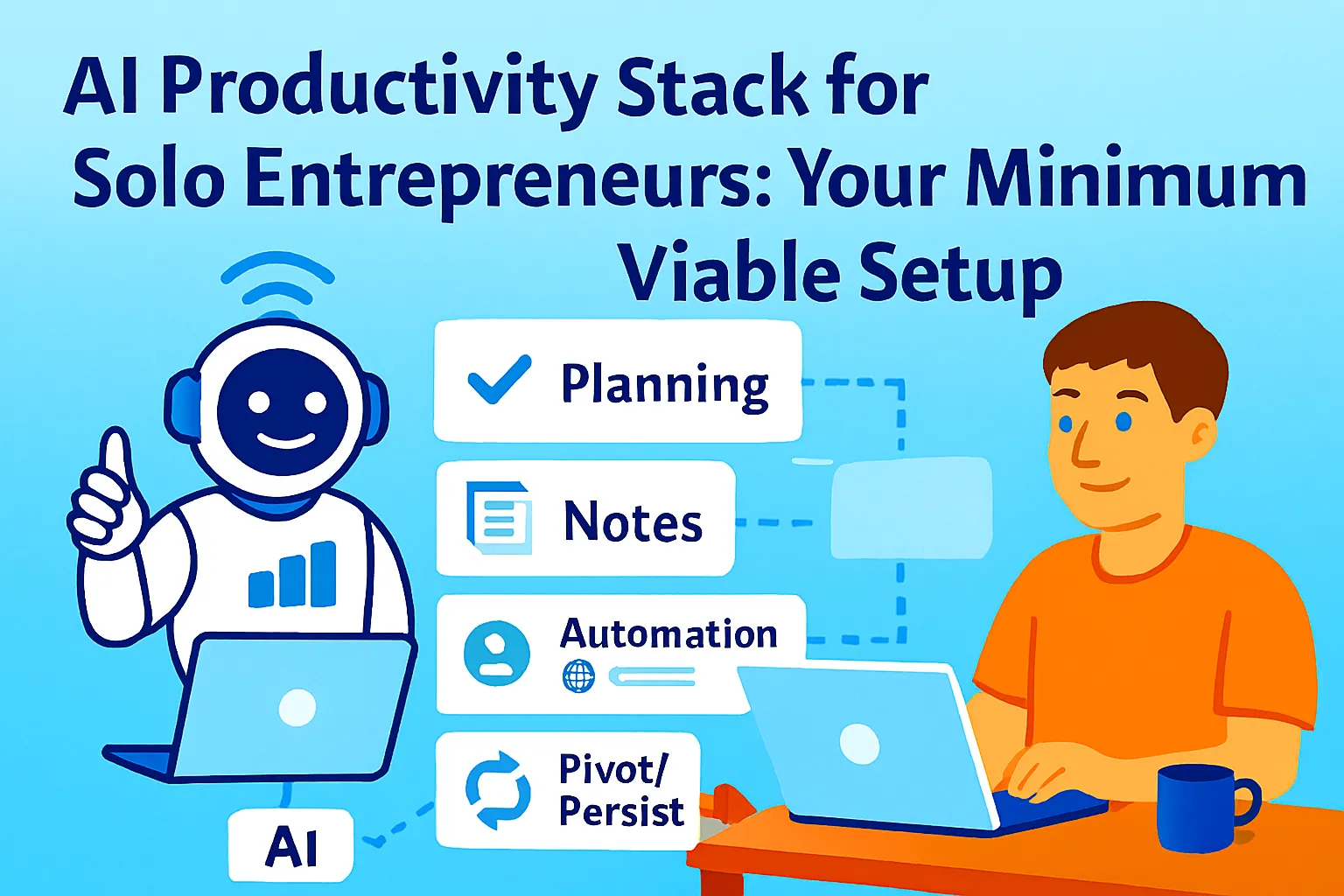
This article builds that stack. Organised around a real founder week — not tool categories — it shows where each tool saves time, how the tools connect to each other, and three complete variations depending on whether you want to spend as little as possible, stay no-code, or consolidate everything into one place.
The Stack Design Principles
Before any tool recommendation, three principles that determine whether a stack actually works for a solo founder:
1. One job, one tool — no redundancy Two tools doing the same job don't add capability. They add decision overhead every time you use either of them. If Notion handles tasks and notes, you don't need Todoist and Evernote. Pick the tool that covers the function best for your working style, and retire the others.
2. Integration over features A tool that integrates cleanly with the rest of your stack is more valuable than a tool with more features that sits in isolation. The best individual tool in a disconnected stack produces less leverage than a slightly less capable tool that sends and receives data automatically.
3. Free until the friction is real Every tool on this list has a free tier. The upgrade trigger isn't "I want more features" — it's "I'm hitting the free tier's limits repeatedly and it's costing me time." Upgrading before that point is optimizing for a future version of your business, not the one that exists today.
The Minimum Viable Stack: Five Functions, Five Tools
Every solo founder needs exactly five things from their productivity stack. Planning and tasks. Notes and knowledge. Automation. Communication. AI intelligence. One tool per function. Here's the MVS — minimum viable stack — that covers all five, integrates cleanly, and costs $20/month at base.
Function 1: Planning and Tasks — Notion (Free)
What it covers: Weekly and daily task planning, project tracking, OKR database, decision log, SOP library, client database.
Why Notion over dedicated task managers: At solo scale, the cost of having tasks in one tool and knowledge in another is constant context-switching between them. Notion puts both in the same workspace — you write a meeting note and create a task in the same page, not by switching apps.
The weekly planning setup:
One Notion page per week: three priorities, daily task list, notes from the week
One database for active projects (status: Active / Waiting / Done)
One database for recurring tasks (frequency: Daily / Weekly / Monthly)
Where it saves time in the founder week:
Monday: Weekly priorities page replaces 20 minutes of unstructured goal-setting
Daily: Task database with filters shows today's items without manual sorting
Friday: Weekly page becomes the source of truth for what actually got done
Integration point: Notion connects to Zapier, so any automation (meeting booked, form submitted, invoice paid) can create a Notion task automatically.
Function 2: Notes and Knowledge — Notion (same tool)
No separate notes tool. Notion's pages handle meeting notes, research, customer conversations, and the knowledge base from the same workspace. The integration benefit: notes taken in a meeting become tasks in the same database without switching tools.
One Notion workspace architecture that works:
📋 WORK
   ├── Weekly Plans (database)
   ├── Active Projects (database)
   └── Meeting Notes (database)

📚 KNOWLEDGE
   ├── SOPs and Processes
   ├── Knowledge Base (FAQs)
   └── Decision Log

👥 CLIENTS
   ├── Client CRM (database)
   └── Client Work (sub-pages)

⚙️ STRATEGY
   ├── Annual Plan
   ├── Quarterly OKRs
   └── Research Notes
This architecture covers everything a solo founder needs to track — without paying for a separate project tool, note-taking app, wiki, and CRM.
Function 3: Automation — Zapier Starter ($29/month)
What it covers: Connecting every other tool in the stack. The glue that eliminates copy-paste between tools.
The five automations every founder builds first:
New Calendly booking → Notion client page created + confirmation email sent
Stripe payment received → Notion revenue log updated + thank-you sent
New email labelled Action → Slack DM to yourself
Meeting ended (Fathom transcript ready) → Notion meeting notes page created
Typeform/form submission → Notion CRM row added
Why Zapier over Make for this stack: Zapier's AI step is native — you can add an AI action to any Zap without connecting an external API. For a solo founder whose primary automation use case is "take this input, have AI do something with it, send output somewhere," Zapier's simplicity wins over Make's power.
Integration point: Zapier connects Notion, Gmail, Calendly, Stripe, Fathom, ConvertKit, and Slack — which means every tool in this stack talks to every other tool through a single automation layer.
Function 4: Communication — Gmail + Cal.com (Free) + Fathom (Free)
Three tools, one communication function:
Gmail: Primary inbox, already in use. Enhanced with the categorization labels and AI-assisted drafting from the inbox management article.
Cal.com (free, open-source): Scheduling link that eliminates back-and-forth. Connects to Google Calendar natively. Different link types for different meeting lengths. No cost, ever.
Fathom (free): Automatic meeting recording and AI summary for every Google Meet or Zoom call. The summary arrives in your inbox within two minutes of the meeting ending — action items, key decisions, and a transcript. Free unlimited recordings and summaries.
Where these save time in the founder week:
Every meeting scheduled: zero email back-and-forth
Every meeting completed: zero manual note-taking, summary arrives automatically
Every important email: categorized and draft-ready within seconds
Function 5: AI Intelligence — Claude Pro or ChatGPT Plus ($20/month)
What it covers: Research, writing, analysis, decision support, content drafting, prompt-based workflows for every article in this series.
The one-tool rule: Pick one AI tool and go deep. Claude Pro for writing-heavy businesses, long-context work, and complex analysis. ChatGPT Plus for data analysis alongside writing, image generation via DALL-E, and the broader tool ecosystem. The choice matters less than the commitment — 200 hours of deep skill with one tool beats 50 hours each across four.
Integration point: Claude and ChatGPT both connect to Zapier via their APIs. Complex multi-step AI workflows (categorize this email, summarize this transcript, generate this report) run inside Zapier automations without opening a separate AI window.
Total MVS cost: $49/month
Notion free:          $0
Zapier Starter:       $29
Cal.com:              $0
Fathom:               $0
Claude Pro:           $20
─────────────────────
Total:                $49/month
The Stack in a Real Founder Week
This is where the stack's integration value shows. Not in the individual tools — in how the week flows without manual handoffs between them.
Monday: Weekly planning (20 minutes)
Open Notion weekly plan page (template auto-populates from recurring database)
Set three weekly priorities (5 min)
Review active projects database — anything stuck or blocked? (5 min)
Check Monday metrics briefing (arrives automatically via Zapier → AI → Gmail)
Week planned. Inbox closed.
Tuesday–Thursday: Execution days
Morning: Open Notion today-filter — three tasks visible, everything else hidden
Each meeting: Cal.com link used, Fathom records automatically
Post-meeting: Fathom summary in inbox within 2 minutes, Zapier pushes action items to Notion
Email: 15-minute sweep at 10 AM using categorization system
Afternoon: Deep work block (calendar protected by Cal.com buffer rules)
Friday: Close and capture (30 minutes)
Weekly Notion page: mark what completed, note what carried forward (5 min)
Decision log: any medium-stakes decisions made this week? Log them (5 min)
Automation check: did any Zaps fail this week? (2 min in Zapier history)
One SOP or knowledge base article updated if any process changed (15 min)
Week closed. No open loops.
What the stack eliminates across the week:
Back-and-forth scheduling: ~45 minutes saved
Manual meeting notes: ~30 minutes saved
Copy-paste between tools: ~30 minutes saved
Inbox triage: ~40 minutes saved
Manual metrics compilation: ~45 minutes saved
Total: ~3 hours recovered per week, running continuously
That's the compound effect of a well-integrated stack. None of these individually feels like much. Together, they return half a working day every week.
Stack Variation 1: Bootstrapped (Under $20/Month)
For founders in pre-revenue or first 3 months of revenue, where every dollar of tool spend competes directly with runway.
PLANNING + NOTES:
Notion free:                    $0
(Full workspace architecture above)

AUTOMATION:
Zapier free (5 zaps, 100 tasks): $0
Make free (1,000 ops/month):    $0
(Use Make for the 2-3 most important
 automations; free tier handles
 most solo founder volume)

COMMUNICATION:
Gmail free:                     $0
Cal.com free:                   $0
Fathom free:                    $0
Google Meet free:               $0

AI INTELLIGENCE:
Claude free or ChatGPT free:    $0
(Limits hit fast — upgrade when
 you're using it daily and the
 context window ceiling costs you time)

TOTAL:                          $0/month
What you give up vs MVS:
Zapier AI steps (use free AI tools separately)
More than 5 automated workflows (prioritize ruthlessly)
Extended AI context windows
What you don't give up:
The full Notion workspace
Scheduling automation (Cal.com)
Meeting summaries (Fathom)
The planning and weekly review system
This stack runs a real business. It's not a placeholder — it's what most founders should use until they're generating consistent revenue from the business the stack serves.
Upgrade trigger: When you're hitting Zapier's 5-zap limit weekly and manually doing tasks the 6th zap would handle — upgrade to Zapier Starter. When you're using AI daily and hitting context limits — upgrade to Claude Pro or ChatGPT Plus. Not before.
Stack Variation 2: Low-Code (No Automation Building)
For founders who want the benefits of an integrated stack without building Zapier workflows. Every tool here works immediately out of the box, with minimal configuration.
PLANNING + NOTES:
Notion free:                    $0
(Same workspace — Notion requires
 no code to use well)

AUTOMATION (no-code approach):
Zapier's "pre-built Zap" templates: $0
(400+ pre-built workflows —
 enable with one click, no building)
OR
SaneBox ($7/month):             $7
(Email categorization, zero setup —
 plugs into Gmail and sorts
 automatically from day one)

SCHEDULING:
Calendly free:                  $0
(Slightly easier onboarding than
 Cal.com for non-technical founders)

MEETINGS:
Fathom free:                    $0
(Zero configuration —
 install once, works automatically)

ALL-IN-ONE CRM + AUTOMATION:
HubSpot free:                   $0
(Replaces manual client tracking,
 email sequences, and basic pipeline.
 Native integrations with Gmail,
 Calendly, and Stripe —
 no Zapier required for core workflows)

AI INTELLIGENCE:
Claude Pro or ChatGPT Plus:     $20

TOTAL:                          $27/month
The low-code philosophy: Use tools that configure themselves. HubSpot free handles client relationships and basic sequences without building a single Zap. Fathom handles meeting summaries without configuring anything. SaneBox handles inbox categorization by observing your email patterns. The only manual setup: the Notion workspace (two hours, once).
What you give up vs MVS:
Custom automation logic (pre-built Zaps cover 80% of use cases but not all)
Full control over automation rules
What you gain:
Faster setup (two hours vs. eight hours for full MVS)
Lower maintenance (pre-built automations don't break the same way custom ones do)
HubSpot's native CRM replaces a Notion client database for founders with active sales pipelines
Stack Variation 3: All-In-One (Minimum Switching)
For founders who want to minimize the number of apps open at any time — ideally two or three — and are willing to pay slightly more for consolidation.
WORKSPACE (planning + notes + tasks
+ light CRM + docs):
Notion Plus ($10/month):        $10
(Unlocks: unlimited guests,
 30-day page history,
 more blocks — worth it
 when sharing with contractors)

AI INSIDE NOTION:
Notion AI ($10/month add-on):   $10
(Summarize notes, generate
 action items, draft content
 without leaving Notion.
 Removes need for separate
 AI tool for light tasks)

AUTOMATION (all-in-one):
Make Starter ($9/month):        $9
(More powerful than Zapier
 for complex multi-step flows
 at lower cost)

COMMUNICATION + MEETINGS:
Fathom free:                    $0
Cal.com free:                   $0
Gmail free:                     $0

PAYMENTS + CRM (all-in-one):
HoneyBook ($16/month)
OR Dubsado ($20/month):         $16-20
(Contracts, invoices,
 client portal, scheduler,
 basic CRM — one tool
 instead of PandaDoc +
 Stripe + HubSpot + Calendly
 for service businesses)

TOTAL (with HoneyBook):         $45/month
TOTAL (without HoneyBook):      $29/month
The all-in-one philosophy: Fewer apps open = fewer context switches = more focus. Notion AI handles the light AI work inside Notion. HoneyBook or Dubsado handles the entire client operations layer for service businesses — proposals, contracts, invoices, scheduling, and CRM in one portal your clients log into.
Best for: Service businesses (consulting, agency, coaching, freelance) where client relationship management and contract-to-invoice flow are the primary operational functions. Not ideal for SaaS or product businesses, where PostHog, Stripe, and support tooling add necessary complexity.
What you give up vs MVS:
Flexibility (all-in-one tools are less customizable than best-of-breed)
Some automation power (Make is strong but HoneyBook's built-in automations cover most service flows)
What you gain:
One client-facing portal (professional, cohesive experience for clients)
Fewer tools to log into
One place for contract + invoice + scheduling + CRM
Choosing Your Variation
Answer these four questions:

1. Are you pre-revenue or under $3K MRR?
   → Bootstrapped variation
   Upgrade when revenue is consistent

2. Do you want to be up and running
   in one afternoon with no workflow building?
   → Low-code variation
   Trade customization for speed

3. Are you primarily a service business
   (clients, contracts, projects) and
   want minimal app-switching?
   → All-in-one variation
   Trade flexibility for consolidation

4. Are you comfortable with a few hours
   of setup and want maximum flexibility
   at minimum cost?
   → MVS (base stack)
   Best balance of cost, power, and control
There's no wrong answer. The right variation is the one you'll actually maintain — not the most sophisticated one, not the cheapest one, but the one that matches how you naturally work and the stage you're actually at.
The Stack Audit: Quarterly Check
Every quarter, run this check before adding or upgrading anything:
TOOLS I'M PAYING FOR:
[List each, with monthly cost]

For each tool:
1. Used in the last 7 days? (Yes / No)
2. If cancelled today, would I notice
   tomorrow? (Yes / No)
3. Does something I'm already paying for
   cover this adequately? (Yes / No)

ACTION:
Any tool answering No/No/Yes to all three: cancel
Any tool I'm hitting limits on weekly: upgrade
Any function with no tool but a real bottleneck: add

TARGET: Justify every line item
in one sentence or cut it.
This quarterly audit, run in 15 minutes, prevents the stack from drifting back toward overtooling. Tools accumulate the same way subscriptions do — individually justifiable, collectively expensive and distracting.
Common Mistakes
Starting with the all-in-one variation before you know what you need
All-in-one tools are efficient when your workflows are stable. Pre-revenue and early-stage founders don't yet know which workflows matter — which means an all-in-one that consolidates the wrong things is harder to escape than a flexible stack. Start simple. Consolidate later.
Upgrading tools before hitting limits
Zapier Starter before you've hit the 5-zap ceiling. Notion Plus before you need page history. Claude Pro before you've used the free tier daily for a month. Upgrades before limits are optimizing for a future state that may never arrive at the pace you expect.
Building automation before the process is stable
Automating a workflow you're still figuring out produces automated inconsistency. Run any process manually five times before connecting it to Zapier. By the fifth run, the edge cases are visible and the automation is unlikely to miss them.
Treating integration as a feature instead of a requirement
Every tool evaluation should include: does this connect to Zapier? Does it connect to Notion? Does it export data I can use elsewhere? A tool that can't integrate with the rest of the stack is a silo — it saves time inside itself and costs time at every boundary.
The Real Talk on Productivity Stacks
The founders who get the most leverage from their stack aren't the ones with the most sophisticated tools. They're the ones who've committed deeply to a small number of tools and built genuine skill with each — knowing the keyboard shortcuts, the automation triggers, the edge cases, and exactly where each tool breaks.
A five-tool stack you know deeply beats a fifteen-tool stack you're always navigating. The compound value of a well-integrated setup isn't in any single tool — it's in the week that flows without friction, the meeting notes that appear without effort, the task that creates itself, the report that writes itself.
Pick the variation that fits your stage. Set it up in a weekend. Run it for 90 days before changing anything.
That's it.



Comments (0)
Leave a Comment