

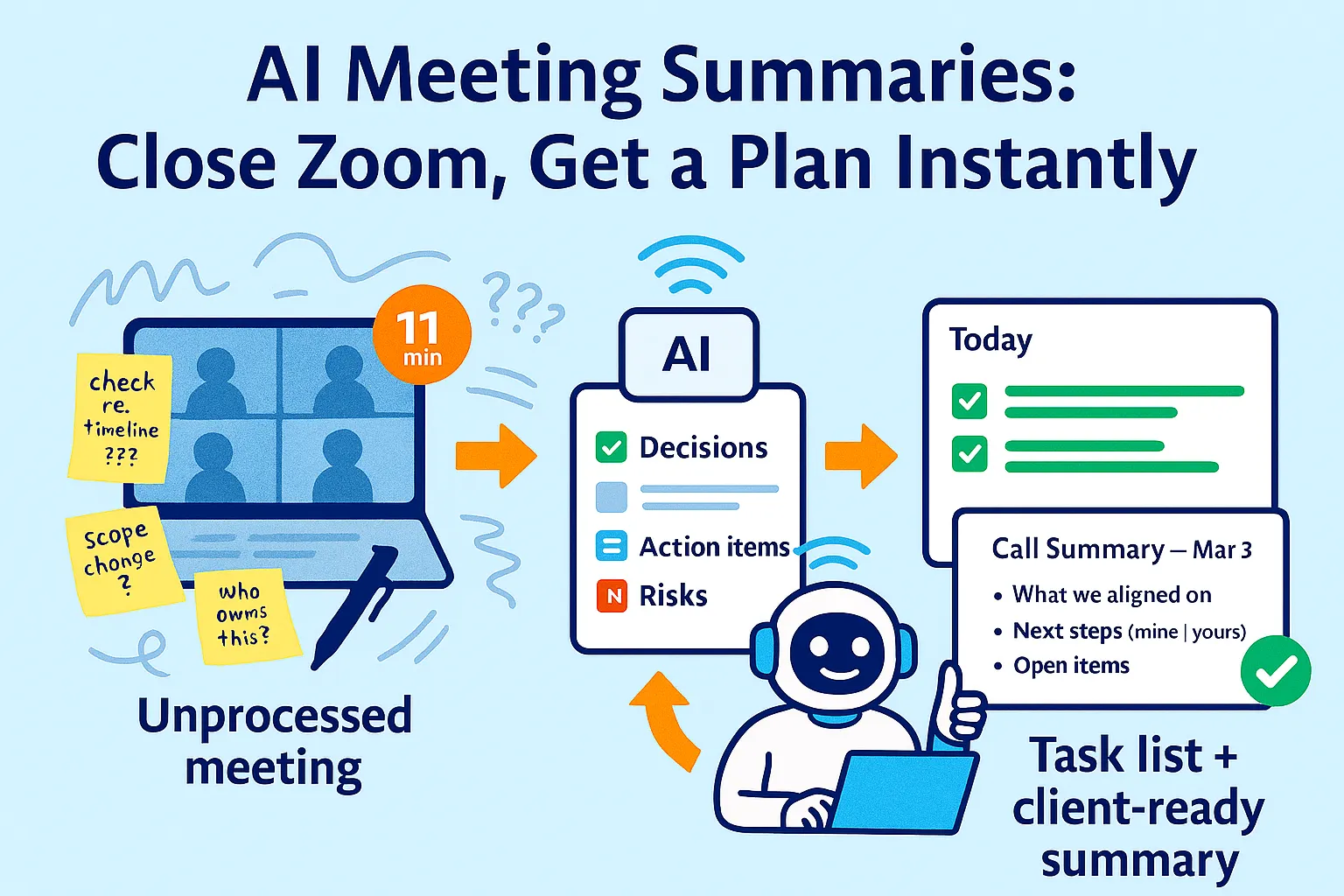
You close Zoom. You have 11 minutes before the next call.
Somewhere in the last 47 minutes, three decisions were made, two action items landed on your plate, a deadline was moved, and a client said something that sounded like a scope change but you're not sure it was officially agreed. You have notes in five colors on a physical notepad. The first line says "check re: timeline???"
You don't write up the meeting. There's no time. You'll do it later.
Later never comes. Three days from now, a contractor asks about the decision from Monday's call. You vaguely remember what was said. The client emails asking for the summary you mentioned you'd send. You write something from memory that leaves out two things. A week later, you discover the scope change was real — you just never documented it.
This is the cost of unprocessed meetings. Not the hour the meeting took. The hours after — reconstructing decisions, chasing action items you forgot you had, writing summaries from memory, and managing the fallout from things that weren't properly recorded.
The average manager spends more than 4 hours per week just summarizing calls. For solo founders, who are simultaneously the salesperson, the project manager, the account manager, and the operator in every meeting, that number runs higher.
The AI meeting system solves this completely. You close Zoom. Within minutes, you have a structured summary with decisions, risks, and action items — automatically pushed to your task manager and ready to forward to the client. No reconstruction. No memory tax. No 4 hours of summarizing.
Here's how to build it.
Why Most Founders Get This Half-Right
The AI meeting tools market has exploded. Fathom, Otter, Fireflies, tl;dv, Granola, Notion AI notetaker — all of them promise to record, transcribe, and summarize your calls. Most solo founders have tried at least one.
The gap isn't transcription. Every tool transcribes well now. The gap is what happens after the transcript.
Here's what most founders experience: the tool records the call, produces a transcript and a summary, you skim it, close the tab, and the meeting lives in the tool's app forever — disconnected from your task manager, your CRM, your client email, and your project files.
The summary exists. Nothing happens because of it.
The three failure points after transcription:
Failure 1: Decisions aren't separated from discussion
A 45-minute transcript contains 40 minutes of discussion and 5 minutes of actual decisions. Most AI summaries surface highlights, not decisions. You want a document that says "it was decided that X" — not a paragraph that mentions X somewhere in a wall of bullet points.
Failure 2: Action items don't move
The transcript says "John will send the revised spec by Thursday." That observation lives in the meeting tool. John's task never gets created. Thursday passes. You remember on Friday.
Failure 3: Client summaries still take 15 minutes
You have the AI summary. You can't forward it directly — it includes your internal notes, your risk flags, your candid assessments. You rewrite a client-appropriate version manually. Every time. The tool saved you 30 minutes of transcription and cost you 15 minutes of rewriting.
The system below fixes all three. Transcript → structured extraction → automatic task creation → two-minute client summary. Every meeting, every time.
The Tool Decision: Which Recorder to Use
Before building the workflow, pick your recorder. This is the only tool the whole system depends on — everything else can be swapped.
Fathom (free — recommended starting point)
Fathom sends highlights and action items straight to your inbox or CRM, making it ideal for consultants, coaches, and small teams. Fathom's AI does an excellent job identifying action items, with summaries that focus on decisions and next steps rather than complete transcripts.
Best for: Solo founders primarily on Zoom. Free forever for individuals. No bot awkwardness — Fathom records your side natively.
Limitation: Zoom-only. If you're on Google Meet or Teams regularly, look elsewhere.
Fireflies.ai ($10/month Pro)
Best integrations in the category — Salesforce, HubSpot, Asana, Slack, Notion. Fireflies automatically added transcripts to CRM notes, which seemed like a minor productivity miracle. Transcripts take 10-15 minutes to arrive post-meeting, which matters if you want to act immediately.
Best for: Founders who use a CRM actively and want automatic sync. Works across Zoom, Meet, and Teams.
Otter.ai ($8.33/month Pro)
Best transcript accuracy, especially in noisy multi-speaker environments. Real-time transcription visible during the call. Mobile-first if you take calls on your phone.
Best for: Founders who need to search past calls frequently ("what did we say about pricing in the March call?") and want the most reliable raw transcript.
tl;dv (free tier available)
Strong structured output — meeting minutes format, timestamp-linked summaries, moment sharing. Good for client-facing recordings where you want to share specific clips.
Best for: Founders who do discovery calls and want to share specific moments with clients or collaborators.
The honest recommendation for most solo founders:
Start with Fathom (free, Zoom). If you use Google Meet, use tl;dv free tier. Add Fireflies ($10/month) when you need CRM integration. Don't pay for Otter unless transcript accuracy is genuinely critical to your work.
The 4-Part Meeting Processing System
Regardless of which tool you use, every meeting runs through the same four-part system after the call ends.
Part 1: The Extraction Prompt — Decisions, Risks, Next Steps
Every meeting tool produces a summary. None of them produce the structured extraction you actually need for decision-making and follow-through.
Run this prompt on every transcript. It takes 90 seconds and produces a document worth having.
The Master Meeting Extraction Prompt:
Analyze this meeting transcript and extract the following.
Be specific — use exact language from the transcript
where possible. If something was discussed but not decided,
say so explicitly.

---

MEETING: [Title / type of meeting]
DATE: [Date]
PARTICIPANTS: [Names/roles]

---

1. DECISIONS MADE
List every firm decision. Format each as:
✅ DECIDED: [What was decided, in one clear sentence]
   Context: [Brief reason or condition]

If nothing was decided on a topic, do NOT include it here.
"We should probably..." is not a decision.

2. ACTION ITEMS
List every commitment made by anyone in the meeting.
Format each as:
☐ [Owner]: [Specific task] by [deadline if mentioned]
   Triggered by: [What prompted this commitment]

Flag unclear ownership with: ⚠️ OWNER UNCLEAR

3. OPEN QUESTIONS
List anything discussed that needs a decision but
didn't get one.
Format: ❓ [Question that needs answering] |
         Owner: [who should answer] |
         Urgency: [High / Medium / Low]

4. RISKS AND FLAGS
List anything mentioned that could cause problems:
scope changes, timeline concerns, budget signals,
unclear expectations, or anything that sounded like
a commitment that wasn't fully agreed.
Format: 🚩 [Risk description] | Likelihood: High/Medium/Low

5. CONTEXT FOR NEXT MEETING
In 2-3 sentences: What does someone need to know
before the next meeting on this topic?

---

Transcript:
[paste full transcript]
What this produces that your meeting tool doesn't:
Your meeting tool's built-in summary identifies highlights. This prompt separates what was decided from what was merely discussed, flags scope risks you might miss in a skim, assigns ownership explicitly to every action item, and captures the open questions that will come back to bite you if they're not closed.
The "decided vs. discussed" distinction alone is worth the 90 seconds. Meetings generate a lot of "we should think about X" — which sounds like progress but creates zero accountability. This prompt filters those out and leaves only firm commitments.
Part 2: Automatic Task Push — From Transcript to Task Manager
Once you have structured action items from Part 1, they need to move to your task manager automatically — not sit in the meeting tool's app waiting to be copied.
Option A: Fathom → Notion (via Zapier)
Zapier Workflow: Meeting Action Items → Notion Tasks

Trigger: New meeting summary created in Fathom

Step 1: AI by Zapier
Prompt: "Extract all action items from this meeting summary
where I ([Your Name]) am the owner.
Format each as:
- Task: [verb + action]
- Deadline: [date if mentioned / 'No deadline set']
- Context: [meeting name + one sentence of context]
- Priority: [High if deadline within 7 days / Medium otherwise]

Meeting summary: [Fathom summary content]"

Step 2: Notion (for each task extracted)
Create task in Master Task Database:
- Title = task name
- Status = "Inbox"
- Deadline = extracted deadline
- Priority = extracted priority
- Source = "Meeting"
- Notes = context sentence
- Project = [meeting title / client name]
Option B: Fireflies → HubSpot/Notion (native integration)
Fireflies has native CRM sync — no Zapier needed. In Fireflies settings, connect HubSpot or Notion and it pushes action items automatically after every call. Setup once, runs forever.
Limitation: Fireflies' native task extraction is less structured than the custom extraction prompt in Part 1. Use the native integration for speed, or the custom prompt for precision. Pick one based on your meeting volume and tolerance for manual steps.
Option C: Manual but fast (for low-meeting founders)
If you have fewer than 5 calls per week, skip the automation. Run the extraction prompt on the transcript, then spend 3 minutes copying action items directly into Notion. The prompt produces a clean, formatted list — it's fast to transfer.
Automation pays off at higher volume. Don't build a Zapier workflow to save 3 minutes once a week.
The CRM push (for client calls):
For any call with a prospect or existing client, the meeting summary should also update your CRM — not just your task manager.
Zapier Workflow: Client Call → CRM Update

Trigger: New Fathom/Fireflies meeting tagged "Client"
         (tag meetings by type in your recorder tool)

Step 1: AI by Zapier
Prompt: "Write a CRM call log note from this meeting summary.
Include:
- Date and attendees
- What was discussed (2-3 sentences, factual)
- Decisions made
- My action items
- Their action items
- Deal status signal: [Positive / Neutral / Concern]
  based on tone and content
- Suggested next step

Keep it factual, third-person, under 200 words.
Suitable for a CRM contact record.

Meeting summary: [content]"

Step 2: HubSpot / Pipedrive / Notion CRM
Log note to the relevant contact or deal record
Update "Last Contact" date
If deal stage signal = "Positive" → flag for follow-up
What this replaces: Manually updating your CRM after every call, which most founders skip entirely and then wonder why their CRM is useless.
Part 3: The Client Summary — 2 Minutes, Not 15
After any client call, you should send a summary. Not a wall of transcript. Not a vague "great chat!" email. A crisp, professional document that shows you were paying attention, confirms what was agreed, and protects you if anyone remembers the conversation differently later.
Most founders know this and don't do it because writing it from scratch takes 15-20 minutes per call.
The AI client summary takes 2 minutes.
The Client Summary Prompt:
Create a client-facing meeting summary email from this
internal meeting extraction.

IMPORTANT:
- Do NOT include anything from the Risks/Flags section
- Do NOT include internal context notes
- Do NOT include open questions marked as internal
- Rewrite action items as professional commitments,
  not casual notes

CLIENT NAME: [Name]
PROJECT: [Name]
MEETING DATE: [Date]

From this internal extraction:
[paste Part 1 output]

Create an email with this structure:

Subject line: [Meeting type] Summary — [Date]

Opening: One sentence confirming the meeting and
expressing something genuine (not "per our call").

WHAT WE ALIGNED ON:
[Bullet list of decisions — client-appropriate language]

NEXT STEPS:
[Two columns: Mine | Yours — each item with deadline]

OPEN ITEMS:
[Only client-facing open questions — not internal risks]

Closing: One sentence on what happens next
and when they'll hear from you.

Tone: Professional, direct, confident.
Like a founder who runs great meetings. Max 200 words.
What the prompt deliberately excludes:
Your internal extraction flagged a scope change risk. It flagged an unclear deadline. It noted their budget comment as a concern. None of that goes in the client email — it stays in your internal notes for your own awareness. The client gets a clean, confident summary of what was agreed and what happens next.
This is the document that:
Protects you when scope disputes arise ("per my summary from the March 3 call...")
Signals professionalism that most solo founders don't bother with
Saves the client from having to ask "so what did we decide?"
Delivery cadence: Send within 2 hours of the call. Same-day, while the meeting is fresh in their mind. Founders who send summaries within 2 hours are perceived as significantly more organized than those who send them the next day or not at all.
Part 4: The Meeting Knowledge Base — Searchable Memory
Individual meeting summaries are useful. A searchable archive of every meeting you've ever had is genuinely powerful.
"What did we agree on deliverables for the Acme project?" — answered in 10 seconds from a natural language search. "What has the client said about their budget across all our calls?" — synthesized from four months of meeting history. "What did I promise to do on the March 5 call?" — found instantly.
This is what tools like Fathom call "Perfect Recall" — the ability to query your entire meeting history. Every tool builds this differently, but the core pattern is the same: all transcripts stored in a searchable index, with AI able to synthesize across multiple meetings.
For Fathom users: Perfect Recall is built in. Ask Fathom a question about any past meeting. No setup required.
For founders using Notion as their central hub:
Notion Database: "Meeting Archive"

Properties:
- Meeting title
- Date
- Type: Client / Prospect / Internal / Contractor / Partner
- Participants
- Client/Project: relation to client database
- Key decisions: text (paste Part 1 decisions section)
- My action items: relation to task database
- Their action items: text
- Summary sent: checkbox
- Recording link: URL
- Status: Action Items Open / Complete
With this structure, every meeting generates:
A Notion page with the full extraction
Linked tasks in your task database
A log entry in your client's record
When a client asks "what did we agree on in our kickoff call?" — open their Notion page, filter by meeting type, find the kickoff, read the decisions section. Fifteen seconds.
The monthly synthesis prompt:
Once a month, export all meetings with a specific client and run:
Based on these meeting summaries from the past month with
[Client Name], synthesize:

1. What has been decided and completed?
2. What was promised but not yet delivered?
3. What open questions are still unresolved?
4. What's the overall trajectory — are we on track,
   ahead, or behind?
5. Any concerns or risks that have come up repeatedly?

Meeting summaries:
[paste all meeting extractions for this client this month]

Output as a clean client health summary I can use
for my own review — not for sending to the client.
This monthly synthesis is your client health check. It surfaces patterns (this client keeps adding scope in every meeting) and forgotten commitments (you promised a case study in February) before they become problems.
Meeting Type Templates
Different meeting types need different extraction structures. Here are the three most common for solo founders.
Discovery/Sales Call:
Additional extraction fields:
- BUYING SIGNALS: [Positive indicators mentioned]
- OBJECTIONS: [Concerns raised + how addressed]
- DECISION TIMELINE: [When they plan to decide]
- DECISION MAKER: [Is this person the final decision maker?]
- COMPETITION: [Other options they mentioned]
- BUDGET SIGNAL: [Any indication of budget range]
- RECOMMENDED NEXT STEP: [What should happen next
  to move this forward]
Project Kickoff:
Additional extraction fields:
- SUCCESS DEFINITION: [How client defines a successful outcome]
- MUST-HAVES: [Non-negotiable requirements stated]
- NICE-TO-HAVES: [Desirable but optional]
- TIMELINE AGREED: [Key dates confirmed]
- SCOPE BOUNDARIES: [What is explicitly out of scope]
- COMMUNICATION CADENCE: [Agreed meeting/update frequency]
- APPROVAL PROCESS: [Who approves deliverables, how]
Weekly Client Check-in:
Additional extraction fields:
- STATUS VERSUS LAST WEEK: [What changed]
- BLOCKERS: [Anything slowing progress]
- DECISIONS NEEDED FROM CLIENT: [What requires their input]
- MOOD SIGNAL: [Confident / Neutral / Concerned]
  based on their language and tone
- RISK FLAGS: [Anything suggesting dissatisfaction
  or scope pressure]
Save these as prompt templates. Before each meeting type, pull the right template. Run it immediately after the call.
The Post-Meeting Ritual (Under 10 Minutes)
Here's what the complete system looks like once it's running.
During the meeting: Recorder runs automatically. You talk, make decisions, take one-line notes if anything critical needs flagging.
The moment you close Zoom:
Minutes 1-2: Transcript available (Fathom is instant; Fireflies takes 10-15 min).
Minutes 2-5: Run the Master Extraction Prompt. Read the output. Flag anything the AI missed or misattributed — this happens occasionally and matters.
Minutes 5-7: Run the Client Summary Prompt (if client-facing). Review. Send.
Minutes 7-9: Copy action items to Notion (or confirm Zapier pushed them automatically). Update CRM note.
Minutes 9-10: File the full extraction in the Meeting Archive Notion database.
Total: 10 minutes maximum. For a 60-minute call, that's a 17% time tax on the meeting itself — but it eliminates the 30-60 minutes of downstream confusion, chasing, and reconstruction that unprocessed meetings generate.
Tools and Cost
Free tier (works for 1-5 calls/week):
Fathom free: Recording, transcription, instant summary
ChatGPT free: Extraction and client summary prompts
Notion free: Meeting archive database
Zapier free: Basic task push (100 tasks/month)
Total: $0/month
Recommended stack ($30-50/month):
Fathom free (or tl;dv free for Google Meet users)
ChatGPT Plus ($20/month): Better extraction quality, faster
Notion Plus ($10/month): Unlimited history, better sharing
Zapier Starter ($29/month): Reliable automatic task push
Total: $59/month
Full stack ($80-100/month):
Fireflies Pro ($10/month): Native CRM sync, cross-platform, searchable archive
ChatGPT Plus ($20/month)
Notion Plus ($10/month)
Zapier Starter ($29/month)
HubSpot CRM free: Client records
Total: $69/month
When to upgrade to Fireflies: You're doing 10+ client calls per week, you use Google Meet or Teams (Fathom is Zoom-only), or you need automatic CRM sync without Zapier. At that volume, Fireflies' $10/month pays for itself in the first hour of saved CRM updating.
Common Mistakes Solo Founders Make
1. Trusting the built-in summary without reading it
Every AI meeting tool generates a summary. None of them are perfect. Skim the output before sending it anywhere. Decisions get misattributed. Action items get combined or split incorrectly. The 2-minute review catches errors before they become problems.
2. Sending the internal extraction to clients
Your internal extraction includes risk flags, budget signals, and candid assessments. That's not for the client. Always run the Client Summary Prompt as a separate step. Never forward the raw extraction.
3. Running the recorder bot without telling people
In most jurisdictions, recording a call without consent is a legal issue — and even where it's legal, ambushing someone with a recording bot is a relationship issue. Mention it at the start: "I use an AI notetaker — is that okay?" Everyone says yes. Nobody feels ambushed.
4. Processing meetings days later
The extraction prompt is most accurate on fresh transcripts. More importantly, action items assigned on Monday need to move on Monday — not Thursday when you finally get to processing. Build the 10-minute post-meeting ritual into your calendar buffer between calls. If you have back-to-back calls, process the first one before joining the second.
5. Never searching the archive
The meeting archive is only valuable if you use it. Before every client call, search for the previous summary. Read the open questions from last time. Know what you said you'd do. This takes 2 minutes and makes every call feel more prepared than it actually was.
6. One summary format for all meeting types
A discovery call extraction looks completely different from a project kickoff or a weekly check-in. Use the meeting type templates. Generic prompts produce generic outputs. Specific prompts produce usable documents.
When You've Outgrown This System
You're managing a team and need shared meeting intelligence. When multiple people need to access meeting history, search across calls, and track commitments across a team, tools like Fireflies Business ($19/seat/month) or Notion Team provide shared workspaces with proper access controls.
You want conversation intelligence at scale. If you're running a sales team and need to analyze talk-time ratios, sentiment patterns, and objection frequency across hundreds of calls, tools like Chorus ($100+/month) or Gong ($100+/month) are built for that. Way beyond solo founder needs.
You do high-volume sales calls. Grain ($15/month) is purpose-built for sales conversations — deal intelligence, buying signal detection, competitor mention tracking. Worth it once you're running a proper outbound sales operation.
You want automated follow-up sequences triggered by meeting content. When a discovery call contains buying signals, automatically triggering a follow-up email sequence is the next level. Customer.io ($100/month) or HubSpot workflows can do this — using Fireflies' CRM sync as the trigger.
Your Implementation Plan
Day 1 (30 minutes): Set up your recorder
☐ Install Fathom (Zoom) or tl;dv (Google Meet) — both free
☐ Test with a scheduled call or a call with yourself
☐ Confirm transcript exports correctly
☐ Save the Master Extraction Prompt in Notion
Day 2 (30 minutes): Build the Notion meeting archive
☐ Create "Meeting Archive" database with 10 properties
☐ Create page template using the extraction prompt output structure
☐ Link to your existing task database (so action items relation works)
☐ Create "Client Meetings" view filtered by type
Day 3 (30 minutes): Set up automatic task push
☐ Build Zapier workflow: Fathom summary → AI extraction → Notion task creation
☐ Test with a real meeting summary
☐ Confirm tasks land in correct database with correct properties
Day 4 (15 minutes): Save your prompt templates
☐ Save Master Extraction Prompt in Notion prompts library
☐ Save Client Summary Prompt
☐ Save meeting type variants (Discovery, Kickoff, Check-in)
☐ Create a Notion page: "Meeting Ritual" with step-by-step process
Day 5: Run it live
☐ Use the system on your next real call
☐ Time the post-meeting ritual (target: under 10 minutes)
☐ Send a client summary using the prompt output — note their reaction
Week 2:
☐ Process all meetings through the system
☐ Refine any prompt outputs that felt off
☐ Check: are Zapier tasks landing correctly in Notion?
Month 2:
☐ Run the monthly synthesis prompt on your most active client
☐ Use the meeting archive before a client call — see what it surfaces
☐ Evaluate: Is the system saving you the promised 4 hours per week?
The Real Talk on Meeting Processing
The problem with meetings isn't the meetings. It's the aftermath.
Decisions fade. Commitments get forgotten. Scope creep enters through the gaps in what was written down versus what was actually said. Clients feel unheard when nobody follows up. Contractors drop balls because ownership was never clear.
None of that is a relationship problem or a professionalism problem. It's a documentation problem — and documentation problems are fully solvable with automation.
The 10-minute post-meeting ritual isn't overhead. It's the work. The meeting generated decisions and commitments — those need to be somewhere actionable, not in your short-term memory competing with the next call.
What changes when this system is running: you stop dreading follow-up. You stop losing track of what you promised. You stop writing client summaries from memory three days later. You have a searchable record of every conversation that's ever mattered.
Close Zoom. Run the prompts. Send the summary. Push the tasks.
Ten minutes. Every meeting. No exceptions.
That's it.



Comments (0)
Leave a Comment