

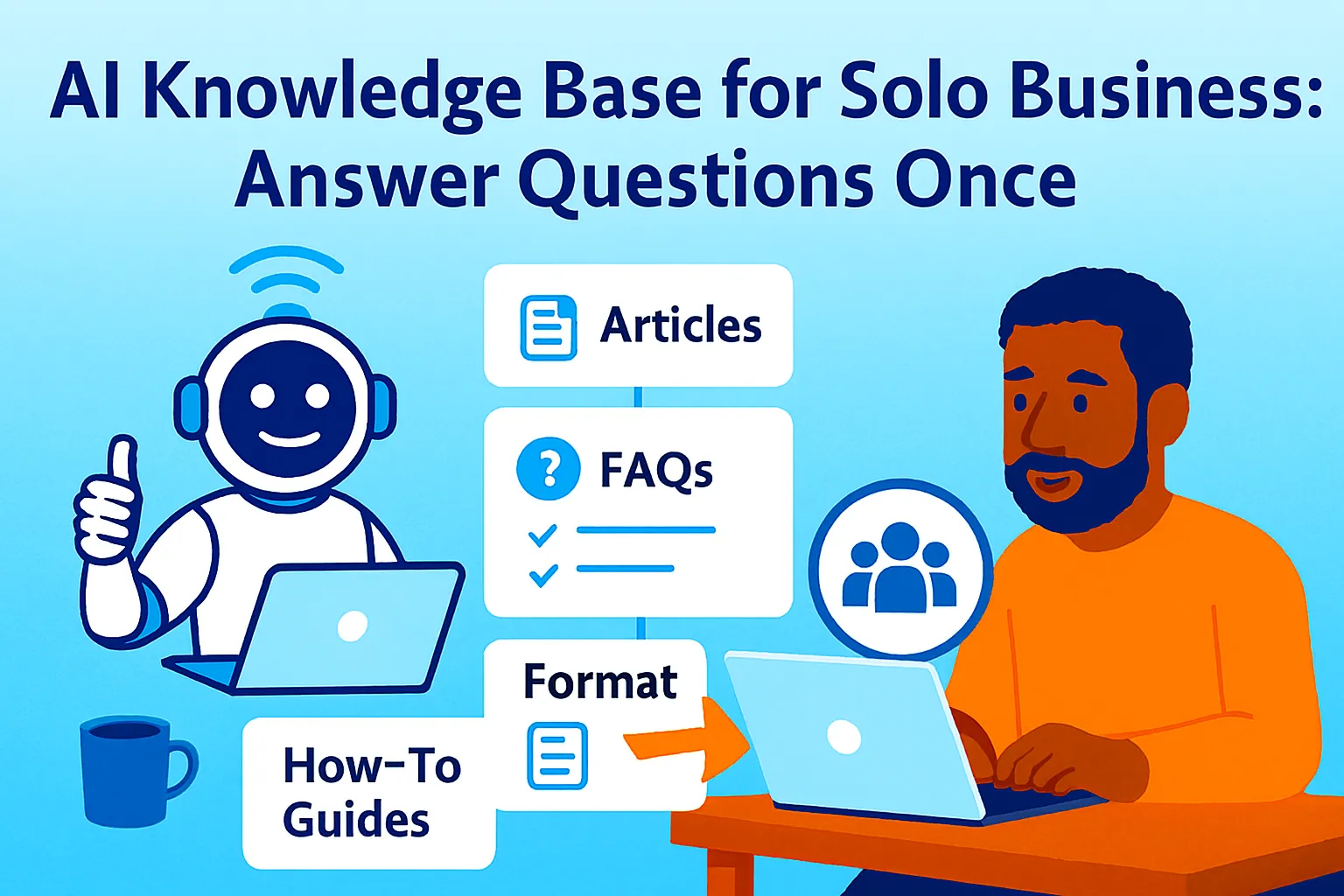
You have answered the same question 47 times.
Not 47 different questions — the same question. "How do I connect my account to Zapier?" "What's your refund policy?" "Where do I find the export button?" "How long does onboarding take?" "Can I pause my subscription?"
Every time you answer it, you stop what you're doing, reconstruct the answer from memory, write it out again, and send it. The question takes five minutes to answer. The interruption costs you 25 minutes of productive work — the average time it takes a knowledge worker to get back on task after any interruption.
Multiply that by five repeat questions per day, every working day, and you're losing two to three hours daily to questions that have already been answered. Not new problems. Not unique situations. Answers that exist in your head, scattered across old emails, sitting in support tickets nobody indexed, explained in Loom recordings nobody can find.
A knowledge base solves this by moving the answer out of your head and into a system — once, in one place, in a form that AI can use to answer the question automatically. The question still gets answered. You're just not the one answering it anymore.
Seventy percent of customers prefer self-service over contacting support when a good self-service option exists. That means seven out of ten people asking your repeat questions would rather find the answer themselves — if you gave them the infrastructure to do it. The knowledge base is that infrastructure.
This article builds it: a centralized knowledge base that covers your external FAQs, your internal know-how, and your support answers — structured so AI can use it to respond to common questions automatically, and connected to the three places in your business where questions actually arrive: support, sales, and onboarding.
The Two Kinds of Knowledge Your Business Contains
Before building anything, distinguish between what you're actually storing. Most founders conflate these and end up with a knowledge base that's either too internal to help customers or too generic to help their team.
External knowledge: Information your customers and prospects need to use your product, evaluate your offer, and solve their own problems without contacting you.
Covers: Product FAQs, pricing questions, feature explanations, troubleshooting guides, integration documentation, refund and cancellation policies, comparison with alternatives, getting-started guides, use case examples.
Purpose: Deflect support tickets, accelerate prospect decisions, reduce onboarding friction.
Internal knowledge: Information you and your contractors need to run the business consistently — process knowledge, context, decisions, institutional understanding.
Covers: How to handle edge cases in support, how to respond to specific objection types in sales, what the product does and doesn't do at a deep level, how client relationships work, what decisions have been made and why, who handles what.
Purpose: Replace the 20-minute "let me explain this to you" conversations with contractors, reduce errors in delegated work, make you replaceable in the processes that shouldn't require you.
These are different audiences, different purposes, and different formats. They can live in the same system — but they need different sections, different access levels, and different content standards. Conflating them produces a knowledge base that's too detailed to share externally and too shallow internally.
The Knowledge Audit: What Gets Built First
Before writing a single article, audit what you actually need. Founders who start knowledge bases without an audit end up with 40 articles about edge cases and nothing covering the five questions that arrive 80% of the time.
The knowledge audit prompt:
Help me audit my knowledge base needs
before I start building.

MY BUSINESS: [Description — what it does,
  for whom, at what stage]
MY SUPPORT VOLUME: [Approximate tickets or
  questions per week]
MY TEAM: [Solo / 1-2 contractors / small team]

EXTERNAL KNOWLEDGE AUDIT:
Pull from memory: What questions do customers
and prospects ask most frequently?
[List every question you can think of —
 aim for 20-30, don't filter]

INTERNAL KNOWLEDGE AUDIT:
What do contractors ask you repeatedly?
What do you have to explain every time
you onboard someone new?
What decisions do you make that someone
else should be able to make using documented criteria?
[List every situation — aim for 10-15]

For each item listed:

TRIAGE by frequency:
A = Asked weekly or more
B = Asked monthly
C = Asked occasionally but creates
  significant confusion when it comes up

TRIAGE by consequence:
1 = Wrong answer causes churn or lost deal
2 = Wrong answer causes friction or rework
3 = Wrong answer is annoying but recoverable

PRIORITY SCORE = Frequency + Consequence
(A1 = build immediately, C3 = defer)

OUTPUT:
Top 10-15 external articles to write first
Top 5-8 internal articles to write first
Items to defer until volume justifies them
The A1 items — asked weekly, wrong answer costs you a deal or a customer — are your first build targets. Everything else is sequenced behind them. A knowledge base that covers 10 high-frequency, high-consequence questions is more valuable than one covering 50 edge cases.
Part 1: Building the External Knowledge Base
The external knowledge base has one job: give customers and prospects accurate, findable answers without requiring your involvement.
The article architecture:
Every external knowledge base article follows the same structure, regardless of the question it answers:
TITLE: [The question, phrased as the user
  would search for it — not internal language]

ANSWER: [The direct answer in the first
  paragraph — no preamble]

DETAIL: [Context, explanation, caveats —
  for readers who need more than the answer]

STEPS (if procedural):
1. [Action]
2. [Action]
3. [Action]

RELATED QUESTIONS:
- [Link to related article]
- [Link to related article]

STILL NEED HELP?
[Contact option — email, chat, form]
The "answer in the first paragraph" rule is the most important structural choice. Most knowledge base articles bury the answer under context and caveats. Users who arrive with a specific question scan the first paragraph, find their answer, and leave satisfied — or scroll for detail if needed. Burying the answer makes users read three paragraphs before finding it, which feels like wasted time.
The knowledge base article generation prompt:
Run this once per question in your A-tier priority list:
Write a knowledge base article for my business.

BUSINESS CONTEXT: [One sentence — what product
  does, for what kind of customer]
TONE: [Professional / Conversational / Technical]
QUESTION TO ANSWER: [The exact question
  customers ask]

WHAT I KNOW ABOUT THE ANSWER:
[Paste your existing answer from a support email,
 notes, your memory — raw is fine]

EDGE CASES I KNOW ABOUT:
[Any situations where the standard answer
 doesn't apply]

Write a complete knowledge base article:

TITLE: [Phrase the question as a user
  would search for it]

ANSWER: One to three sentences.
  The complete answer, immediately.
  No "great question" or preamble.

DETAIL: Full explanation for readers
  who need more context. Include:
  - Why the answer is what it is
    (not just what to do, but why)
  - Any important caveats
  - What to do if the standard answer
    doesn't apply to their situation

STEPS (if this is a how-to question):
  Numbered. Action verbs.
  Under 15 words per step.
  Screenshot placeholder: [SCREENSHOT:
  describe what to capture] where visual
  aids would help.

COMMON VARIATIONS:
  2-3 related questions this article
  also answers, phrased as the user
  would ask them.

RELATED ARTICLES:
  2-3 articles this user might need next.
  (Can be articles you haven't written yet —
  flag as [FUTURE ARTICLE])

METADATA:
  Category: [Which section of the KB]
  Search tags: [5-8 keywords users
  might search to find this]
  Last updated: [Date]
The tone calibration prompt (run once, apply to all articles):
Before generating articles, establish the voice the knowledge base uses — so every article sounds like the same person wrote it:
Help me define the voice for my knowledge base.

MY BRAND VOICE: [3-5 adjectives]
MY ICP: [Who reads this knowledge base]
EXAMPLE OF GOOD TONE: [Paste a piece of your
  writing — a welcome email, a landing page
  section — that you think represents
  your voice well]

Define:
1. SENTENCE LENGTH: Short and direct /
   Balanced / Longer when needed
2. TECHNICAL LEVEL: Assume expertise /
   Explain everything / Context-dependent
3. FORMALITY: First name basis /
   Professional but warm / Fully formal
4. WHAT TO AVOID: Specific phrases,
   jargon, or tones that don't fit

Output: A one-paragraph voice guide I paste
at the top of every article generation prompt
to ensure consistency.
This voice guide becomes the first line of every subsequent article prompt: "Write in this voice: [paste guide]." Consistent voice across a knowledge base is what makes it feel like a designed product rather than a random collection of support emails.
Part 2: Building the Internal Knowledge Base
The internal knowledge base has a different audience and a different purpose. Where external articles answer product questions, internal articles answer operational questions: how to handle this situation, what the criteria are for this decision, what we do when this edge case appears.
The three types of internal knowledge:
Type 1: Decision criteria documentation Situations where you currently make judgment calls that a contractor could make if the criteria were written down.
Examples: "When do we offer a refund vs. a partial credit?" "When do we escalate a support issue to me vs. handle it directly?" "When does a client scope change require a formal change order vs. handled in good faith?"
These should not say "use your judgment." They should say "if X then Y, unless Z, in which case escalate."
Type 2: Context and history documentation Why things are the way they are — decisions made, approaches tried and abandoned, client relationships and their history, product decisions and their reasoning.
Without this, contractors make decisions that seem logical but contradict things you've already tried. With it, they have the context to make better-aligned decisions without asking you.
Type 3: Playbook documentation Specific sequences for handling recurring situations: how to respond to an angry customer, how to handle a competitor comparison question in sales, how to process a cancellation request, how to escalate a technical issue.
Different from SOPs (which cover process steps) in that playbooks cover judgment situations — they read as "when this happens, do this, say this, escalate if this."
The internal article generation prompt:
Write an internal knowledge base article
for my team.

SITUATION THIS COVERS: [Describe the recurring
  situation, question, or decision]
WHO USES THIS: [Me / Contractors / Future hires]
WHAT I CURRENTLY DO: [Describe your actual
  approach — raw, unpolished]
WHAT MAKES IT COMPLICATED: [Edge cases,
  situations where the standard answer fails]

Write an internal article covering:

SITUATION: When does this article apply?
  One sentence — the trigger.

THE STANDARD RESPONSE/APPROACH:
  What to do in the typical case.
  Specific enough that someone could execute
  it correctly without asking you.

DECISION CRITERIA:
  If [condition], then [action].
  If [condition], then [action].
  If none of these apply: escalate to [person]
  via [channel].

WHAT NOT TO DO:
  The most common mistake or wrong approach.
  Why it's wrong.

EXAMPLES:
  2-3 real or realistic examples with
  the correct handling for each.
  [EXAMPLE 1]: [Situation] → [What to do]
  → [Why this is right]

ESCALATION TRIGGER:
  The specific condition that requires
  involving the founder directly.
  When in doubt, the default is: [escalate /
  handle / document and flag].
Part 3: Connecting the Knowledge Base to Where Questions Arrive
A knowledge base that nobody finds is a documentation project. The leverage comes from connecting it to the three places where questions actually arrive: support, sales, and onboarding.
Connection 1: Support
The support connection is the highest-ROI connection in the knowledge base system. Every question that arrives in your support inbox has already been answered if your knowledge base article on that topic exists and is findable.
The three-layer support connection:
Layer 1 — Self-service (before the ticket is created): Your knowledge base is linked prominently from your product, your website, and your email footer. Customers who can find the answer before submitting a ticket never submit the ticket. This is the highest-leverage layer — deflection before contact.
Placement matters: Link in your app's navigation ("Help"), from your pricing page ("FAQ"), from your checkout flow ("Common questions"), and in your automated onboarding emails ("Getting started resources").
Layer 2 — Pre-ticket deflection (when they're about to submit): When a customer opens your support form or chat widget, show relevant knowledge base articles before they submit. Help Scout, Intercom, and Crisp all have "suggested articles" features that surface knowledge base content based on what the customer types in the subject line.
Configure this once: every time a customer types "cancel" or "refund" or "export," the relevant article appears automatically. Many customers answer their own question without submitting.
Layer 3 — Agent reference (when the ticket arrives): When you (or a contractor) receive a ticket, the knowledge base article becomes the basis for the response — not rewritten from scratch each time but used as a template that's personalized to the specific situation.
Use this knowledge base article as the
basis for a support reply.

KNOWLEDGE BASE ARTICLE: [Paste relevant article]
CUSTOMER'S ACTUAL QUESTION: [Paste their ticket]
ANYTHING SPECIFIC TO THEIR SITUATION:
  [Any context that makes this case different]

Write a support reply that:
- Opens with acknowledging their specific situation
- Answers their question using the article content
- Personalizes any steps to their specific context
- Ends with a clear next action or confirmation
- Sounds like a person, not a template

Max 150 words unless the complexity requires more.
This prompt turns a five-minute ticket response into a 90-second one — you're editing and personalizing rather than writing from scratch.
Connection 2: Sales
The sales connection is underused by most founders. Knowledge base content that exists for support has direct sales applications — it answers the questions prospects have before they buy, surfaces in search for comparison keywords, and handles objections before a sales conversation is needed.
The prospect FAQ layer:
A subset of your external knowledge base should be explicitly structured for prospects — not customers. These articles answer pre-purchase questions:
"How does [product] compare to [Competitor]?"
"What happens if I want to cancel?"
"How long does setup take?"
"Do you integrate with [Tool]?"
"What does the onboarding process look like?"
These articles do double duty: they're accessible from your pricing page and sales conversations, and they rank organically for comparison and evaluation keywords. A prospect who Googles "[Your Product] vs [Competitor]" and lands on your well-written comparison article has a significantly higher close rate than one who contacts you cold.
The sales objection playbook:
Build an internal sales objection playbook
from my knowledge base content.

MY PRODUCT: [Description]
MY MOST COMMON SALES OBJECTIONS:
  [List 5-8 objections you hear repeatedly
   in sales conversations]
MY KNOWLEDGE BASE ARTICLES:
  [List relevant article titles that
   address these objections]

For each objection, create a playbook entry:

OBJECTION: [Exact phrasing — how prospects
  actually say it]

WHAT THEY REALLY MEAN: [The underlying concern
  behind the stated objection]

THE RESPONSE: [2-4 sentences that address
  the real concern, not just the stated one]

KNOWLEDGE BASE REFERENCE: [Link to the article
  that provides more detail if they want it]

FOLLOW-UP QUESTION: [One question to ask
  after responding that advances the conversation]
This playbook lives in the internal knowledge base. Contractors who handle sales conversations have a reference for every common objection — reducing the need for you to jump into sales calls personally.
Connection 3: Onboarding
The onboarding connection is where knowledge base content pays off most clearly in customer retention. Customers who successfully onboard churn less — and most onboarding failures happen because customers can't find the answer to a blocking question at the moment they need it.
The onboarding email sequence with knowledge base integration:
Your welcome sequence (the automated emails that fire after signup or purchase) should embed knowledge base links at the moment they're most relevant — not as a generic "check out our help center" footer, but as specific articles that address the questions most likely to arise at each onboarding stage.
Build a knowledge-base-integrated onboarding
email sequence for my product.

MY PRODUCT: [Description]
TYPICAL ONBOARDING STAGES: [What new users
  do in week 1, 2, 3]
MOST COMMON ONBOARDING QUESTIONS BY STAGE:
  Week 1: [Questions]
  Week 2: [Questions]
  Week 3: [Questions]
MY KNOWLEDGE BASE ARTICLES: [List titles
  and brief descriptions]

Design a 3-week email sequence where each email:
- Addresses the most likely question or
  friction point at that stage
- Links to the specific KB article
  that answers it (not the KB homepage)
- Has a secondary CTA to contact support
  if the article doesn't resolve it

For each email:
  TIMING: [Days after signup]
  SUBJECT LINE: [Specific, not generic —
    references the stage they're at]
  OPENING: [Acknowledges where they are
    in the journey]
  CORE CONTENT: [The answer to the most
    likely question at this stage]
  KB LINK: [Article title + link placeholder]
  CTA: [What to do next]
  FALLBACK: [Contact option if article doesn't help]
The "specific article, not KB homepage" rule is critical. "Check out our help center" sends customers on a search expedition. "Here's how to connect your first integration" sends them directly to the answer. Every additional click reduces the probability they find what they need.
The activation gap analysis:
Identify gaps in my onboarding knowledge base
by analyzing where new users get stuck.

SIGNS USERS ARE GETTING STUCK:
[Paste any data: support tickets from
 first 30 days, common questions from
 onboarding calls, feature adoption data
 showing where users drop off]

Identify:
1. KNOWLEDGE GAPS: Questions being asked
   that have no KB article yet
2. FINDABILITY GAPS: Questions being asked
   that do have an article but users aren't
   finding it (implies placement or
   search tag problem, not content problem)
3. CLARITY GAPS: Questions being asked
   repeatedly even after users are
   sent the KB article
   (implies the article doesn't actually
   answer the question they're asking)

For each gap: recommended fix.
This analysis, run quarterly, is how the knowledge base improves based on actual usage rather than your guess about what users need.
The Knowledge Base Maintenance System
A knowledge base that isn't maintained becomes a liability. Outdated articles give wrong answers. Missing articles send users to support. Unfindable articles might as well not exist.
The monthly 20-minute maintenance prompt:
Run my monthly knowledge base maintenance check.

MY KNOWLEDGE BASE ARTICLES:
  [List all articles with: title,
   last updated date, category]
MY SUPPORT TICKETS THIS MONTH:
  [List of ticket topics or paste summaries]
MY ONBOARDING FEEDBACK THIS MONTH:
  [Any patterns in user confusion]
PRODUCT CHANGES THIS MONTH:
  [Any features added, changed, or removed]

Identify:

GAPS: What questions came up in support
  that have no KB article?
  [Draft title + one-sentence description
   of each missing article]

OUTDATED: Which articles likely need updating
  because of product changes?
  [List with: article title + what changed]

UNDERPERFORMING: Which articles exist but
  aren't reducing tickets on that topic?
  (Implies findability or clarity problem)

LOW PRIORITY CANDIDATES: Any articles
  rarely referenced that may not need
  to be maintained?

NEXT MONTH'S PRIORITY:
  Top 3 knowledge base improvements to make.
This 20-minute monthly ritual is what keeps the knowledge base accurate and growing. Without it, the knowledge base becomes stale faster than it was built — and stale knowledge bases actively harm trust (customers who follow outdated instructions and fail blame the product, not the docs).
The Knowledge Base Structure in Notion
Everything lives in one Notion database: "Knowledge Base."
Database properties:
Title: The article title (phrased as the question or topic)
Audience: External (customers/prospects) / Internal (team)
Category: Getting Started / Account & Billing / Features / Troubleshooting / Integrations / Sales / Onboarding / Operations / Decisions
Status: Published ✅ / Draft 🔵 / Needs Update ⚠️ / Archived 📦
Priority: A (high-frequency, high-consequence) / B / C
Last Updated: Date
Search Tags: Multi-select of keywords
Connected To: Multi-select of Support / Sales / Onboarding / Internal (where this article is actively linked)
Update Trigger: What change would make this article wrong
Four essential views:
View 1 — Published External (customer-facing): Filter: Audience = External AND Status = Published ✅. This is the content available to customers.
View 2 — Published Internal (team-facing): Filter: Audience = Internal AND Status = Published ✅. Only accessible to you and contractors.
View 3 — Needs Attention: Filter: Status = Needs Update OR (Status = Published AND Last Updated > 90 days). Monthly maintenance queue.
View 4 — Draft Pipeline: Filter: Status = Draft 🔵. Everything in progress.
Tools and Cost
KNOWLEDGE BASE INFRASTRUCTURE:
Notion free:                          $0
(Handles internal + simple external KB)

Notion + Super.so ($19/month):        $19
(Turns Notion into a public-facing
 help site — worth it when external
 KB needs to be searchable and brandable)

DEDICATED KNOWLEDGE BASE TOOLS:
Help Scout Docs ($20/month):          $20
(Integrated with Help Scout support —
 articles appear automatically in
 support widget. Best for support-first KB.)

Intercom Articles (included with
Intercom plan, $39+/month):           $0 add-on
(Native integration with Intercom chat —
 auto-suggests articles before tickets)

Document360 (free tier for 1 user):   $0
(More powerful for large KB —
 overkill below 50 articles)

AI FOR ARTICLE GENERATION:
Claude Pro or ChatGPT Plus:           $20/month

ONBOARDING EMAIL INTEGRATION:
ConvertKit ($29/month) or
  Beehiiv ($33/month):                $29-33
(Sequence delivery — only needed if
 not already in your stack)

MINIMUM VIABLE SETUP:
Notion free + Claude Pro:             $20/month
(Internal and external KB,
 AI generation and maintenance)

RECOMMENDED SETUP:
Notion + Super.so + Claude Pro
+ Help Scout Docs:                    $59/month
(Public help site + support integration
 + AI generation)
When to upgrade from Notion to a dedicated tool: Notion works well as a knowledge base below 50 articles and below 20 support tickets per week. Above either threshold, a dedicated tool (Help Scout Docs, Document360, Intercom Articles) adds search quality, article analytics, and support integration that Notion can't replicate. Make the switch when you have enough articles to benefit from better search and enough tickets to measure deflection rate.
Common Mistakes
1. Building for yourself instead of the reader
Knowledge base articles written by founders frequently answer the question the founder finds interesting rather than the question the user actually asked. "How does our matching algorithm work?" is fascinating to you. "Why didn't I get matched?" is what the user asked. Write for the question, not the explanation.
2. Mixing external and internal content without access control
Decision criteria and internal playbooks should never be customer-facing. Not because they're confidential necessarily, but because they're confusing and irrelevant to customers. Maintain strict separation: external articles are written and reviewed as if a prospect will read them. Internal articles contain information that would confuse or concern a customer.
3. Burying the answer
Knowledge base articles are not essays. Users arrive with a specific question, want the answer in the first paragraph, and leave. Context comes after the answer, not before it. Every article generation prompt in this guide puts "direct answer immediately" as the first structural requirement — enforce it.
4. Skipping search tags
An article that exists but can't be found is invisible. Users search knowledge bases using different vocabulary than the vocabulary used in articles. The tag "cancel subscription" should appear on the same article as "stop paying," "end membership," and "how to quit." Every article needs tags covering the range of ways users might phrase the same question.
5. Building before the question volume justifies it
A knowledge base for a product with 10 customers and 3 support tickets per week is premature optimization. The knowledge base earns its setup cost at approximately 20+ tickets per week, where deflection rate becomes measurable and the time saved becomes real. Before that threshold, a well-organized FAQ document in Notion is sufficient.
6. Never checking whether articles are being found
An article with zero views isn't deflecting tickets — it's not being found. Track article views (Help Scout Docs and Intercom both provide this). Articles with zero views have a findability problem: wrong title, wrong search tags, not linked from the right places. The article itself may be correct; its placement is wrong.
The Real Talk on Knowledge Bases
The knowledge base is the highest-leverage one-time investment in a solo business. You write an article once. It answers the question for the next three years. Every support ticket it deflects, every sales objection it handles before the conversation, every contractor confusion it prevents — all of that compounds from a single piece of writing.
The average knowledge worker loses 25 minutes to productive work with every interruption. Five repeat questions per day is five interruptions — two hours of fragmented productivity restored by moving those answers out of your head and into a system.
The founders who don't build knowledge bases aren't wrong to prioritize other things first. The knowledge base earns its build cost at a specific volume threshold — and before that threshold, the time is better spent building the product and serving the customers who generate the questions that eventually justify the knowledge base.
But once you're past the threshold — once you're answering the same questions week after week, once your contractors are asking you for context you've explained before, once your onboarding calls cover the same friction every time — the knowledge base stops being a documentation project and starts being the most valuable automation in your business.
Answer the question once. Let the system answer it forever.
That's it.




Comments (0)
Leave a Comment