

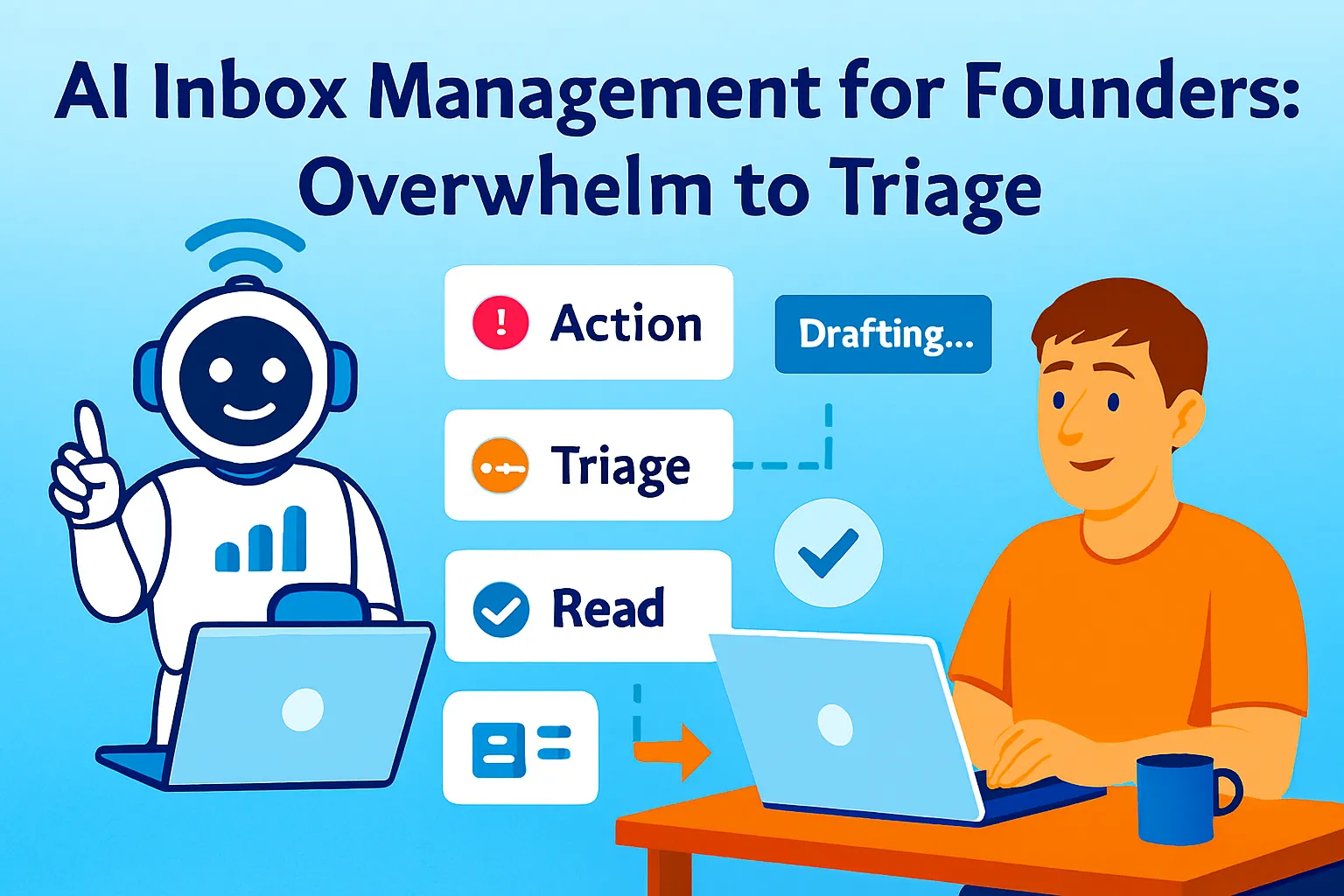
Your inbox is not a to-do list. But you're treating it like one.
Every time you open email and work through it top-to-bottom — reading, responding, flagging, forgetting, returning — you're letting the sender set your priorities for the day. The most recent email wins your attention, regardless of whether it's a client with a critical question, a newsletter you subscribed to three years ago, or a vendor following up on a proposal you never requested.
The average professional spends one to two hours daily just sorting, deleting, and forwarding before doing any actual email work. For solo founders, where every context switch costs 25 minutes of productive work, an inbox that demands constant attention is one of the most expensive operational problems in the business — and one of the least examined.
The problem isn't email volume. It's email architecture. Most founders have no system for what happens when an email arrives: no automatic categorization, no priority signal, no draft waiting when they open a thread, no ritual that closes the loop. They deal with each email as it comes, on its own terms, and spend the whole day in reactive mode.
This article builds the architecture. Three layers: automatic categorization so the right emails surface without manual sorting, AI-assisted drafting so responses take seconds instead of minutes, and a 15-minute daily inbox sweep that processes everything and closes by the end of the sweep — not "I'll come back to this."
Layer 1: The Categorization System
The goal of categorization isn't to create folders you never look at. It's to create a triage signal — when you open Gmail, the visual landscape of your inbox tells you immediately what requires action today, what can wait, and what shouldn't have reached your inbox at all.
The four categories every founder needs:
🔴 Action Today — Clients, prospects, and anyone whose response is time-sensitive. Wrong answer costs a relationship or a deal. Needs response within hours, not days.
🟡 This Week — Follow-ups, project updates, questions that matter but aren't urgent. Needs response within 48-72 hours. Won't damage anything if it waits until tomorrow.
📖 Reading Queue — Newsletters, digests, industry content, and anything informational that has no action required. Batched and read once per week, not daily.
🗑️ Noise — Automated notifications, promotional emails, receipts, and anything that should never have reached your primary inbox. Archived immediately, never seen again.
The Zapier categorization automation:
Trigger: New email in Gmail (all incoming)

Filter step: Exclude if:
  - Sender contains "noreply" or "no-reply"
  - Subject contains "unsubscribe" (newsletters)
  - From: known automated senders
    (add your own list: Stripe, Notion, etc.)

AI step — categorize this email:

You are categorizing emails for a solo founder.
Assign exactly ONE category:

ACTION — if:
  Sender is a client, prospect, or known contact
  AND email requires a decision or response
  AND delay would cost a relationship or deal

THISWEEK — if:
  Response needed but not urgent today
  Project update, contractor question,
  scheduling request with flexibility

READING — if:
  Newsletter, digest, article, or industry update
  No action required — informational only

NOISE — if:
  Automated notification, receipt,
  promotional, or irrelevant

Input:
  From: [sender name and email]
  Subject: [subject line]
  Preview: [first 150 characters of body]

Return ONLY the category word. Nothing else.

Then:
If ACTION → Apply label "🔴 Action Today"
             + send Slack notification to yourself
If THISWEEK → Apply label "🟡 This Week"
If READING → Apply label "📖 Reading Queue"
              + skip inbox (archive)
If NOISE → Apply label "🗑️ Noise"
            + skip inbox + mark read
The sender VIP list (overrides AI categorization):
For your five to ten most important contacts — anchor clients, investors, a business partner — add a Gmail filter that bypasses the AI step entirely and labels directly as 🔴 Action Today. These are people whose emails should never be misclassified by AI pattern matching.
Gmail filter:
From: [client1@email.com OR client2@email.com
       OR partner@email.com]
Apply label: ⭐ VIP — Action Now
Never send to spam
The sender blacklist (permanent noise suppression):
Spend 20 minutes once — and only once — creating a Gmail filter that auto-archives every domain you've been receiving noise from for months. Every time a new noise sender appears, add them to the filter. This list grows over time and the benefit compounds.
Gmail filter:
From: (@promotions.example.com OR
       noreply@saas-tool.com OR
       digest@newsletter.com)
Skip inbox, Mark as read, Apply label: "Archived"
Calibration week (first week after setup):
The AI categorization won't be perfect immediately. For the first week, spend two minutes per morning reviewing the previous day's categorizations — specifically anything in Reading Queue or Noise that should have been Action. When you find a misclassification, add that sender to the VIP list or adjust the AI prompt with a specific example. After one week of corrections, accuracy approaches 90%+.
Layer 2: AI-Assisted Drafting
Categorization tells you what to respond to. Drafting determines how fast you respond.
The instinct with AI email drafting is to have AI write complete emails you send as-is. That instinct produces emails that sound like AI wrote them — which sophisticated clients and prospects notice immediately. The better model: AI writes a first draft in your voice that you edit, not a finished product you approve.
The voice capture prompt (run once, reuse forever):
Before any drafting automation, establish your email voice so AI consistently matches it:
Analyze my email writing style and create
a voice guide.

Here are 5-8 emails I've written that
represent how I communicate:
[Paste your sent emails — a mix of
 client updates, prospect replies,
 quick responses, and longer explanations]

Extract:
1. SENTENCE STRUCTURE: Short and punchy /
   Medium / Longer when explaining?
2. OPENER STYLE: Do I open with pleasantries,
   dive straight in, or acknowledge their message?
3. SIGN-OFF STYLE: How do I close?
   (Warm / Professional / Casual / Just name)
4. CHARACTERISTIC PHRASES: Words or
   constructions I use that sound like me
5. WHAT I AVOID: Anything notably absent
   (exclamation points? "Hope this helps"?
    Overly formal language?)
6. LENGTH NORM: Typical email length
   by email type

Output: A one-paragraph voice guide I paste
at the start of every drafting prompt.
My voice in 5 sentences.
Save this voice guide. Paste it at the top of every draft prompt below.
The four drafting prompts (by email type):
Prompt 1 — Routine client update:
MY VOICE: [paste voice guide]

Write a client update email.

CONTEXT:
Client: [Name, relationship context]
Project status: [Where things stand]
What changed since last update: [Specifics]
Next milestone: [What happens next, when]
Any blockers or things needed from them: [List]

Format:
- Opening: acknowledge where we are
  (one sentence, no fluff)
- Status: what's done, what's in progress
  (specific, not vague)
- Next: what they can expect and when
- If I need something from them:
  one clear ask at the end

Length: Under 150 words unless complexity
requires more. Err shorter.
Tone: [Professional / Warm-professional /
       Casual — match client relationship]
Prompt 2 — Prospect response (inbound inquiry):
MY VOICE: [paste voice guide]

Write a response to an inbound prospect inquiry.

THEIR EMAIL: [Paste their message]
WHAT I OFFER: [One-sentence description]
WHAT I WANT TO HAPPEN NEXT: [Book a call /
  Send proposal / Ask qualifying questions]

The response should:
- Acknowledge what they're looking for
  (in their language, not mine)
- Give enough to confirm I understand
  their situation
- Move toward the next step naturally,
  without being pushy
- End with ONE clear action for them

Do not:
- List all my services
- Use the phrase "great question"
- Make it sound like a template

Length: 100-150 words maximum.
Prompt 3 — Difficult or sensitive email:
MY VOICE: [paste voice guide]

Help me write a difficult email.

SITUATION: [Describe what happened —
  project delay, bad news, mistake made,
  disagreement, request I need to decline]
WHAT I WANT TO COMMUNICATE: [The actual message]
WHAT I WANT THEM TO FEEL: [Heard / Confident /
  Clear on next steps / Not blamed]
WHAT I DON'T WANT: [Don't want to sound
  defensive / Don't want to over-apologize /
  Don't want to leave things ambiguous]

Draft an email that:
- Opens by acknowledging their perspective
  or the situation honestly
- States what happened or what I'm deciding
  (direct, not buried in caveats)
- Explains what happens next
- Closes with clarity, not ambiguity

Write two versions:
Version A: More direct
Version B: Slightly softer — same message,
  different framing
I'll choose or blend.
Prompt 4 — Quick reply (under 50 words):
MY VOICE: [paste voice guide]

This email requires a short reply.

THEIR EMAIL: [Paste]
MY ANSWER: [Your actual response —
  even rough notes]

Write a reply that sounds like me,
not like a form letter.
Under 50 words. No padding.
The draft-not-send rule:
Never set up automations that send emails automatically without your review. The risk is too high — a misclassified context, an AI tone mismatch, a factual error — and the damage to a client or prospect relationship from a wrong automated email exceeds any time savings. The system produces drafts waiting for your review and a single click to send. Not autonomous sending.
The one exception: acknowledgment emails for new inquiries or form submissions, where the content is purely "got your message, will respond within X hours." These can be fully automated because they contain no judgment and no risk.
Layer 3: The 15-Minute Daily Inbox Sweep
Categorization handles incoming flow. Drafting handles response speed. The sweep handles closure — the daily ritual that processes everything that arrived, acts on what requires action, and ends with inbox zero for the 🔴 Action Today category.
Not inbox zero for everything. Just the red category. That's the only metric that matters: did every time-sensitive email get a response or a planned next step today?
The sweep structure (15 minutes, same time every day):
Pick a fixed time. Morning works for most founders (after deep work blocks, before afternoon calls). Never first thing — opening email before completing one meaningful task lets the inbox set your priorities for the day before you've set them yourself.
Minutes 0-3: Scan and discard
Open Gmail. Look only at 🔴 Action Today and ⭐ VIP.
Immediately archive anything that snuck into red but doesn't need a response today — move it to 🟡 This Week. This takes 30 seconds per email and reduces the action pile before you start.
Minutes 3-10: Draft and send
For each remaining red email, open and run the appropriate drafting prompt. The goal: a draft in 60-90 seconds, a 15-second review, send. Seven minutes handles 4-6 emails at this pace.
For emails that need more than a quick draft — a complex proposal, a sensitive conversation, a decision that requires more information — don't draft now. Apply a label: "⏳ Needs Thought" and set a calendar block for later today. Never spend more than 90 seconds on a single email during the sweep. Complexity gets its own time block, not inbox time.
Minutes 10-13: Triage This Week
Quickly scan 🟡 This Week. For anything due tomorrow or that has become more urgent since it arrived, move to 🔴 Action Today for tomorrow's sweep. For anything that no longer needs a response, archive. For everything else, leave it.
Minutes 13-15: Clear Reading Queue (optional, weekly)
The 📖 Reading Queue is not read daily. Once per week — Friday afternoon or Sunday evening — open the Reading Queue and batch-process everything: read the five things worth reading, archive the rest. During daily sweeps, leave this category alone.
The sweep closes when:
Every 🔴 email either has a sent response or a "⏳ Needs Thought" block scheduled
Nothing is left lingering in red without a plan
Inbox closed
Not when all email is read. Not when everything is processed. When every urgent email has a next step. That's the close condition.
The daily sweep prompt (optional, for sweep days when volume is high):
On days when the red category has 10+ emails — after a vacation, post-launch, after a major announcement — run this before starting:
I have [N] emails in my priority inbox today.
Help me process them efficiently.

EMAIL LIST (subject lines and senders):
[Paste the list]

Triage them:
1. RESPOND NOW (genuinely urgent,
   response needed in the next 2 hours)
2. RESPOND TODAY (important,
   can wait until end of sweep)
3. DELEGATE OR DEFER (doesn't need
   my direct response — can a contractor
   handle? Or can this wait until tomorrow?)
4. NO RESPONSE NEEDED (misfiled in red,
   no action required)

For category 3: who handles it and how?
For category 4: archive directly.

Output: Ordered list with action for each.
Start with #1.
This prompt turns a 10-email morning pile into a prioritized queue in 60 seconds. You work the queue, not the pile.
The Setup Checklist (Do This Once)
Week 1 — Categorization:
[ ] Build the Zapier triage automation
[ ] Create the four Gmail labels with colors
[ ] Set up the VIP sender filter (top 5-10 contacts)
[ ] Run the blacklist filter for known noise senders
[ ] Run the system for 5 days, correct misclassifications
Week 2 — Drafting:
[ ] Run the voice capture prompt on 5-8 sent emails
[ ] Save the voice guide in Notion
[ ] Test each of the four drafting prompts on real emails
[ ] Calibrate: where does the AI drift from your voice? Adjust the guide.
Week 3 — The Sweep Habit:
[ ] Pick a fixed sweep time (same every weekday)
[ ] Block it in your calendar (recurring, 15 minutes, protected)
[ ] Run the sweep for 5 days in a row
[ ] Measure: how many red emails processed per sweep? Average time to draft and send one response?
Week 4 — Measure and adjust:
[ ] Track: red emails per day (Monday: baseline, Friday: trend)
[ ] Track: average response time on important emails
[ ] Adjust categorization for any persistent misclassifications
[ ] Decide: is the sweep 15 minutes, or does it need 20? (If consistently over 15 minutes, you have a volume problem, not a sweep problem — review categorization accuracy)
Tools and Cost
CATEGORIZATION AUTOMATION:
Zapier Starter ($29/month):         $29
(Required for Gmail + AI step +
 label automation)

AI STEP IN ZAPIER:
Included in Zapier Starter
with AI credits:                    $0

GMAIL (Google Workspace):           $6-12/month
(Or Gmail free — both work)

AI FOR DRAFTING:
Claude Pro or ChatGPT Plus:         $20/month

TOTAL SETUP COST:                   $49-61/month

ALTERNATIVE — DEDICATED TOOLS:
SaneBox ($7-36/month):              $7
(AI categorization without Zapier —
 simpler but less customizable.
 Plug-and-play for founders who
 don't want to build Zapier workflows)

Superhuman ($30/month):             $30
(Premium inbox client with
 built-in AI triage and drafting.
 Best if you live in email 8+
 hours/day and speed is worth $30/month)
The tool decision:
Zapier + AI step: Maximum flexibility, works with your existing Gmail, customizable categorization rules in plain English. Takes 2-3 hours to set up. Best for founders comfortable with Zapier who want full control over triage logic.
SaneBox ($7/month): Plug-and-play. Connects to Gmail in minutes, starts learning your email patterns immediately, no workflow building required. Less customizable but works without setup friction. Best for founders who want results without building.
Superhuman ($30/month): Replaces Gmail entirely with a speed-optimized inbox client. Built-in AI triage, keyboard shortcuts, split inbox, AI drafting. Best for founders who spend significant time in email daily and want everything in one tool rather than a Zapier-built system.
For most solo founders under $10K MRR: Zapier Starter + Claude Pro ($49/month total) covers categorization and drafting comprehensively. SaneBox is the shortcut if setup friction is the barrier. Superhuman is the upgrade when email speed becomes a meaningful constraint on your day.
Common Mistakes
1. Checking email before the sweep time
If you set your sweep for 10 AM but open email at 8 AM "just to check," you've defeated the system before it started. The sweep works because it batches email processing into one contained ritual. Ad-hoc checking fragments it back into the reactive mode you were trying to escape. Set your sweep time. Close Gmail outside of it.
2. Using the red category as a to-do list
Emails stay in 🔴 Action Today only until they're processed — responded to, escalated, or scheduled. An email that sits in red for three days isn't triaged, it's deferred. Anything sitting in red at the end of a sweep needs a next step logged somewhere else (your task manager) and the email archived. The red inbox is a processing queue, not a holding tank.
3. Sending AI drafts without reading them
AI drafts require a 15-second read before sending. Not a full rewrite — a scan for: does this sound like me? Is the tone right for this relationship? Is anything factually wrong? The draft saves 90% of the writing time. The read-before-send prevents the 1% of cases where the AI missed something important.
4. Over-engineering the categorization
More than four categories is too many. Seven categories, each with subcategories, produces a beautiful taxonomy that nobody maintains after two weeks. Four categories — Action, This Week, Reading, Noise — covers everything. The discipline is in the boundary between Action and This Week, not in the number of folders.
5. Skipping the sweep on busy days
The days when you're tempted to skip the sweep — because the calendar is full, because there's a fire to fight — are exactly the days the sweep matters most. A 15-minute investment in inbox clarity on a hectic day prevents the 2-hour late-night inbox catch-up session that hectic days produce. The sweep is non-negotiable precisely because it's short enough to fit in any day.
6. Treating the voice guide as permanent
Your email voice evolves. So should the guide. Every three months, run the voice capture prompt on five recent sent emails and compare to your existing guide. If they diverge, update the guide. AI drafts that matched your voice six months ago may miss the mark today.
The Real Talk on Email
Email is not going away. And the problem with most email advice — "check email only twice a day," "achieve inbox zero" — is that it treats email as a discipline problem rather than an architecture problem. Checking email twice a day is impossible when clients expect same-day responses. Inbox zero is meaningless when you hit it at midnight after two hours of manual processing.
The architecture approach is different: instead of changing how often you check email, change what happens when email arrives. The categorization system means the inbox that greets you during the sweep is already sorted — you're not deciding what matters, you're responding to what already has a triage signal. The drafting system means responses take 60 seconds rather than five minutes. The sweep routine means the process closes every day rather than accumulating.
The result isn't a perfectly empty inbox. It's an inbox you're in control of rather than one that controls you.
Set up the categorization. Build one drafting prompt. Run the sweep for five days.
That's it.



Comments (0)
Leave a Comment