

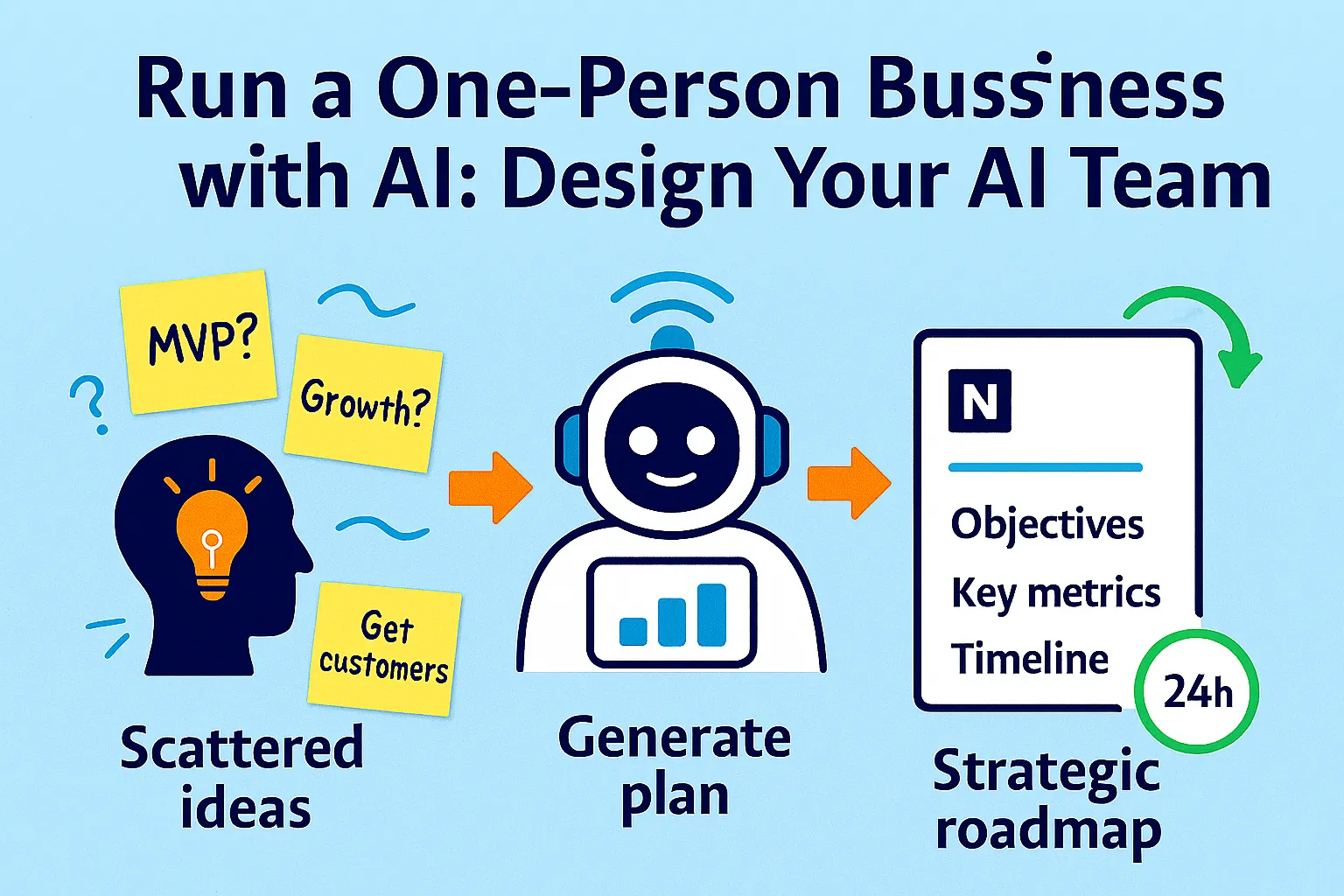
Jacob Bank runs a million-dollar business. Zero employees. His entire marketing operation — posting everywhere, building a 50K+ newsletter, running weekly webinars — is him and what he describes as "~40 AI agents." Not 40 tools sitting in tabs. Forty distinct roles, each with a specific function, each operating within a defined workflow.
Most solo founders think about AI differently. They think about tools. Which tools to buy, which to cancel, which new one just launched. They accumulate tools the way a previous generation accumulated productivity books — genuinely useful, individually, but without the system that makes them compound.
The difference between a solo founder with 40 tabs open and a solo founder running an AI team is not the tools. It's the mental model.
Here's the mental model that changes everything: you are not a person who uses AI tools. You are the CEO of a small company, and your AI systems are your team members. Each one has a role, a set of responsibilities, and a scope they work within. You set direction. They execute. You review. They improve.
You are already the strategist, researcher, writer, editor, marketer, analyst, customer support desk, and back office. That's not sustainable done manually — it's why solo operators plateau. The same roles, handed to an AI team with clear job descriptions and defined workflows, becomes a leverage system that runs whether or not you're actively driving it.
This article defines the five AI team roles every solo founder needs, maps the tools and workflows to each role, and builds the weekly alignment ritual that keeps the whole team pointed at your actual goals — not just producing output.
Why "Roles" Instead of "Tools"
Most AI tool advice is organized around tools: "use ChatGPT for writing, Zapier for automation, Plausible for analytics." That framing is correct but incomplete. It tells you what each tool does. It doesn't tell you how to deploy them as a coherent system.
Organizing around roles changes three things:
1. Responsibilities become clear
A role has a defined scope. Your AI Marketer is responsible for content production and distribution. Your AI Analyst is responsible for weekly metrics and trend identification. When something falls through the cracks, you know which role dropped it — and you fix the workflow for that role, not just the instance.
2. Context becomes consistent
Each role has a "briefing document" — a system prompt or context file that tells the AI who it is, what it knows about your business, and how it should respond. Your AI Marketer knows your brand voice, your ICP, your content pillars, and your publication cadence. You don't re-explain these every session. The role holds them.
3. Coverage gaps become visible
When you list your AI roles and map your business functions to them, the gaps appear immediately. Functions without an assigned role are functions you're handling manually — or functions that aren't getting handled at all. The coverage map forces an honest accounting.
The role framework isn't about adding complexity. It's about replacing the ad-hoc "let me ask AI about this" approach with a system that builds compounding capability over time.
The Five Core AI Team Roles
Every solo business — regardless of model — needs coverage across five functional areas. Here are the roles, what they own, and what "excellent execution" looks like for each.
Role 1: The AI Marketer
What they own: Content strategy, content production, distribution, and audience growth. Everything between "we need to be visible to our ICP" and "content is published and distributed."
What excellent execution looks like: A steady output of content that sounds like you, speaks to your ICP's specific language, is published consistently, and reaches the right channels — without you writing everything from scratch or personally managing every distribution step.
The briefing document (system prompt to use at the start of every marketing session):
You are the AI Marketer for [Business Name].

ABOUT THE BUSINESS:
[2-3 sentence description — what it does, for whom]

ICP:
[2-3 sentence description of the ideal customer —
specific role, situation, pain]

BRAND VOICE:
[3-5 adjectives + one sentence describing tone]
[Example of a piece of content that nails the voice —
paste a paragraph you're proud of]

CONTENT PILLARS:
1. [Topic 1] — why this matters to our ICP
2. [Topic 2] — why this matters to our ICP
3. [Topic 3] — why this matters to our ICP

CHANNELS:
Primary: [Newsletter / Blog / LinkedIn / Twitter]
Secondary: [Other channels]
Cadence: [How often each channel publishes]

LANGUAGE TO USE:
[Phrases from your customer language glossary —
how they describe their problem]

LANGUAGE TO AVOID:
[Jargon, corporate-speak, phrases that sound like
everyone else in the space]

COMPETITOR DIFFERENTIATION:
We are different from [Competitor A] because [specific reason].
We never position as [approach X] — instead [approach Y].

When I ask you to produce content, always write as
[Business Name], in our voice, for our ICP.
Never write generic content. Always write for a specific
reader in a specific situation.
Core workflows:
Weekly content calendar generation:
It's Monday. Generate this week's content plan.

CONTEXT: [Paste any news, product updates, or
seasonal events relevant this week]

Using our content pillars and ICP, produce:
- 1 long-form piece: [Topic + angle +
  why this audience cares now]
- 3 short-form variations for [primary channel]
- 1 email subject line for the newsletter

For each: specify the reader's situation,
the hook, and the core insight.
First draft production:
Write the first draft of [content type] on [topic].

Target reader: [Specific situation from ICP]
Core insight: [The one thing they should walk away knowing]
Format: [Length, structure, any required elements]
Tone check: [Any specific voice note for this piece]
Distribution repurposing:
This piece is published. Repurpose it for:
1. A LinkedIn post (150-200 words, conversational,
   no bullet soup)
2. Three Twitter/X posts — each a standalone insight,
   not teasers
3. One email newsletter intro (100 words,
   personal, sets up why they should read the full piece)

[Paste original content]
What the AI Marketer doesn't do: Make strategic decisions about which channels to prioritize, whether the content strategy is working, or when to pivot. Those are your calls, informed by the AI Analyst's weekly report.
Role 2: The AI Analyst
What they own: Weekly metrics, trend identification, competitive monitoring, and the synthesis that tells you what's working, what's not, and what to do about it.
What excellent execution looks like: You receive a weekly briefing — not a dump of numbers, but an interpreted summary with a clear signal and a recommended action — without spending 90 minutes pulling data from five sources.
The briefing document:
You are the AI Analyst for [Business Name].

YOUR JOB: Interpret data, identify trends,
and give me a clear weekly signal.

BUSINESS METRICS I CARE ABOUT:
- Revenue: MRR, new MRR, churned MRR, net MRR
- Traffic: Organic sessions, referral sessions,
  top content by visits
- Conversion: Email signups, trial starts,
  paid conversions
- Product (if applicable): Active users,
  feature usage, support volume

BENCHMARK TARGETS:
[Paste your quarterly OKR targets —
the Analyst should always contextualize
current metrics against these targets]

CONTEXT I ALWAYS NEED:
- Is this metric trending up, flat, or down
  vs. last 4 weeks?
- Is this on track to hit the quarterly target
  at current pace?
- What's the most important signal this week
  — not the most metrics, the clearest signal?

RESPONSE FORMAT:
Always end with ONE recommended action
based on this week's data.
Never just report numbers. Always interpret.
Core workflows:
Weekly metrics briefing (runs every Monday):
Here is this week's data.

REVENUE: [Paste Stripe metrics]
TRAFFIC: [Paste Plausible weekly summary]
EMAIL: [Paste ConvertKit/Beehiiv weekly stats]
PRODUCT: [Paste PostHog/product analytics]
SUPPORT: [Ticket volume, resolution time]

Produce the weekly briefing:
1. HEADLINE: One sentence — what is the most
   important thing that happened this week?
2. GREEN: What's working better than expected?
3. AMBER: What needs attention but isn't urgent?
4. RED: What needs action this week?
5. OKR TRACKER: For each Q[N] key result,
   current pace vs. target.
6. THIS WEEK'S ACTION: One specific recommendation.

Max 300 words. No data dumps. Signal only.
Monthly competitive monitoring:
Run the monthly competitive check.

[Paste any new competitor pricing, feature updates,
job postings, or community mentions you found]

Tell me:
1. Did anything change in the competitive landscape
   that affects my positioning?
2. Any new entrant or move that I should respond to?
3. Any gap that opened up based on their changes?
4. Update my competitive map: what's the same,
   what changed.
Quarterly performance synthesis:
Here are my Q[N] OKR results and the context
from 13 weeks of weekly briefings.

[Paste final OKR scores + 3-4 key observations
from the quarter's weekly briefings]

Synthesize:
1. What did we learn about our business this quarter?
2. Which assumptions from our strategy were confirmed?
3. Which were wrong?
4. What should carry into Q[N+1] OKR planning?
What the AI Analyst doesn't do: Set strategy, decide which metrics matter, or determine what "good" looks like. You define the targets and the benchmarks. The Analyst interprets progress against them.
Role 3: The AI Assistant
What they own: Administrative execution — scheduling, follow-ups, document generation, email drafting, file organization, and the operational tasks that don't require judgment but consume hours.
What excellent execution looks like: The tasks that used to pile up in your mental to-do list happen automatically or take seconds when triggered. You close Zoom and the summary is ready. You add a row to a spreadsheet and the follow-up sequence starts. You ask for a document and it arrives in the right format.
This role was covered extensively in the VA replacement article. The key addition here is framing it as a role with defined responsibilities, not a collection of individual automations.
The briefing document:
You are the AI Assistant for [Business Name].

YOUR RESPONSIBILITIES:
1. Meeting documentation: Summaries, action items,
   client notes
2. Email drafting: Follow-ups, acknowledgments,
   status updates, client summaries
3. Document generation: SOPs, proposals,
   onboarding materials
4. Calendar and scheduling support:
   Confirmation emails, prep reminders, briefing packs
5. Task extraction: Converting emails, notes,
   and voice memos into structured tasks

MY COMMUNICATION STYLE:
[3-4 sentences describing how you write emails —
direct / warm / formal / casual / short / detailed]

PEOPLE I COMMUNICATE WITH REGULARLY:
[List: Client A — relationship/context,
 Contractor B — relationship/context]

STANDING INSTRUCTIONS:
- Always write emails from my perspective,
  signed as [Your Name]
- Flag anything requiring judgment before sending
- Default to shorter over longer for every communication
- Always include a clear next step in client emails
Core workflows:
The AI Assistant's workflows are primarily Zapier/Make automations with AI steps — these are covered in detail in the VA replacement and onboarding articles. The role framing adds one important element: a daily triage session.
Morning admin triage (5-10 minutes):
Here are my inputs from yesterday and overnight:

EMAILS LABELED "ACTION REQUIRED": [paste subjects + senders]
SLACK STARRED MESSAGES: [paste]
VOICE NOTES TRANSCRIBED: [paste]
NEW TASKS THAT APPEARED: [paste]

Sort and prepare:
1. Draft replies for any email where the response
   is routine (I'll review before sending)
2. Extract tasks from each input — one per line,
   starting with a verb
3. Flag anything that needs my judgment vs.
   can be handled directly

Output as: [Drafts section] + [Task list section] +
[Needs your input section]
What the AI Assistant doesn't do: Make relationship decisions, decide which emails require personal replies vs. templated responses, or determine strategic priorities. Those calls are yours.
Role 4: The AI Support Agent
What they own: First-line customer support — answering common questions, handling documented issues, routing edge cases, and maintaining response quality without requiring your direct involvement for every ticket.
What excellent execution looks like: 60-70% of support tickets are resolved without you touching them. The remaining 30-40% arrive with context, draft responses, and a recommended action — so your involvement is editing and approving, not starting from scratch.
The briefing document (lives in your support tool's AI configuration):
You are the support agent for [Product Name].

YOUR ROLE: Help customers succeed with [Product Name].
Resolve issues when you can. Escalate when you can't.
Always be warm, specific, and fast.

PRODUCT KNOWLEDGE BASE:
[Link to or paste your key documentation,
FAQ answers, and common issue resolutions]

WHAT YOU CAN RESOLVE DIRECTLY:
- How-to questions covered in documentation
- Password resets, account access issues
- Billing questions with standard answers
- Feature limitation questions
- Basic troubleshooting steps (listed below)

WHAT REQUIRES HUMAN ESCALATION:
- Billing disputes or refund requests
- Bug reports with account-specific behavior
- Complaints about service quality
- Any customer expressing frustration
  two or more times on same issue
- Enterprise or high-value account questions

ESCALATION INSTRUCTIONS:
When escalating: Summarize the issue in 2 sentences,
what you've already tried, and your recommended response.
Tag as [ESCALATE] in the subject line.

TONE: [Warm / Professional / Casual — choose one]
Never make promises about features or timelines
unless they're documented.
Never apologize excessively. Acknowledge, resolve, move on.
Core workflows:
Knowledge base gap detection (monthly):
Here are the last 30 days of support tickets
that required human escalation.

[Paste ticket summaries or topics]

Identify:
1. What questions kept coming up that aren't
   in our knowledge base?
2. What answers were I giving repeatedly
   that should be documented?
3. What's the one FAQ to add this month
   that would deflect the most future tickets?

Output: Draft of the FAQ entry to add.
Support quality review (weekly):
Here are this week's AI-handled support conversations.

[Paste 5-10 resolved tickets]

Review:
1. Any responses that were technically correct
   but tonally off?
2. Any resolutions that took longer than necessary?
3. Any patterns suggesting a product friction point
   (multiple customers stuck on same thing)?
4. Overall quality: Excellent / Good / Needs tuning

If needs tuning: What specific instruction change
would improve future responses?
The 60-70% automation ceiling: No AI support setup resolves everything well. The realistic ceiling for well-documented products is 60-70% deflection. Design for this: the support role's job is not to eliminate human involvement but to ensure that the 30-40% that reaches you arrives pre-processed, with context and a draft response ready.
Role 5: The AI Researcher
What they own: Market intelligence, competitive monitoring, customer insight synthesis, and the background research that informs your strategic decisions.
What excellent execution looks like: Before you make a product, pricing, or positioning decision, you have a synthesized brief — not raw data, not a list of links, but an interpreted summary with a clear recommendation — delivered in minutes rather than requiring hours of your own research.
The briefing document:
You are the AI Researcher for [Business Name].

YOUR JOB: Find signal, cut noise, and give me
interpreted intelligence — not raw data.

TOPICS I MONITOR REGULARLY:
1. [Market/industry] — what's changing,
   what's emerging
2. [Competitor names] — pricing, features,
   positioning moves
3. [ICP] — where they congregate,
   what they're complaining about,
   what they're adopting
4. [Technology/tools] — relevant advances
   in my space

OUTPUT STANDARD:
Always end with: "The most important implication
for [Business Name] is..."

Never give me a list of facts. Always give me
interpreted intelligence with a recommended action.
Core workflows:
Competitive intelligence brief (monthly):
Run this month's competitive intelligence check.

WHAT TO RESEARCH:
1. Any pricing changes at [Competitor A, B, C]?
2. Any new features shipped? (Check their changelogs,
   newsletters, and Twitter)
3. Any new reviews on G2/Capterra mentioning us
   or comparing us to competitors?
4. Any new entrants in the space
   (search Product Hunt + Indie Hackers)?

Synthesize into:
- What changed this month
- Biggest opportunity this change creates
- Biggest threat this change creates
- One action to take based on this intelligence
Strategic research brief (on-demand):
I'm considering [decision — pricing change /
new feature / channel pivot / positioning shift].

Research this decision:
1. What have other founders in similar situations done?
2. What does the data suggest about success rates?
3. What are the 2-3 strongest arguments for?
4. What are the 2-3 strongest arguments against?
5. What's the minimum viable test before fully committing?

Give me a research brief, not a list of links.
The AI Team Coverage Map
Once roles are defined, map your actual business functions against them. Every function should have an assigned role. Functions without coverage are gaps to fill.
Map my business functions to AI team roles
and identify gaps.

MY BUSINESS: [Description]
CURRENT STAGE: [Pre-launch / Early / Growing]

BUSINESS FUNCTIONS TO MAP:
Content creation
Content distribution
Email marketing
SEO research
Social media
Lead generation
Proposal writing
Contract management
Client onboarding
Project management
Client communication
Meeting documentation
Customer support
Billing and invoicing
Financial reporting
Competitive monitoring
Market research
Strategic planning
Product roadmap research
SOP creation
File organization
Calendar management

CURRENT AI TEAM ROLES:
1. AI Marketer (responsible for: ...)
2. AI Analyst (responsible for: ...)
3. AI Assistant (responsible for: ...)
4. AI Support Agent (responsible for: ...)
5. AI Researcher (responsible for: ...)

For each business function:
- Assign to the role that owns it
- Flag: COVERED (role has a workflow for this) /
  PARTIAL (role handles it but no defined workflow) /
  GAP (no role owns this — I'm handling manually)

Output: Coverage table + list of top 3 gaps to close first.
The coverage map turns an abstract "I should use AI more" into a concrete list: three specific functions you're doing manually that could be handed to an existing role this week.
The Weekly AI Team Alignment (30 Minutes)
Without a weekly review, AI roles drift. The AI Marketer starts producing content that no longer matches your current positioning. The AI Analyst's briefings reference OKRs you've already changed. The AI Support Agent answers with outdated product documentation.
The weekly alignment prevents this. Thirty minutes, every Monday. Four parts.
Part 1: Receive the weekly briefings (10 minutes)
Each role produces a weekly output. Read them in order:
AI Analyst: weekly metrics briefing (arrives automatically via Monday trigger)
AI Marketer: content produced and distributed last week; this week's calendar
AI Support Agent: ticket volume, deflection rate, any escalations
AI Assistant: tasks completed, anything outstanding
Read. Don't respond yet. Get the full picture first.
Part 2: Cross-role synthesis (10 minutes)
Here are my AI team's weekly reports.

ANALYST: [paste]
MARKETER: [paste]
SUPPORT AGENT: [paste]
ASSISTANT: [paste]

Synthesize across all four:
1. ALIGNMENT CHECK: Is everyone pointed at the
   same priorities? Any role producing output
   disconnected from current goals?
2. CONFLICTS: Does any role's report contradict
   another's? (e.g., Analyst says content isn't
   converting, but Marketer is doubling down
   on same content type)
3. THIS WEEK'S PRIORITY: Given all four reports,
   where does my personal attention most need to go?
4. INSTRUCTION UPDATES NEEDED: Does any role
   briefing need an update based on what I learned
   this week?
Part 3: Update role briefings as needed (5 minutes)
If the synthesis identified an instruction update — your brand voice shifted, a competitor moved, your ICP description needs refinement, your OKRs changed — update the relevant role's briefing document now. Not later. Now.
This is the compounding step. Each week's update makes every role slightly more accurate. After six months, your AI Marketer's briefing document contains six months of refinements — and the content it produces reflects six months of learning about what works for your specific audience.
Part 4: Set this week's priorities for each role (5 minutes)
Based on the weekly synthesis, give each role
their priority focus for this week:

AI MARKETER: This week's priority is [X]
because [context from analytics].

AI ANALYST: Flag [specific metric] closely
this week because [context].

AI ASSISTANT: Priority this week is [X —
proposal draft / follow-up sequence / SOP update].

AI SUPPORT AGENT: Knowledge base update needed
for [recurring issue from last week].

AI RESEARCHER: Brief needed on [upcoming decision].
Paste this into your Monday Notion page. Each role has its marching orders for the week.
The Role Briefing Library
Every briefing document lives in a single Notion page: "AI Team — Role Briefings."
Five sub-pages, one per role. Each contains:
The current briefing document (system prompt)
Version number and date of last update
What changed in the last update (one line)
Core workflows for this role (the prompts you use repeatedly)
This library serves two functions: it's the reference you use before any AI session to load context, and it's the record that shows how your team has evolved over time.
The onboarding ritual for any new AI session:
Before starting any significant AI work, open the relevant role's briefing and paste it at the top of the conversation. Then state today's specific task.
The difference between a generic ChatGPT session and an AI team member session is this briefing. Same tool. Completely different output. The briefing is what makes the AI act like someone who knows your business — not like a generic assistant who needs to be re-introduced to everything every time.
The Founder's Role in All This
One thing this framework is not: a way to remove yourself from your business.
You are still the CEO. What changes is what being CEO requires of you.
Before the AI team: you are the researcher, the writer, the analyst, the support agent, and the admin. You spend 70% of your time in tasks that could be executed by someone else if you had someone else.
After the AI team: you are the direction-setter, the reviewer, the relationship manager, and the decision-maker. You spend 70% of your time on the work that actually requires you — strategy, relationships, judgment calls, and the creative decisions that give your business its distinctive character.
AI turns a solo marketer into the equivalent of a 5-10 person team — but only when the founder is playing the CEO role, not the execution role. The moment you start doing the AI's job — writing every piece of content yourself, pulling every metric manually, handling every support ticket personally — you've stopped being CEO and started being a team member without teammates.
The weekly alignment ritual is the CEO function. Reviewing outputs. Updating role briefings. Setting weekly priorities. Identifying gaps. This is the work of managing a team, applied to an AI team.
Your job is to stay at that level. The roles handle everything below it.
Common Mistakes
1. Skipping the briefing documents
A role without a briefing is just a tool. The briefing is what creates the role — the consistent identity, the contextual awareness, the output quality that doesn't require re-explanation every session. If you're not maintaining briefing documents, you don't have an AI team. You have a collection of AI tools.
2. Assigning work to the wrong role
Strategic decisions belong to you. Analysis belongs to the AI Analyst. Execution belongs to the AI Marketer, Assistant, or Support Agent. When you ask the AI Marketer to tell you whether your content strategy is working, you're asking an executor to do an analyst's job. Define role scope and stick to it.
3. Never updating role briefings
The briefing document written in January reflects your business in January. Your ICP shifts. Your positioning evolves. Your content pillars change. A briefing that never gets updated produces output that's increasingly disconnected from where you actually are. The weekly alignment's five-minute update step exists to prevent this.
4. Treating AI output as finished work
AI team output is first draft quality — excellent first drafts, but first drafts. The AI Marketer's content needs your voice check. The AI Analyst's briefing needs your strategic interpretation. The AI Support Agent's responses need your quality review. The human edit pass is not optional overhead — it's what makes the output good enough to represent your business.
5. Building all five roles at once
Start with one role. Get it working well — briefing document refined, core workflows built, output quality consistent. Then add the second. Building all five simultaneously produces five half-working roles instead of one excellent one. The right order for most founders: AI Assistant first (immediate time savings), then AI Marketer (content output), then AI Analyst (strategy visibility), then AI Researcher (decision support), then AI Support Agent (scale).
The Real Talk on AI Teams
The reason smart solo operators plateau is context switching — not lack of skill or insufficient tools. Moving from writing to analysis to support to admin to research twenty times per day fragments attention in ways that are impossible to recover from within the same day.
The AI team doesn't eliminate context switching completely. But it restructures it. Instead of switching between execution modes — writing mode, analysis mode, admin mode — you switch between review modes. Reading the marketer's draft. Checking the analyst's briefing. Responding to escalated support tickets. You're still touching every function. You're touching them from one level up.
That's the difference. Not fewer functions — fewer execution cycles. The creative work, the relationship work, the strategic work: those remain yours. Everything below that threshold: handed off.
One person can automate 70-80% of agency operations using AI, scaling output like a 10-person team. The founders achieving that aren't running smarter tools. They're running clearer roles.
Define the roles. Write the briefings. Run the weekly alignment. Stay at CEO level.
That's it.



Comments (0)
Leave a Comment