

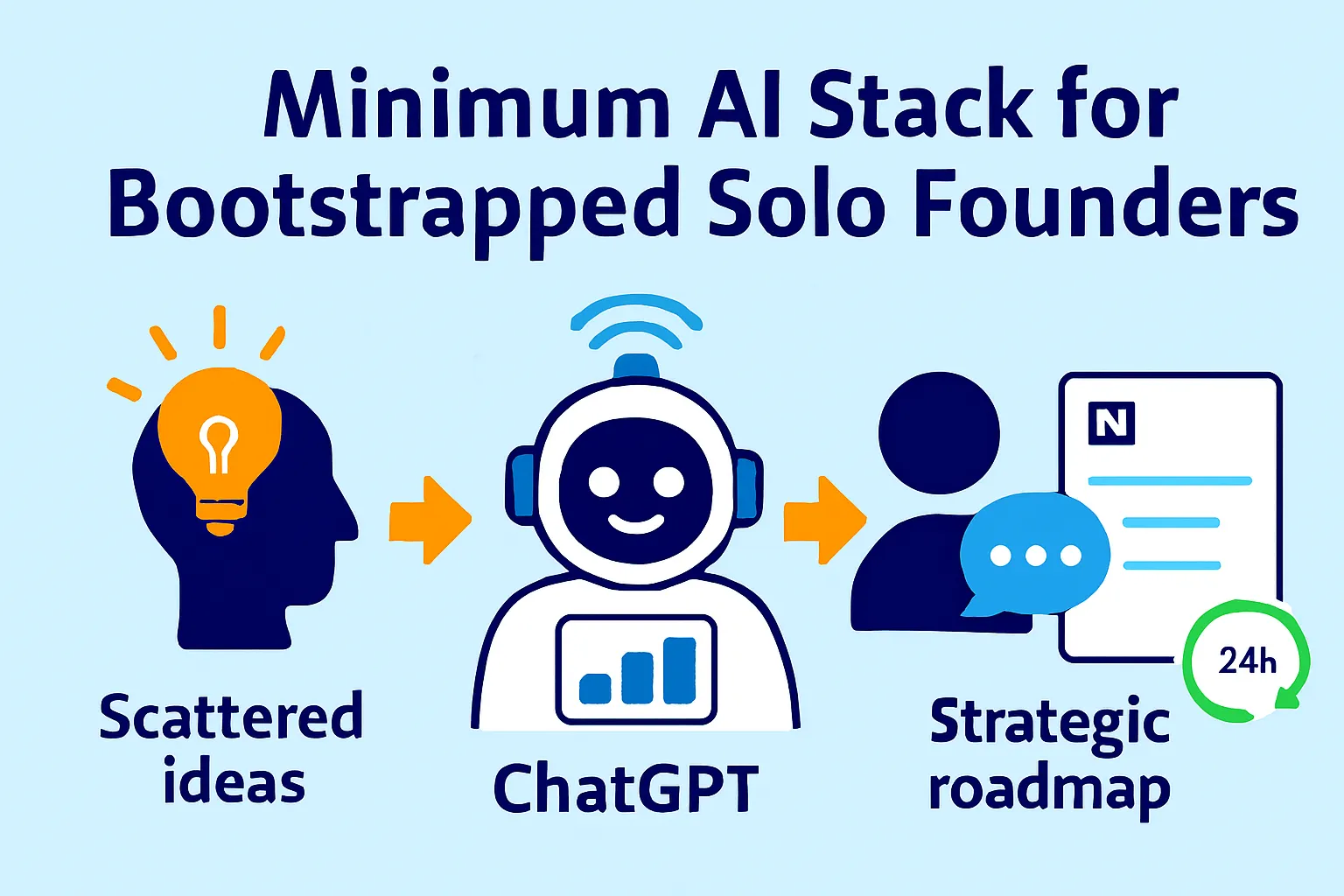
There are two kinds of solo founders.
The first kind has 47 tools. They spend $800/month on subscriptions, half of which they opened once, configured partially, and never returned to. Their browser has 12 pinned tabs. They know the name of every AI tool launched in the last 18 months. Productivity is their hobby.
The second kind has six tools. They've used each one long enough to understand its limits, build workflows around it, and get real leverage from it. Their stack costs $120/month. They rarely talk about tools because they're busy using them.
The second kind builds faster.
Overtooling is the silent productivity killer for solo founders. Every new tool has a configuration cost, a learning curve, a login to remember, and an integration to maintain. Each one is individually justifiable — "this saves an hour a week" — without accounting for the collective overhead of managing a 47-tool stack that you're always one migration away from abandoning.
This article is the second kind of stack. Not comprehensive — minimum. Not everything that could be useful — everything that's actually necessary to run a solo business, plus the clearest possible line between must-have and nice-to-have.
One founder replaced what would have been a $200K/year senior developer with AI tools costing $50/month. That's the operating principle. Not "how many tools can I afford?" but "what's the minimum stack that makes me operate like a small team?"
The Overtooling Diagnosis
Before the stack, a diagnostic. Most founders already have too many tools — the question is which ones to cut and which ones to keep.
Run this audit before buying anything new:
For every tool you pay for, answer three questions:
Did I use this in the last 7 days?
If I cancelled it today, would I notice tomorrow?
Does it do something that a tool I'm already paying for could do?
Any tool that fails two of three gets cut or consolidated.
The most common overtooling patterns in solo founder stacks:
Three AI writing tools instead of one. ChatGPT Plus for brainstorming, Claude for long-form, Jasper for marketing copy. Pick one primary. Use it for everything. Depth of skill with one tool beats surface familiarity with three.
Separate tools for things one tool does. Using Notion for docs, Trello for tasks, and Airtable for data — when Notion handles all three adequately for a solo founder. Consolidation beats specialization at small scale.
Expensive tools for small-volume use cases. Paying $99/month for a support tool when you have 50 customers and 20 tickets per week. The tool is excellent; the volume doesn't justify the cost. Free tiers exist for a reason — use them until you outgrow them.
Tools for problems you don't actually have yet. Buying a CRM because "I'll need it when I scale." You're not scaled. Free HubSpot handles everything you need until you're at $20K MRR. Optimize for now, not for a future state that may not arrive.
The minimum stack is built around one principle: one tool per function, free until volume justifies paid, no tool added until the function it serves is an actual bottleneck.
The Five Functions Every Solo Business Needs
Every solo business — regardless of model — requires five operational functions. The stack covers these five and nothing else:
Intelligence — Research, analysis, writing assistance, and thinking partner
Content — Creation, editing, and distribution infrastructure
Customer support — Handling questions, managing conversations, scaling response
Automation — Connecting tools, triggering workflows, eliminating repetitive tasks
Analytics — Knowing what's working, what's not, and what to do next
One primary tool per function. Maybe one secondary. That's the stack.
The Core Stack (Every Business Type)
These tools appear in every configuration — SaaS, service, or info-product.
Intelligence: Claude Pro or ChatGPT Plus ($20/month)
Pick one. Use it as your primary thinking partner, research assistant, writer, analyst, and editor. This is the highest-leverage tool in the entire stack — it directly multiplies the quality of everything else you produce.
Claude Pro ($20/month): Superior for long-form writing, nuanced analysis, following complex multi-step instructions, and tasks requiring careful reasoning. Better at maintaining context across long documents. Preferred for writing-heavy businesses.
ChatGPT Plus ($20/month): Stronger tool ecosystem (code interpreter, DALL-E image generation, web browsing, GPT store access). Better for founders who need image generation and data analysis alongside writing. More familiar to most founders.
The case for one, not both:
Using both means you split your prompt-building skill and institutional knowledge between two tools. The founder who has spent 500 hours learning Claude's strengths and limits gets significantly more out of $20/month than the founder who splits the same hours between two tools. Depth beats breadth.
What it replaces:
Copywriting help ($500-2000/month for a freelancer)
Research assistants
First-draft writing on everything from emails to SOPs
Data analysis and interpretation
Thinking partner for strategic decisions
What it doesn't replace: Human judgment on decisions that require relationship context, lived experience, or moral reasoning. The tool assists thinking — it doesn't substitute for it.
Automation: Zapier Starter ($29/month) + Make Free
Two tools because they're genuinely complementary, not because two is always better than one.
Zapier Starter ($29/month): Best UI, 8,000+ integrations, native AI steps, best for simple two-to-three step automations. Use for: email-to-task, form-to-CRM, meeting-to-Notion, calendar-to-confirmation.
Make Free (1,000 ops/month): Superior for complex multi-branch logic, loops, and data transformation. Use for: file organization, multi-step client workflows, anything with conditional branching. Free tier handles most solo founder volume indefinitely.
Together they cover:
Client onboarding sequences
Email triage and task creation
Weekly report generation
Invoice and contract triggers
File organization
The one-tool alternative: If you want to simplify further, Zapier Starter alone handles 80% of what most solo founders need. Keep Make in reserve for the 20% that needs complex logic.
Analytics: Plausible ($9/month) or Fathom ($14/month)
Both are privacy-first, lightweight analytics platforms built specifically as Google Analytics alternatives. No cookie banners, no GDPR complexity, accurate data, readable dashboards.
Plausible ($9/month): Simpler, cheaper, fully open-source option available. Ideal if budget is the primary constraint.
Fathom ($14/month): Slightly better interface, more customizable goals and events. Worth the extra $5 if you run conversion tracking.
What you're NOT using: Google Analytics 4. GA4 is free, powerful, and designed for a 10-person data team. For a solo founder who needs to answer "where is traffic coming from, what's converting, and what should I write next" — GA4's complexity creates more confusion than clarity. Plausible answers those three questions in 30 seconds.
What this covers:
Website traffic and sources
Content performance (which posts drive traffic and signups)
Landing page conversion tracking
Referral source analysis
Email / CRM: HubSpot Free (→ ConvertKit $29/month for content businesses)
HubSpot Free handles contact management, basic pipeline tracking, email sequences, and deal tracking for zero dollars. It's genuinely excellent free software. Use it until you have 1,000+ contacts or need serious automation, at which point the paid tier ($45/month) becomes relevant.
ConvertKit ($29/month) is the alternative for founders whose primary growth channel is content — newsletters, lead magnets, or course launches. Better email editor, subscriber tagging, automation sequences, and creator-specific features that HubSpot doesn't have.
The rule: HubSpot if you're primarily relationship-selling (outbound, partnerships, referrals). ConvertKit if you're primarily content-distributing (newsletter, SEO, social → email list).
Payments: Stripe (free until revenue) or Lemon Squeezy (free until revenue)
Stripe: Most powerful, best developer ecosystem, standard for SaaS. Use if you're building a product. Charges 2.9% + $0.30 per transaction — no monthly fee until volume justifies Stripe Billing.
Lemon Squeezy: Acts as merchant of record, handling global VAT and sales tax compliance automatically. Use if you're selling digital products or SaaS internationally and don't want to handle tax compliance yourself. Same transaction pricing structure as Stripe.
The rule: Stripe for SaaS founders who need billing flexibility. Lemon Squeezy for info-product or digital-product founders selling internationally who want tax handled automatically.
Neither has a monthly cost until you're earning — there's no reason to delay setting this up.
Project Management / Knowledge Base: Notion Free
Notion handles tasks, documentation, SOPs, client workspaces, meeting notes, and strategy documents in one place. For a solo founder, it eliminates the need for separate tools for each function.
The free tier is sufficient until you need team collaboration or advanced permissions (Plus plan at $10/month).
What Notion replaces for solo founders:
Trello / Asana (task management)
Google Docs (long-form documentation)
Confluence (internal knowledge base)
Airtable (simple databases)
Separate note apps
The consolidation argument: every additional app is a place you have to search when you can't find something. One app means one search.
The Must-Have vs. Nice-to-Have Line
These are the most commonly added tools beyond the core stack. Here's where each one sits on the must-have spectrum.
Loom (free tier) — Must-have Recording short async video is faster than writing for most explanations. Free tier (25 videos) is sufficient for most solo founders. Upgrade to Starter ($12.50/month) only when you're recording SOPs regularly or need transcripts.
Calendly / Cal.com (free) — Must-have The scheduling link is non-negotiable. Back-and-forth scheduling emails are a solved problem. Cal.com is fully free and open-source. Calendly free tier works for simple use cases. Neither requires a paid upgrade until you need routing or team features.
Fathom AI Note-taker (free) — Must-have Free unlimited meeting recording and AI summaries for Google Meet. No excuse not to use it. The meetings you don't record are the decisions you'll reconstruct from memory.
Notion AI ($10/month add-on) — Nice-to-have Useful if you live in Notion and want AI writing assistance inside the tool. But if you're already paying for Claude Pro or ChatGPT Plus, this is redundant — copy from Notion, paste into your primary AI, paste back. Save the $10.
Midjourney / DALL-E — Nice-to-have Image generation matters for some businesses (content-heavy, design-adjacent) and barely matters for others. If you're using ChatGPT Plus, DALL-E is already included. Midjourney ($10/month) produces better results for professional imagery. Needed only if your product or content requires regular custom visuals.
Intercom / Zendesk — Nice-to-have until $10K MRR Serious support tooling is justified when you have volume to justify it. Below 50 support conversations per week, email-based support via Help Scout ($20/month) or even Gmail is sufficient. No AI support tool achieves more than 70-75% automation even at its best — expect 50-60% in the first month. Investing $99/month in support tooling before you have the volume to configure it properly is premature optimization.
Semrush / Ahrefs ($99-129/month) — Nice-to-have, timing-dependent SEO tooling at this price point is justified when you're producing content consistently and need keyword research, backlink monitoring, and competitive content analysis. Not justified before you've published 20+ pieces of content and have an established content rhythm. Use free tools (Google Search Console, Ahrefs free tier) until content is a confirmed primary channel.
Slack ($7.25/seat/month) — Nice-to-have until you have a team If you're truly solo, Slack is a tool you use to communicate with contractors. Email or WhatsApp works equally well at small scale. Slack adds value when you have 3+ people working regularly together. Before that, it's a distraction.
LinkedIn Sales Navigator ($99/month) — Nice-to-have for outbound-dependent businesses Only justified if outbound prospecting is your primary acquisition channel and you're doing 20+ targeted outreaches per week. At lower volume, LinkedIn free tier with manual research is sufficient.
Three Configurations: SaaS, Service, Info-Product
The core stack applies universally. Each business type adds a few function-specific tools.
The SaaS Founder Stack
Core stack: Claude Pro or ChatGPT Plus, Zapier + Make, Plausible, HubSpot Free, Stripe, Notion Add:
Intercom or Help Scout ($20-49/month) — Once you have active users, async support tooling is necessary. Start with Help Scout ($20/month) for its simplicity and personal email feel. Upgrade to Intercom ($39/month) when you need in-app messaging and product tours.
PostHog (free up to 1M events/month) — Product analytics: user flows, feature adoption, conversion funnels, session recordings. Completely free for solo founders at early scale. Answers "what are users actually doing in my product" that Plausible (website-level) can't.
Cursor or GitHub Copilot ($10-20/month) — If you're writing code. Cursor ($20/month) is the current standard — AI-assisted coding that writes 60-70% of boilerplate and helps debug complex problems.
Linear (free tier) — Issue tracking and sprint management for product development. Cleaner than Notion for engineering tasks, especially once you have a contractor or contributor.
Total SaaS stack cost: $120-180/month
What this replaces in a traditional setup:
$200K/year developer (partially, for boilerplate and debugging)
Full-time support agent (partially, for documented issues)
Product analytics team (fully, for solo-stage data needs)
The Service Business (Agency/Consulting/Freelance) Stack
Core stack: Claude Pro, Zapier + Make, Plausible, HubSpot Free, Stripe, Notion Add:
PandaDoc Starter ($35/month) — Contract creation and e-signature. Template variables that feed into downstream automation (client name → Notion workspace, invoice, welcome email). Worth it the moment you're sending more than 2 contracts per month.
Calendly Standard ($10/month) — Routing logic for different meeting types (discovery, kickoff, check-in), buffer times, and calendar rules that free tier doesn't support.
Loom Starter ($12.50/month) — SOPs, client walkthroughs, async project updates. Transcripts for documentation. Worth upgrading when you're recording more than 10 videos per month.
Fathom (free) — Meeting recording and AI summaries. Free, unlimited, non-negotiable.
ConvertKit ($29/month) if content-driven — If you're growing through newsletter or content marketing, HubSpot Free doesn't serve the email/subscriber management workflow well.
Total service stack cost: $120-160/month
What this covers:
Client acquisition (HubSpot, Calendly, Plausible)
Client delivery (PandaDoc, Notion, Loom, Fathom)
Operations (Zapier, Make, Claude)
Revenue (Stripe)
The Info-Product / Creator Stack
Core stack: Claude Pro, Zapier + Make, Plausible, ConvertKit ($29/month), Stripe or Lemon Squeezy, Notion Add:
ConvertKit ($29/month, already in core for this model) — Email is the primary business asset for info-product creators. List size and sequence quality drive revenue more than any other variable.
Gumroad (free until revenue) or Lemon Squeezy — Simple digital product checkout. Gumroad is free (10% fee per transaction) until you have volume; Lemon Squeezy is cheaper per transaction at $2,500+/month in sales. Both handle digital delivery and basic VAT.
Descript ($24/month) — For creators producing audio or video content. Transcription, editing, repurposing — turns a podcast recording into transcript, audiogram, clips, and social content. Worth it the moment video or podcast is a consistent output.
Canva Pro ($13/month) — For consistent visual content production. Brand kit, template library, social media exports, PDF creation. Essential if your content strategy includes social visuals, carousels, or downloadable lead magnets.
Circle or Beehiiv ($33/month) — if community or newsletter is the moat — Circle for community/cohort products. Beehiiv for newsletter-first business models. These replace ConvertKit + a separate community tool if community or newsletter is the primary product.
Total info-product stack cost: $100-150/month
What this covers:
Content production (Claude, Descript, Canva)
Audience building (ConvertKit/Beehiiv, Plausible)
Product delivery (Gumroad/Lemon Squeezy)
Operations (Zapier, Make, Notion)
The Stack by Stage, Not Just Business Type
Different stages need different configurations. Buying the $150/month stack on day one is overbuilding.
Pre-revenue (0-10 customers):
Intelligence: Claude Pro or ChatGPT Plus — $20
Automation: Zapier free — $0
Analytics: Plausible — $9
Email: ConvertKit free (up to 1,000 subscribers) — $0
Payments: Stripe (no monthly fee) — $0
Project Management: Notion free — $0
Scheduling: Cal.com free — $0
Meetings: Fathom free — $0

Total: $29/month
This configuration runs a real business. It's not a placeholder stack — it's sufficient for research, writing, publishing, collecting emails, selling a product, and managing clients. Every tool on this list has a free or near-free tier specifically because early founders shouldn't be paying $200/month before they have product-market fit.
Early revenue ($1K-$10K MRR / 10-50 customers):
Intelligence: Claude Pro — $20
Automation: Zapier Starter — $29
Analytics: Plausible — $9
Email/CRM: ConvertKit ($29) or HubSpot free — $0-29
Payments: Stripe — $0
Project Management: Notion Plus — $10
Scheduling: Calendly Standard — $10
Meetings: Fathom free — $0
Contracts: PandaDoc Starter — $35 (service businesses)
Support: Help Scout — $20 (once support volume justifies)

Total: $110-165/month
Growing ($10K-$50K MRR / 50-500 customers):
Add:
Customer support tooling (Intercom $39 or upgrade Help Scout)
SEO tooling (Ahrefs $99 or Semrush $99) once content channel is confirmed
Product analytics for SaaS (PostHog free or Mixpanel $20)
CRM upgrade (HubSpot Starter $45 for more pipeline visibility)
Total: $250-400/month
At $10K+ MRR, $300/month in tools is a 3% overhead. Worth it for the leverage. Below $10K MRR, that same $300 is a significant burn without clear ROI.
The AI Tool Hierarchy: How to Think About Adding Tools
Before adding any new tool to the stack, answer these four questions in order. Stop at the first "no."
Question 1: Is there a real bottleneck? Not "this looks useful" — is there a specific, recurring task that's taking more time than it should, producing worse output than it should, or simply not getting done because it's too slow? If there's no active bottleneck, there's no tool problem to solve.
Question 2: Does a tool I already pay for do this adequately? Before adding, check if your existing stack covers the need. Can Notion handle this instead of a dedicated project management tool? Can Claude draft this instead of a specialized writing tool? "Adequately" is the bar — not "as well as the dedicated tool would," but "well enough that the marginal improvement doesn't justify the cost and overhead."
Question 3: Is the free tier sufficient for my current volume? Almost every tool worth using has a free tier. At solo founder scale (before 500 customers), the free tier is often genuinely sufficient. The instinct to immediately upgrade to a paid tier before hitting the free tier limits is the source of most overtooling.
Question 4: What would I cancel to make room for it? Each new tool added should displace something else — either replace a tool doing the same function, or be explicitly worth the additional cognitive overhead of managing another subscription. A stack that only ever grows never gets leaner. Adding a tool that displaces nothing is just accumulation.
The Hidden Cost of AI Tool Sprawl
The financial cost of overtooling is visible. The hidden cost is less obvious: the configuration debt, the context-switching, and the time spent evaluating tools instead of using them.
Configuration debt: Every tool requires setup — importing data, configuring integrations, training users (yourself). A partially configured tool is often worse than no tool, because it creates false confidence that the function is handled.
Context-switching overhead: Each tool is a different mental context. Moving between eight apps during a workday produces the same friction as moving between eight open projects. The fewer the tools, the fewer the transitions, the more the focus.
Evaluation time: The tool landscape changes monthly. Following new AI releases, reading comparisons, running trials — it's genuinely interesting and genuinely costly. Founders who "keep up with tools" spend 2-4 hours per week evaluating tools they'll never commit to. That time is yours to reclaim by committing to a stable stack and updating it quarterly at most.
Free AI tools alone can reclaim up to 8.1 hours per week — but only if you use them instead of evaluating alternatives.
The Stack Review Cadence
Evaluate your stack twice per year, not continuously. In January and July:
Cancel: Anything with a failed Question 2 (existing tool does this adequately)
Upgrade: Any tool where you're consistently hitting free tier limits
Add: One tool that addresses a confirmed bottleneck
Defer: Everything else until the next review
This cadence prevents both stagnation (never updating a stack that's underperforming) and tool anxiety (the FOMO-driven constant churn of new tools). The target is a stack you can describe in 90 seconds and justify every line of.
The Real Talk on AI Stacks
Every article about AI tools is implicitly an argument that you should use more AI tools. This one isn't.
The return on tool investment follows a steep curve: the first three or four tools in a stack generate enormous leverage. Each additional tool beyond that generates diminishing returns and increasing overhead. The founders building the fastest in 2026 are not the ones with the most sophisticated stacks — they're the ones who've committed deeply to a small number of tools and built real skill with each.
One founder runs a $103K MRR SaaS with one person and two contractors using a stack that costs under $200/month. The leverage came from depth, not breadth — knowing exactly what each tool does, building workflows that compound across them, and resisting the pull of every new product that promises to "change everything."
Your stack is not your strategy. It's the infrastructure that serves your strategy. Keep it small, keep it working, and don't touch it unless something is actually broken.
That's it.



Comments (0)
Leave a Comment