

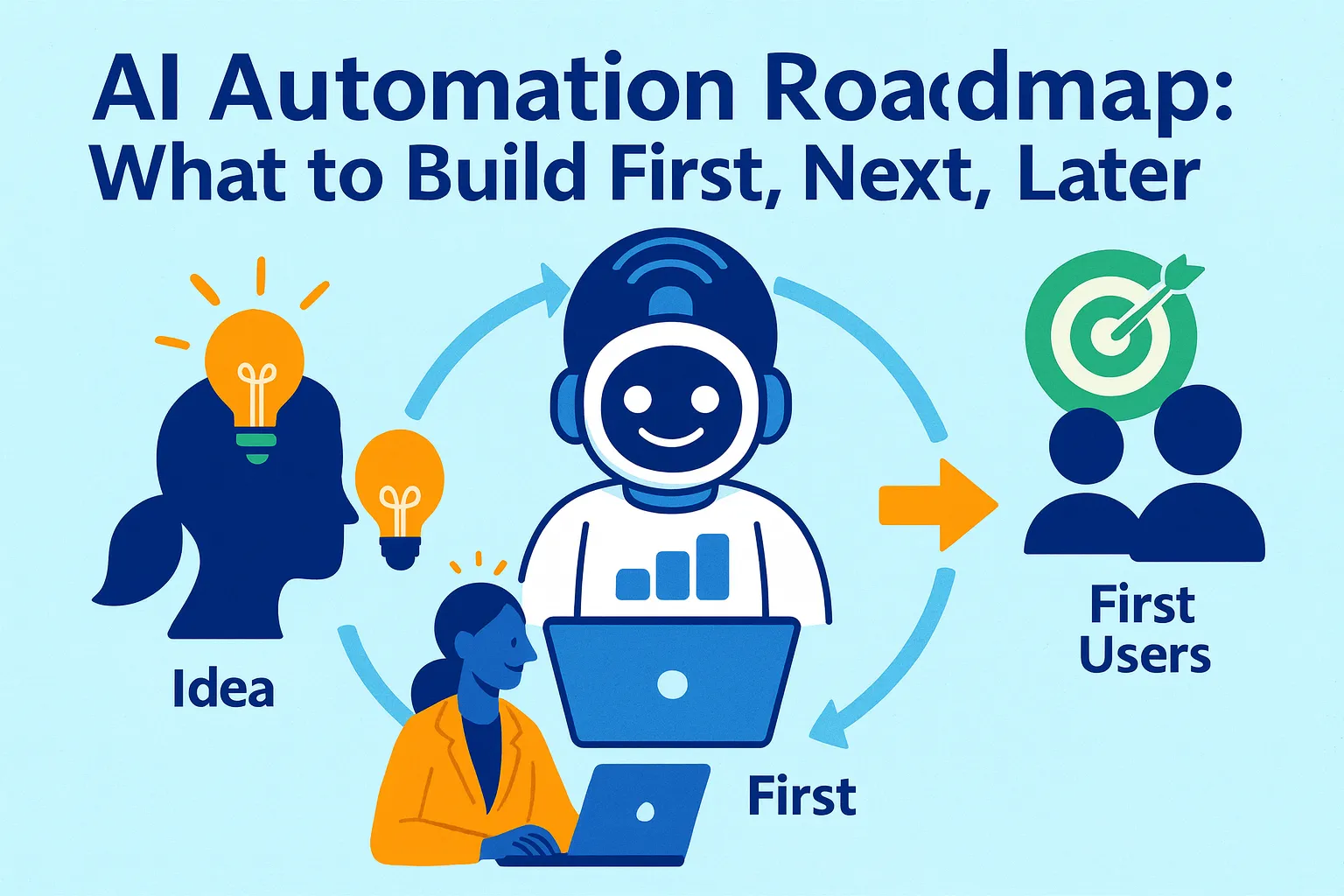
The article you're reading now is the last one you need before building anything.
Every article in this series taught you how to automate something specific: client onboarding, meeting summaries, task management, documentation, pricing research, market intelligence. Each one works. Each one is genuinely worth building.
The problem with learning them individually is sequencing. You finish the onboarding article, start building the Zapier workflow, get pulled into the task management article, start building the Notion database, see the AI team article, try to define five roles at once — and six weeks later you have seven half-built systems, four Zaps that almost work, and a Notion database with seventeen views that you've opened twice.
The chaos isn't from building too much. It's from building without an order.
This article is the order.
It maps every automation from this series onto a stage-based roadmap — pre-launch, post-launch, and scaling — prioritized by the single criterion that matters most at each stage: what protects and generates revenue before what saves time, what saves time before what feels interesting.
It also includes a decision matrix that stops you automating the wrong things first — the trap every founder falls into when AI enthusiasm runs ahead of business priorities.
Why Sequencing Beats Comprehensiveness
The biggest gains from automation aren't in hours saved. They're in energy — in stopping the dread of repetitive work and freeing cognitive capacity for the work that actually requires you.
But that payoff only compounds if automations are built in the right order. Build in the wrong order and you get the opposite: more overhead, more maintenance, more distracted attention divided across systems that don't yet serve a business need.
The right order follows one simple principle: automate what's blocking revenue first, automate what's wasting time second, automate what's interesting third.
This sounds obvious. In practice, most founders do the reverse. They automate what's interesting (AI-generated meeting summaries, complex Zapier workflows with ten steps) before they've automated what's blocking revenue (client onboarding that takes three days, follow-up sequences that never happen, pricing research that never gets done).
The decision matrix in this article enforces the right order. Every automation gets scored before it gets built.
The Decision Matrix: Score Before You Build
Run every automation idea through this matrix before touching a single tool. Score each criterion 1-3. The total score tells you where it goes on the roadmap.
AUTOMATION PRIORITIZATION MATRIX

Score each criterion 1-3:

REVENUE PROTECTION (how directly does this
prevent revenue loss?)
3 = Directly prevents churn or lost deals
    (client onboarding, follow-up sequences,
     support response time)
2 = Indirectly affects revenue
    (content production, proposals, analytics)
1 = No direct revenue connection
    (file organization, meeting notes,
     internal documentation)

TIME RETURN (weekly hours saved if built well)
3 = 3+ hours per week recovered
2 = 1-3 hours per week recovered
1 = Under 1 hour per week recovered

SETUP COST (time and complexity to build)
3 = Under 2 hours to build and test
2 = 2-8 hours to build and test
1 = More than 8 hours, or requires
    technical skills you don't have

FAILURE RISK (what happens if this breaks?)
3 = Breaks gracefully — you notice
    immediately, manual fallback exists
2 = Moderate disruption — you'd notice
    within a day
1 = Silent failure possible — could break
    and you wouldn't know for weeks

TOTAL SCORE out of 12:
10-12: Build this week
7-9: Build this month
4-6: Build this quarter
1-3: Defer — not worth the setup cost yet
Run the matrix on your own list:
I have several automation ideas I'm considering.
Score each one using the prioritization matrix.

MY AUTOMATIONS TO EVALUATE:
1. [Describe automation]
2. [Describe automation]
3. [Describe automation]

For each, score:
- Revenue Protection (1-3)
- Time Return (1-3)
- Setup Cost (1-3, where 3 = easy to build)
- Failure Risk (1-3, where 3 = safe to automate)

Total each score.
Rank them by total.
Flag any that score high on "interesting"
but low on this matrix — these are the
automations to defer regardless of how
appealing they seem.

Output: Ranked list with one-sentence
justification per automation.
The "interesting but low-scoring" flag is the most valuable output. Almost every founder has 2-3 automations they want to build because they're technically fascinating, not because they're strategically necessary. The matrix makes that visible before six hours of setup time is spent on them.
Stage 1: Pre-Launch Automations (Build These First)
Before you have paying customers, your automation budget — in time, money, and attention — is severely constrained. You should be spending 80% of your time on validation, product, and the first 10 users.
Pre-launch automations have one job: remove friction from getting to your first paying customer. Nothing else.
The three pre-launch automations worth building:
Automation 1: The Scheduling Link (Score: 10/12) Time to build: 30 minutes Tools: Cal.com free + Zapier free
The scheduling link with a confirmation email and prep reminder. Every hour you spend on back-and-forth scheduling emails before you have 10 customers is an hour you'll never get back.
Matrix: Revenue Protection 3 (directly enables sales calls), Time Return 3 (every scheduled conversation is revenue-critical), Setup Cost 3 (30 minutes), Failure Risk 2.
Automation 2: The Waitlist/Lead Capture Email (Score: 9/12) Time to build: 1 hour Tools: ConvertKit free + Carrd free
The automatic email that goes to anyone who joins your waitlist or submits their email. Fast response to early interest is a conversion multiplier. Responding to a waitlist signup 24 hours later loses momentum you built on the landing page.
Matrix: Revenue Protection 3 (waitlist → customer conversion), Time Return 2 (volume is low pre-launch), Setup Cost 3 (one email, one trigger), Failure Risk 2.
Automation 3: The Follow-Up Reminder (Score: 8/12) Time to build: 1-2 hours Tools: Streak free + Gmail
A simple CRM label and follow-up reminder in Gmail for every prospect conversation. At pre-launch stage you have 10-20 conversations. You cannot afford to let a warm conversation go cold because you forgot to follow up. The automation is a trigger: new conversation logged → 3-day follow-up reminder set automatically.
Matrix: Revenue Protection 3 (every pre-launch prospect is precious), Time Return 2, Setup Cost 3, Failure Risk 2.
What not to build pre-launch:
Meeting summary automation (volume doesn't justify it yet)
Client onboarding workflows (no clients yet)
Weekly analytics reports (no data yet)
Complex Zapier chains (premature — your processes aren't stable enough to automate)
AI support setup (zero support volume)
The rule for pre-launch: if you can handle it manually in under 20 minutes per week, handle it manually. Automate only what's actively blocking the path to first customer.
Stage 2: Post-Launch Automations (First 1-10 Customers)
You have paying customers. The work has changed. You're now simultaneously acquiring new customers and serving existing ones — and the manual operations that were manageable at zero customers are beginning to compress your available hours.
Post-launch automation has one job: prevent the operational load from outpacing your capacity before you've validated what actually needs to exist.
Build in this order:
Priority 1: Client Onboarding Sequence (Score: 12/12) Time to build: 4-6 hours (one-time) Tools: PandaDoc + Stripe + Zapier + Notion
The full contract → invoice → welcome email → asset collection → kickoff scheduling sequence. This is the highest-ROI automation in the entire series for a service or SaaS business. The moment you have your second client, the manual onboarding process doubles in cost. The moment you have your fifth client, it's your biggest time drain.
Matrix: Revenue Protection 3 (client experience directly affects retention), Time Return 3 (5-7 hours saved per client), Setup Cost 2 (4-6 hours to build), Failure Risk 3 (each step visible and verifiable).
Build this before anything else post-launch. No exceptions.
Priority 2: Email Triage (Score: 10/12) Time to build: 1-2 hours Tools: Zapier + AI step + Gmail labels
The automatic labeling of incoming email by urgency (Today / 48hrs / Queue / Read-only). At 5+ clients and active acquisition, your inbox starts generating real noise. Spending 20-30 minutes every morning sorting it is 150 hours per year you're not building or selling.
Matrix: Revenue Protection 2, Time Return 3, Setup Cost 3, Failure Risk 3.
Priority 3: Meeting Summary + Task Push (Score: 10/12) Time to build: 1-2 hours Tools: Fathom free + Zapier + Notion
The automatic meeting recording, extraction, and task creation workflow. With multiple clients, calls stop being rare events and become a primary part of your week. Unprocessed meetings are how commitments get lost and clients feel unheard.
Matrix: Revenue Protection 3 (missed commitments churn clients), Time Return 3 (4+ hours/week at 5+ calls), Setup Cost 3, Failure Risk 3.
Priority 4: Follow-Up Sequences (Score: 9/12) Time to build: 2-3 hours Tools: Zapier + Gmail (with reply detection)
The trigger-based proposal and prospect follow-up sequences that stop the moment someone replies. At 3-5 active prospects, manual follow-up takes 2-3 hours per week. Automated follow-up from your actual Gmail address takes zero minutes and converts equally well.
Matrix: Revenue Protection 3, Time Return 3, Setup Cost 2, Failure Risk 2.
Priority 5: Weekly Metrics Report (Score: 8/12) Time to build: 2-3 hours Tools: Zapier + Stripe + Plausible + AI + Gmail
The Monday morning report that pulls MRR, traffic, and support volume and writes a 250-word interpreted summary. Once you have revenue, the weekly data compilation that used to take 45 minutes is worth automating — but only after the client-facing automations above are stable.
Matrix: Revenue Protection 2, Time Return 3, Setup Cost 2, Failure Risk 3.
What to defer until Stage 3:
Full AI support setup (still manageable at under 20 tickets/week)
SOP documentation system (important but not urgent)
Advanced content repurposing workflows
AI team role briefings (build these when roles are proven, not aspirational)
The post-launch order matters:
Onboarding → Email triage → Meeting processing → Follow-ups → Weekly report.
This sequence means your first automation serves your paying clients (onboarding), your second prevents inbox overwhelm (triage), your third captures commitments (meetings), your fourth prevents revenue leakage (follow-ups), and your fifth gives you strategic visibility (report). By the time you build the fifth, you have a functioning operations layer that compounds from client one forward.
Stage 3: Scaling Automations (10+ Customers, $5K+ MRR)
At $5K+ MRR with 10+ active customers, the nature of the operational problem changes again. You're no longer preventing your first clients from having a poor experience. You're building systems that handle volume — higher ticket counts, more content to produce, more data to synthesize, more processes to maintain — without proportionally more of your time.
Scaling automations have one job: make output grow faster than input.
Build in this order:
Priority 1: AI Support Knowledge Base + Deflection (Score: 10/12) Time to build: 4-6 hours (initial setup) + ongoing refinement Tools: Help Scout + AI + documented knowledge base
At 20+ support tickets per week, manual support handling is unsustainable. The knowledge base that enables 50-65% deflection should be built when volume justifies it — not before, not after. Pre-building an elaborate AI support setup for 5 tickets per week is premature optimization. Waiting until you're overwhelmed at 50 tickets per week is reactive.
Matrix: Revenue Protection 3, Time Return 3, Setup Cost 2, Failure Risk 2.
Priority 2: Content Production Pipeline (Score: 9/12) Time to build: 3-4 hours Tools: Claude/ChatGPT + Zapier + Buffer/native scheduling
The weekly content production workflow: brief generation → first draft → repurposing to all channels. At $5K+ MRR, content is typically your primary acquisition channel — which means the 3-4 hours per week of manual content work is directly constraining growth.
Matrix: Revenue Protection 2 (acquisition channel), Time Return 3, Setup Cost 3, Failure Risk 3.
Priority 3: Internal Documentation System (Score: 8/12) Time to build: 4-6 hours (initial) + ongoing with Loom Tools: Loom + AI prompt + Notion
The Loom-to-SOP pipeline and knowledge base. At 10+ clients and complex repeating processes, undocumented workflows start creating inconsistency and making your first contractor hire much harder than it needs to be. Build this before the hire, not after.
Matrix: Revenue Protection 2, Time Return 2, Setup Cost 2, Failure Risk 3.
Priority 4: NPS + Feedback Analysis Pipeline (Score: 8/12) Time to build: 2-3 hours Tools: Typeform + Zapier + AI clustering prompts + Notion
The milestone-triggered survey system and AI clustering workflow. At $5K+ MRR with 10+ customers, you have enough signal to systematically identify what's driving retention and churn — but only if you're collecting and analyzing it. Without the feedback pipeline, product decisions are driven by whoever emailed you most recently.
Matrix: Revenue Protection 3 (churn intelligence), Time Return 2, Setup Cost 2, Failure Risk 3.
Priority 5: AI Team Role Briefings (Score: 7/12) Time to build: 4-6 hours (one-time setup) Tools: Notion + your primary AI tool
The formal role briefing documents for Marketer, Analyst, Assistant, Researcher, and Support Agent. These compound over time — every week of refinement makes each role more accurate and useful. Worth building when roles are stable, not when you're still figuring out what you do each week.
Matrix: Revenue Protection 2, Time Return 3, Setup Cost 2, Failure Risk 3.
The "AI everywhere chaos" prevention rule:
At scaling stage, the temptation to automate everything simultaneously is highest. The revenue is real. The tools are proven. The energy is high. This is exactly when founders build seven things at once and end up with seven half-working systems.
The rule: one new automation per two weeks, maximum. New automation → stable → review → next automation. Each one needs two weeks to break, get fixed, and become reliable before the next one is added to the maintenance load.
The Complete Roadmap on One Page
PRE-LAUNCH (0 customers):
Week 1:    Scheduling link + confirmation email
Week 2:    Waitlist capture + auto-response
Week 3:    Prospect follow-up reminder system
--
Focus: Get to first paying customer. Nothing else.

POST-LAUNCH (1-10 customers, $0-5K MRR):
Week 1-2:  Client onboarding sequence ← START HERE
Week 3:    Email triage + labeling
Week 4:    Meeting summary + task push
Week 5-6:  Follow-up sequences (proposals + prospects)
Week 7-8:  Weekly metrics report
Month 3:   Stabilize everything. Fix what broke.
--
Focus: Serve clients well. Stop losing revenue to ops chaos.

SCALING (10+ customers, $5K+ MRR):
Month 4-5:  AI support knowledge base + deflection
Month 5-6:  Content production pipeline
Month 6-7:  Internal documentation system
Month 7-8:  NPS + feedback analysis pipeline
Month 8-9:  AI team role briefings
Month 10+:  Quarterly review — what to add or cut
--
Focus: Make output grow faster than input.
The Anti-Roadmap: What to Defer Until Stage 3
These are the automations most likely to be built out of order — interesting, legitimate, but premature before you have the revenue and customer volume to justify them.
AI support deflection before 20+ tickets/week: You'll spend 6 hours building a system that handles 3 tickets. Those 6 hours are worth more on sales or product.
Complex content repurposing pipelines before you're publishing consistently: If you're not publishing at least once per week manually, automating the process produces automated silence. Establish the habit, then automate it.
Full AI team role briefings before roles are stable: The briefing document for your AI Marketer is only useful once you've spent 30+ hours doing marketing work and know what the role actually requires. Before that, the briefing is aspirational fiction.
Market research living document before you have ICP signal: The monthly refresh system is a refinement tool. Before you have real customers to refine against, you're refreshing hypotheses, not insights.
Pricing research automation before you've launched at any price: Running a Van Westendorp survey to 50 people before you've charged anyone is data collection in the wrong order. Launch at a price, observe what happens, then research.
The Quarterly Automation Review (30 Minutes)
Every quarter, review your entire automation stack — not to add, but to assess.
Run my quarterly automation review.

MY CURRENT AUTOMATIONS:
[List each automation with: name, date built,
what it does, how often it runs]

For each automation, answer:
1. Is it still running?
   (When did it last fire successfully?)

2. Is it still relevant?
   (Has my process changed making this
   automation redundant or wrong?)

3. Is it producing good output?
   (Spot-check 3 recent outputs —
   are they accurate and usable?)

4. What's the maintenance cost?
   (How many times did I fix or adjust
   this in the last 90 days?)

DECISIONS FOR EACH:
- Keep as-is
- Refine (specific improvement)
- Replace with better approach
- Retire (no longer needed)

NEW AUTOMATION CANDIDATES:
Based on what I've learned this quarter,
what is the ONE automation most worth
adding next?
Score it against the decision matrix.
Output: Add / Defer / Skip.
The retirement step is as important as the addition step. Automations that no longer match your current process create silent failures — they fire on old logic, produce outdated output, or trigger workflows you've since changed. A quarterly retirement pass keeps the stack clean.
The Founder's Actual Job in All of This
Here's the summary of what every automation in this roadmap is doing and what it isn't doing.
What it's doing: Removing execution friction from recurring, structured tasks that follow consistent logic. Scheduling. Onboarding. Following up. Reporting. Documenting. Summarizing. Analyzing.
What it isn't doing: Making strategic decisions, building relationships, creating original insight, recognizing patterns in ambiguous situations, or doing the work that makes your business distinctively yours.
Your genius is pattern recognition from experience, strategic judgment, emotional navigation, and holding yourself accountable. Everything else — the structured, repeatable, rule-following execution work — is a candidate for automation.
The roadmap sequences that candidate list so you build what matters first, build it well, and compound the leverage over time rather than spreading it thin across a stack of half-working systems.
One automation. Built well. Running reliably. Then the next.
At the end of 12 months, that approach produces 8-10 automations that each work excellently and compound across each other — rather than 30 automations you half-remember exist.
That's the roadmap.
That's it.



Comments (0)
Leave a Comment