

You sent your last NPS survey to your entire list on the first Monday of the month.
Response rate: 8%.
Of those, 3 were detractors. You saw the scores, winced, did nothing.
Here's what's actually happening: you're collecting feedback the wrong way. Sending a quarterly blast to your full list is the worst possible time to ask. You're interrupting customers who are in the middle of something, asking an abstract question about "likelihood to recommend" with no behavioral context, and then letting detractors silently marinate in their frustration for 30 days before you even look at the responses.
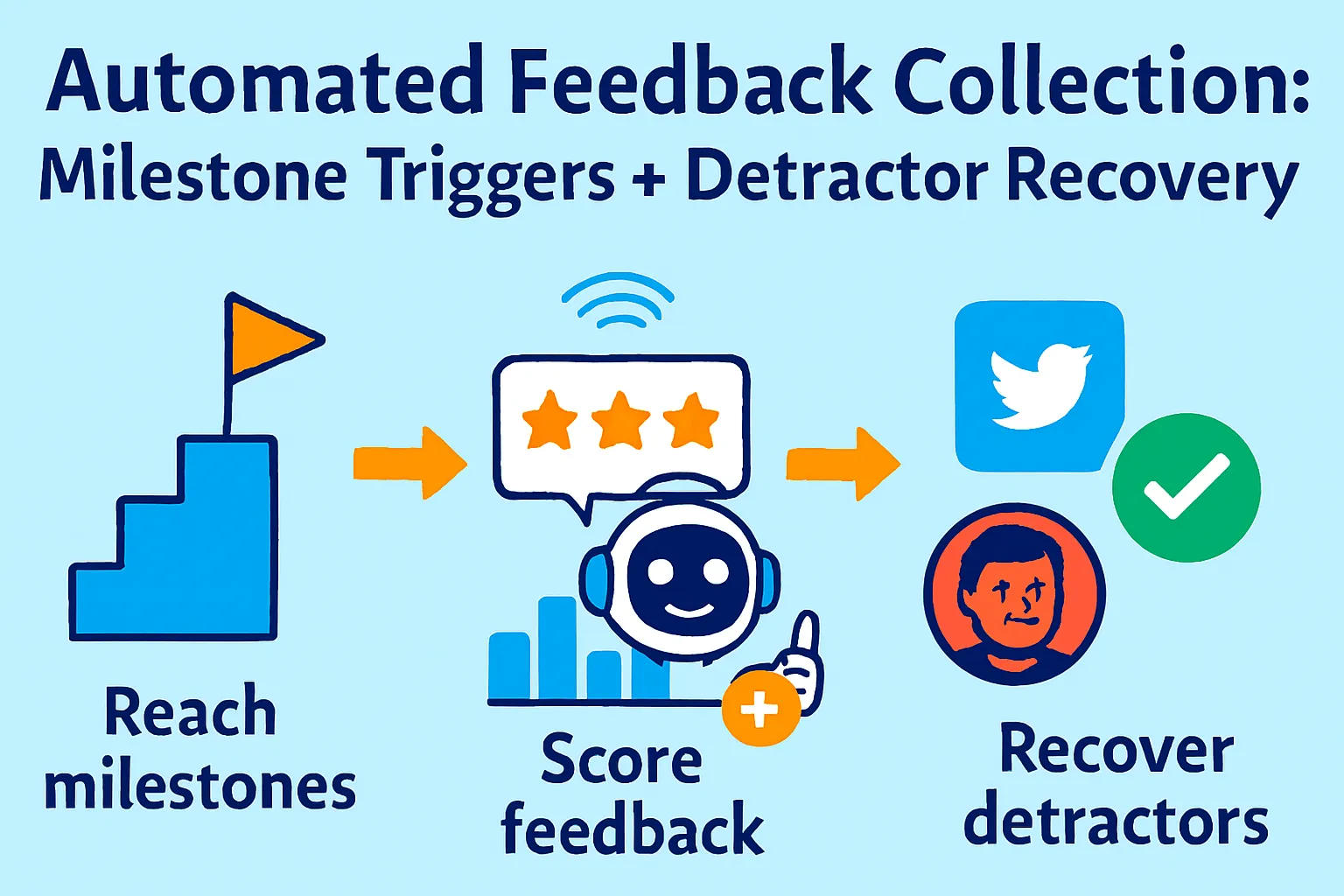
Top operators do this differently. They trigger surveys immediately after customers hit specific milestones (when satisfaction is either highest or most revealing). They respond to detractors automatically within hours — not weeks. And they run every 100+ responses through an AI feature extraction workflow that produces a ranked list of what to build next.
This is the collection and recovery side of feedback. If you haven't read the companion article on analyzing feedback you already have, start there. This article picks up where that one ends: how to get more responses, better responses, and how to turn the people who hate your product into people who renew.
Why Quarterly NPS Blasts Get 8% Response Rates
Before we build the automated system, let's understand why the default approach fails.
Three reasons your current surveys underperform:
1. Wrong timing
You send Monday morning to everyone. Some customers just started their trial. Some are mid-frustration with a bug. Some haven't logged in for 60 days. You're asking "how likely are you to recommend us?" to customers who don't yet have an answer. Behavioral context drives honest feedback.
2. Survey fatigue from blanket sending
If a user gets your NPS email, your product newsletter, and your "check out this new feature" email all in the same week, your NPS becomes noise. They either ignore it or click through and answer randomly.
3. No response to detractors
A customer scores you a 2. They write "onboarding was completely confusing and I still haven't connected my first integration." You see this 3 weeks later during your monthly review. You do nothing. They churn quietly a week after that. The feedback was a cry for help you missed.
What actually works:
Behavioral milestone triggers deliver surveys when feedback is most honest and actionable. In-the-moment surveys reach 25-45% engagement — more than double static quarterly programs. And automated detractor recovery sequences mean you're responding to an unhappy customer within hours, not weeks — when there's still something to save.
The 3-Part Automated Feedback System
Part 1: Milestone-Triggered Surveys (Replace Quarterly Blasts)
Stop sending NPS on a calendar schedule. Send it when something meaningful just happened.
The 5 triggers that generate honest, actionable feedback:
Trigger 1: Post-activation (Day 30)
Condition: User hit your "Aha Moment" event and has been active for 30 days
What you learn: Is your core value landing? Are they getting what they expected?
Why Day 30 and not Day 7: Too early = not enough context. Day 30 = they've formed an opinion.
Trigger 2: Post-onboarding completion
Condition: User completed all onboarding checklist items
What you learn: How painful or smooth was setup? What almost stopped them?
Why this moment: Fresh memory, relief of completion, highest positive sentiment window
Trigger 3: Pre-renewal (14 days before)
Condition: Subscription renews in 14 days
What you learn: Are they going to churn? Any unresolved friction before the decision point?
Why this moment: Enough time to recover a detractor before they cancel
Trigger 4: Post-support resolution
Condition: Support ticket marked "resolved" + 24 hours
What you learn: Did we actually fix it? Did the interaction leave them feeling better or worse?
Why this moment: Captures service quality at the exact point of interaction
Trigger 5: Post-upgrade
Condition: User upgraded from free to paid or tier 1 to tier 2
What you learn: What finally convinced them? What almost stopped them?
Why this moment: Most revealing moment for understanding your value proposition
What not to trigger on:
First login (no context yet)
After a billing failure (they're already frustrated)
Within 60 days of a previous NPS survey (fatigue)
During a known incident (your server was down — not the time)
Setting up milestone triggers:
Option A: Typeform + Zapier (Free tier works)
Build NPS survey in Typeform (2 questions: score + open text)
In Zapier:
Trigger: New event in your analytics tool (Amplitude, Segment, Mixpanel)
Filter: Event = "Onboarding Completed" or "Day 30 Active" etc.
Action: Send Typeform survey via email to that user
Cost: Typeform Starter ($29/month) + Zapier free tier (100 tasks/month)
Option B: Customer.io ($100/month — best for behavioral triggers)
Connect to Segment or your app events
Create campaign: trigger on specific event
Add suppression: "Received NPS survey in last 60 days" = skip
Send 2-question email survey inline (no redirect)
More powerful, more expensive. Worth it at $15K+ MRR.
Option C: Delighted ($99/month — easiest)
Connect to your CRM or app via API
Configure triggers visually (no code)
Built-in NPS analysis dashboard
Auto-suppression of over-surveyed users
Best for solo founders who want everything in one tool and don't want to build Zapier chains.
The 2-question survey formula:
Question 1: "On a scale of 0-10, how likely are you to recommend [Product] to a friend or colleague?"
Question 2 (dynamically changes based on score):
Detractors (0-6): "What's the main thing we could improve for you?"
Passives (7-8): "What's one thing that would make [Product] a must-have for you?"
Promoters (9-10): "What's the main reason you'd recommend us?"
Why dynamic follow-up questions matter: a detractor and a promoter have nothing in common. Asking both "why would you recommend us?" is lazy. Ask what's actually relevant to their score.
AI Prompt for dynamic survey questions:
Write 3 versions of an NPS follow-up question for my product.

Product: [Name and one-line description]

Version 1 (for Detractors, score 0-6):
- Goal: Understand the specific pain point or failure
- Tone: Non-defensive, curious, easy to answer
- Max: 1 question, under 20 words

Version 2 (for Passives, score 7-8):
- Goal: Understand what's missing to make this a 10
- Tone: Forward-looking, improvement-focused
- Max: 1 question, under 20 words

Version 3 (for Promoters, score 9-10):
- Goal: Understand the core value proposition in their words
- Tone: Celebratory but still curious
- Max: 1 question, under 20 words
Part 2: Automated Detractor Recovery Sequences
A detractor isn't a lost customer. They're a customer who still cares enough to tell you they're unhappy. The ones who don't reply have already checked out.
The recovery window:
Best practices include automated acknowledgment within hours for Detractors (0-6), senior manager outreach with apology and resolution timeline, and follow-up verification after improvements.
Hours matter. A detractor who gets a response within 2 hours has 3x higher recovery probability than one who waits 48 hours. After 72 hours, you're chasing someone who's already mentally churned.
The 3-step detractor recovery sequence:
Step 1: Immediate acknowledgment (within 30 minutes)
Triggered automatically when score 0-6 is submitted
Sent from your personal email address (not noreply@)
5 sentences maximum
Subject: Re: Your feedback on [Product]

Hi [Name],

I just saw your score and I want to be direct with you: a [score] means we let you down.

I'd really like to understand what went wrong. Can you tell me the one thing that frustrated you most?

I read every response personally and I'll reply to yours.

[Your first name]
What this email does:
Arrives fast (before they forget or harden their position)
Comes from a real person, not a support system
Asks one specific question (not "how can we improve" which is vague)
Sets expectation you'll reply (creates accountability)
Step 2: Personal reply (within 2 hours of their response)
If they reply to Step 1, you reply personally. No AI. No template. Read their response. Write 3-4 sentences that show you actually read it.
If they don't reply to Step 1 within 48 hours:
Subject: One quick question about [Product]

Hi [Name],

I noticed you gave us a [score] a couple days ago. I reached out but haven't heard back — completely fine, I know inboxes get busy.

I just want to ask one thing: was there a specific moment where [Product] didn't deliver what you expected?

Even a one-sentence answer helps me fix the right things. No pressure either way.

[Your first name]
Step 3: Recovery + re-survey (after fix, or 30 days)
If you identified and fixed their issue:
Subject: We fixed what you mentioned

Hi [Name],

You mentioned [specific issue] in your feedback last month. I wanted to let you know we shipped a fix for exactly that on [date].

[One sentence explaining what specifically changed]

Would you be willing to give [Product] another try? I'd love to know if this makes a difference for you.

[Your first name]
P.S. If you try it and it's still broken, reply directly and I'll personally make sure it gets resolved.
If no specific fix but 30 days have passed:
Subject: Checking in — still a [score] for us?

Hi [Name],

A month ago you gave us a [score]. We've shipped [X] updates since then, including [most relevant to their segment].

If you've had a chance to use [Product] recently, I'd love to know if anything's changed.

[Link to new 2-question survey]

Either way, thanks for the honest feedback last time — it directly shaped what we built.

[Your first name]
Automating the sequence:
Use Encharge ($59/month) or Customer.io ($100/month):
Trigger: NPS score submitted with value 0-6
Step 1: Send acknowledgment email immediately
Wait 48 hours
Branch: Did they reply? (Yes → handled manually. No → send Step 2)
Tag user as "Detractor — In Recovery"
Wait 30 days
Send Step 3 re-survey
Track: How many detractors moved to passive or promoter after recovery sequence?
What recovery rates look like:
One company that automated detractor acknowledgment within hours saw 30% of detractors recover to passive or promoter status within 60 days. The key variable wasn't the quality of the writing — it was the speed. Slow responses signal you don't care. Fast responses signal you do.
Part 3: Feature Extraction from 100+ Responses
Once you have a volume of responses (100+), AI can do something that manual reading can't: find the feature requests buried inside complaints, questions, and indirect language.
Why feature extraction is different from theme clustering:
Theme clustering (covered in the previous article) finds: "20% of responses mention slow mobile performance."
Feature extraction finds: "14 users asked for CSV export, 9 asked for Zapier integration, 6 asked for a dark mode, and 3 asked for SSO — none of them used the word 'feature request,' they described it as a need or a comparison to competitors."
Customers almost never say "I want a feature." They say "I keep having to export this manually," "your competitor has this," "I wish I could do X from inside the app."
The Feature Extraction Prompt:
Analyze these 100+ customer feedback responses and extract implicit
and explicit feature requests.

FEEDBACK:
[Paste all responses, one per line, with source and NPS score if available]

Find:
1. EXPLICIT requests: Where customers directly ask for something
   ("I wish you had X," "can you add Y," "we need Z")

2. IMPLICIT requests: Where customers describe a workflow gap
   ("I have to manually do X," "I export and then do Y in another tool,"
   "your competitor does Z," "if only you could...")

3. WORKAROUND SIGNALS: Where customers describe hacks they use
   ("I copy-paste this into Excel because...," "I use Zapier to connect...")

For each identified feature request:
- Feature name: [2-5 word label]
- Request type: Explicit / Implicit / Workaround
- Frequency: [How many responses mention this need, even indirectly]
- Who's asking: [Paid users / free users / churned users / all]
- Urgency language: [Quote the most urgent-sounding mention]
- Potential impact: [Would building this remove a blocker or add a nice-to-have?]

Rank by: frequency × urgency × who's asking (paid > free > churned)

Output as ranked table.
Example Output:
FEATURE EXTRACTION RESULTS

Rank 1: CSV/Excel Export
Frequency: 23 responses (19%)
Type: Mix of Explicit (8) and Implicit (15)
Who's asking: 18 paid users, 5 free users
Urgency: "I can't use [Product] as my primary tool until you have export"
Impact: BLOCKER — users are maintaining parallel processes

Rank 2: Zapier Integration
Frequency: 17 responses (14%)
Type: Mostly Implicit ("I have to manually copy this into HubSpot")
Who's asking: 14 paid users, 3 free users
Urgency: "My whole workflow breaks because I can't automate this"
Impact: WORKFLOW BLOCKER — currently requires manual work

Rank 3: Dark Mode
Frequency: 12 responses (10%)
Type: Explicit
Who's asking: Mix of free and paid
Urgency: "Would be nice" language
Impact: NICE-TO-HAVE — quality of life, not a blocker

Rank 4: SSO / Google Sign-In
Frequency: 6 responses (5%)
Type: Explicit
Who's asking: All 6 are paid users at larger companies
Urgency: "Our IT department requires SSO for any tool we adopt company-wide"
Impact: EXPANSION BLOCKER — preventing enterprise tier adoption
What this gives you: A product roadmap ranked by what your actual paying customers need, not what your loudest customer in your inbox requested.
The Weekly Feedback Collection Ritual (20 Minutes)
Here's what the automated system looks like once it's running:
What happens automatically:
Surveys trigger when users hit milestones (you set this up once)
Detractor acknowledgment emails send within 30 minutes (automated)
Recovery sequences run in the background (Encharge or Customer.io)
All responses aggregate in your tracking sheet (via Zapier)
What you do manually (20 minutes/week):
Read personal replies from detractors who responded to your acknowledgment
Write personal responses to those replies (3-4 sentences each, no template)
Review that week's new scores for anything surprising
Monthly (60 minutes):
Run feature extraction prompt on all new responses
Update Notion feature backlog
Check recovery rate (how many detractors moved score?)
Send re-survey to detractors who were contacted 30 days ago
Tools Budget Breakdown
Free tier (works to ~50 responses/month):
Tally (free) for surveys
Gmail (manual trigger on milestone events)
Zapier free tier (5 zaps) for basic automation
ChatGPT free for feature extraction
Total: $0/month
Recommended tier ($50-80/month):
Typeform Starter ($29/month) for better survey logic + dynamic questions
Zapier Starter ($29/month) for milestone triggers
Encharge ($59/month) for detractor recovery sequences
Total: $117/month (worth it at $5K+ MRR)
Consolidated tier ($99/month):
Delighted ($99/month) covers surveys + milestone triggers + basic analysis
Encharge ($59/month) for recovery sequences
Total: $158/month — justified at $10K+ MRR
High-volume tier ($200+/month):
Customer.io ($100/month) for behavioral triggers + sequences
Delighted ($99/month) for NPS collection
Total: $199/month
Common Mistakes Solo Founders Make
1. Triggering surveys too early
Day 7 NPS after signup = user hasn't formed an opinion. They'll answer "7" as default because they don't know yet. Wait for behavioral signals: activated, completed onboarding, or 30 days active.
2. Using one follow-up question for all scores
Asking detractors "why would you recommend us?" is tone-deaf. Ask them what went wrong. Ask promoters why they'd recommend you. Dynamic questions get 40% more useful open-text responses.
3. Ignoring detractors until you have a fix
Most founders wait until they've shipped a fix before contacting detractors. By then, the customer has churned. Contact them within 30 minutes. You don't need a fix — you need to show you heard them.
4. Sending the same acknowledgment to all detractors
A score of 1 and a score of 6 are very different situations. Reference their actual score. "A 1 means we seriously let you down" hits differently than a generic "sorry to hear you had a bad experience."
5. Never running feature extraction
Theme clustering tells you what's frustrating customers. Feature extraction tells you what to build. Most founders run the first and skip the second. The second is where your roadmap comes from.
6. Suppressing over-surveyed users
If a user gets 4 surveys in 30 days, they stop answering all of them. Set a global suppression: no user gets more than one survey per 60 days, regardless of how many triggers fire.
When You've Outgrown This System
You'll know it's time to upgrade when:
You're hitting 500+ responses per month and manual detractor recovery replies take more than 1 hour/week. Hire a customer success person and hand them the recovery sequences to personalize.
You want real-time churn prediction. Tools like ChurnZero ($500+/month) combine NPS, product usage, and support data to predict which accounts will churn 30-60 days out. That's beyond the scope of this system.
You need multi-language surveys at scale. Delighted and Zonka Feedback both handle 30+ languages with auto-detection. If you're global and non-English users represent >20% of your base, invest here.
You want conversation-based surveys. Instead of static questions, AI conducts a back-and-forth conversation with your customer to extract deeper feedback. Tools like Specific.app and Bland AI do this. Worth exploring at $30K+ MRR.
Your Implementation Plan
Day 1 (1 hour):
☐ Build 2-question NPS survey in Typeform or Tally
☐ Add dynamic follow-up question logic (different Q for detractors/passives/promoters)
☐ Map your 5 milestone triggers (activation, onboarding, pre-renewal, post-support, post-upgrade)
Day 2 (1 hour):
☐ Set up Zapier trigger from your analytics tool → Typeform email
☐ Test with your own account
☐ Add suppression: "Surveyed in last 60 days" = skip
Day 3 (30 min):
☐ Write 3-step detractor recovery email sequence
☐ Set up in Encharge or Customer.io (or Gmail drafts for manual version)
☐ Test trigger: score 0-6 submitted → Step 1 sends in 30 min
Day 4 (30 min):
☐ Set up Zapier: new NPS response → add to Google Sheet
☐ Connect sheet to your existing Notion feedback dashboard
Week 2:
☐ Review first responses
☐ Manually reply to all detractors who responded to Step 1
☐ Note what triggers are generating the most honest responses
Month 2:
☐ Run feature extraction prompt on all accumulated responses
☐ Add top features to your Notion product backlog
☐ Check detractor recovery rate (target: >20% move to passive/promoter)
The Real Talk on Feedback Collection
Here's what most solo founders miss: the feedback you don't collect is costing you more than the feedback you don't analyze.
If you send one quarterly blast with a 9% response rate, you're making product decisions based on 9% of your users. The 91% who didn't respond — including most of your churned customers — are invisible.
Milestone-triggered surveys double response rates. Dynamic follow-up questions double the quality of open-text responses. Detractor recovery sequences save customers who would otherwise silently churn.
Combined, this system doesn't just collect more feedback. It collects feedback at the moments when customers are most honest, most likely to respond, and most recoverable.
And the feature extraction at the end? That's the part that makes every other article about product roadmaps irrelevant. You don't need frameworks for prioritization when you have 100+ customers literally telling you what to build — just not in those exact words.
Build the triggers once. Let them run. Review the responses every Monday for 20 minutes. Reply to detractors personally.
Your product will improve. Your NPS will improve. Your churn rate will improve.
That's it.






Comments (0)
Leave a Comment