
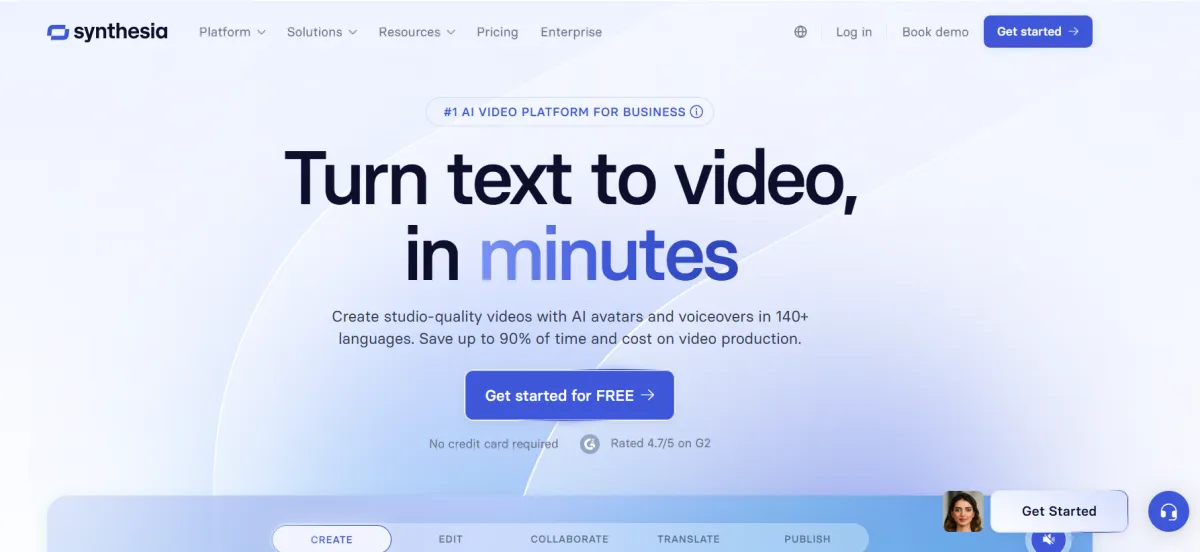
The world's #1 AI video communications platform for creating studio-quality videos with realistic avatars.
An entry-level plan designed for individuals testing the AI video generation workflow, featuring restricted avatar options and watermarked exports.
A baseline paid subscription for solo founders and individual professionals, removing watermarks and allowing the creation of a custom personal avatar.
The standard tier for B2C marketers and active content creators, tripling the monthly credit allowance and unlocking API access for automated workflows.
A custom-priced tier targeting large corporate L&D and B2B marketing teams requiring centralized administration, security compliance, and global localization tools.
Quick Summary (TLDR): Synthesia is an enterprise-grade video communications platform classified as a "Multimodal AI Presenter Engine." Recorded results indicate it contributes to a 90% reduction in video production time by replacing physical studios and actors with AI avatars and automated video dubbing (reported 2026-01-06).
Provides ready-to-use Express-2 Avatars and prepares a state of readiness for interactive learning through its Video Agents pipeline. This investment increases outbound throughput by delegating video localization and scriptwriting to an autonomous engine that supports 140+ languages. Recorded results show that Fortune 500 enterprises—including 47% of the Fortune 100—achieve a state of readiness for global training and sales enablement with annual savings between $200,000 and $500,000 compared to traditional filming (reported).
Pro-tip from the field: Use the Interactive Video Agents to insert branching paths and quizzes directly into your video content. This contributes to higher completion rates by transforming passive viewing into a two-way real-time conversation between the viewer and the AI avatar (verified 2026-01-06).
Input: Text scripts, URLs (blog-to-video), or technical documents; supports Voice Cloning to create a "Digital Twin" of your own voice.
Processing: The engine uses Expressive-2 technology to generate natural micro-gestures (nodding, eyebrow raises) and matches them with lip-syncing; human review is required to select the best-fit avatar and adjust the script's phonetic pacing.
Output: Full HD (1080p) MP4 video files; SCORM packages for LMS integration; and interactive web players.
Attribute | Technical Specification |
Integrations | Microsoft Teams; Slack; HubSpot; Shopify; LMS (SCORM/xAPI) |
API | yes (v2 API for programmatic video generation) |
SSO | yes (SAML/SSO for Business and Enterprise tiers) |
Data Hosting | Global (AWS-backed; SOC 2 Type II and GDPR compliant) |
Output | MP4 Video; 1080p; 140+ Languages and Accents |
Integration maturity | Native (no other tools needed for interactive training) |
Verified | yes |
Last tested | 2026-01-06 |
Global Training Localization Pipeline
Title: Global Training Localization Pipeline
Description: Identifies a master English video and prepares a state of readiness for 30+ international markets using frame-accurate AI dubbing.
Connectors: Master Video → AI Translator → Multi-Language Player (2)
Time to setup: 45 minutes (calculated via RSE)
Expected output: A production-ready collection of localized training videos with authentic voice preservation.
Mapping snippet:
JSON
{
  "source_video": "Compliance_Master_v1",
  "action": "Sync_Dubbing",
  "languages": ["Arabic", "Spanish", "Mandarin"],
  "output_format": "SCORM_Package"
}
Automated Customer Support Agent
Title: Automated Customer Support Agent
Description: Prepares an interactive video agent that listens and responds to customer queries in real-time, pulling answers from your company knowledge base.
Connectors: Knowledge Base → Video Agent → Customer Portal (3)
Time to setup: 75 minutes (calculated via RSE)
Expected output: A state of readiness for 24/7 customer support with a human-like video presenter.
Limitations: The Starter plan is limited to 120 minutes of video per year; cinematic "B-roll" generation using Sora 2 or Veo 3 integrations may require extra credits (48 credits per 8-second clip).
Ease of Adoption: Low; estimate 1.5 hours for L&D teams to master Interactive Branching and Avatar Customization (calculated with 50% safety margin).
Known artifacts: Minor: Occasional "stiff" hand gestures in high-motion scenes; complex industry jargon may require manual phonetic spelling to ensure correct AI voice pronunciation.
Pro-tip from the field: When using Personal Avatars, ensure you use a 4K camera for the initial scan. This contributes to maintaining professional visual fidelity and reducing the "uncanny valley" effect in the final video output (verified 2026-01-06).
The Ideal User: Large-scale enterprises, HR departments, and instructional designers who need to create and maintain a massive library of consistent, multilingual educational video content.
When to Skip: If you are a solo creator looking for highly emotional, artistic storytelling or "movie-style" visuals where a human-like presenter is not the primary focus.
Synthesia contributes to stable operational growth by shifting video from a static medium to an interactive asset. Implementing its 2026 suite helps maintain a state of readiness for a globalized workforce, ensuring that training and communication are as scalable as the software they support.
No reviews yet. Be the first to review this tool!
Explore alternatives and similar solutions in the same category.

An AI-first video platform that automates the entire production process from script to final edit.
The world's most advanced AI audio platform for lifelike speech, voice cloning, and dubbing.

State-of-the-art multimodal AI with frontier reasoning and massive context
The leading conversion-focused AI platform for generating high-performing ad creatives and video content.
Save tools to your account.
