
Gemini

Gemini: Google's AI Assistant Built Into Gmail, Docs, and Search

by Google

State-of-the-art multimodal AI with frontier reasoning and massive context
(Based on reviews)
Free Option Available No credit card required
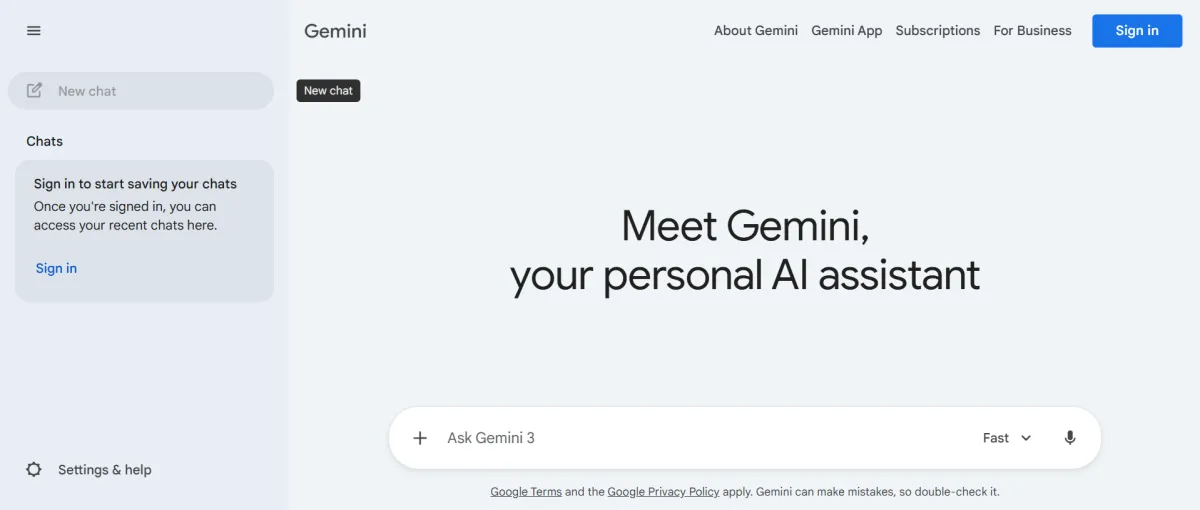
Gemini Interface

What is Gemini?

Gemini is Google's family of AI models built into the Gemini app, Google Search, and Google Workspace apps like Gmail, Docs, and Sheets. It launched as Bard in 2023 and was renamed Gemini in February 2024. Unlike a standalone AI chat tool, Gemini's core design is integration. It sits inside the products a solo founder already has open all day.

What is Gemini used for?

The most common solo founder use case is drafting and refining client emails directly inside Gmail using context Gemini already has from the thread. A close second is summarizing a long email chain or document into a short and client-ready update without leaving the app you are working in. Beyond that, founders use Gemini's Deep Research feature to turn a multi-hour competitor scan into a cited report in minutes.

Gemini Capabilities

Gemini in Gmail & Docs

Drafts, summarizes, and refines text directly inside the app you are already using. A solo founder replying to a client thread never has to leave the inbox to get a usable draft.

Deep Research

Reads dozens of sources in real time and returns a structured and cited report in minutes.

1-Million-Token Context Window

Holds roughly 1,500 pages of text or a full codebase in a single conversation on the Pro and Ultra tiers. This is useful for reviewing a long contract or a batch of client files without breaking them into chunks.

NotebookLM

Turns research, meeting notes, or client documents into organized notebooks and audio overviews.

Nano Banana Pro

Built-in image generation for social graphics, quick mockups, and visual content available from the Plus tier upward.

Who uses Gemini?

Solo Founders
Consultants
Content Creators
Researchers

Who Gets Real Value From Gemini

Solo Founders and Consultants

Founders who run client communication through Gmail and draft documents in Google Docs use Gemini to cut editing time on daily writing.

Researchers and Content Creators

Content-heavy founders use Deep Research and NotebookLM to compress hours of manual research into minutes.

Gemini Features

Google Workspace Integration

Gemini in Gmail, Docs, Sheets, Slides, Vids, AI Inbox, Daily Brief, and Proofread in Gmail.

Creative Tools

Nano Banana Pro for image generation, Gemini Omni for video generation, Google Flow, Google Flow Music, and Lyria 3 for music generation.

Developer Tools

Jules coding agent, Google Antigravity, Google AI Studio, Google Cloud credits, and Android Studio AI assistance.

Search Integration

AI Mode in Google Search, Deep Search, Chrome auto browse, and AI-powered local business calling.

About Gemini Pricing

Free Tier

Free

Google AI Plus

$7.99 /month

Google AI Pro

$19.99 /month

Google AI Ultra

$99.99 /month

Free Plan: Gemini 3.5 Flash by default, with limited daily access to the Gemini 3 Pro model, Deep Research, image generation, and NotebookLM. Context window is capped at 32K tokens, well below the 1-million-token window on paid plans.

Google AI Plus — $4.99/month: 400GB of storage, 2x higher usage limits than Free, access to Gemini 3.1 Pro, Deep Research, and Nano Banana Pro. Cut from $7.99/month on June 8, 2026, with storage doubled in the same move.

Google AI Pro — $19.99/month: Everything in Plus, plus 5TB of storage, expanded Deep Research, the Jules coding agent, Chrome auto browse, and $10/month in Google Cloud credits. The plan most daily users actually need.

Google AI Ultra — $100/month or $200/month: Two sub-tiers offering 5x or 20x the usage limits of Pro, plus Deep Think reasoning, higher storage (20TB–30TB), and developer-focused extras. Built for heavy daily use, not typical solo founder workloads.

Annual vs. Monthly: Current plans are billed monthly. An annual option has appeared for select legacy storage tiers in the past, so it's worth checking your own account before assuming a discount is available.

If You Cancel: Exporting your data requires Google Takeout, not a one-click settings toggle. Google's own help documentation warns that selecting "Gemini" in Takeout exports only your saved Gems, not your actual chat history — you need "Gemini Apps Activity" under My Activity for that.

⚠️ Worth knowing: Gemini's usage limits switched from a fixed daily message count to a compute-based quota in May 2026, and Google has already adjusted the system once in response to user complaints about hitting limits too fast.

Prices last verified July 2026. Check Google's official Gemini subscriptions page for current rates before subscribing.

What Gemini Replaces in Your Stack

✓ Can Replace

Gemini does not cleanly replace a standalone AI assistant like ChatGPT or Claude. What it does replace is the copy-paste step between a chat tool and your actual work. If you currently draft in ChatGPT and paste the result into Gmail, Gemini removes that middle step entirely.

→ Sits Alongside

Gemini competes with standalone AI chat tools, and many founders end up running both. It also sits alongside your existing Google Workspace apps. Because every paid tier bundles cloud storage across Gmail, Drive, and Photos, upgrading to a Gemini plan can fold both costs into one subscription if you already pay for extra storage.

Honest Note

Honest note: Whether Gemini is meaningfully better than a standalone assistant depends entirely on how much of your work already runs through Gmail, Docs, and Drive.

Frequently Asked Questions

The free tier is a genuine and ongoing plan rather than a time-limited trial. It runs Gemini 3.5 Flash with limited daily access to the more capable Pro model, Deep Research, and NotebookLM. No credit card is required, and there is no expiration date forcing you to upgrade.
If you use Gemini mainly for text-based writing and research inside Gmail and Docs, Google AI Pro at $19.99/month covers real daily use comfortably. If you lean on video generation or heavy Deep Research, you may hit quota limits faster than expected under the current compute-based system.
It takes under 2 minutes if you already have a Google account since there is no separate signup process. The bigger time investment is understanding which of the four paid tiers actually fits your workload.
Yes, particularly for writing and research tasks performed directly inside Gmail and Docs where Gemini has more context to work with than a standalone chat window.
Yes, but not with a single click. You will need to run a Google Takeout export, and Google's own documentation flags a specific naming trap where selecting the wrong Gemini category exports empty files instead of your actual conversation history.
The difference is not the underlying model. It is that Gemini works inside tools you are likely already using every day rather than living in a separate tab you have to remember to open.

User Reviews

No reviews yet. Be the first to review this tool!

Similar to Gemini

Explore alternatives and similar solutions in the same category.

NordVPN WW
Starting Price
Starts from $19.99 monthly
Subscription
Successfully Bookmarked!

Specs

Platforms
iOS Android Web Application
Integrations
Google Workspace API Android Studio Google Search Google Maps

Safety & Compliance

  • GDPR Compliant
  • SOC2 Certified
  • HIPAA Compliant
  • No-Data Training
  • Opt-out of Data Training
  • Content Moderation
  • ISO Certified
  • Two-Factor Authentication (2FA)
  • Regular Security Audits
  • Encryption at Rest
  • AI Guardrails
  • Advanced Data Controls
  • SynthID Watermarking
  • Google Model Armor
  • AI Provenance (C2PA)
  • Enterprise Data Isolation
Share this tool