

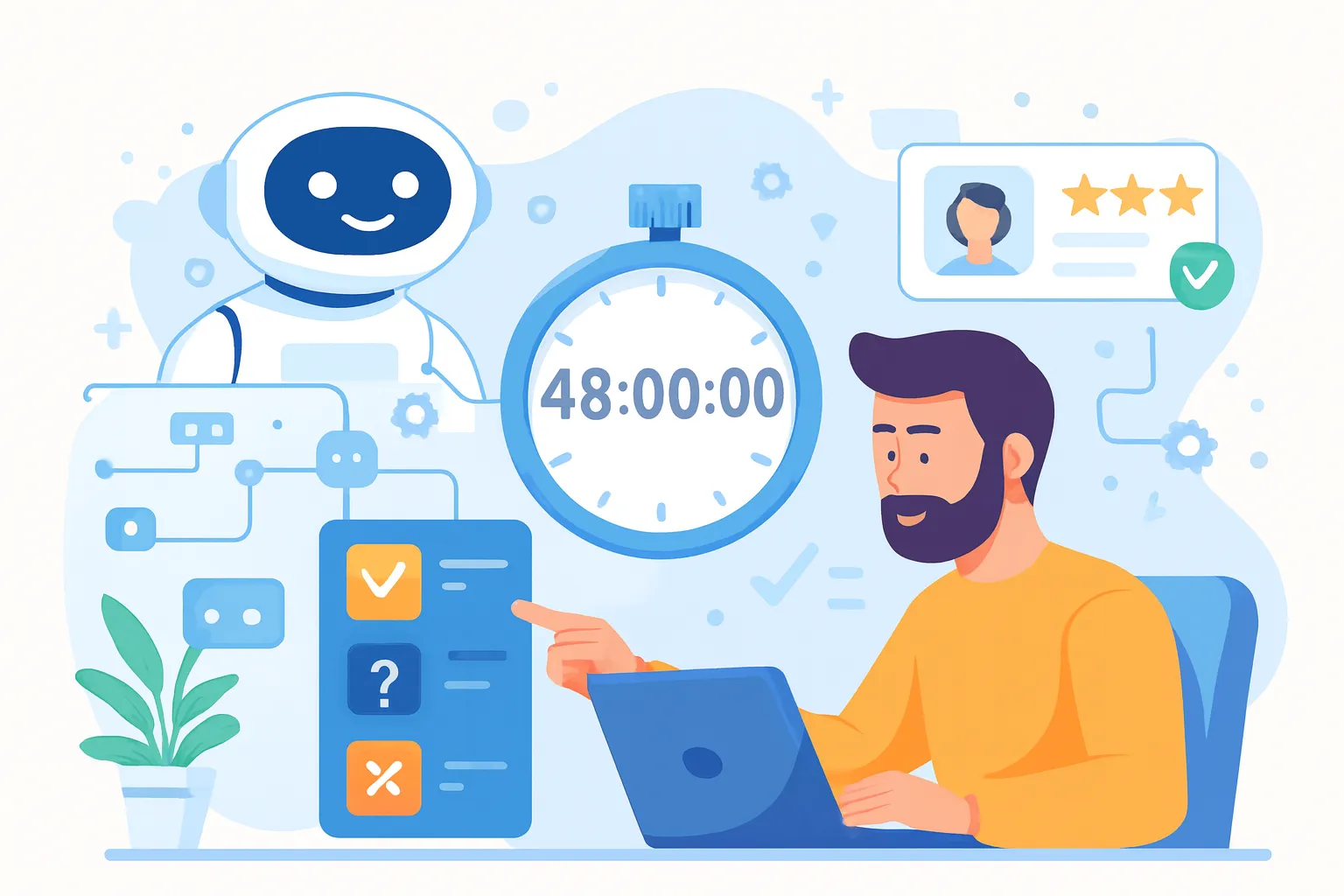
You don't have 6 months to build the perfect lead qualification system. You don't even have 6 weeks.
As a solo founder, every hour you spend manually sorting through "just exploring" leads is an hour you're not shipping product, closing deals, or actually building your business. The irony is brutal: the leads that could save your company are drowning in a sea of tire-kickers, and you can't tell them apart fast enough.
Here's what most guides won't tell you: you don't need a perfect AI lead qualifier. You need one that works this week.
This playbook will show you how to build a functional AI lead qualification system in 48 hours—one weekend—that automatically screens prospects, asks the right questions, and only sends qualified leads to your calendar. No coding required. No enterprise budget. No technical co-founder.
The goal isn't perfection. It's leverage. By Monday morning, you'll have a system running that saves you 10+ hours per week and ensures you never miss a hot lead again.
Let's build it.
What "AI Lead Qualifier" Means in This Playbook
Before we start, let's be crystal clear about scope.
An AI lead qualifier in this context is a system that:
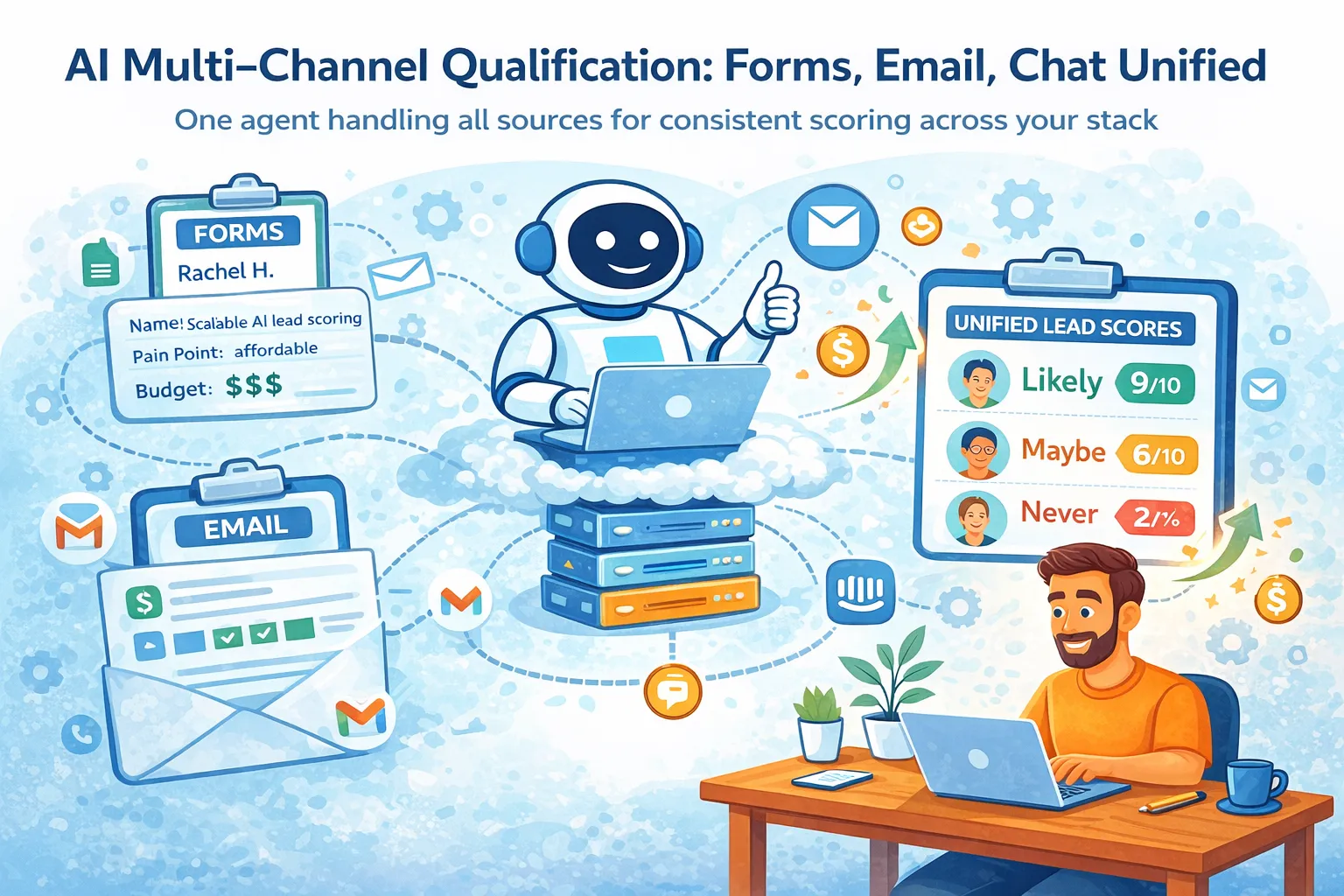
Engages with inbound leads automatically via chat, email, or form
Asks targeted questions based on your qualification criteria
Evaluates responses using rules you define
Routes qualified leads to your calendar
Sends everyone else to nurture sequences or polite rejections
What this is NOT:
Building custom machine learning models from scratch
Enterprise-grade systems with complex scoring algorithms
Something requiring engineering skills or coding experience
A replacement for human sales conversations
Think of this as your first sales hire—except it never sleeps, never forgets to follow up, and costs a fraction of the price. It handles the repetitive screening work so you only talk to people ready to buy.
The technology exists. The tools are accessible. You just need a framework to ship it fast.
Prerequisites: What You Need Before You Start
Don't start building until you have these three things nailed down. Missing any of them will turn this into a week-long project instead of a weekend sprint.
1. A clear offer
What exactly are you selling? What problem does it solve? If you can't explain your offer in two sentences, your AI agent definitely can't. You don't need perfect positioning, just clarity on what you do and for whom.
2. Basic ICP definition
Who is your ideal customer? Company size? Industry? Role? Budget range? You need 3-5 clear attributes that separate good fits from bad fits. "Startups with revenue" is too vague. "B2B SaaS companies, 10-100 employees, $500K-$5M ARR" works.
3. One inbound channel with steady flow
You need at least 5-10 leads per week coming from somewhere: website contact form, demo requests, email inquiries, chat. If you're getting 2 leads per month, manual handling is still fine—build this when volume demands it.
If you're missing any of these, stop. Fix them first. An AI lead qualifier amplifies your sales process; it doesn't create one from nothing.
Assuming you have these three locked, let's build.
Day 1 Overview: Foundation and Logic (8 Hours Total)
Day 1 is about thinking clearly and setting up the structure. You're building the decision framework that the AI will execute.
By end of Day 1, you'll have:
Clear qualification criteria written down
A conversation flow that asks the right questions
Tools selected and connected
A working prototype that captures and evaluates one lead
This is not about making it pretty. It's about making it functional. Polish comes later.
Time allocation for Day 1:
Define qualification criteria: 2-3 hours
Design conversation flow: 2 hours
Choose and set up tools: 1 hour
Build core agent logic: 4-5 hours
Connect to inbound channel: 2 hours
Let's break down each step.
Step 1: Define Your Qualification Criteria (2-3 Hours)
This is the most important step. Get this wrong and your AI will either reject good leads or waste your time with bad ones.
Open a document and answer these questions:
Must-have attributes (3-5 maximum): These are non-negotiables. A lead missing even one of these is automatically disqualified.
Examples:
Company has 20+ employees
Decision-maker or strong influencer
Budget awareness ($X range)
Active need (not "just researching")
In your target industry/vertical
Nice-to-have attributes (2-3 maximum): These boost a lead's score but aren't deal-breakers.
Examples:
Specific pain point you solve well
Timeline under 90 days
Referenced by existing customer
Already using competitor solution
Hard disqualifiers (3-5 maximum): Instant rejections, no matter what else they say.
Examples:
Students or academics (unless that's your market)
Competitors doing research
Budget below your minimum deal size
Industries you explicitly don't serve
Solo founders/individual contributors (if you sell to teams)
Write these in plain language. Your AI agent will use these exact criteria to make decisions. "Budget-conscious enterprise" is vague. "Annual budget of $50K-500K for this category" is actionable.
Test your criteria: Think about your last 10 leads. Would these rules have correctly filtered them? If not, refine until they would.
This is the brain of your system. Spend the time here.
Step 2: Design the Qualification Conversation (2 Hours)
Now turn your criteria into questions a human would actually answer.
The goal: extract the information you need without feeling like an interrogation.
Start with a warm opening: "Thanks for reaching out! I'm [Agent Name], an AI assistant helping [Your Name] qualify leads so we can get you the right help quickly. I'll ask a few questions—should take under 2 minutes."
Setting expectations upfront builds trust.
Map each criterion to a question:
Criterion: Company size
Question: "How large is your team?"
Criterion: Decision authority
Question: "What's your role in evaluating new tools like this?"
Criterion: Budget awareness
Question: "Do you have a budget allocated for solving [problem]?"
Criterion: Timeline
Question: "When are you looking to make a decision?"
Keep questions:
Short (one sentence)
Conversational (not formal)
Open enough to get context, specific enough to score
Bad question: "Please describe your organization's current technological infrastructure and budgetary constraints."
Good question: "What are you using today to handle this, and what's not working?"
Design the flow: You don't need to ask all questions upfront. Start with 2-3, then branch based on responses.
Example flow:
"What problem are you trying to solve?"
↓If relevant problem → "What's your timeline?"
If not relevant → Polite redirect with resources ↓If urgent timeline → "What's your role in the decision?"
If no timeline → Nurture sequence
The AI agent should feel helpful, not transactional. Write questions the way you'd ask them in a real conversation.
Step 3: Choose the Right Tools (1 Hour)
You need three categories of tools:
1. AI agent platform (the brain)
This is where you build the conversational logic. Look for:
No-code interface for building conversation flows
Pre-built templates for lead qualification
Ability to integrate with other tools via API or Zapier
Affordable pricing (under $100/month to start)
Popular options have free trials—pick one, don't comparison-shop for days.
2. Data storage (the memory)
Where qualified leads and their responses are stored. Options:
Lightweight CRM (if you have one)
Google Sheets or Airtable (if you don't)
Notion database (if that's your workspace)
Choose what you'll actually check daily.
3. Communication channel (the interface)
How the AI talks to leads:
Website chat widget (highest volume usually)
Email auto-responder
Form submission follow-up
Start with one channel. You can add more later.
Integration layer:
Most tools connect via Zapier, Make, or native integrations. Make sure your AI platform can talk to your data storage and communication channel.
Decision rule: Pick tools you can set up in under 2 hours total. If onboarding looks complex, choose something simpler. Speed matters more than features right now.
Step 4: Build the Core AI Agent Logic (4-5 Hours)
This is where you translate your criteria and questions into a working system.
Input capture:
When a lead arrives (via form, chat, email), the agent needs to capture:
Name
Email
Company (if B2B)
How they found you
Initial message/question
Most AI platforms have form fields or chat inputs for this.
Conversation flow:
Build the question sequence you designed in Step 2. The platform will have a visual builder—drag-and-drop conversation nodes:
Greeting node → Welcome message
Question node → "What problem are you solving?"
Branch node → If answer contains [keywords] → relevant, if not → redirect
Question node → "What's your timeline?"
Decision node → Score based on answer
Rule-based scoring:
Assign point values to responses:
"Need it in next 30 days" = +10 points
"Just exploring" = +2 points
"No budget allocated" = -5 points
Set thresholds:
25+ points = qualified (book call)
10-24 points = nurture (email sequence)
Below 10 = polite rejection
Fallback handling:
What if someone asks a question the agent can't answer? Build an escape hatch:
"Great question—let me connect you with [Your Name] directly for that."
Trigger: send you a Slack/email notification
Agent: "You should hear back within 24 hours."
Test internally first:
Before connecting to your real lead flow, run through the conversation yourself 5-10 times. Check:
Does it ask the right questions?
Do branches work correctly?
Does scoring align with your criteria?
Fix obvious issues now while it's easy.
Step 5: Connect the Agent to Your Inbound Channel (2 Hours)
Now make your AI agent live.
For website chat:
Install the chat widget code on your site
Position it on high-intent pages (pricing, contact, demo)
Set it to engage after 30 seconds or on exit intent
Test on desktop and mobile
For email:
Set up auto-response on your contact@ or demo@ email
Agent replies immediately with first question
Continues conversation via email thread
Make sure it doesn't respond to replies from existing customers
For forms:
Connect form submission to agent trigger
Agent sends immediate follow-up email
Alternatively, redirect to chat window after form submit
Critical: Test with real scenarios
Don't just test happy paths. Try:
Completely unqualified lead (student, competitor)
Partially qualified (right company, wrong role)
Highly qualified (checks all boxes)
Edge case (asks unrelated question)
Make sure routing works correctly for each scenario.
End of Day 1 checkpoint:
You should now be able to submit a test lead and watch it get automatically:
Greeted
Asked qualification questions
Scored
Routed to the right action
If this works, Day 1 is done. Go to bed—Day 2 will make this system actually useful.
Day 2 Overview: Automation and Polish (8 Hours Total)
Day 2 is about removing yourself from the loop and tightening the system.
By end of Day 2, you'll have:
Automated routing for qualified leads (calendar booking)
Follow-up sequences for nurture leads
Safety guardrails for edge cases
Real leads tested through the system
Time allocation for Day 2:
Automate lead routing: 3 hours
Add guardrails and overrides: 1-2 hours
Test with real leads: 2 hours
Documentation and handoff: 1-2 hours
Let's finish this.
Step 6: Automate Lead Routing and Actions (3 Hours)
Qualification without action is just data. Now we make the system take action automatically.
For qualified leads (high score):
Connect your calendar tool (Calendly, Cal.com, etc.):
When lead scores 25+ points, agent automatically sends: "Based on what you've shared, it sounds like we can help. Here's my calendar—grab a 30-minute slot that works for you: [calendar link]"
Lead books directly
Confirmation goes to both of you
You show up prepared with conversation context
For nurture leads (medium score):
Build a 3-email sequence:
Email 1 (immediately): "Thanks for your interest. Here's a resource that might help: [case study/guide]"
Email 2 (3 days later): "Quick follow-up—have you had a chance to review [resource]? Happy to answer questions."
Email 3 (7 days later): "Still exploring? Here's my calendar when you're ready: [link]"
Connect this to your email tool or use the AI platform's built-in sequencing.
For disqualified leads:
Send a respectful decline: "Thanks for reaching out. Based on what you've shared, we're likely not the best fit right now. Here are some resources that might help: [links]. Best of luck!"
This closes the loop professionally and leaves a positive impression.
Update your CRM/spreadsheet:
For every lead, automatically log:
Name, email, company
Qualification score
Answers to key questions
Next action taken
Timestamp
This creates a record you can review weekly without manually entering data.
Test each automation:
Submit a high-score lead → confirm calendar link sends
Submit a mid-score lead → confirm email 1 arrives
Submit a low-score lead → confirm polite rejection sends
All three paths should work without your involvement.
Step 7: Add Guardrails and Human Override (1-2 Hours)
AI agents follow rules, but rules don't cover every situation. Build safety nets.
Uncertainty escalation:
If the agent can't confidently score a lead (ambiguous answers, missing key info), it should:
Tag the lead as "needs human review"
Send you a notification (Slack, email, SMS)
Tell the prospect: "Let me have [Your Name] take a look at this personally—you'll hear back within 24 hours."
Better to manually review 2-3 edge cases per week than let the agent make bad decisions.
High-value lead flagging:
Certain signals should always escalate:
Mentions large budget ($50K+, or whatever is significant for you)
Comes from target account you've been pursuing
Referenced by existing customer
Executive-level contact
Set these as override rules that bypass normal scoring and notify you immediately.
Manual override option:
You should be able to:
Manually promote a lead to qualified
Manually disqualify even if score is high
Pause the agent temporarily if something breaks
Most platforms have an admin panel for this.
Failure modes:
What happens if:
Lead asks a question agent can't answer? → Escalate
Technical error in scoring logic? → Default to human review
Integration breaks (calendar, CRM)? → Queue leads and notify you
Define these fallback behaviors now. You won't want to debug them at 11pm when a hot lead is waiting.
Step 8: Test With Real Leads (2 Hours)
Time to go live with actual prospects.
Soft launch approach:
Don't announce this. Just turn it on for one channel and monitor closely.
Watch the first 5-10 conversations in real-time
Check if questions make sense to prospects
See if scoring aligns with your judgment
Note any confusion or drop-off points
Review conversations, not just outcomes:
Read through the full conversation threads:
Does the tone feel right?
Are questions clear?
Do responses give you the info you need?
Where do prospects get confused or frustrated?
Measure early metrics:
After 10-15 leads through the system:
What % are qualified vs. nurt
ure vs. rejected?
Does this match your expectations?
Are qualified leads actually booking calls?
Any false positives (bad leads scoring high)?
Any false negatives (good leads getting rejected)?
Make immediate adjustments:
If you see issues:
Qualification too strict? Leads you want are getting rejected → Lower thresholds
Too loose? Calendar filling with tire-kickers → Tighten criteria
Questions confusing? Rewrite in simpler language
Drop-off at specific question? That question might be too invasive—rephrase or move it later
The system will never be perfect, but it should be 80% accurate within the first 20 leads.
Common Mistakes That Kill Speed
Here's what will turn your 48-hour project into a 3-week nightmare:
Over-engineering from the start:
Trying to handle every edge case, build complex scoring models, or create 15-branch conversation trees. You'll never ship. Start simple, add complexity only when you hit clear limitations.
Over-qualification:
Requiring 10 data points to qualify someone. Every question is friction—most prospects will drop off. Stick to 3-5 must-have criteria. You can gather more context on the actual sales call.
Tool hopping:
Spending 6 hours comparing 12 different AI platforms. Pick one with good reviews and a free trial, and move forward. The best tool is the one you'll actually implement.
Perfectionist copywriting:
Rewriting every message 15 times to get the tone exactly right. Good enough is fine for v1. You'll refine based on real responses, not hypothetical ones.
Building without testing:
Creating the entire system and only testing at the end. Test each step as you build. Catching issues early saves hours of debugging later.
Skipping documentation:
Not writing down how anything works. Future-you will curse present-you when something breaks and you don't remember how you set it up.
Every hour you spend on these mistakes is an hour you're not saving with automation. Ship fast, learn fast, iterate fast.
What "Done" Looks Like After 48 Hours
At the end of this weekend, you should have:
A working system where:
Inbound leads trigger the AI agent automatically
Agent asks 3-5 qualification questions
Leads are scored based on responses
Qualified leads book directly on your calendar with context
Nurture leads enter automated email sequence
Disqualified leads receive polite rejection
All interactions log to your CRM/spreadsheet
You are only involved when:
A qualified lead books a call (you show up and close)
An edge case needs human judgment (2-3 per week max)
Weekly review to adjust criteria (15 minutes)
Key metrics you're tracking:
Lead response time (should be under 5 minutes)
Qualification rate (% of leads scoring high/medium/low)
Calendar booking rate for qualified leads
Time saved per week (compare to manual qualification)
It's not perfect, and that's fine:
Some questions might need rewording
Scoring thresholds might need adjustment
Edge cases will pop up
But the system is live, functional, and saving you time. That's what matters.
"Done" doesn't mean "finished." It means "working well enough to generate value while you iterate."
How to Improve the System After Launch
Don't stop here. The first version is just the foundation.
Week 1-2: Refinement
Review every conversation
Adjust questions that confuse prospects
Tweak scoring if you see false positives/negatives
Add common edge cases to your logic
Week 3-4: Optimization
Analyze which questions give you the most signal
Remove or consolidate questions that don't help
Test different greeting messages for engagement
Improve email sequences based on response rates
Month 2: Expansion
Add a second inbound channel (if volume supports it)
Build scoring tiers (A/B/C leads, not just qualified/nurture)
Create targeted follow-ups based on specific pain points
Integrate enrichment tools to auto-fill company data
Month 3+: Advanced Features
A/B test different conversation flows
Add simple AI learning (if platform supports it)
Build reporting dashboard for lead quality trends
Consider adding voice or video engagement for high-intent leads
Weekly review ritual (15 minutes every Friday):
How many leads processed?
Qualification breakdown?
Any leads you disagree with the agent's decision?
What's one improvement to make this week?
The system gets better every week you use it. Small, consistent improvements compound.
When This Playbook Will Not Work
Be honest with yourself—this approach has limitations.
Don't use this playbook if:
Your inbound volume is under 5 leads per week:
The automation overhead isn't worth it yet. Handle leads manually until volume justifies automation.
Your offer is unclear or constantly changing:
The AI can't qualify leads if you don't know what qualifies them. Fix your positioning first, then automate.
Every sale requires deep custom discovery:
If you're selling complex enterprise solutions where qualification takes 3 calls and involves 5 stakeholders, automated screening won't capture enough nuance. Use AI for initial triage only.
You're still testing product-market fit:
If your ICP shifts weekly and you're learning who your customer is, you need to talk to every lead yourself. Automate after you've done 50+ sales conversations and see clear patterns.
Your sales process is 100% relationship-based:
If your entire value prop is personal connection and trust from the first touchpoint, automated qualification might feel wrong to your prospects. Know your market.
This playbook works best for solo founders with:
Clear offer and ICP
Steady inbound flow (10+ leads/week)
Repeatable qualification criteria
Sales process that can start asynchronously
If that's you, this will transform your sales process. If not, wait until it is.
Conclusion: Speed as a Competitive Advantage
Most solo founders spend months thinking about building systems like this. They read articles, bookmark tools, and plan elaborate workflows that never get built.
You just built one in 48 hours.
This isn't about having the most sophisticated AI or the prettiest interface. It's about shipping something that works and gives you leverage immediately.
Every week you don't have this system, you're:
Responding to leads hours too late
Wasting time on unqualified prospects
Missing opportunities because you can't move fast enough
Burning out from repetitive qualification work
Every week you DO have it running, you're:
Capturing leads while they're hot
Talking only to people ready to buy
Saving 10+ hours for deep work
Scaling beyond your personal capacity
The AI lead qualifier you built this weekend isn't your endpoint. It's your foundation. As you grow, you'll improve it, expand it, and maybe even replace parts of it.
But right now, it's running. It's working. And it's buying you back time.
That's the competitive advantage: you shipped while others are still planning.
Now go close those qualified leads sitting in your calendar.




Comments (0)
Leave a Comment